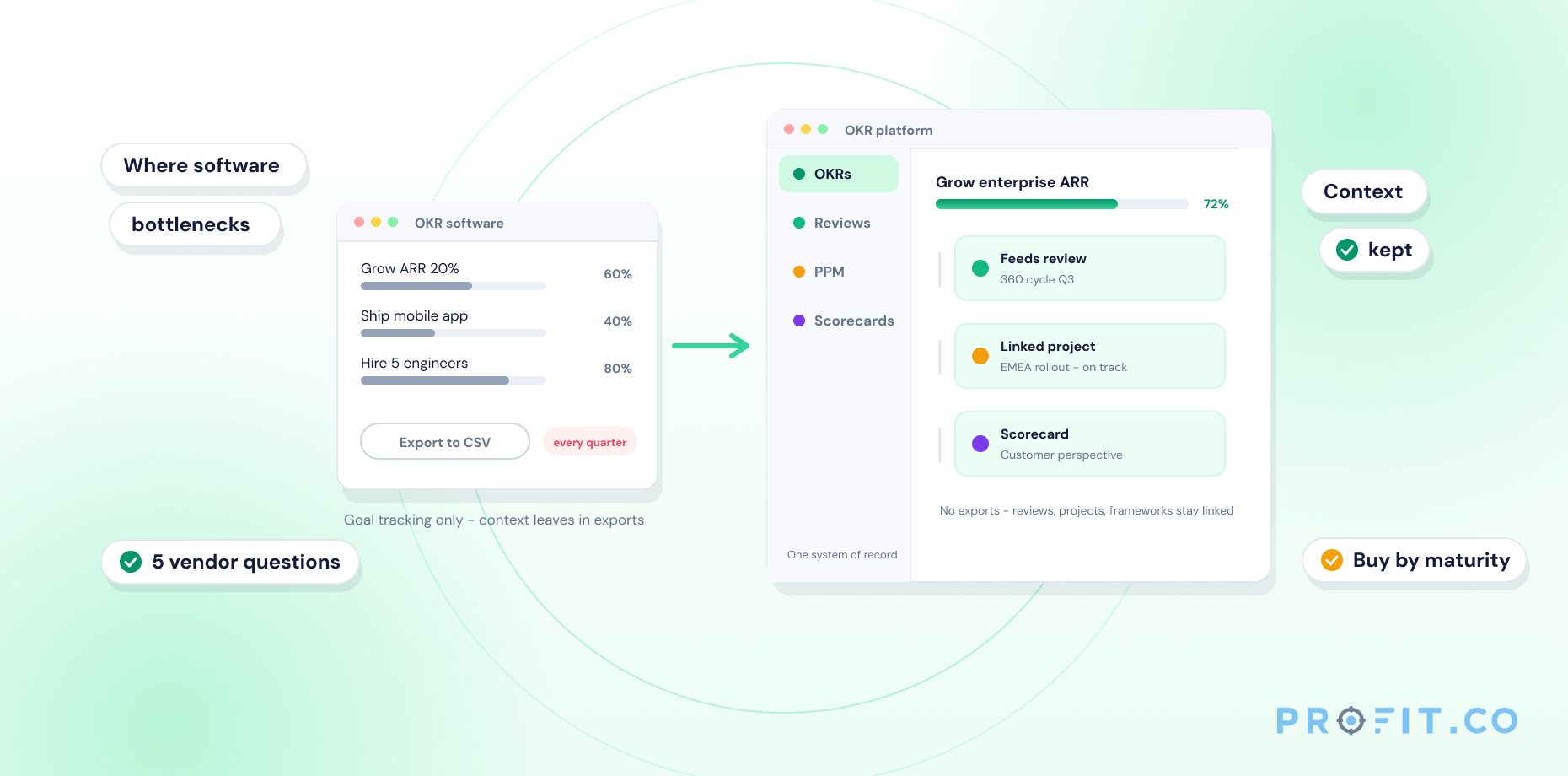
An OKR software demo shows what the platform can do, and a free trial reveals how and if your team will actually use it. To avoid poor adoption, evaluate demos for alignment and reporting, then validate usability, workflows, and integrations during a real trial with real OKRs. The right platform fits your team’s rhythm, not just leadership dashboards.
In this guide
- Why You Need Both a Demo and a Trial
- What to Look for in an OKR Software Demo
- How to Run an Effective OKR Software Free Trial
- Critical Questions to Ask During Your Demo
- Red Flags to Watch For
- Common Mistakes When Evaluating OKR Software
- How to Compare Multiple OKR Software Options
- What Success Looks Like
- Demo vs. Trial: Which Should You Do First?
- Where to Find Demos for Popular OKR Management Systems
- Final Thoughts
- Frequently Asked Questions
A 30-minute demo shows you what the software can do. A trial shows you whether your team will use it.
The decision to adopt OKR software often happens in two stages: a guided demo and a hands-on trial. The demo looks impressive. The interface is clean. The sales rep walks through the perfect workflow.
However, later, your team struggles with setup. Adoption stalls. You realize the platform doesn’t fit your actual workflow.
In this guide, we’ll walk through:
- What to evaluate during an OKR software demo
- How to run a trial that reveals real adoption potential
- Key questions to ask before committing
- Red flags that signal future problems
- Common mistakes teams make when evaluating platforms

“Software is more important than hardware.”
Bill Gates
Ready to make a confident decision? Let’s break it down.
Why You Need Both a Demo and a Trial
An OKR software demo and a free trial may seem similar on the surface, but they serve very different purposes, and relying on just one can lead to costly mistakes.
An OKR software demo is designed to help you understand the platform at a strategic level. It shows how the software approaches goal alignment across the organization, how reporting and visibility work for leadership, and how well the feature set matches your stated requirements. A good demo helps you visualize what’s possible and assess whether the platform supports your OKR methodology and use cases.
However, what looks great in a demo doesn’t always translate to your day-to-day use.
That’s where a free trial of OKR software becomes essential. A trial helps you validate whether the platform actually works for your team in real conditions. It reveals how easily employees can set and update OKRs, whether the tool fits into existing workflows, and how realistic the setup and onboarding experience truly are. Most importantly, it shows whether the software speeds teams up, or becomes another layer of friction.
This distinction matters. Leadership may be impressed by dashboards and reports during a demo, but if individual contributors struggle during the trial, adoption will stall. And without adoption, even the most powerful OKR software will fail.
That’s why the best evaluation approach is sequential: start with a structured OKR software demo to understand capabilities, then validate your decision with a hands-on free trial using real OKRs and real team members. When both stages align, you can move forward with confidence and without regret.
A Demo and a Trial Serve Different Purposes, and You Need Both to Make an Informed Decision
| An OKR software demo helps you understand | An OKR software free trial helps you validate |
|---|---|
| How the platform approaches goal alignment | Whether your team will actually adopt it |
| What reporting and visibility looks like | How it fits into your existing workflows |
| How the software handles your specific use cases | Whether setup and onboarding are realistic |
| Whether the feature set matches your needs | If the platform slows you down or speeds you up |
What to Look for in an OKR Software Demo
Not all OKR software demos reveal what you actually need to know. Many are designed to show ideal workflows with perfect data, scenarios that rarely reflect how teams operate in the real world. To evaluate a platform properly, you need to look beyond surface-level features and focus on how the software supports real execution.
Here’s what truly matters during an OKR software demo:
1. Company, Team, and Individual OKR Setup
Start by asking how objectives and key results are created at every level of the organization. A strong OKR platform should make it easy to define company-wide goals and clearly cascade them down to teams and individuals.
During the demo, alignment should be immediately visible. You should be able to see how individual contributions connect to team objectives and how those team objectives roll up to company priorities. If alignment feels confusing or hard to follow during the demo, it will only become more opaque once the platform is rolled out.
2. Real-World Scenarios, Not Just Ideal Workflows
Most demos showcase clean dashboards and simple examples. That’s not enough. Push the conversation toward real-world complexity. Ask the sales representative to demonstrate scenarios that reflect how your organization actually works. For example:
- How do you handle cross-functional OKRs that span multiple teams?
- What happens when priorities shift mid-quarter?
- How does leadership get visibility without micromanaging?
If they can’t show you real-world complexity, you’re not seeing the full picture.
3. Progress Tracking and Check-Ins
OKRs require consistent check-ins. During the demo, pay attention to:
- How do teams update progress? (Is it quick or cumbersome?)
- What do dashboards actually show? (Real insights or just raw data?)
- Can you spot at-risk objectives easily?
If updating progress feels like extra work, your team won’t do it consistently.
4. Integration with Your Existing Tools
Your team already uses Slack, Microsoft Teams, Jira, Asana, or other project management tools.
Ask how the OKR platform connects with those systems. If the answer is “you’ll need to manually sync everything,” that’s a time sink waiting to happen.
5. User Experience for Different Roles
The platform might look simple to the admin. But how does it feel for a team member who just needs to update a key result?
Ask to see the contributor’s view. If it’s cluttered or requires training just to navigate, adoption will struggle.
6. Reporting and Visibility
The best platforms surface the right information at the right time, without requiring manual report building.
- Can leadership actually see what matters?
- Progress trends, team alignment, at-risk objectives?
- Or is it just a digital spreadsheet with no actionable insights?
- Can reports be generated easily and tailored for different stakeholders without additional effort?
If reporting feels like a digital spreadsheet with no actionable insights, the platform isn’t helping drive better decisions.
How to Run an Effective OKR Software Free Trial
An OKR software free trial answers one critical question: Will your team actually use this platform once the novelty wears off?
Unlike a demo, a trial exposes the day-to-day reality of working with the tool. It reveals whether the platform fits naturally into your workflows or quietly becomes another system people avoid. To get meaningful results, your trial needs structure and real participation.
Here’s how to run an OKR software free trial that gives you honest answers.
Week 1: Real Setup With Real Users
The first week sets the tone for adoption. Instead of limiting access to leadership, invite a small group of actual contributors, typically five to ten people from different roles or teams.
Create two or three real OKRs from your current or upcoming quarter. Avoid test data. Use objectives your team genuinely cares about. Then walk through the core workflows: creating objectives, defining key results, and making the first progress updates.
During this phase, observe how people interact with the platform:
- Does setup feel intuitive, or do team members need frequent guidance?
- Are there friction points in the interface that slow people down?
- Can users find what they need without asking for help?
- Is the platform supported by 24/7 live help?
- Is there OKR coaching and consulting help available?
If onboarding feels difficult in week one, adoption problems will only compound over time.
Week 2: Test Daily Workflows
Once the basics are in place, shift focus to daily and weekly usage. Run a real check-in using the platform. Ask team members to update progress as they normally would, not in a staged session.
Encourage updates from different devices, including mobile if that’s relevant to your team. This is also the right time to test integrations with tools your teams use every day, such as Slack, Microsoft Teams, Jira, or project management software.
Pay attention to how the platform fits into your existing rhythm:
- Does it feel like a natural extension of your workflow, or like extra overhead?
- Are notifications helpful and timely, or distracting and overwhelming?
- Most importantly, can you easily track alignment and progress across teams without digging through data?
- Can you customize the workflow to be suitable to your needs?
- Does the OKR software provider support onboarding setup?
Week 3–4: Measure Real Adoption
By weeks three and four, patterns start to emerge. Look at login frequency and engagement levels. Who’s using the platform consistently, and who’s avoiding it?
Collect direct feedback from team members. Ask what feels intuitive and what feels frustrating. Their answers will tell you far more than a feature comparison ever could.
This is also the time to test customer support. If you encounter blockers, reach out and see how responsive and helpful the support team is. The quality of support during the trial often reflects what you’ll experience after purchase.
At this stage, ask yourself the most important questions:
- Are people using the platform naturally, or do they need constant reminders?
- Does the software make OKRs clearer and more actionable?
If the tool simplifies execution and encourages regular check-ins, you’re on the right path. If it creates friction or resistance, that’s a sign to rethink your choice.
Critical Questions to Ask During Your Demo
Here are questions that reveal whether a platform is right for you:
About Setup and Onboarding
- How long does implementation typically take?
- Do we need a dedicated admin, or can any team member manage it?
- Is there a cost for onboarding or training?
- What do the first 30 days look like for our team?
About Day-to-Day Use
- How do employees update their OKRs? (Weekly? Monthly? Real-time?)
- What’s the mobile experience like?
- Can we integrate with tools we already use?
- What happens if priorities shift mid-quarter?
About Visibility and Reporting
- Can leadership see company-wide progress at a glance?
- How do you track alignment between teams and departments?
- Are there built-in analytics, or do we export to spreadsheets?
- Can we customize reports for different stakeholders?
About Support and Scalability
- What kind of customer support do you offer? (Chat? Email? Phone? Response time?)
- How often do you release updates and new features?
- What happens if our team grows significantly?
- Are there enterprise features we’d need later?
About Pricing and Commitment
- What’s included in the base plan vs. premium features?
- Are there hidden costs (implementation, training, integrations)?
- What’s your cancellation policy?
- Can we test with our full team during the trial?
If answers feel vague or scripted, that’s a warning sign.
Red Flags to Watch For
Not every problem reveals itself during a polished demo. Some of the most damaging issues only surface after teams start using the platform and by then, switching tools becomes expensive and disruptive. That’s why it’s critical to recognize red flags early, especially during the trial period.
Overly Complex Setup
If getting started requires extensive documentation, multiple training sessions, or constant hand-holding, adoption will suffer. OKR software should simplify goal management, not introduce new layers of complexity.
Limited Mobile Experience
Modern teams don’t work exclusively at desks. If the mobile experience is clunky or missing altogether engagement will drop quickly. A poor mobile interface makes it harder for employees to update progress, check alignment, or stay engaged.
Rigid Framework That Forces Behavior
Some OKR platforms lock you into a single way of working. If you find yourself adapting your processes just to fit the tool, you’ll end up fighting the software instead of benefiting from it. Flexibility is essential.
Slow or Scripted Customer Support
Support quality matters more than most teams expect. During the trial, ask a real question and pay attention to how the support team responds. If replies take days or feel generic, imagine dealing with that when deadlines are tight.
High User Friction
Adoption breaks down when everyday actions feel tedious. If team members need multiple clicks or screens just to update a key result, they’ll avoid doing it consistently.
Vague Pricing or Hidden Costs
Transparency matters. If pricing details are unclear or constantly deferred to “another call,” that’s a warning sign. Hidden costs often surface only after commitment, when it’s hardest to walk away.
Poor Integration Quality
Many platforms advertise integrations, but not all integrations are equal. Some are one-way, unreliable, or require frequent manual syncing. Test integrations with real data and real workflows.
Common Mistakes When Evaluating OKR Software
Even with access to demos and free trials, many teams still end up choosing the wrong OKR software. Recognizing these pitfalls can save you from poor adoption and costly rework later.
Evaluating Only with Leadership Input
Leadership teams often focus on dashboards, reports, and high-level visibility. While those elements matter, they don’t reflect how the platform performs in day-to-day use. Successful evaluations include feedback from the people who update OKRs regularly, not just those who review them.
Using Dummy Data During Trials
Testing an OKR platform with fake objectives and placeholder data provides a false sense of confidence. Dummy data hides real friction points. Trials should use actual goals, real team members, and genuine timelines.
Skipping the Trial Entirely
One of the biggest mistakes teams make is committing to an annual contract after seeing only a demo. A demo shows what the software can do; a trial shows how it actually performs in your environment.
Not Testing Alignment Features
Alignment is the foundation of OKRs. If you can’t clearly see how team objectives connect to company-level goals during the trial, that problem won’t disappear after purchase.
Ignoring Integration Needs
OKR software rarely operates in isolation. If it doesn’t integrate cleanly with your project management, communication, or collaboration tools, teams will end up duplicating work.
Rushing the Evaluation Process
Pressure to “just pick a tool” often leads teams to rush their evaluation. That’s a mistake. Use the full trial period. Test different scenarios. Collect feedback from multiple roles and teams.
Why Avoiding These Mistakes Matters
Choosing OKR software is a behavior change across your organization. Avoiding these common mistakes ensures you select a platform that people actually use, not one that looks good in theory but fails in practice.
How to Compare Multiple OKR Software Options
If you’re evaluating several platforms, use this framework:
| Evaluation Factor | Platform A | Platform B | Platform C |
|---|---|---|---|
| Setup Time | 1 day | 1 week | 2 days |
| User Experience (Ease) | Intuitive | Moderate learning curve | Complex |
| Mobile App | Strong | Limited | None |
| Integration Options | Slack, Jira, Asana | Slack, Teams | Full suite |
| Support Response | Same day | 1-2 days | Instant chat |
| Pricing Transparency | Clear upfront | Requires call | Hidden tiers |
| Trial Period Length | 14 days | 30 days | 21 days |
| Onboarding Support | Self-serve | Paid training | Free workshops |
The goal isn’t finding the “best” platform objectively, it’s finding the one that fits your team’s size, OKR maturity, and workflow.
What Success Looks Like
You’ll know you’ve chosen the right OKR software when:
- Your team adopts it without constant reminders
- Check-ins take minutes, not hours
- Leadership gets visibility without creating reporting overhead
- Progress updates happen consistently
- Alignment improves across teams
- People naturally reference their OKRs in daily decisions
If the software feels like extra work instead of enabling better execution, it’s not the right fit.
Demo vs. Trial: Which Should You Do First?
For most organizations, the best sequence is:
- Start with a structured OKR software demo to understand capabilities, see alignment in action, and evaluate whether the approach matches your needs.
- Follow with a hands-on OKR software free trial to validate usability, test with real team members, and confirm adoption potential.
Using both provides complete evaluation coverage and leads to confident decisions.
Where to Find Demos for Popular OKR Management Systems
The fastest way to find demos for popular OKR management systems is to visit each platform’s official website — most enterprise OKR tools offer a “Book a Demo” or “Request a Demo” option alongside a free trial or freemium plan. Booking a personalized demo gives you a guided walkthrough tailored to your organization’s size, industry, and use case, making it easier to assess fit before committing to a trial.
Here are the top OKR management systems with direct links to their demo or free trial pages:
Profit.co
Profit.co’s demo covers the full OKR management platform: OKR tracking, performance management, 16 AI Agents, project portfolio management, employee recognition, and 100+ integrations, all covered in one session. Book a personalized demo at profit.co/request-demo or start exploring immediately with a free trial (no credit card required).
Book Your Free Demo →Lattice
Lattice demos focus on performance management, engagement, and career development workflows. Note that Lattice’s goal features are not OKR-native: the demo primarily covers the HR and people management layer rather than full OKR methodology.
See the Lattice Alternative →15Five
15Five’s demo covers weekly check-ins, continuous feedback, and lightweight goal management. The demo is best suited for teams new to OKRs that want to start with a simple check-in-first approach.
See the 15Five Alternative →Betterworks
Betterworks demos are tailored for enterprise buyers and cover OKR setup, continuous performance management, and goal alignment across large organizations. Betterworks requires a sales call to access the platform; there is no self-serve trial.
See the Betterworks Alternative →Weekdone
Weekdone offers a 14-day free trial without a required demo, making it one of the easiest platforms to test immediately. It is best suited for small teams under 50 people looking to test OKR tracking before committing to a paid plan.
See the Weekdone Alternative →Perdoo
Perdoo is an OKR and KPI management platform suited for mid-market organizations that want to track objectives and key performance indicators in one unified view. Perdoo offers a freemium plan for teams of up to five users, making it one of the few OKR tools accessible without an upfront budget commitment. Its combined OKR and KPI layer differentiates it from pure-play OKR tools, though it does not include performance management workflows or AI-assisted OKR authoring.
See the Perdoo Alternative →WorkBoard
WorkBoard is an enterprise OKR and strategy execution platform built for large organizations running complex, multi-level goal frameworks across business units. Following its acquisition by Quantive, the platform continues to serve enterprise buyers focused on strategy-to-execution alignment at scale. Enterprise buyers should note that the post-acquisition product direction and roadmap continuity are active considerations when evaluating long-term platform commitment.
See the WorkBoard Alternative →Tip
Before booking any demo, prepare two or three real OKRs from your current quarter. Ask each platform to demonstrate those specific use cases, not a scripted scenario. The OKR University has free templates to help you prepare your OKRs before the conversation.
Final Thoughts
Choosing OKR software isn’t about finding the flashiest demo or the cheapest option.
It’s about finding a platform that:
- Matches your team’s size and OKR maturity
- Fits into your existing workflows without creating overhead
- Makes tracking progress easy and natural
- Gets adopted organically without forcing it
Take the time to evaluate properly. Use the demo to understand capabilities. Use the trial to validate adoption. And don’t commit until you’re confident it works for your actual team.
The right OKR platform doesn’t just track goals it helps your team execute faster, align better, and achieve more together.
About Profit.co
Profit.co helps organizations implement effective OKR systems that drive alignment and execution. From startups to enterprise teams, we’ve seen what works when it comes to choosing and adopting OKR software that delivers results.
Ready to See How Profit.co Makes OKRs Work for Teams Like Yours?
Frequently Asked Questions
An OKR software demo is a guided walkthrough that shows how objectives and key results are created, aligned, tracked, and reported within the platform. It helps leadership understand capabilities and evaluate whether the approach fits their organization.
During an OKR software demo, focus on ease of use, goal alignment across levels, progress tracking workflows, dashboard clarity, and integrations with existing tools. Ask to see scenarios that match your real-world complexity.
An effective OKR software free trial should last 2–4 weeks – long enough to set real OKRs, run multiple check-ins, test reporting, and gather feedback from actual team members.
An OKR software free trial provides hands-on validation, while a demo offers guided evaluation of capabilities. Using both together delivers the most complete assessment and reduces decision risk.
Most OKR platforms offer a dedicated demo request page on their website. Profit.co’s demo covers the full platform (OKRs, performance management, and 16 AI Agents), bookable at profit.co/request-demo. Other platforms including Lattice (lattice.com/demo), 15Five (15five.com/demo), Betterworks (betterworks.com/demo), Perdoo (perdoo.com/demo), WorkBoard (workboard.com/request-demo), and Weekdone all have demo or trial access pages linked from their respective websites.
The biggest mistake is evaluating only with leadership input or using dummy data during trials. Real adoption depends on how the platform works for all team members using actual OKRs in daily workflows.
Choose OKR software by combining a structured demo (to understand capabilities) with a practical free trial (to validate adoption). Test with real team members, real OKRs, and your actual workflows before committing.