



How do I track tollgate approval status in Profit.co?
Category: PPM
In Profit.co, you can track tollgate approval status by viewing the Tollgate tab (for submitters) or the Pending Approvals dashboard (for approvers), where you can see approval progress, current status, approver sequences, and approval history throughout the workflow.
Table of Contents
What is approval status tracking in Profit.co?
Approval Status Tracking is the ability to monitor where a tollgate submission is in the approval workflow, whether it's pending, being reviewed, approved, or rejected. Both submitters and approvers can track status through different views: submitters use the Tollgate tab, while approvers use the Pending Approvals dashboard.
How do submitters track approval status?
Monitor approval progress throughout the workflow:
View in Tollgate Tab
- Navigate to your project from Portfolios and Projects
- Switch to the Tollgate tab
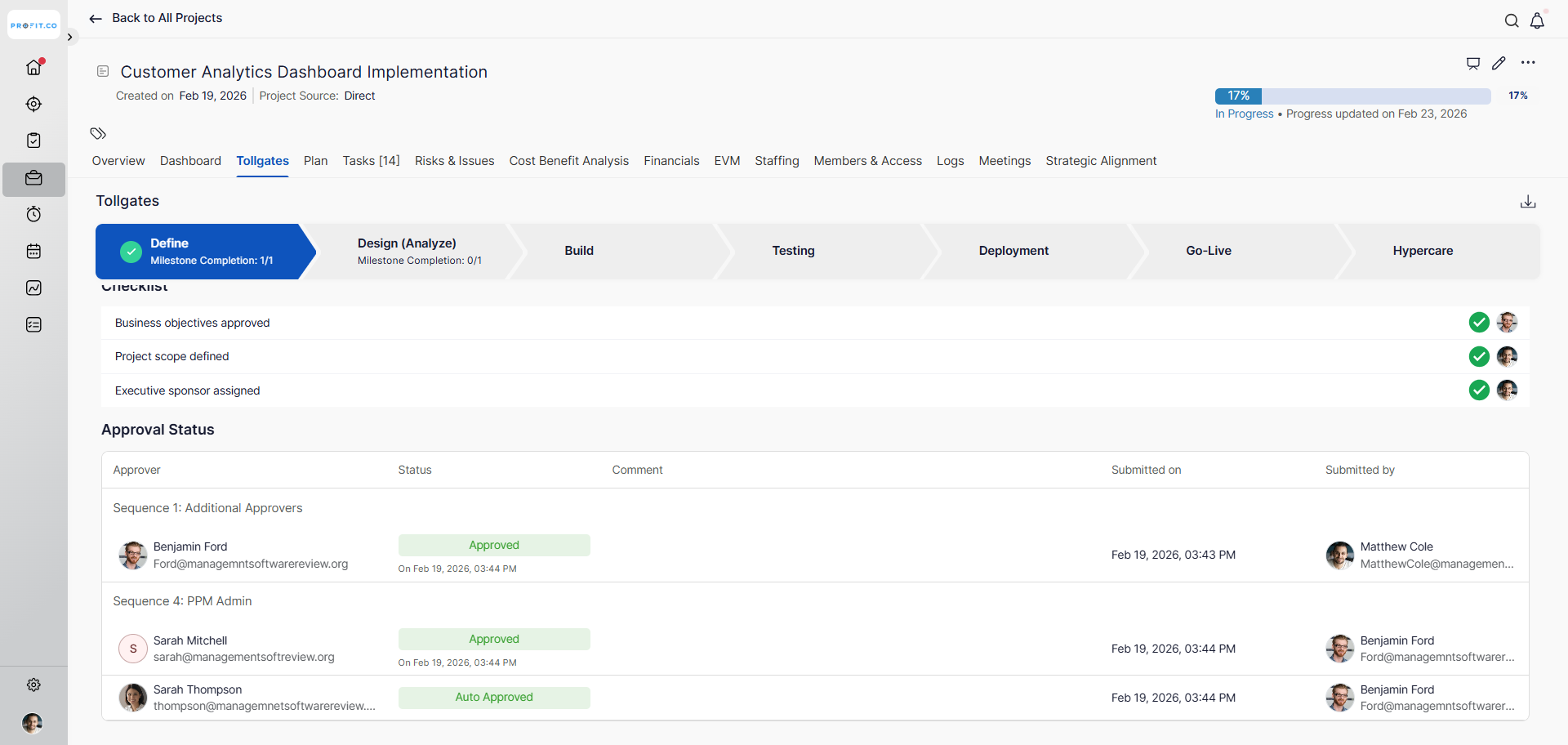
- This displays the tollgate stages and approval information
- See approval status for the current stage
- The status is prominently displayed on the Tollgate page
-
The view shows:
-
Current approval stage
-
Approvers in the sequence
-
Who has approved
-
Who is pending approval
-
Approval status (Pending, Approved, Rejected)
-
How do approvers track pending approvals?
Monitor requests awaiting your approval:
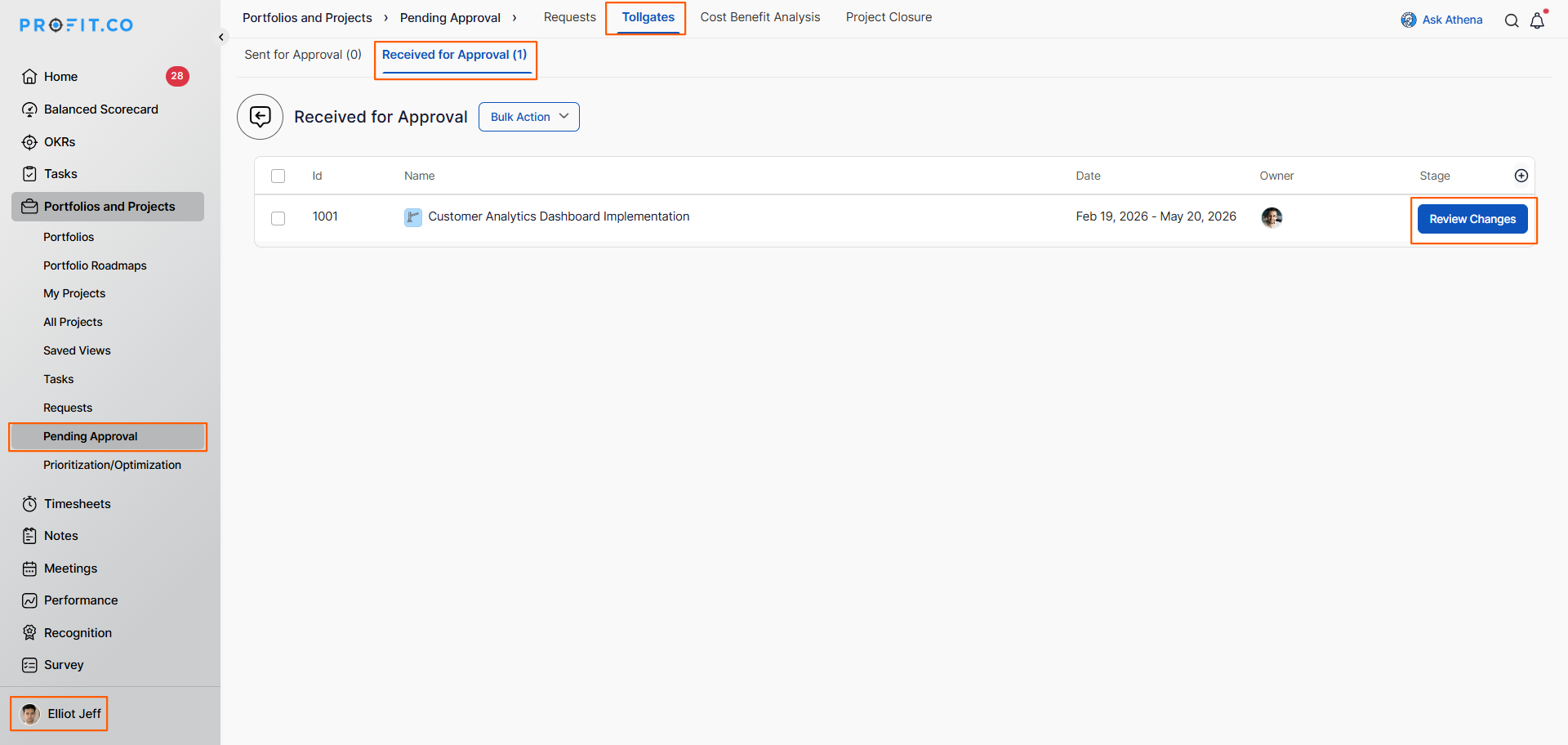
Pending Approvals Dashboard
- Reviews request in Pending Approvals → Tollgate → Received section
Best practices for tracking approval status
- Check approval status daily during critical project phases to stay on top of progress.
- Document approval timestamps and comments for audit trails and future reference.
- If status shows "Pending" for more than 2 business days, send a polite follow-up to the approver.
- When rejected, address all feedback comprehensively before resubmitting to avoid repeat rejections.
Related Questions
How do I set up phase-gate approval workflows in Profit.co?
How do I track tollgate compliance across projects in Profit.co?
Frequently Asked Questions
Typically yes, especially if you've made changes. The entire sequence restarts to ensure all approvers see the revised submission.
Yes, approval history is typically visible to all approvers in the sequence, allowing them to see prior feedback and decisions.
Approval history is permanently retained for audit purposes. You can review approval status from completed stages at any time.
Related Questions
-
How to create a Project in the PPM module?
Profit.co provides an option for users to create a project within the Project Portfolio Management (PPM) module. This ...Read more
-
How do I manage tollgate compliance across projects in Profit.co?
In Profit.co, you can Manage tollgate compliance across projects by associating tollgate sequences with projects, ...Read more
-
How do I set up resource rate cards and cost allocation in Profit.co?
In Profit.co, you can set up resource rate cards by creating Resource Types with specific hourly cost rates, assigning ...Read more
-
How to View Critical Tasks of a Project in Profit.co?
Profit.co's Critical Path Method (CPM) feature helps project managers identify the most essential sequence of tasks ...Read more