

In Profit.co, you can configure phase-gate approval workflows for tollgate sequences, requiring projects to receive multi-level approvals before progressing to the next stage, ensuring governance and quality control throughout the project lifecycle.
Table of Contents
- What are phase-gate approval workflows in Profit.co?
- What is a Tollgate in Profit.co?
- How do I access Tollgate Sequence settings?
- How do I configure approval flows for a stage?
- How do I set up multi-level approval sequences?
- Best practices for Phase-Gate Approval Workflows
- Related Questions
- Frequently Asked Questions
What are phase-gate approval workflows in Profit.co?
Phase-gate approval workflows are multi-stage approval processes configured for tollgate sequences. They require projects to pass through predefined approval gates before progressing to the next project stage, ensuring proper review, governance, and quality control at critical project milestones.
What is a Tollgate in Profit.co?
A Tollgate is a project governance checkpoint or gate where projects must meet specific criteria and receive approvals before proceeding to the next stage. Tollgates typically include:
- Checklist items that must be completed
- Deliverables that must be submitted
- Approval workflows that must be satisfied
- Criteria that must be met
To learn how to create this, click here
How do I access Tollgate Sequence settings?
Before configuring approval flows, you need to access the tollgate sequence:
Prerequisites:
- You need PPM Admin permissions to edit tollgate sequences
Step 1
- Access the tollgate sequence configuration.
- Refer to the Tollgate Creation post for creating new tollgate sequences.
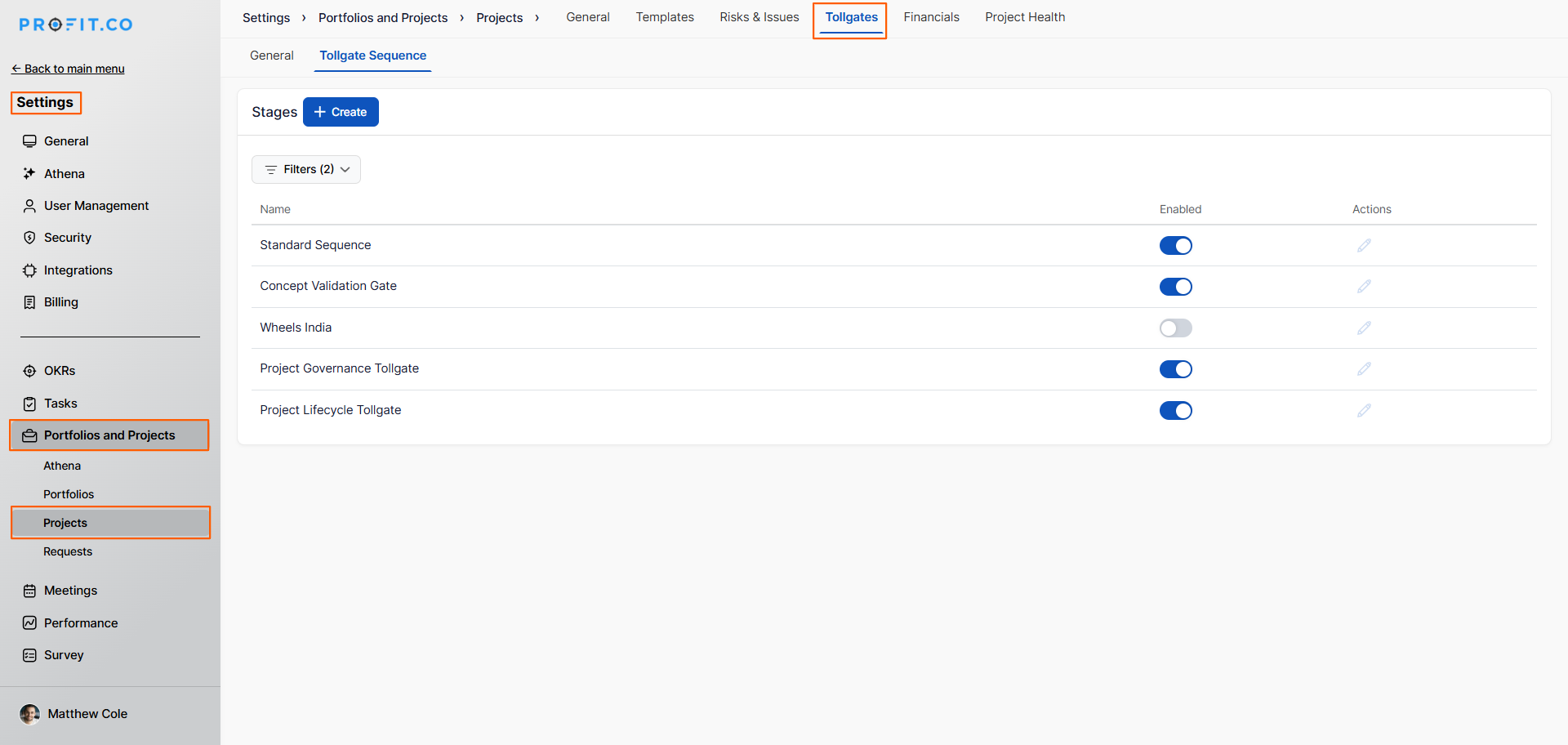
- Locate the tollgate sequence you want to configure.
- Click "Edit" on the tollgate sequence.
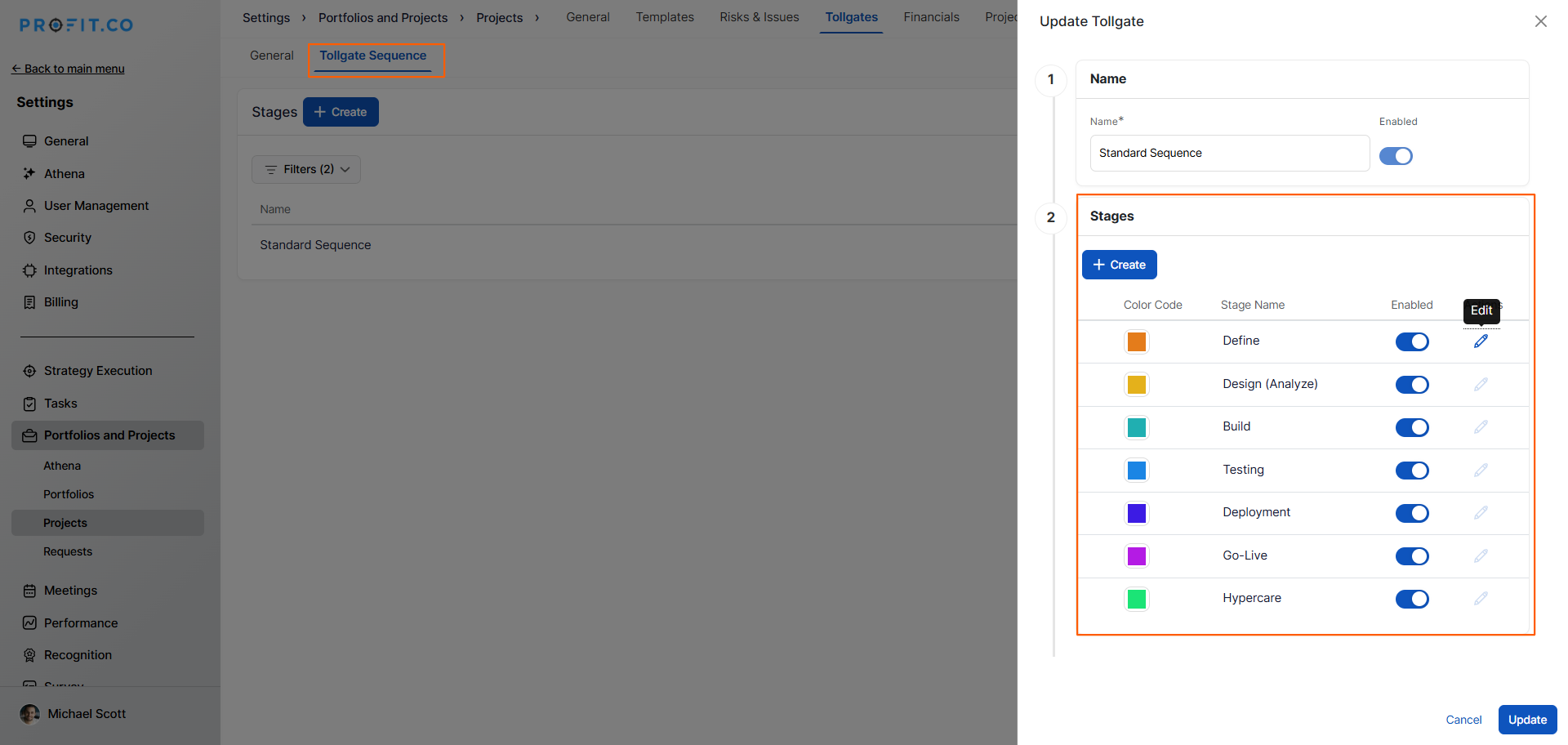
- A side panel will open, showing the sequence details.
How do I configure approval flows for a stage?
Set up approval workflows for each stage in your tollgate sequence:
Step 1
- In the tollgate sequence side panel, choose the stage name you want to configure.
- Each stage can have its own unique approval workflow.
- Click the Edit option for the selected stage.
- In the side panel, switch to the Approval Flow tab.
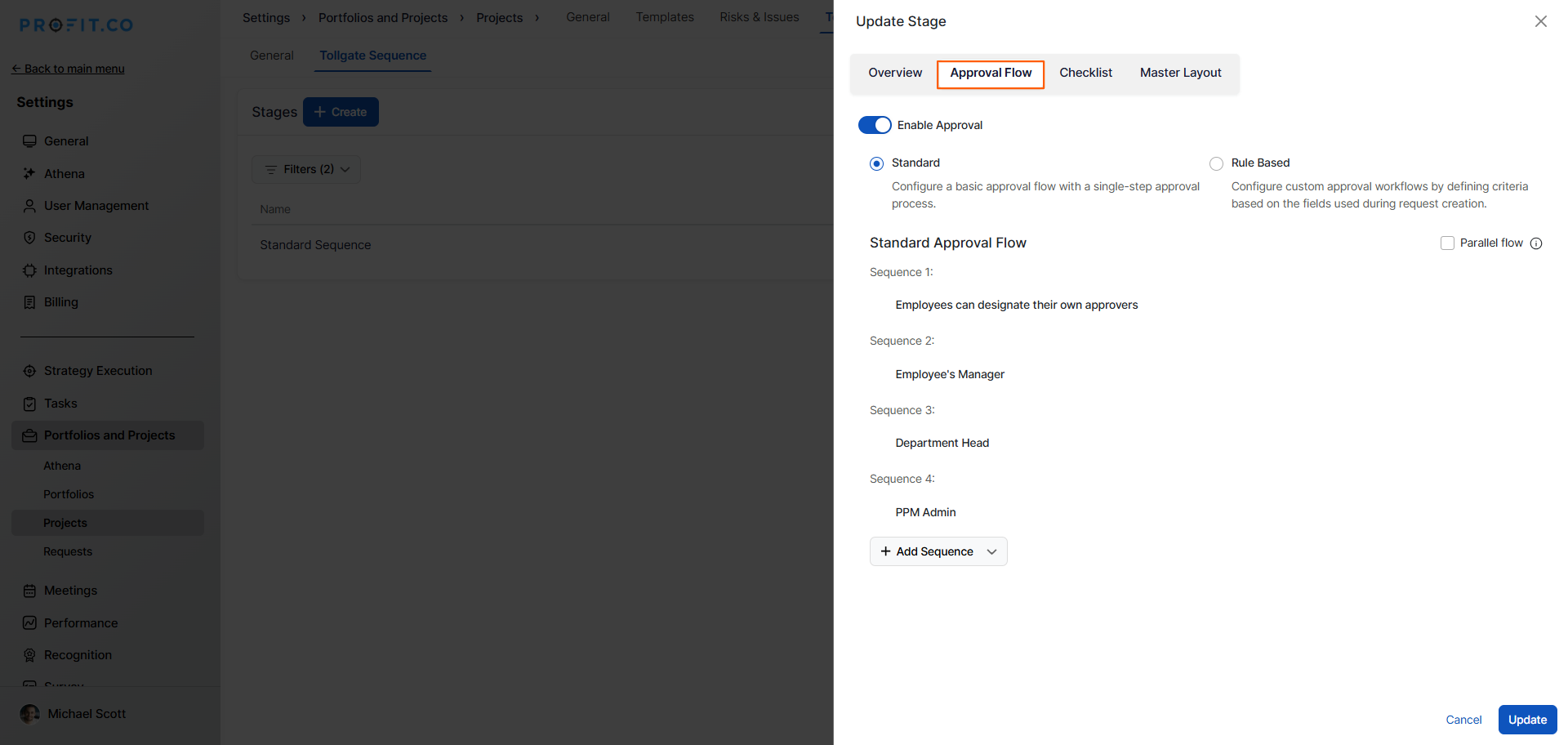
- This displays the approval configuration options.
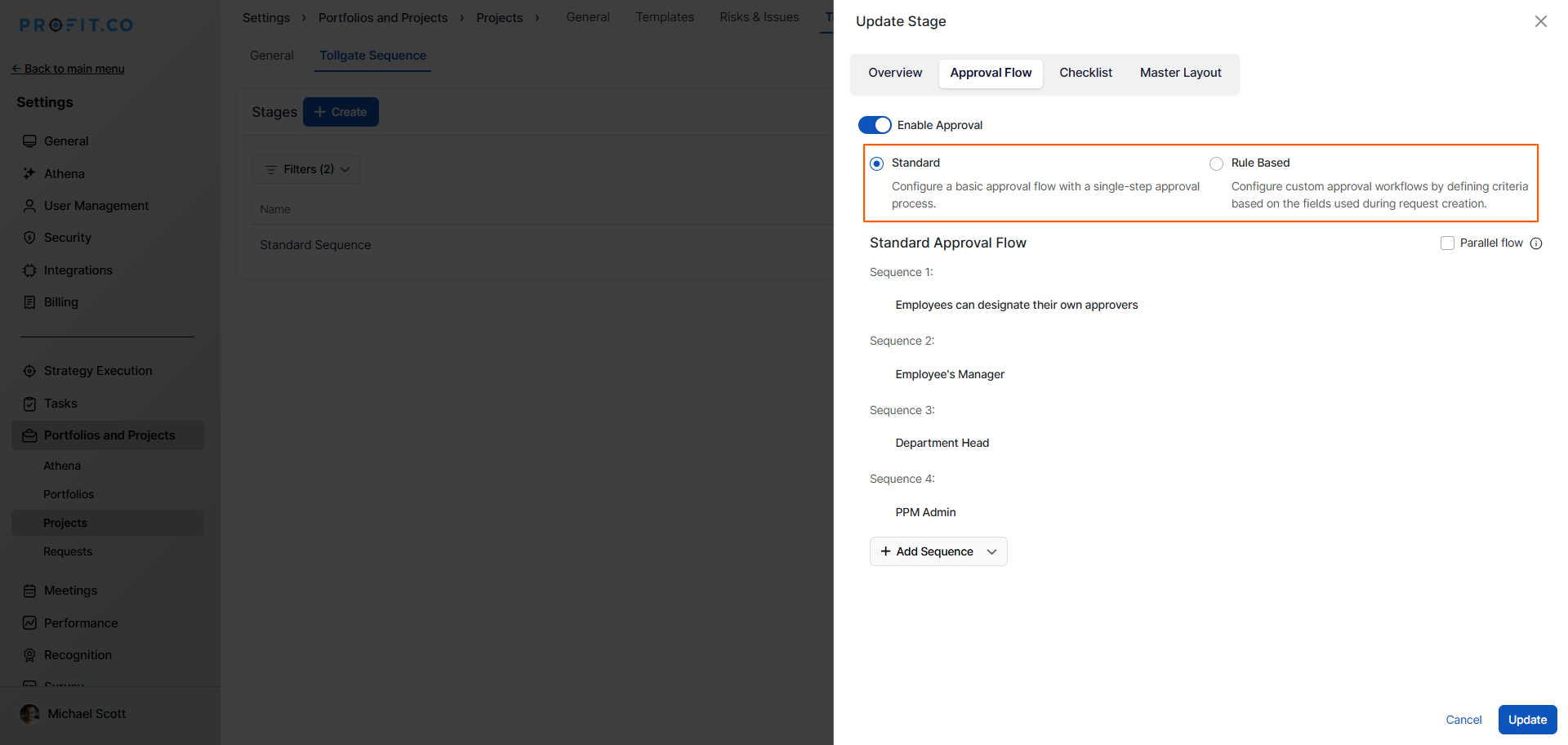
- Choose between a standard or rule-based approval flow.
How do I set up multi-level approval sequences?
Create a sequential approval workflow with multiple approval levels using a real business scenario.
Business Use Case Example:
The 4-Level Approval Flow:
- Technical Expert (Self-Designated) - Product Manager selects appropriate technical reviewer to validate feasibility
- PM's Direct Manager (Employee's Manager) - Validates team capacity and resource availability
- VP of Product (Department Head) - Ensures strategic alignment with department goals
- PMO (PPM Admin) - Final portfolio governance and prioritization check
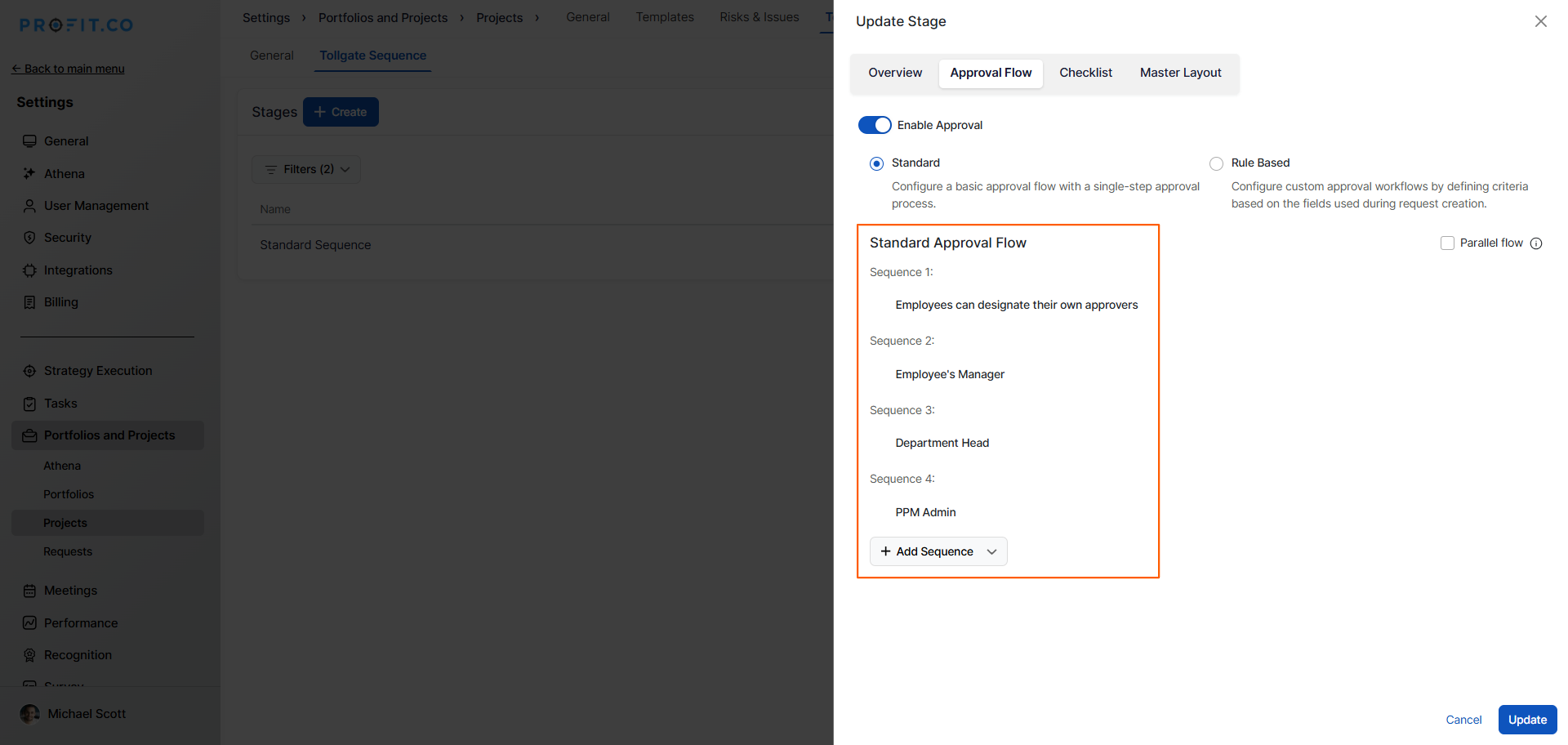
Configuration Steps:
- In the Approval Flow tab, click Add Sequence
- Select first approver type: Employees can designate their own approvers
- Click "Add Approver" again for the second level
- Select: Employee's Manager
- Continue adding levels: Department Head, then PPM Admin
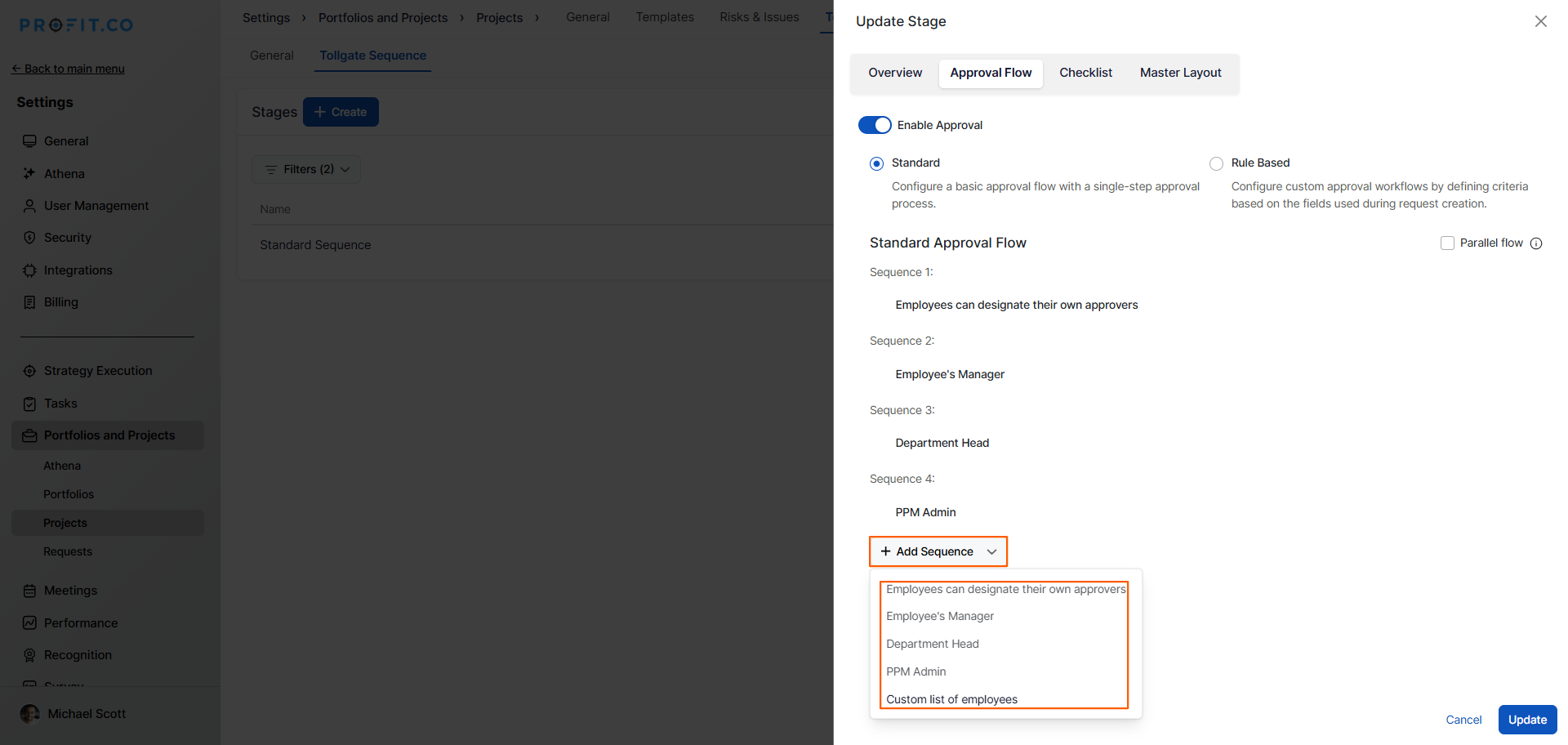
Result: Projects must progress through all four approval levels sequentially before advancing to the next stage.
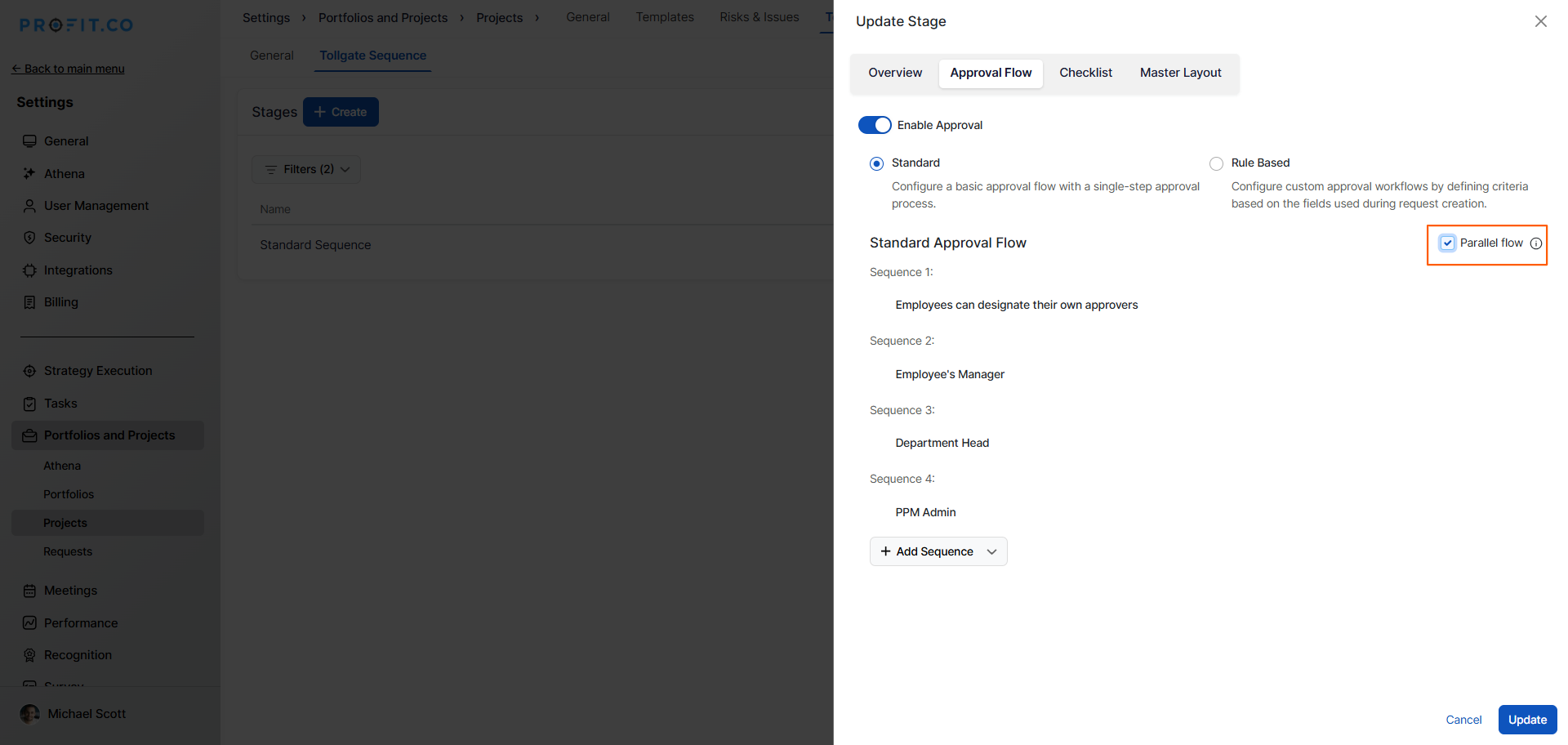
Note: Once you enable the Parallel Flow option, the approvers complete the approval process in parallel rather than sequentially.
Best practices for Phase-Gate Approval Workflows
- Design approval sequences that align with your organization's governance model and decision-making hierarchy.
- Always include Employee's Manager as one approval level to ensure direct supervisors are aware of commitments.
- Reserve PPM Admin approval for final governance gates where portfolio alignment is critical.
- Create clear checklists and criteria for each tollgate stage so teams know what's required before submission.
- Train approvers on their responsibilities, expected turnaround times, and how to provide constructive feedback.
- Set service level agreements (SLAs) for approval turnaround at each level (e.g., 2 business days).
- Configure different approval sequences for different project types or risk levels (simple vs. complex).
- Review and optimize approval workflows quarterly to remove unnecessary levels or adjust approver types.
- Use consistent approval sequences across similar project stages to build organizational muscle memory.
Related Questions
To learn more about Tollgate Creation in Profit.co, click here
Frequently Asked Questions
No, approval sequences must progress through each configured level in order. All approvers must approve before the project advances.
The project returns to the submitter with feedback. The submitter must address concerns, revise as needed, and resubmit for approval.
Yes, each stage in your tollgate sequence can have its own unique approval workflow with different approver types and sequences.
