

The Resource Allocation Model in Profit.co controls how the Capacity Workbench plans each resource’s capacity, either from task estimates or from project commitments.
Table of Contents
- What is the Resource Allocation Model in Profit.co?
- What are the resource allocation models available in Profit.co?
- How does task-driven allocation work?
- How does commitment-driven allocation work?
- How to set up the Resource Allocation Model in Profit.co?
- How to use task-driven allocation in Profit.co?
- How to use commitment-driven allocation in Profit.co?
- Best practices for choosing a resource allocation model
- Related Questions
- Frequently Asked Questions
What is the Resource Allocation Model in Profit.co?
The Resource Allocation Model is a PPM setting that decides how the Capacity Workbench calculates a resource’s allocation. You can plan capacity from the hours estimated on tasks, or from the percentage of time a resource commits to a project over its duration.
What are the resource allocation models available in Profit.co?
Profit.co offers two resource allocation models:
| Model | How capacity is planned | Best suited for |
|---|---|---|
| Task-driven allocation (default) | From task estimates (Original Estimate hours) | Teams that plan and track work at the task level |
| Commitment-driven allocation | From the project Allocation % and Duration | Teams that commit a share of a person’s time to a project before tasks are planned |
How does task-driven allocation work?
Task-driven allocation plans capacity from the hours estimated on each task. The project manager sets the Original Estimate for a task, and the assignee logs their hours through Time Tracking. The Capacity Workbench then shows the allocated and utilized time for that resource.
Example: A project manager sets an Original Estimate of 5 hours for a task. The assignee logs 3 hours against it. The Capacity Workbench shows 5 hours allocated and 3 hours utilized for that resource.
How does commitment-driven allocation work?
Commitment-driven allocation plans capacity from the share of working time a resource commits to a project. You set an Allocation % and a Duration for each project, and Profit.co calculates the hours the resource should contribute in each period.
Example:
| Input | Value |
|---|---|
| Resource’s monthly working hours | 192 hours (48 hours per week) |
| Allocation % for the project | 40% |
| Project duration | 2 months |
| Hours the resource contributes per month | 192 × 40% = 76.8 hours |
| Hours the resource contributes per week | 48 × 40% = 19.2 hours |
How to set up the Resource Allocation Model in Profit.co?
Follow these steps to choose the allocation model for your organization:
Step 1
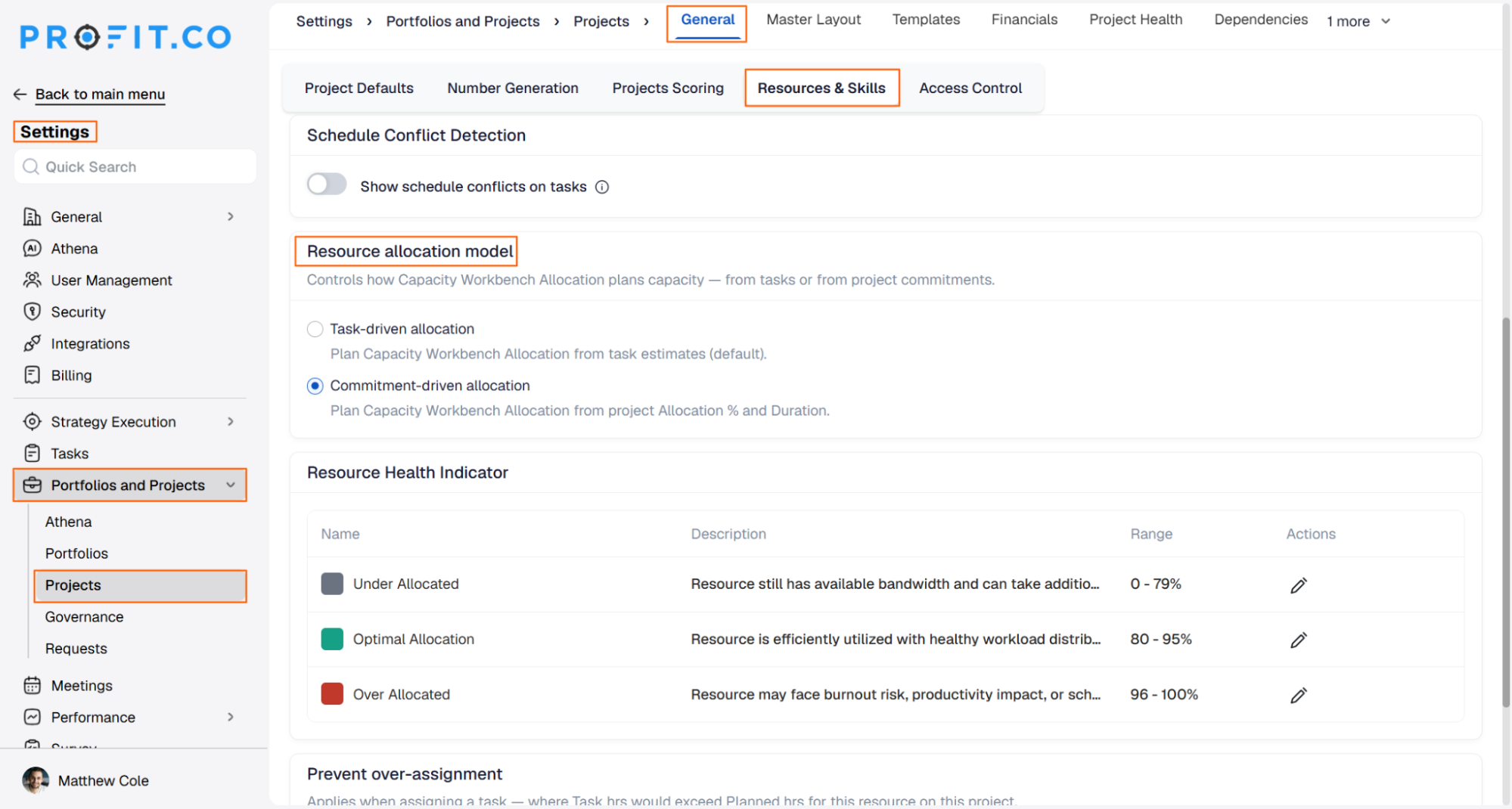
- Navigate to Settings → Portfolios and Projects → Projects from the left navigation panel.
- On the General page, switch to the Resources & Skills tab.
- Scroll down to the Resource allocation model section.
- Select Task-driven allocation to plan from task estimates, or Commitment-driven allocation to plan from project Allocation % and Duration.
How to use task-driven allocation in Profit.co?
Step 1
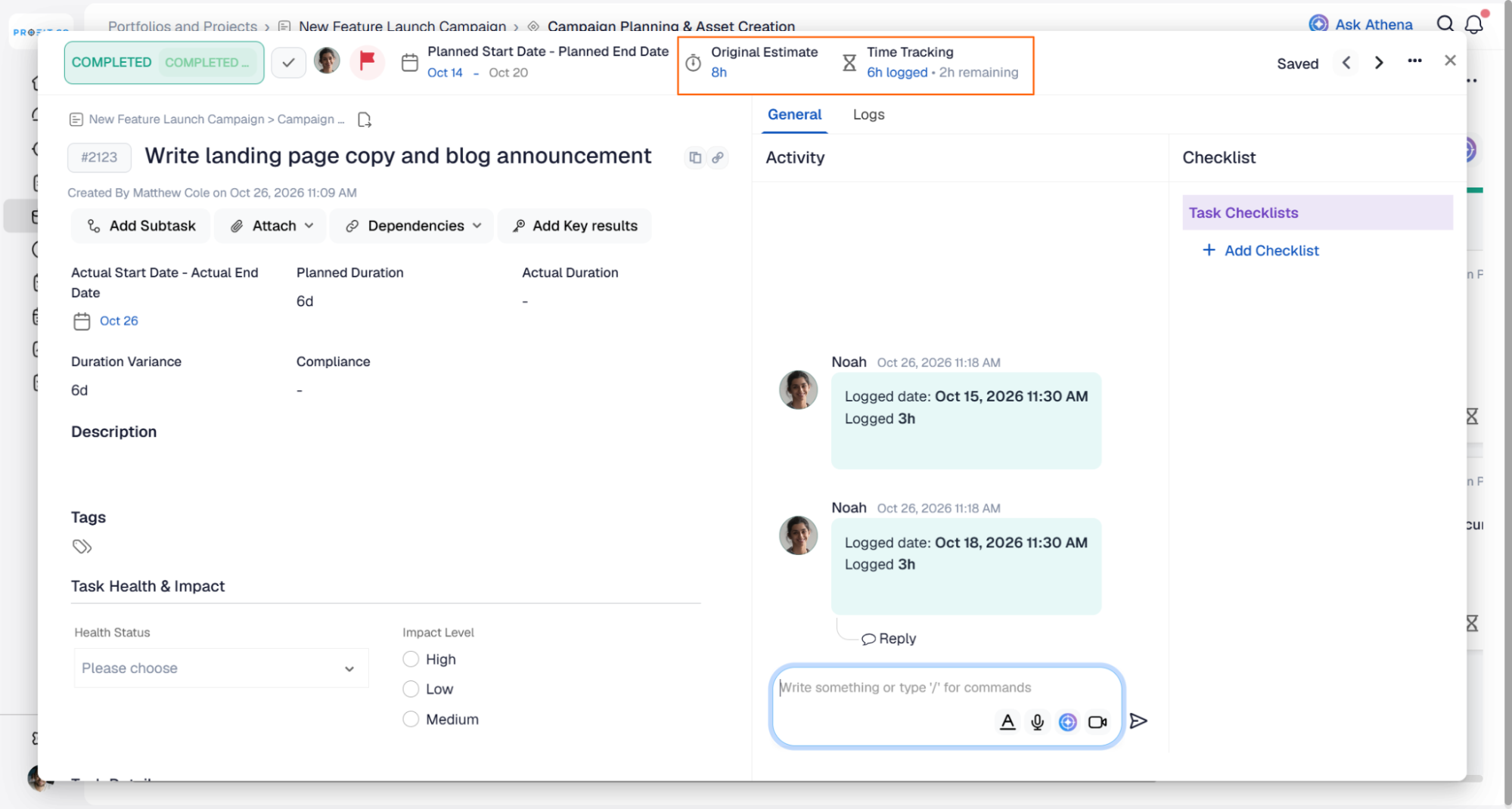
- Open the task inside the project.
- Click Original Estimate and enter the planned hours (for example, 5 hours).
- The task assignee clicks Time Tracking and logs the hours worked (for example, 3 hours).
Step 2
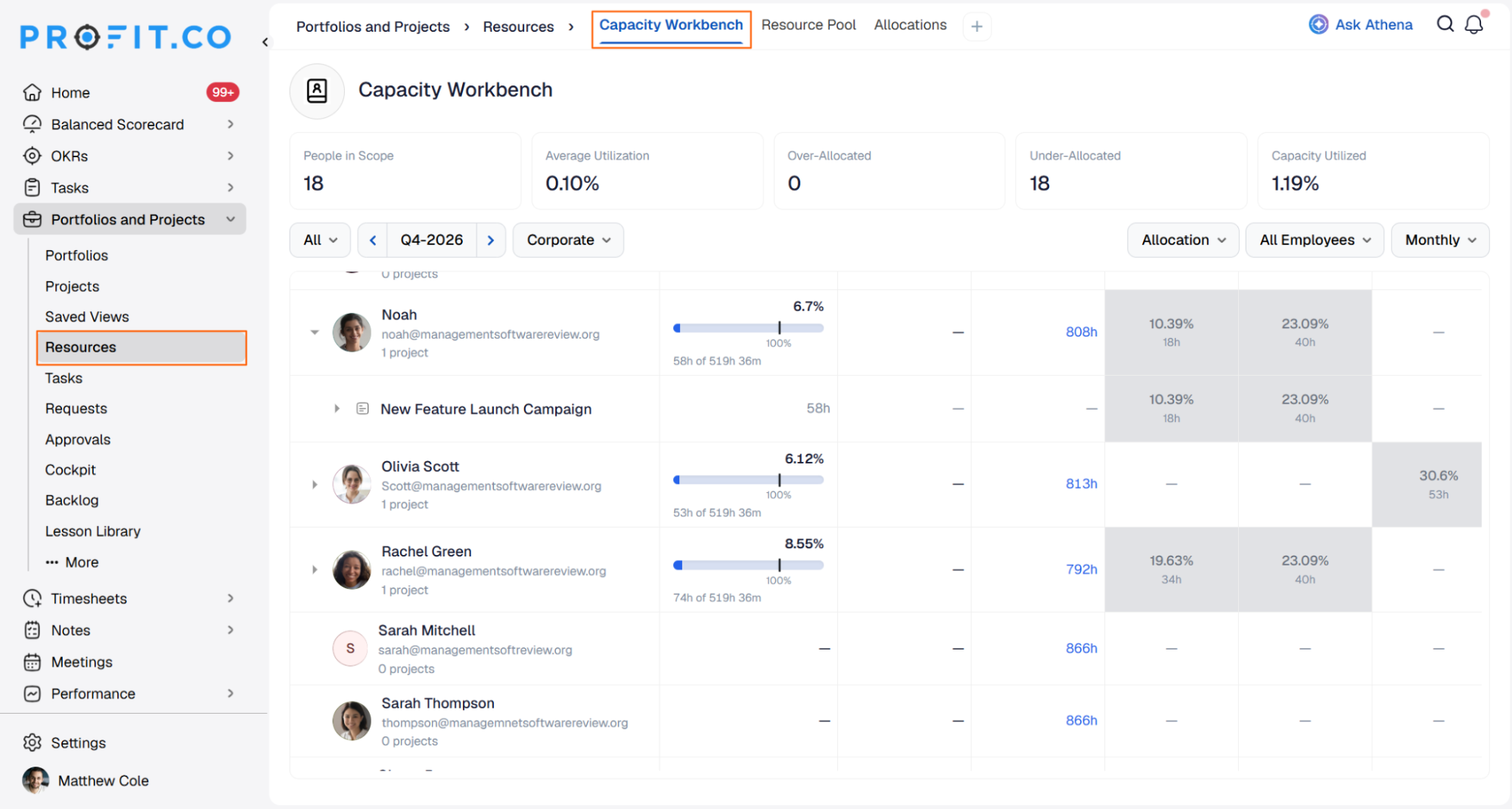
- Navigate to Portfolios and Projects → Resources → Capacity Workbench.
- Expand a resource to see the allocated and utilized hours for each project and task.
How to use commitment-driven allocation in Profit.co?
Step 1
- Navigate to Portfolios and Projects → Resources → Capacity Workbench.
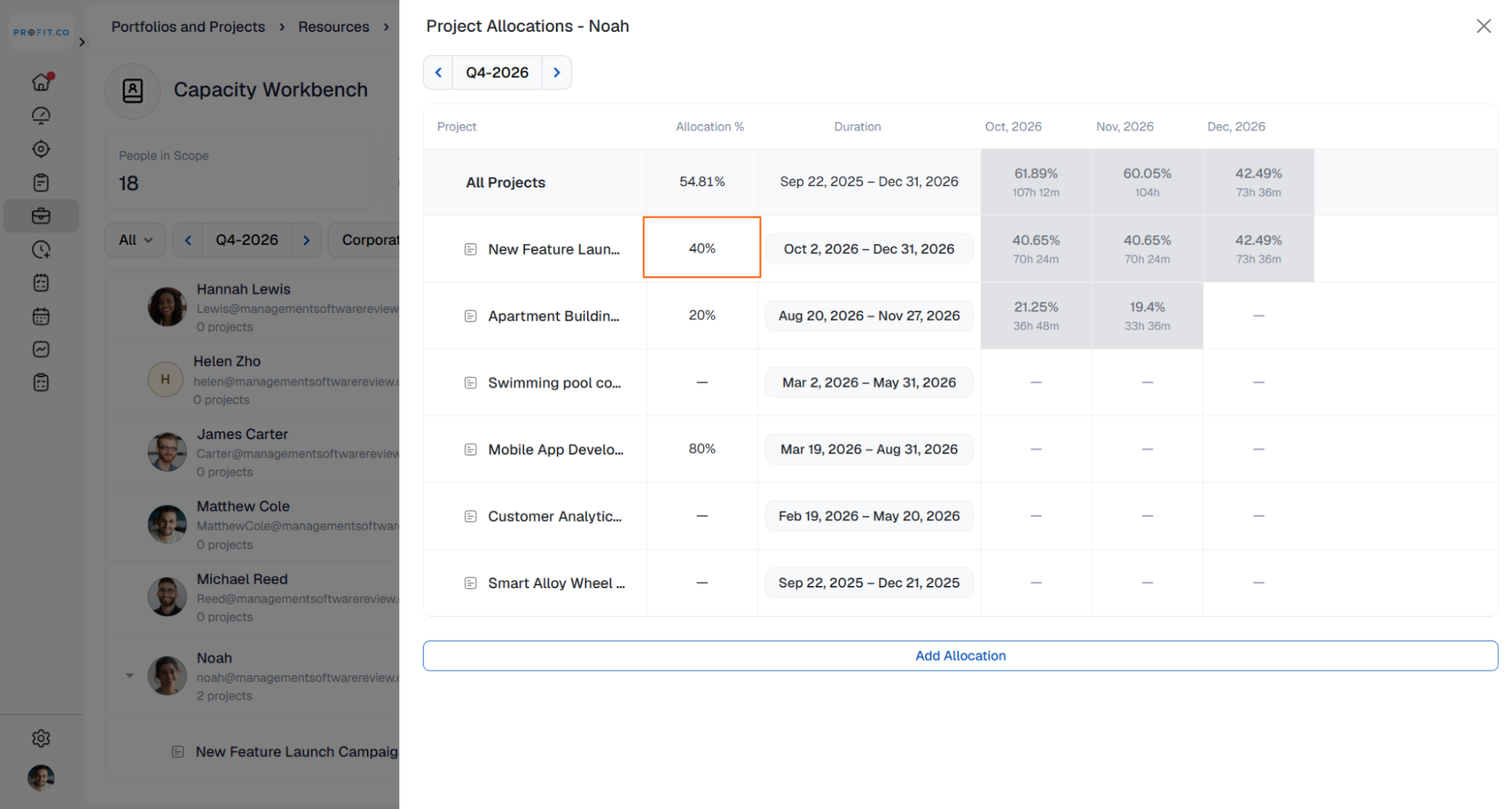
- Select a resource. The Project Allocations panel opens with the list of that resource’s projects, their Allocation %, and Duration.
- Click the Allocation % cell for the project.
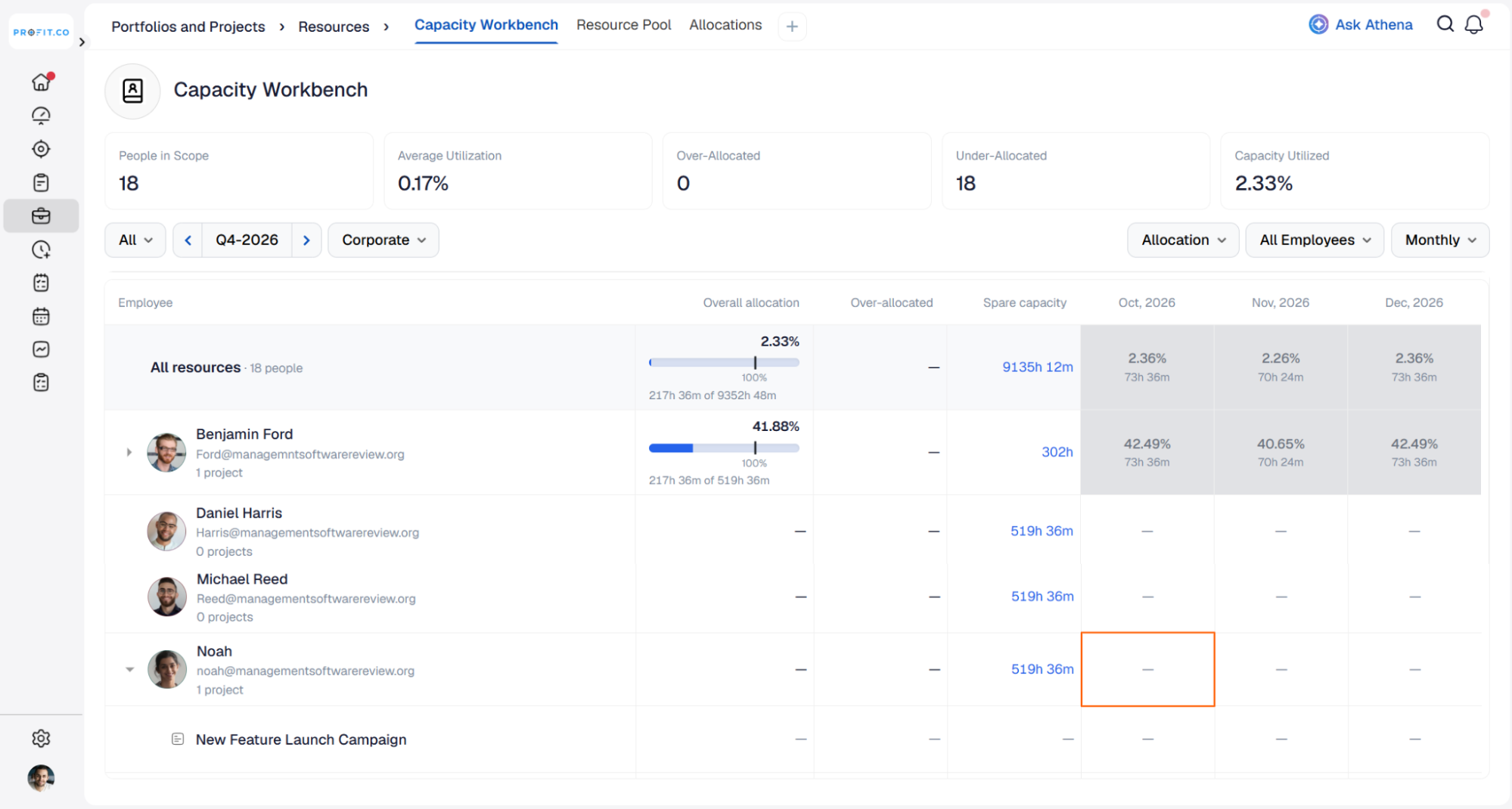
- Enter the percentage of the resource’s working hours to commit to that project (for example, 40%).
Step 3
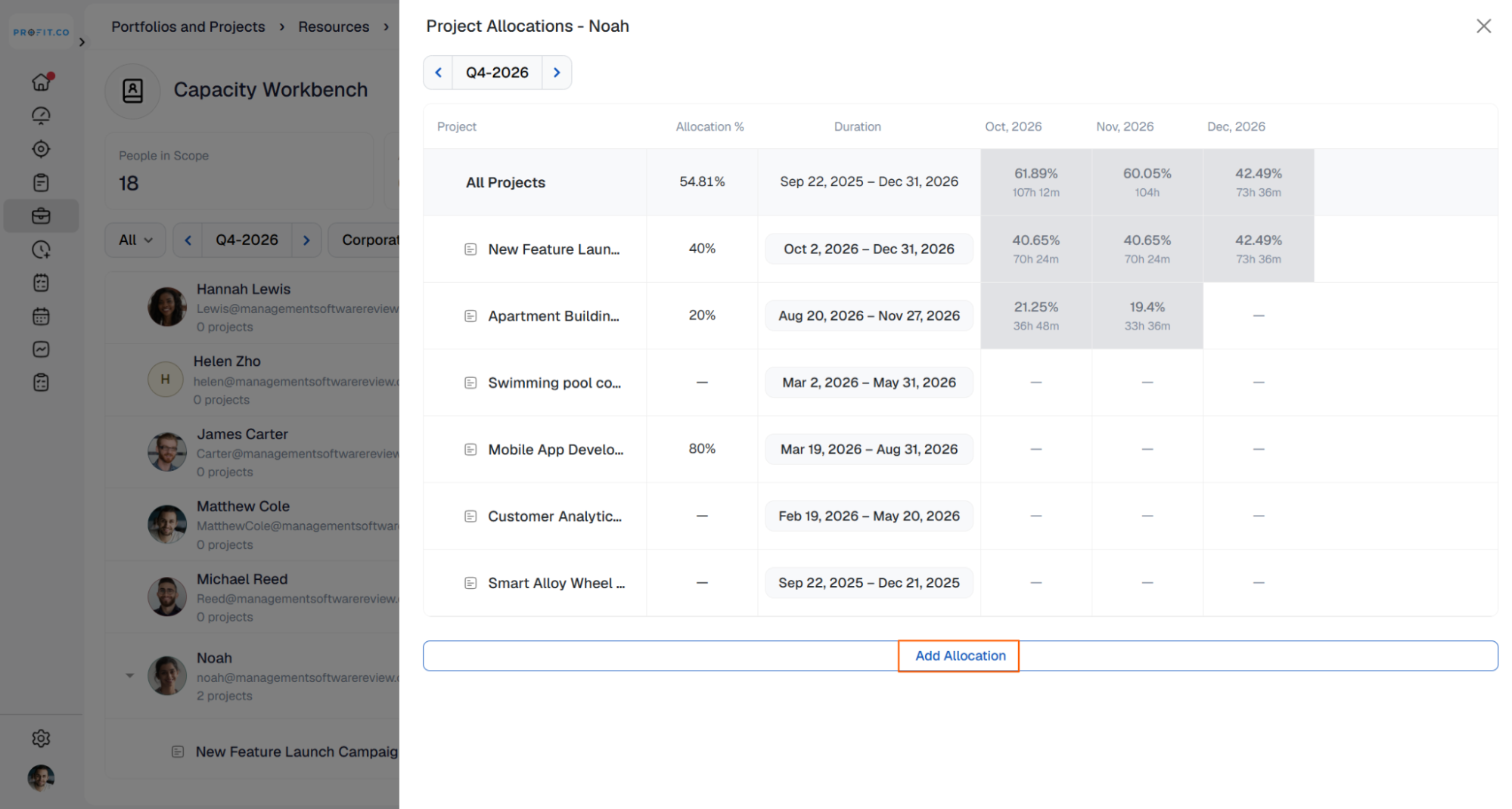
- Click Add Allocation at the bottom of the panel to add a project the resource isn’t yet associated with.
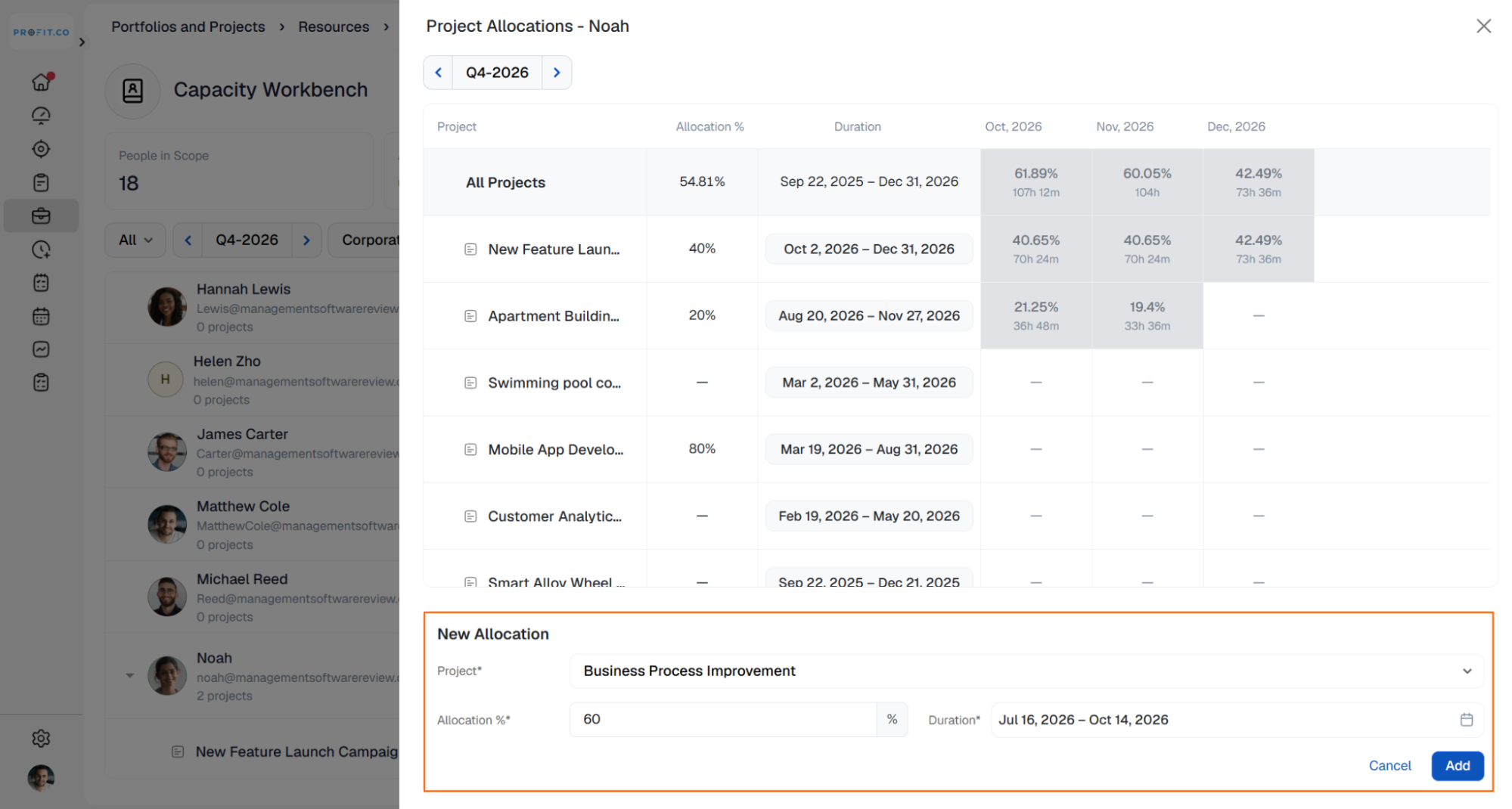
- In the New Allocation section, choose the Project, enter the Allocation %, and set the Duration.
- Click Add.
Best practices for choosing a resource allocation model
- Use task-driven allocation when your projects are broken into tasks with reliable hour estimates.
- Use commitment-driven allocation when you staff people to projects by percentage before detailed task planning begins.
- Keep the total Allocation % across a resource’s projects within their available capacity to avoid over-allocation.
- Review the Capacity Workbench regularly to spot under-allocated and over-allocated resources early.
Related Questions
- Click here to learn more about how to manage resource capacity in the PPM module in Profit.co.
- Click here to learn more about Resource Management in the PPM module.
- Click here to learn more about how to set up resource rate cards and cost allocation in Profit.co.
Frequently Asked Questions
Task-driven allocation is the default model. It plans Capacity Workbench allocation from task estimates.
Go to Settings → Portfolios and Projects → Projects, open the Resources & Skills tab on the General page, and choose a model under Resource allocation model.
Yes. In commitment-driven allocation, open the resource in the Capacity Workbench, click Add Allocation, and choose the project, Allocation %, and Duration.
Execute your strategy with confidence
Connect OKRs, tasks, and teams in one place with Profit.co
