

Profit.co provides an option to make the users themselves proxy users.
Why this feature?
- By using this feature, The user can make themselves as a proxy user for other users and access their accounts.
- This feature allows users to perform actions and manage tasks on behalf of others, ensuring smooth workflow continuity during absences or role changes.
Step 1
Navigate to Settings → User Management → Active Users from the left menu. After locating the user, Click on the Edit icon.

Step 2
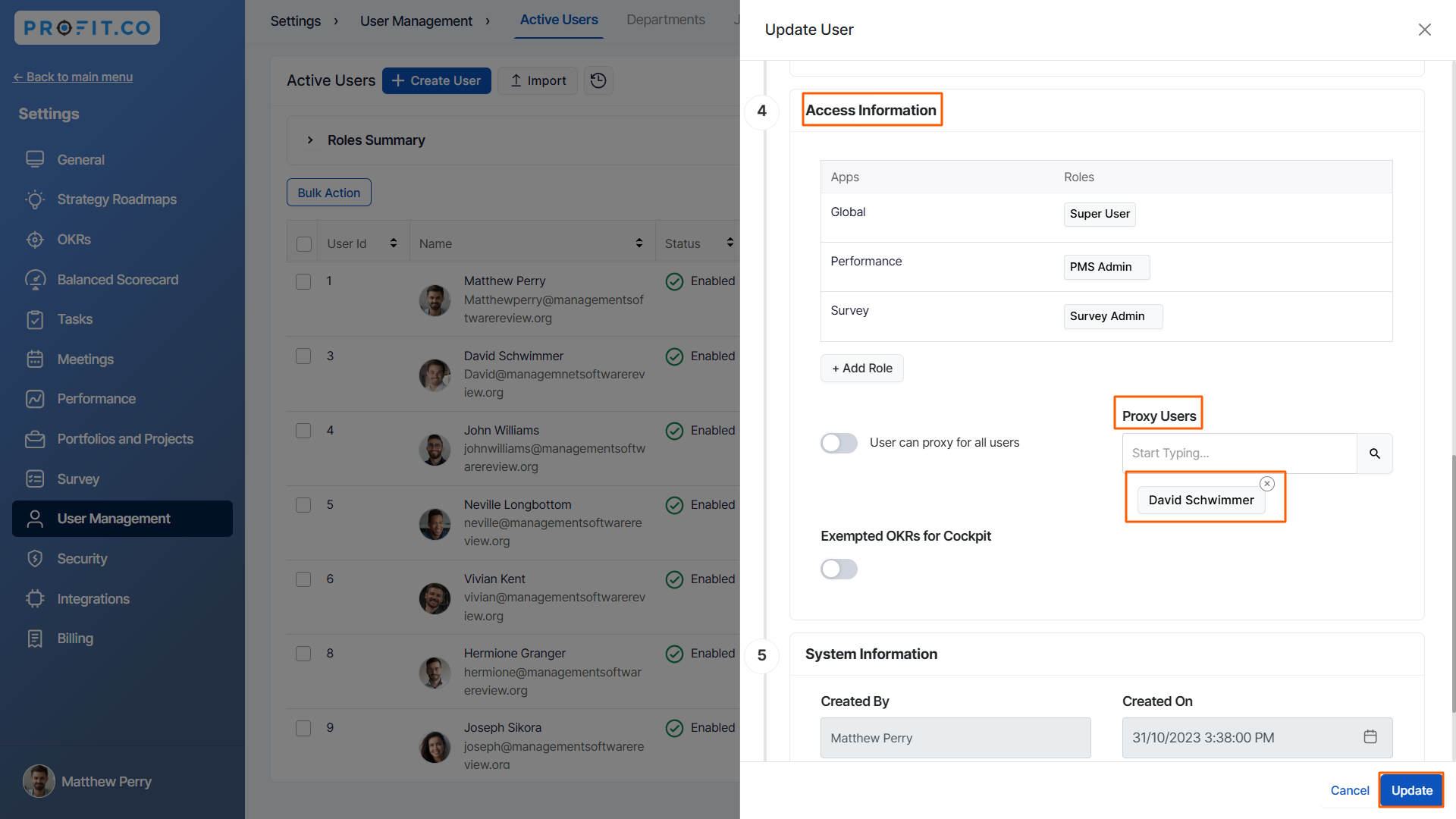
On the Update User side panel, Under the Access Information category, enter the name or search for the name under the Proxy user section.
Once you select the name click Add.
After adding the names, click on the Update button.
The user will have the option to switch over to the selected account.

Related Blog Post
To learn more about the user roles in Profit.co, click here.
