

Athena's Resource Management Agent lets you add the resources a project needs by describing them in conversation, instead of entering resource details manually. You tell the agent what's needed and it adds the resources directly to your project.
Table of Contents
What is the Resource Management Agent?
The Resource Management Agent is an Athena agent that adds resources, such as roles, quantities, and durations, to a project based on a plain description you give it. Instead of navigating to a separate resource entry screen, you describe what a project needs and the agent adds those resources directly.
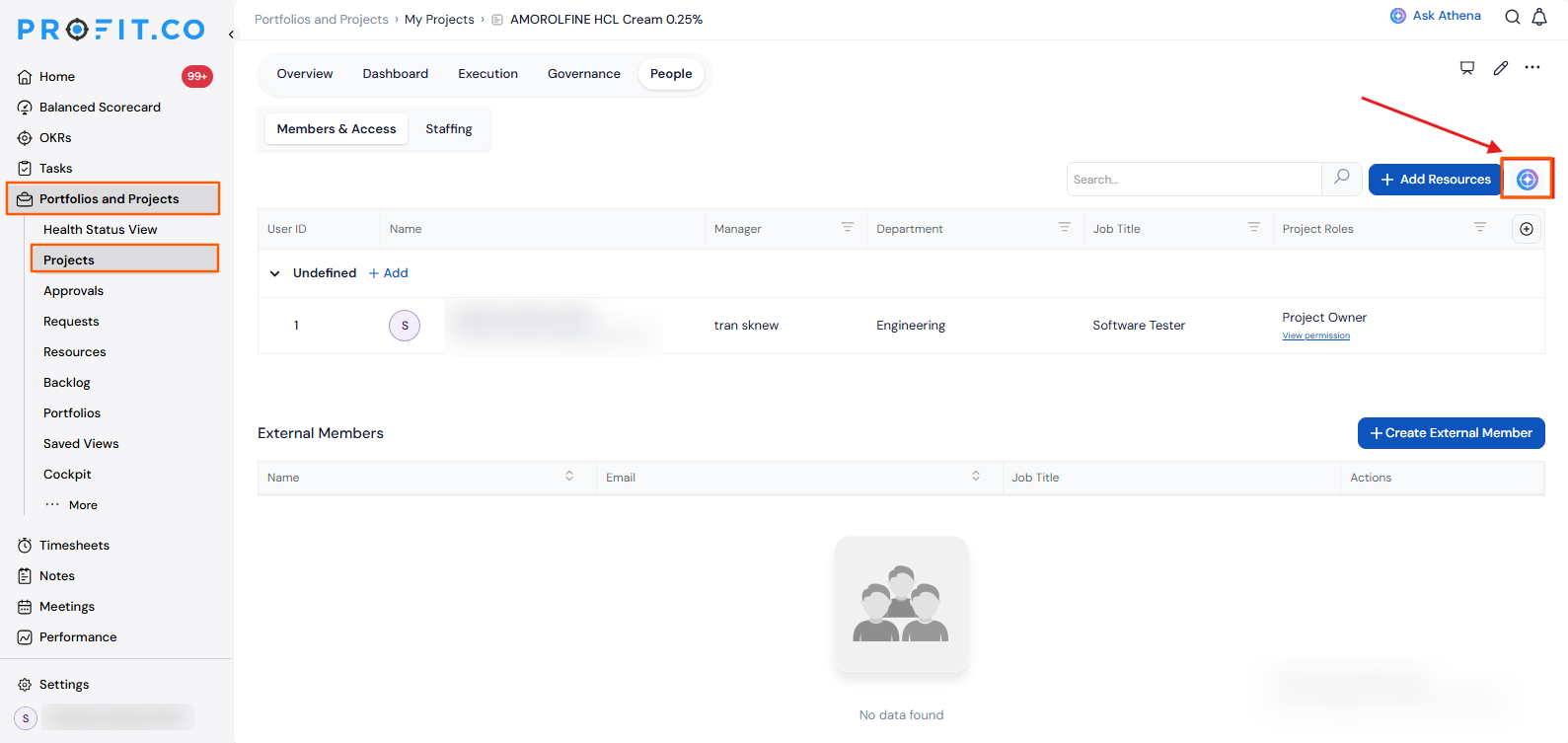
The agent is opened from within an existing project's page, so it works in the context of the project you already have open.
Why the Resource Management Agent Matters
Before this agent, adding resources meant leaving the conversation entirely and navigating to a separate entry screen for every role, quantity, and duration. The Resource Management Agent folds that process into a single description.
| Benefit | What Changes |
|---|---|
| Faster resourcing | Resources can be added through a conversation instead of navigating multiple screens. |
| Fewer missed details | Describing needs directly to the agent reduces the chance of skipping a required field. |
| Centralized in Athena | Resource requests are handled in the same place as other Athena-assisted tasks. |
How It Works
Step 1
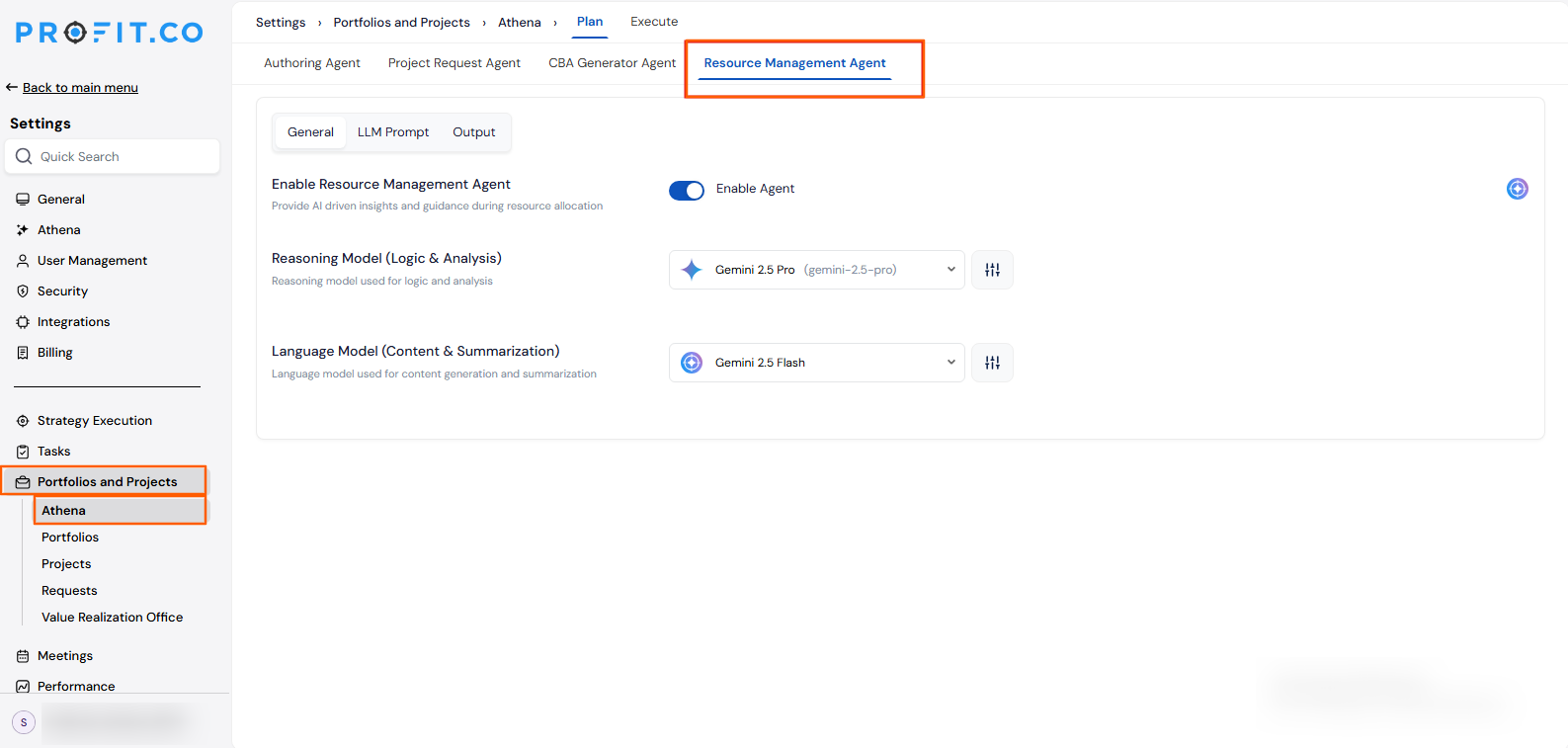
- To enable the Resource Management Agent, navigate to Settings → Portfolios and Projects → Athena, switch to the Resource Management Agent, and enable it.
- From within an existing project's page, open the Resource Management Agent in Athena.
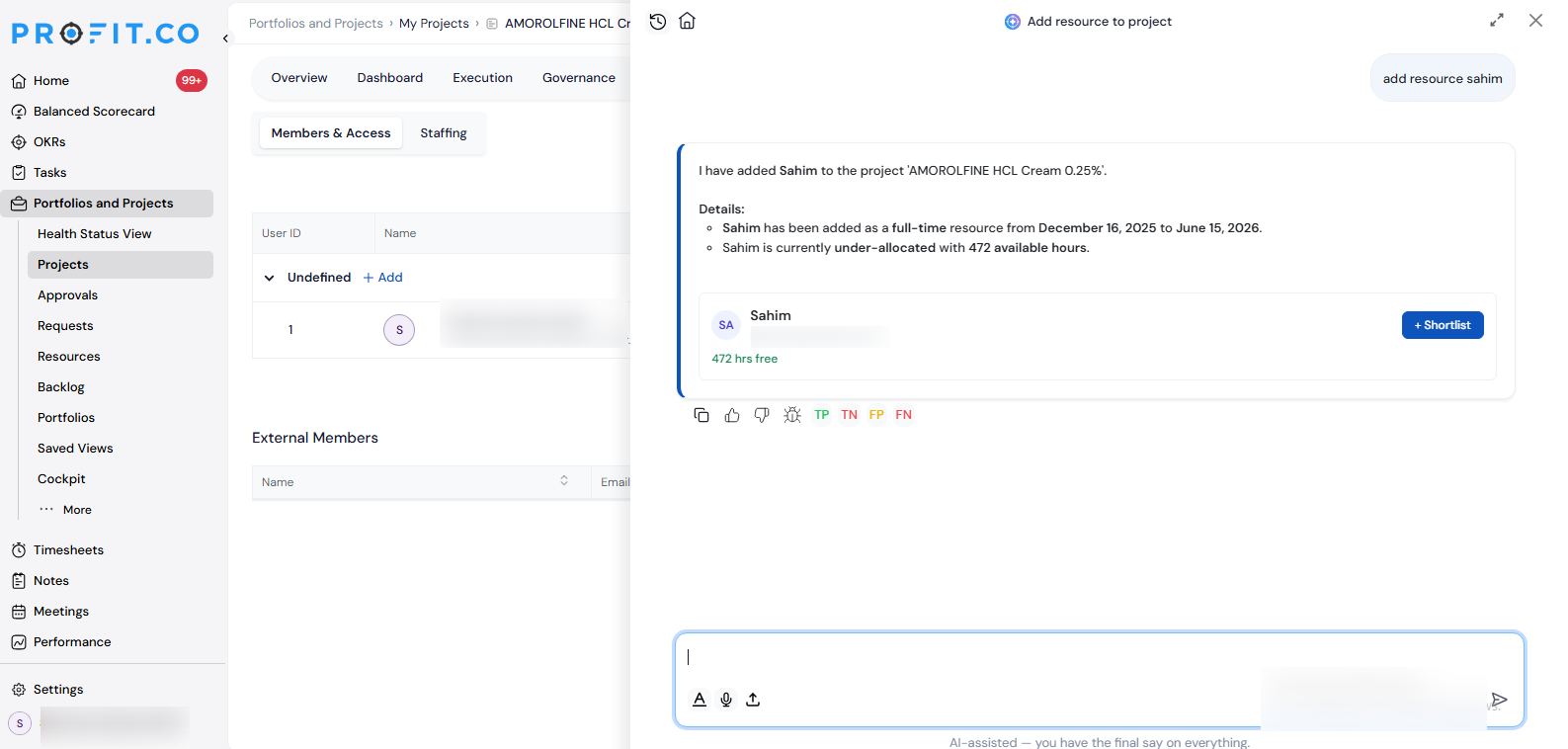
- Describe the resources needed for the project, including details such as role, quantity, and duration.
- Let the agent add the specified resources to the project.
- Review the added resources in the project's resource list.
Resource Management Agent Scenarios and Their Outcomes
| Scenario | What Happens |
|---|---|
| You describe the resources needed for a project to the agent. | Profit.co adds those resources directly to the project and lists them in the project's resource list, the same way manually entered resources would appear. |
| You describe a resource without specifying every detail, such as duration. | Profit.co adds the resource using only the details you provided via the agent, leaving any missing fields for you to fill in during review. |
| You review an added resource and find it doesn't match what you described. | Profit.co lets you edit or remove that resource from the project's resource list the same way as any other resource. |
| You open the Resource Management Agent from a project's page. | Profit.co scopes the agent to that specific project, so resources you describe are added to the project you already have open. |
Best Practices for Using the Resource Management Agent
- Include role, quantity, and duration in your description upfront, since the agent only adds what you tell it, missing details won't be inferred for you.
- Review the added resources right after the agent finishes, since a conversational description can be interpreted differently than you intended.
- Use the agent for routine resourcing requests, and fall back to manual entry for unusual or highly specific resource configurations.
- Open the Resource Management Agent from the correct project before describing resources, since the agent adds resources to whichever project you have open.
Related Articles
Frequently Asked Questions
Yes. The agent is opened from within an existing project's page, so you need to have that project open before describing the resources it needs.
You can include details such as role, quantity, and duration. The agent adds the resource based on whatever specifics you provide.
It's an alternative path to the same result. You can still enter resources manually elsewhere; the agent just adds them through conversation instead.
Execute your strategy with confidence
Connect OKRs, tasks, and teams in one place with Profit.co
