

Profit.co lets you update the phone number listed under Business Information whenever your organization's contact number changes. The update applies to that one field, without touching any other business profile detail.
Table of Contents
- What Is the Phone Number Field in Business Information?
- Why Does Updating the Phone Number Matter?
- How Do I Change the Phone Number?
- What Happens When You Update the Phone Number?
- What Are the Best Practices for Updating the Phone Number?
- Related Articles
- What Are Some Frequently Asked Questions About the Phone Number Field?
What Is the Phone Number Field in Business Information?
The phone number field is a single input on the Business Information page that stores your organization's contact number. You access it through the edit icon on that page, which also unlocks the page's other fields for editing.
Business Information holds only one phone number field. Updating it changes that record alone and does not create a separate or secondary contact entry.
Why Does Updating the Phone Number Matter?
If your organization relocates or switches to a new primary contact number, Business Information keeps showing the old number until someone updates it directly. Keeping this field current ensures that anyone who checks Business Information sees your organization's correct number rather than an outdated one.
How Do I Change the Phone Number?
Step 1: Open Business Information
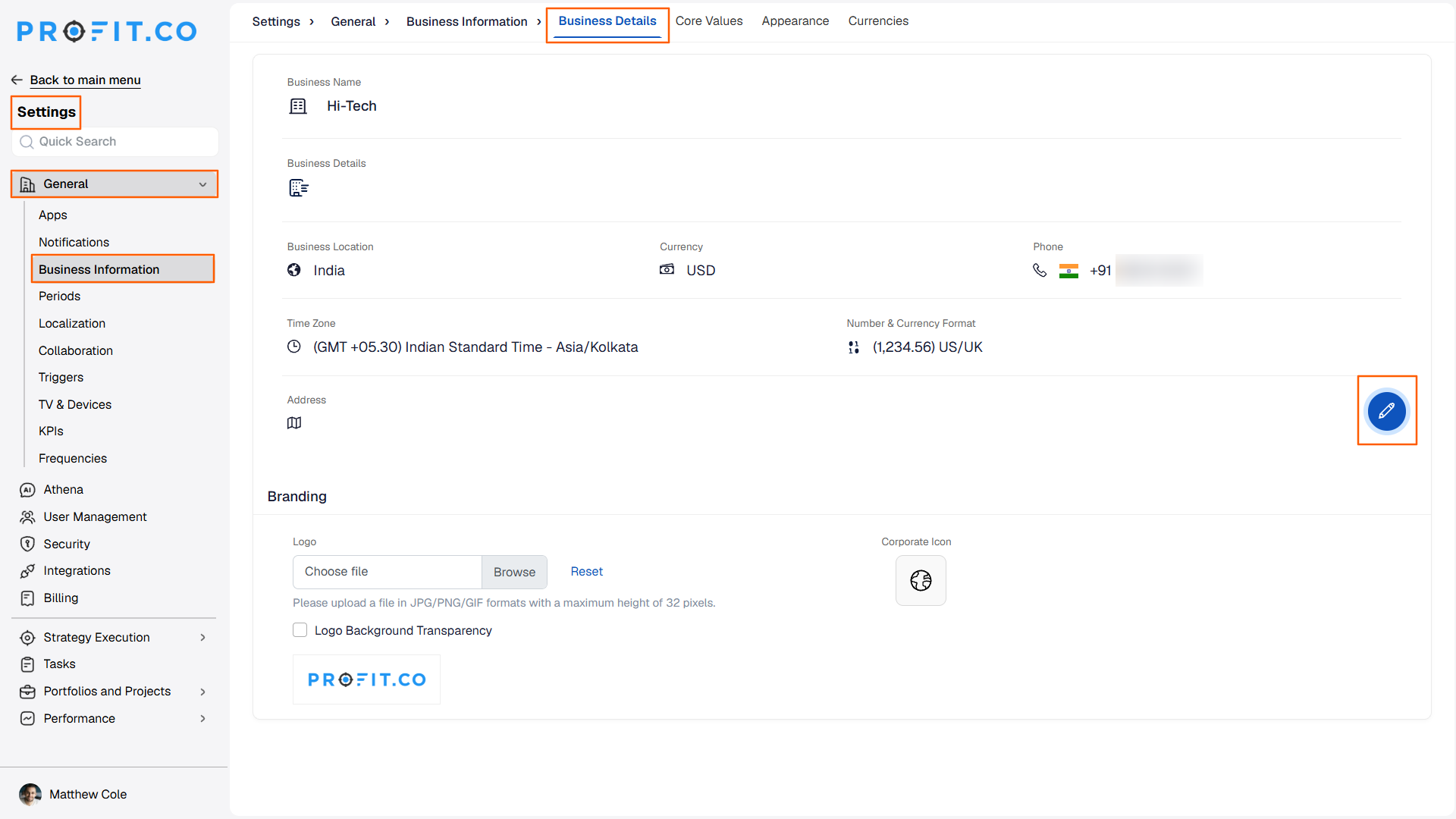
- Go to Settings → General → Business Information from the left navigation panel.
Step 2: Edit the Phone Number
- On the Business Details page, click the edit icon
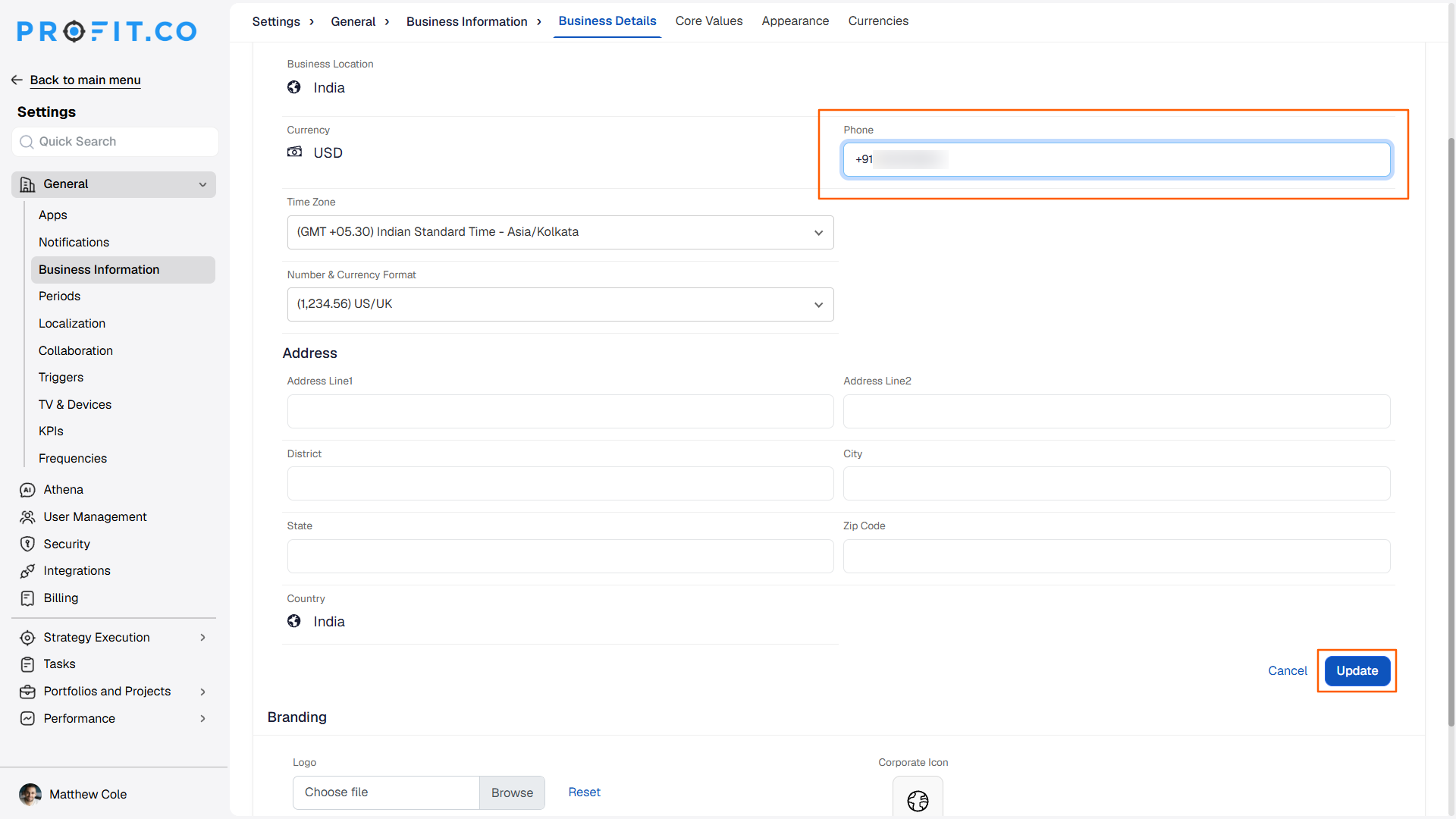
- Enter the new phone number in the phone number field
- Click Update
What Happens When You Update the Phone Number?
| Scenario | What Happens |
|---|---|
| You enter a new phone number and click Update. | Profit.co saves the number immediately and shows it as the current phone number on the Business Information page. |
| You enter a new phone number but leave the page without clicking Update. | Profit.co discards the entered number and the previous phone number remains on the Business Information page. |
| You save a new phone number on the Business Information page. | Profit.co updates only this field and does not change any other setting or notify other users. |
What Are the Best Practices for Updating the Phone Number?
- Click Update right after entering the new number, since leaving the page beforehand discards the change with no warning.
- Check the number shown on the Business Information page immediately after saving, since Profit.co applies the update right away with no separate confirmation step.
- Update the phone number as soon as it changes, since the Business Information page keeps showing the outdated number until someone edits it.
- If the same phone number is also used in systems outside Profit.co, update those separately, since this field only changes the number stored on the Business Information page.
Related Articles
What Are Some Frequently Asked Questions About the Phone Number Field?
Yes. You can repeat the edit-and-update steps as many times as needed whenever the number changes.
No separate verification step is involved. Clicking Update applies the new number directly to the Business Information page.
The process doesn't specify a required format. Enter the number in the format you want to appear on the Business Information page.
Execute your strategy with confidence
Connect OKRs, tasks, and teams in one place with Profit.co
