

The Answer Agent in Profit.co is an AI-powered assistant built into Athena AI Chat. It instantly answers employee queries related to OKRs, KPIs, tasks, initiatives, and more, without manual navigation through modules or dashboards.
Table of Contents
What is the Answer Agent?
The Answer Agent is an intelligent AI feature within Profit.co's Athena AI Chat that provides instant, context-aware answers to employee queries. It covers planning, progress reviews, risk analysis, and execution questions across all modules, eliminating the need to search manually through various dashboards.
Key capabilities of the Answer Agent:
- Instant Responses Across Modules: Answers queries on OKRs, KPIs, tasks, and initiatives without manual navigation.
- Context-Aware Understanding: Understands natural language queries and delivers precise, relevant responses.
- Collaboration-Ready: Share insights instantly in Athena AI Chat to keep teams aligned.
- Covers Every Intent Across Modules: Supports planning, progress reviews, risk analysis, and execution questions.
What types of questions can I ask the Answer Agent?
The Answer Agent supports a wide range of question types organized into four main categories:
| Question Category | Description |
|---|---|
| Direct Personal Actions | Questions about your own tasks, to-dos, and responsibilities |
| Time-Bounded Variations | Questions filtered by urgency, deadlines, or specific time periods |
| Priority / Status Variations | Questions focused on high-priority or critical items |
| Category-Specific | Questions targeting objectives, key results, projects, or milestones |
Who Benefits from the Answer Agent?
| User Type | Primary Use Case |
|---|---|
| Individual Contributors | Quick access to personal pending actions, task priorities, and key result ownership, without manually filtering OKR lists. |
| Managers & Stakeholders | Instant team-level insights to drive alignment, accountability, and informed check-in conversations. |
| Leaders & Executives | Confident, timely strategic decisions powered by always-accurate OKR and performance data across the organization. |
How It Works
Step 1
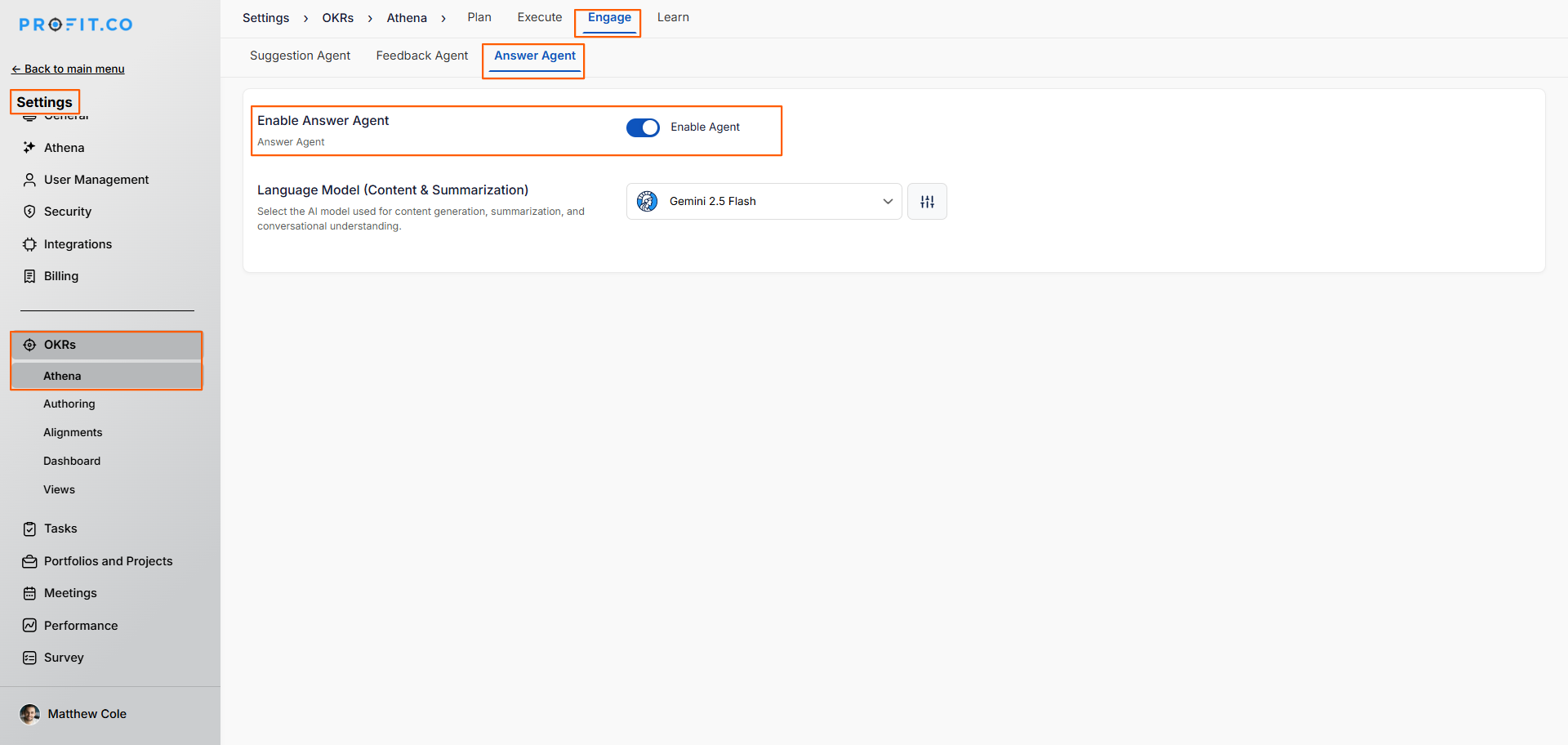
- Go to Settings → OKR → Athena from the left navigation panel.
- On the Athena settings page, click on the Engage tab.
- Click on the Answer Agent tab within the Engage page.
- Enable the toggle for the Answer Agent.
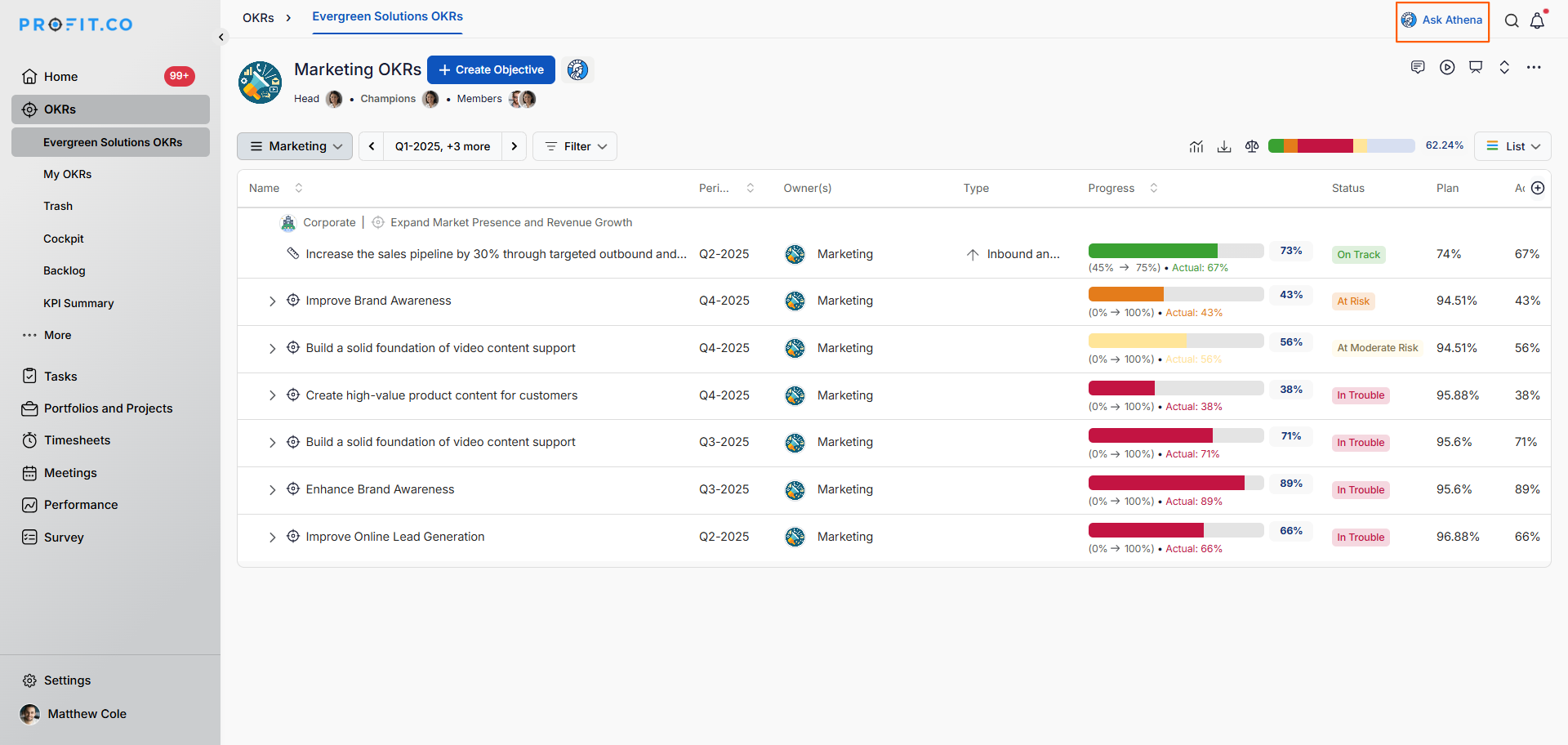
- Once enabled, the Ask Athena button will appear in the right corner of the page.
- Click on Ask Athena and type your question in the text box.
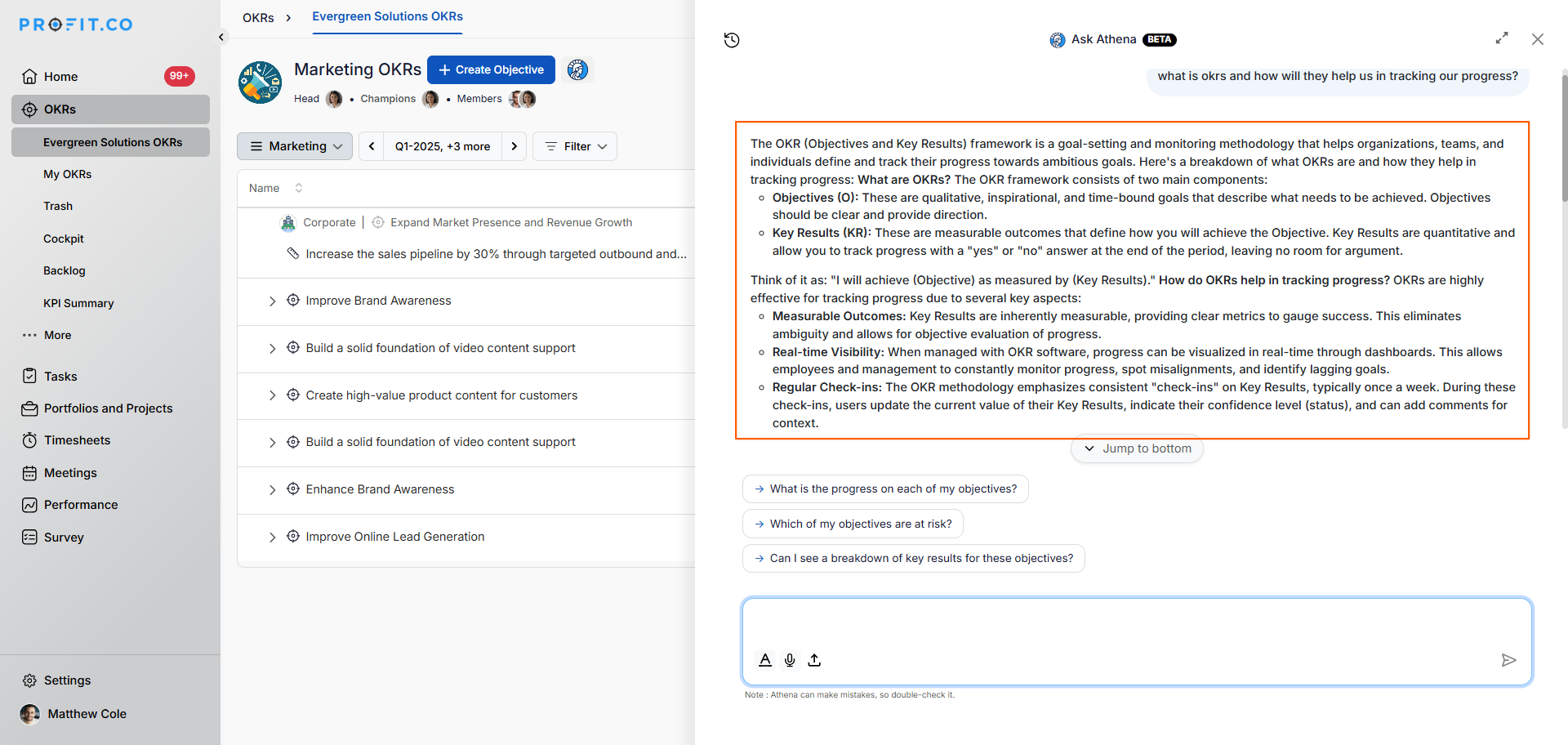
- Athena will provide an instant, accurate based on your data.
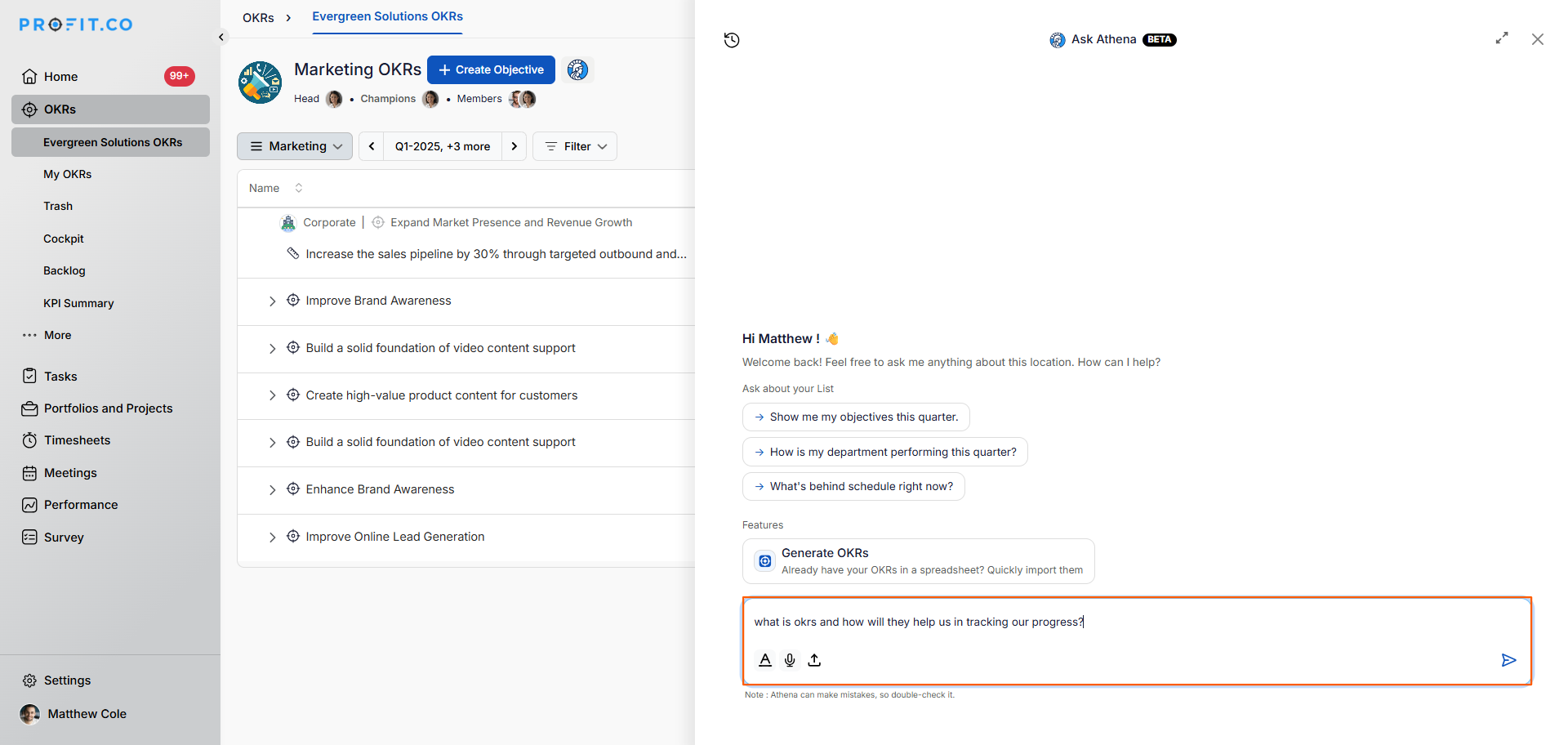
Note: You also have the option to create new OKRs directly from Athena AI Chat. Click on the Generate OKRs option to do so.
Best Practices for the Answer Agent
- Ask clear and specific questions to get the most relevant answers.
- Use time-bounded queries (e.g., "this week" or "by end of the month") for more focused results.
- Combine priority and category filters for targeted insights (e.g., "high-priority key result actions").
- Share answers directly via Athena AI Chat or email to keep your team aligned.
- Use the Answer Agent regularly to build a self-sufficient, informed team culture.
Related Questions
Click here to learn more about the other AI agents in Profit.co
Frequently Asked Questions
No. The Answer Agent understands natural language, so you can ask questions the same way you would ask a colleague, no special commands or formatting required.
Yes. Within Athena AI Chat, you can click the Generate OKRs option to create new OKRs directly, without navigating to a separate module.
It's designed for all levels. Individual contributors can track personal tasks, managers can get team-level insights, and executives can access organization-wide OKR and performance data to support strategic decisions.
