

Ask Athena is Profit.co's AI-powered Answer Agent that answers questions about your OKRs, tasks, projects, and tags in plain English. It now also covers 18 OKR-specific widgets and task and tag data, all from inside the same conversation panel.
Table of Contents
What is Ask Athena?
Ask Athena is Profit.co's AI-powered Answer Agent, a conversational assistant built directly into the platform. You ask questions about your OKRs, goals, KPIs, projects, and milestones in plain English and get a numbers-first response grounded in your live Profit.co workspace.
Ask Athena now also answers questions using 18 OKR-related widgets, covering objective and alignment views, anomaly detection, check-in and login trends, KPI and Initiative progress, and ownership breakdowns. It also covers tasks and tags, alongside the OKR, project, and portfolio data it already supported.
Ask Athena is one of several AI agents built into Profit.co. For a full overview of all Athena agents across OKRs, tasks, projects, and goals, see the Athena Capabilities Guide (“Athena: Your AI Strategy Execution Assistant”).
Why Ask Athena Matters
Your OKR and project data already lives in Profit.co, but getting to it, navigating to the right objective, filtering by department, checking who owns what, takes time managers and contributors don't have. Ask Athena removes that journey by living inside Profit.co as a persistent side panel, so you get a numbers-first answer without leaving your current screen.
| Benefit | Description |
|---|---|
| Faster answers for managers | Get instant answers on team progress, at-risk goals, and department rollups before a standup or review, instead of chasing status updates. |
| No navigation for contributors | Ask Athena sits where your OKR data already lives, so you skip dashboards and reports entirely. |
| On-demand visibility for executives | Get a rollup of at-risk KPIs or a team comparison without waiting on a report request. |
| Always-on access for distributed teams | Team members across time zones get accurate, live answers whenever it suits them, with no report requests needed. |
| Broader widget coverage | 18 widgets spanning OKR structure, anomalies, activity trends, and ownership are all reachable from one conversation. |
| Tasks and tags included | Task status, ownership, and tag-based groupings are now available the same conversational way as OKR data. |
How It Works
Method 1: Open Ask Athena in Profit.co
Step 1
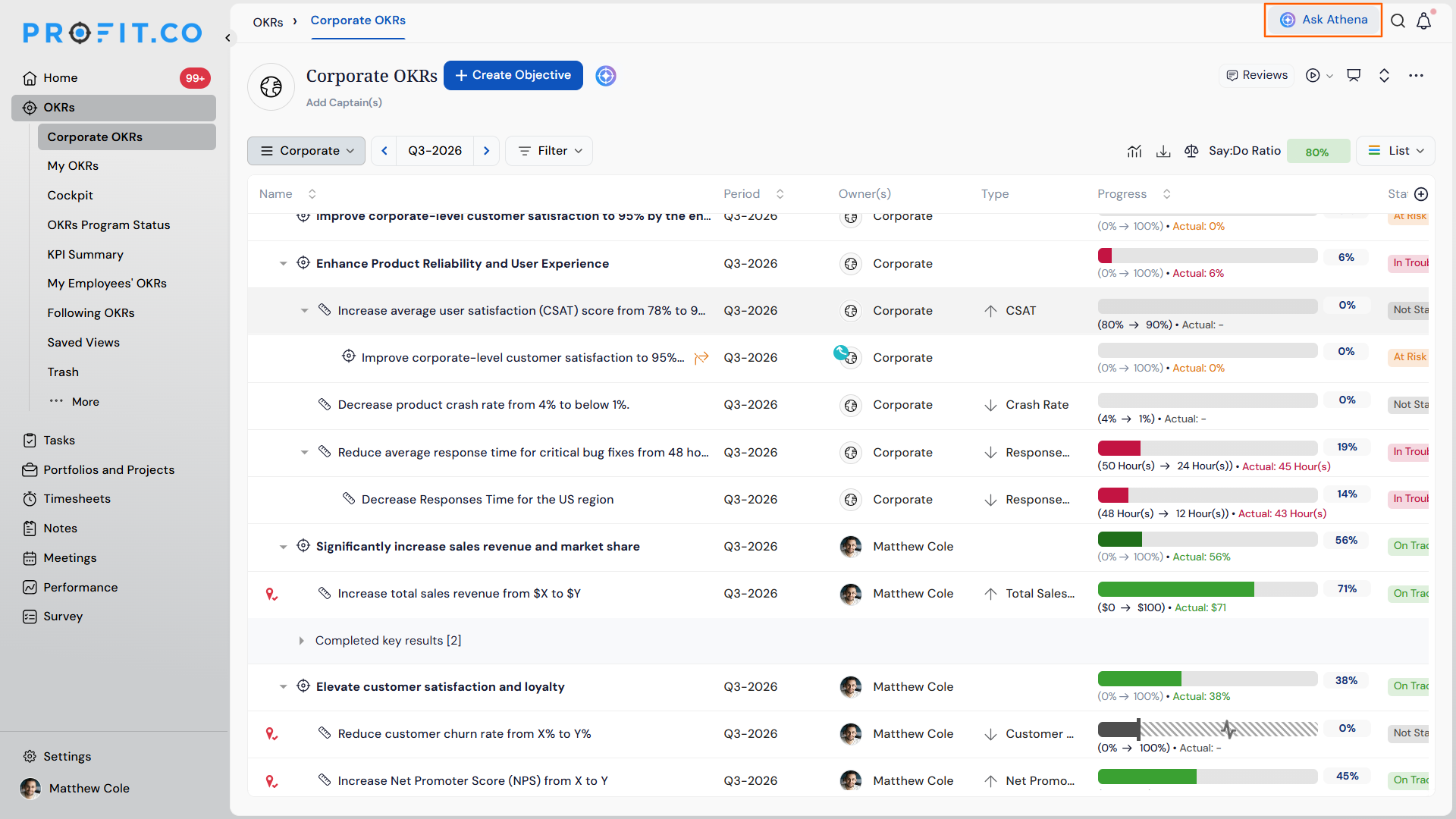
- Look for the Athena icon in the right-hand panel of your Profit.co workspace.
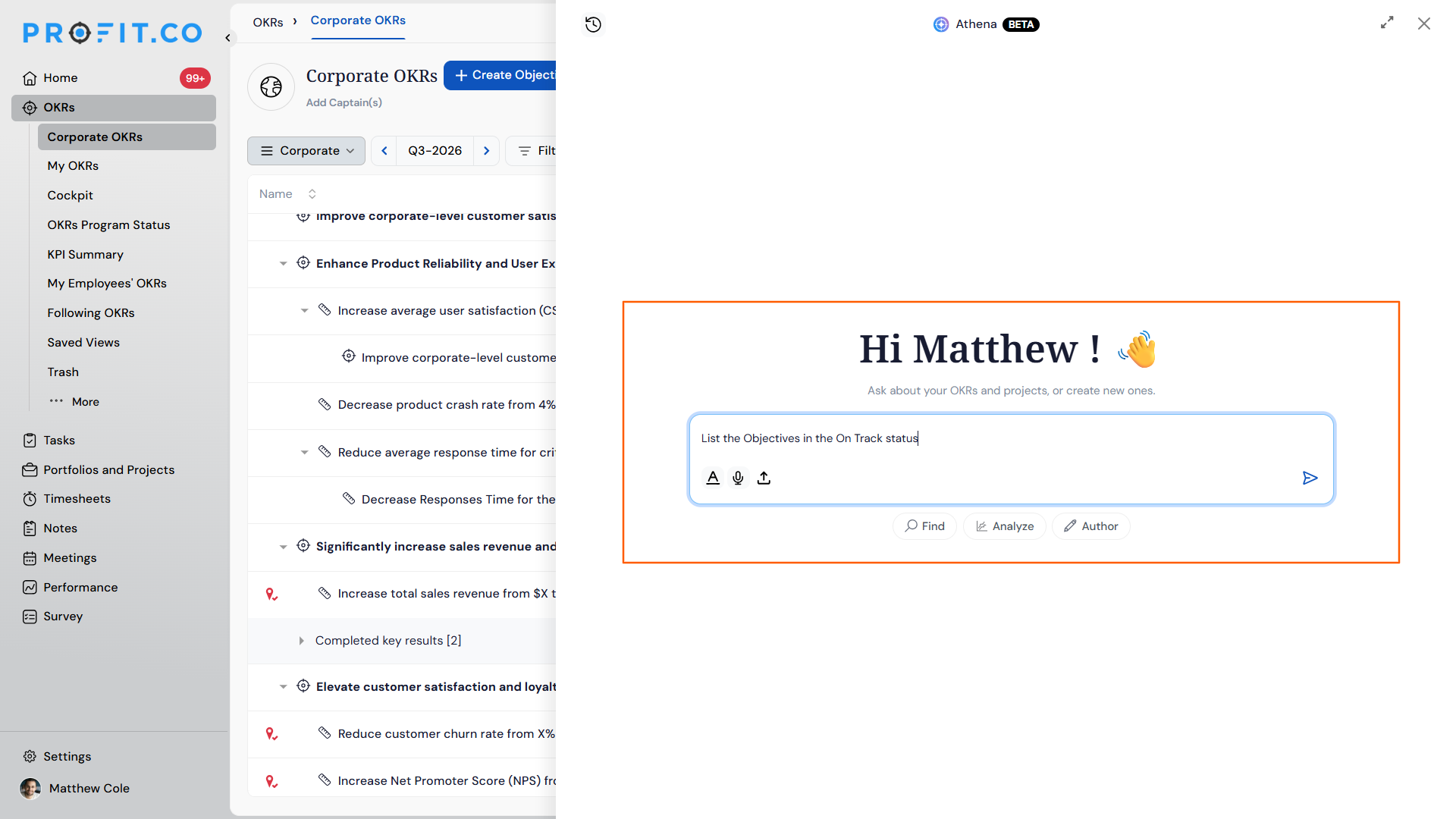
- Click the icon to expand the conversation panel.
- Type your question in plain language.
Method 2: Access Ask Athena via Google Chat
Step 1
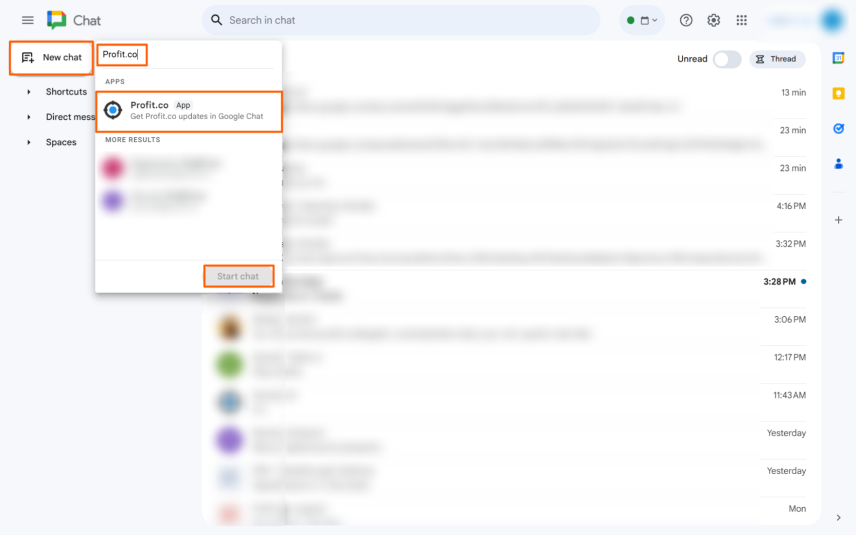
- Search for “Profit.co” in the Google Chat apps directory.
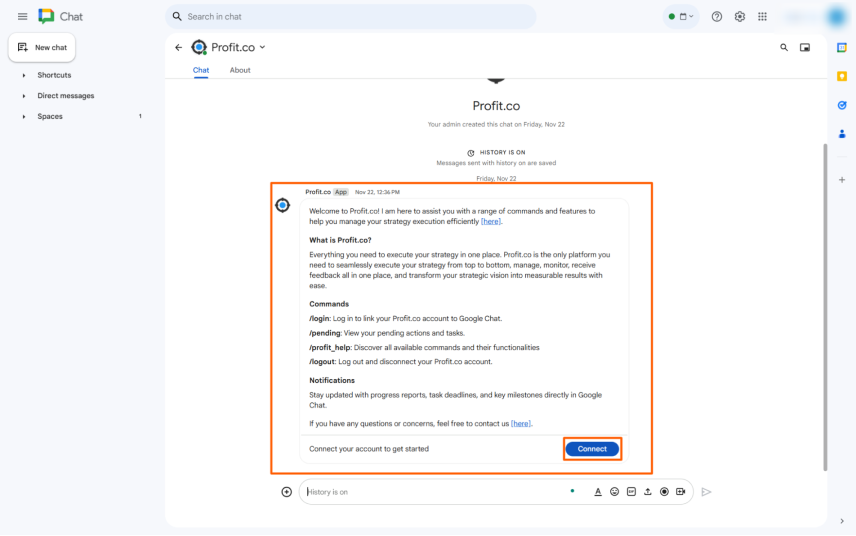
- Connect your account.
- Ask questions directly from your Google Chat interface.
Full setup guide: https://www.profit.co/integrations/google-chat/
What You Can Ask Athena
Ask in plain language. The examples below are prompts, not exact commands. Athena understands natural questions about your goals, teams, projects, tasks, and tags.
OKRs
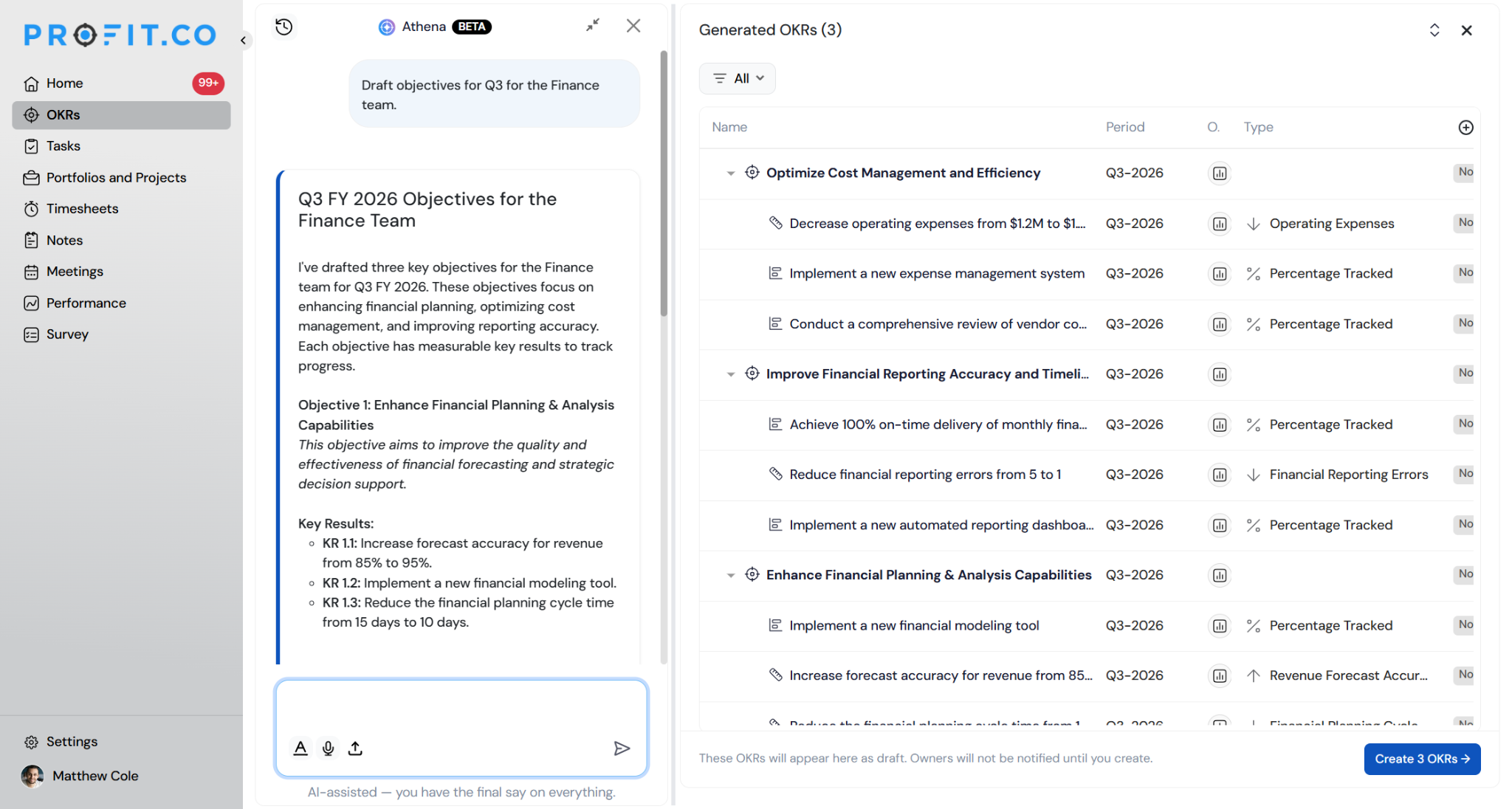
Author – OKR Content: Draft objectives, key results, and performance goals in plain language, grounded in your live Profit.co data.
- Draft objectives for Q3 for the Finance team.
- Write key results for this objective.
- Draft objectives for the Financial perspective.
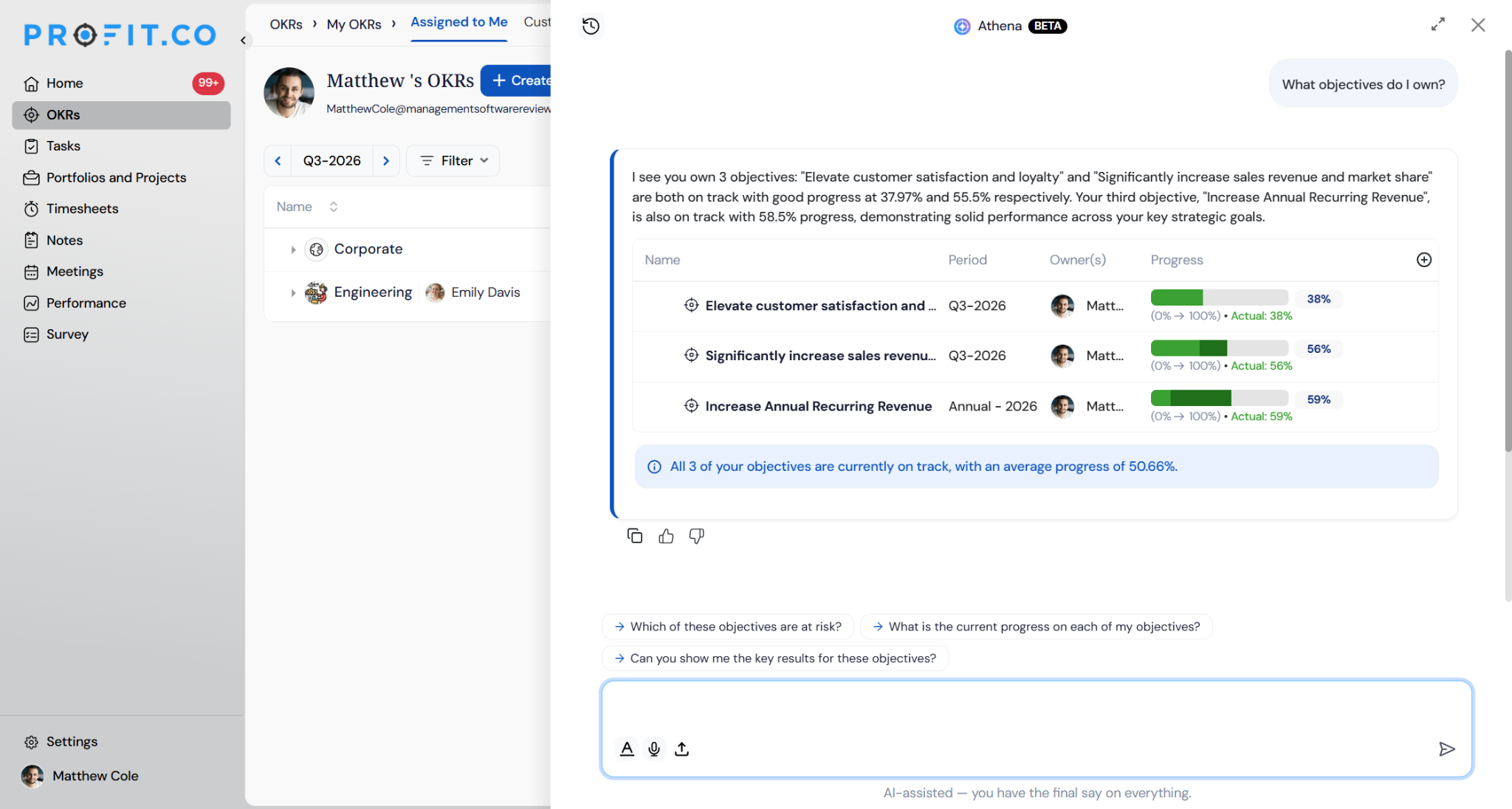
OKR Ownership: Identifies who is responsible for specific objectives, key results (KRs), KPIs, and initiatives.
- What objectives do I own?
- Show me John's key results.
- What initiatives does the Marketing department own?
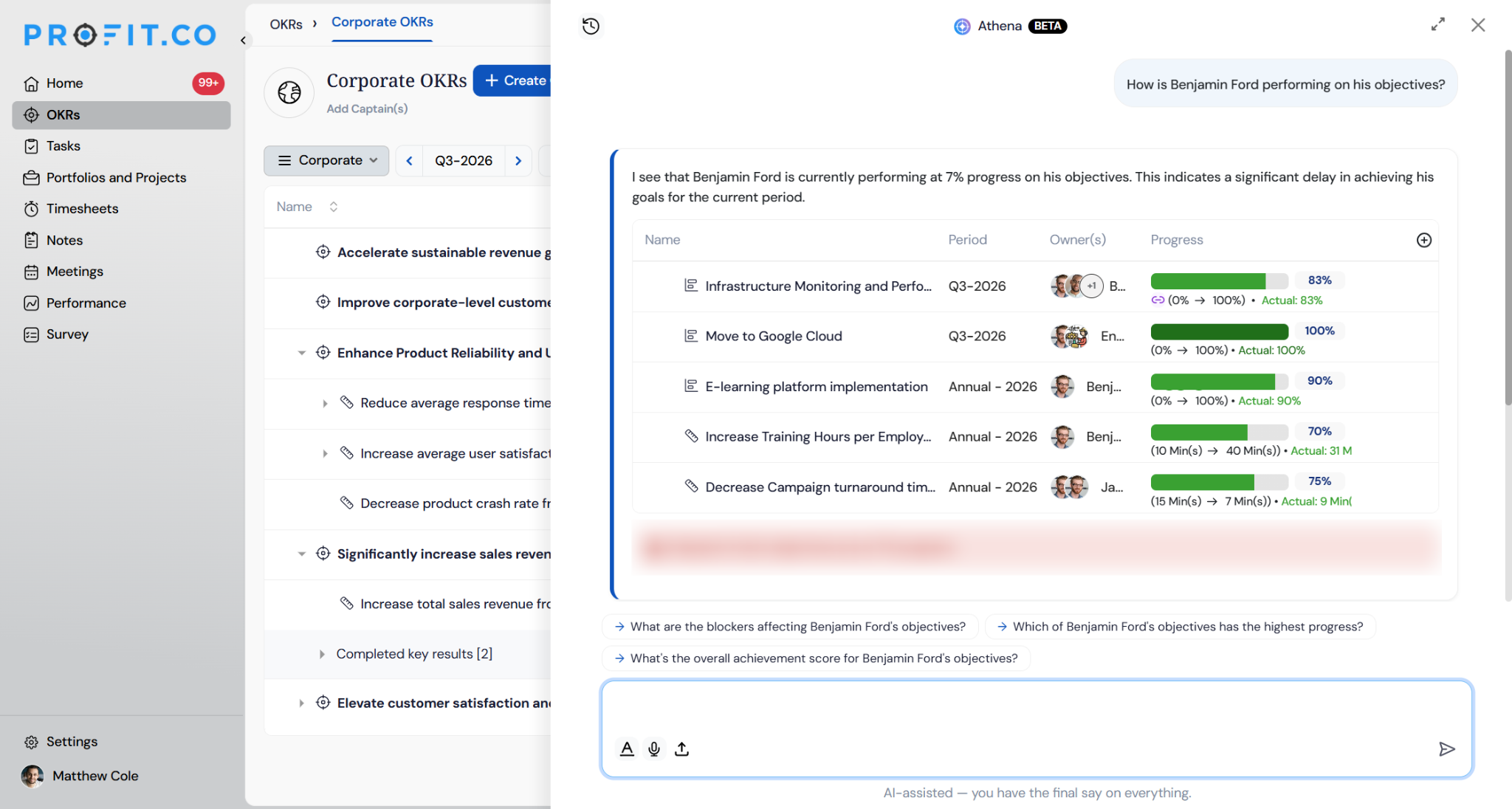
Individual and Department Progress: Analyzes overall performance, achievement levels, and what specific people or teams are actively working on.
- How is Benjamin Ford performing on his objectives?
- What is the Engineering department's average progress?
- How does the Sales team compare to Marketing?
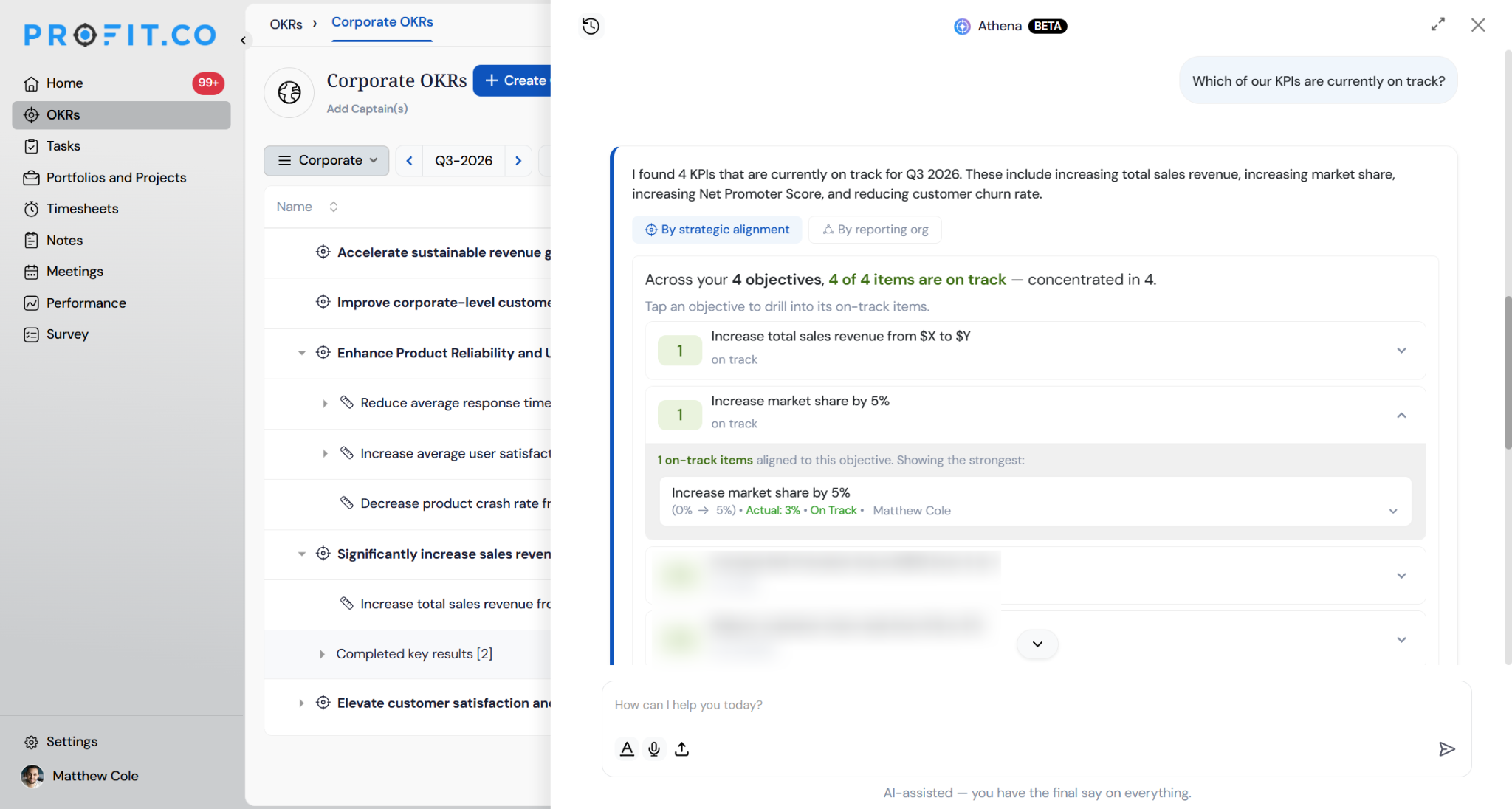
On Track and Ahead of Schedule: Highlights goals that are performing well, hitting targets, or beating deadlines.
- Which of our KPIs are currently on track?
- What is my team ahead of schedule on?
- Show me the Engineering department's leading objectives.
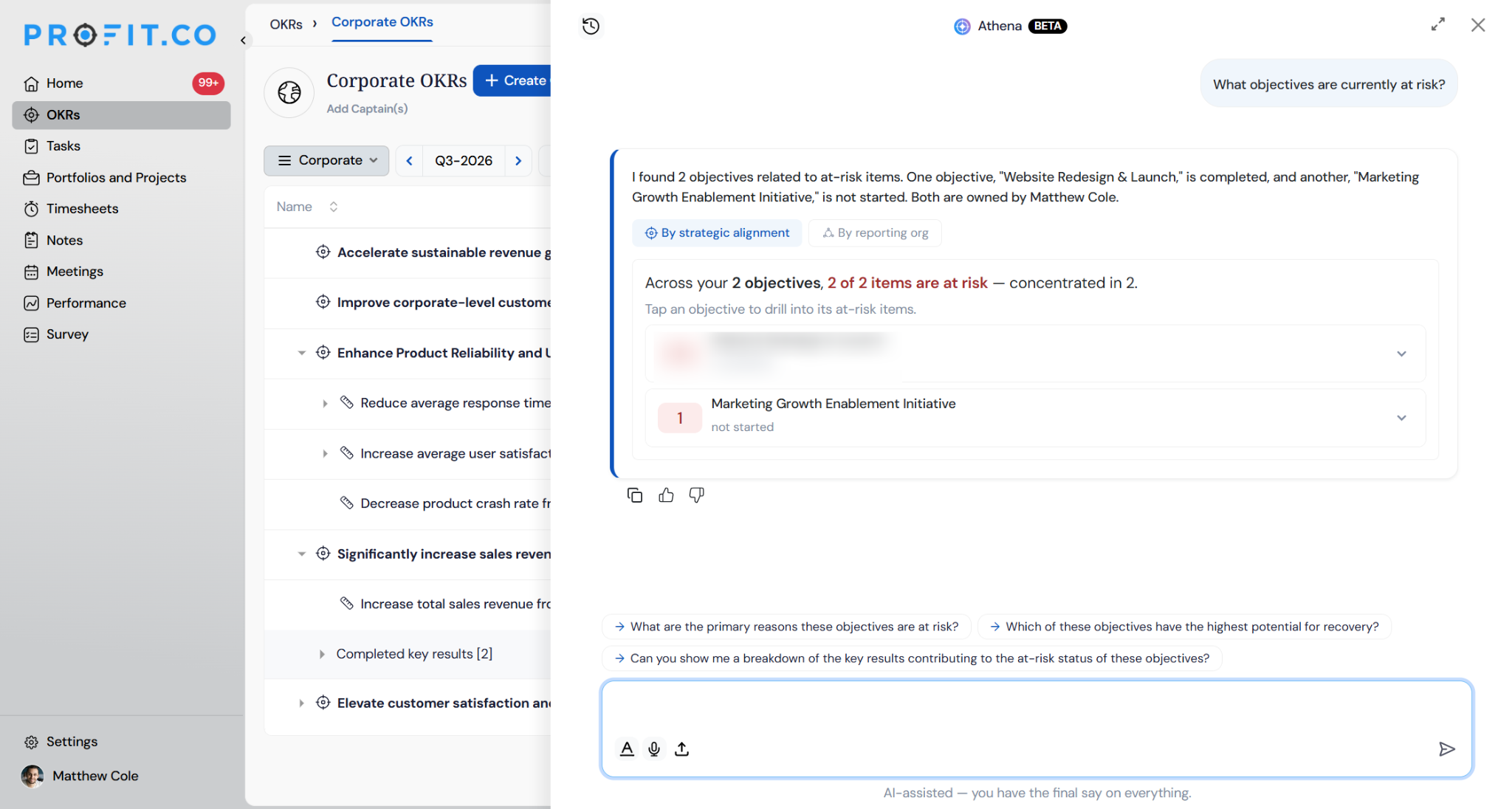
At Risk and Behind Schedule: Flags lagging goals, missed deadlines, or items needing urgent attention and course correction.
- What objectives are currently at risk?
- What work am I behind schedule on?
- Which key results need immediate attention?
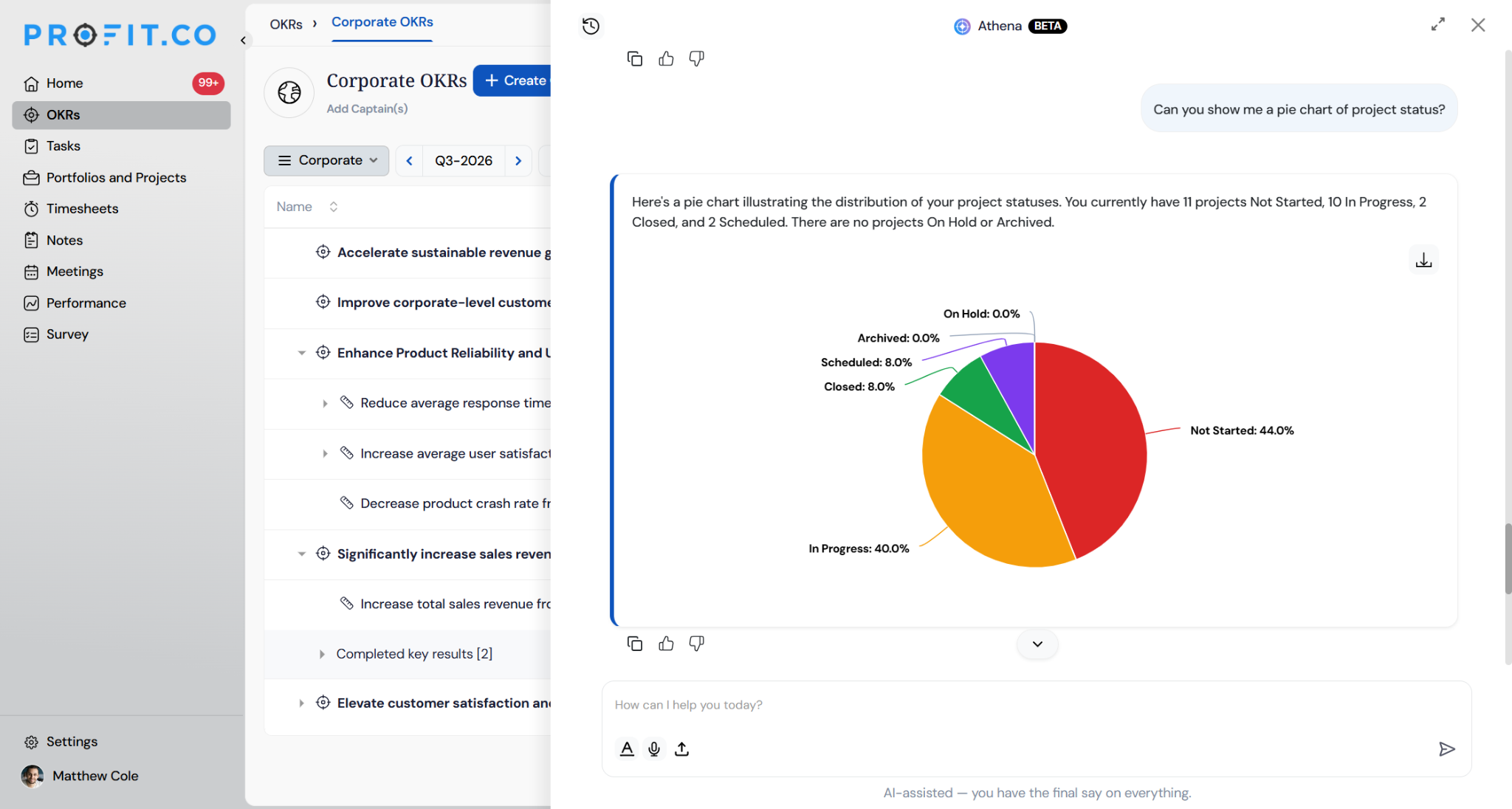
Visualize: Generates charts on demand from any answer in bar, column, line, or pie charts.
- Can you show me a pie chart of project status?
- Chart my department's progress.
- Show at-risk objectives by owner.
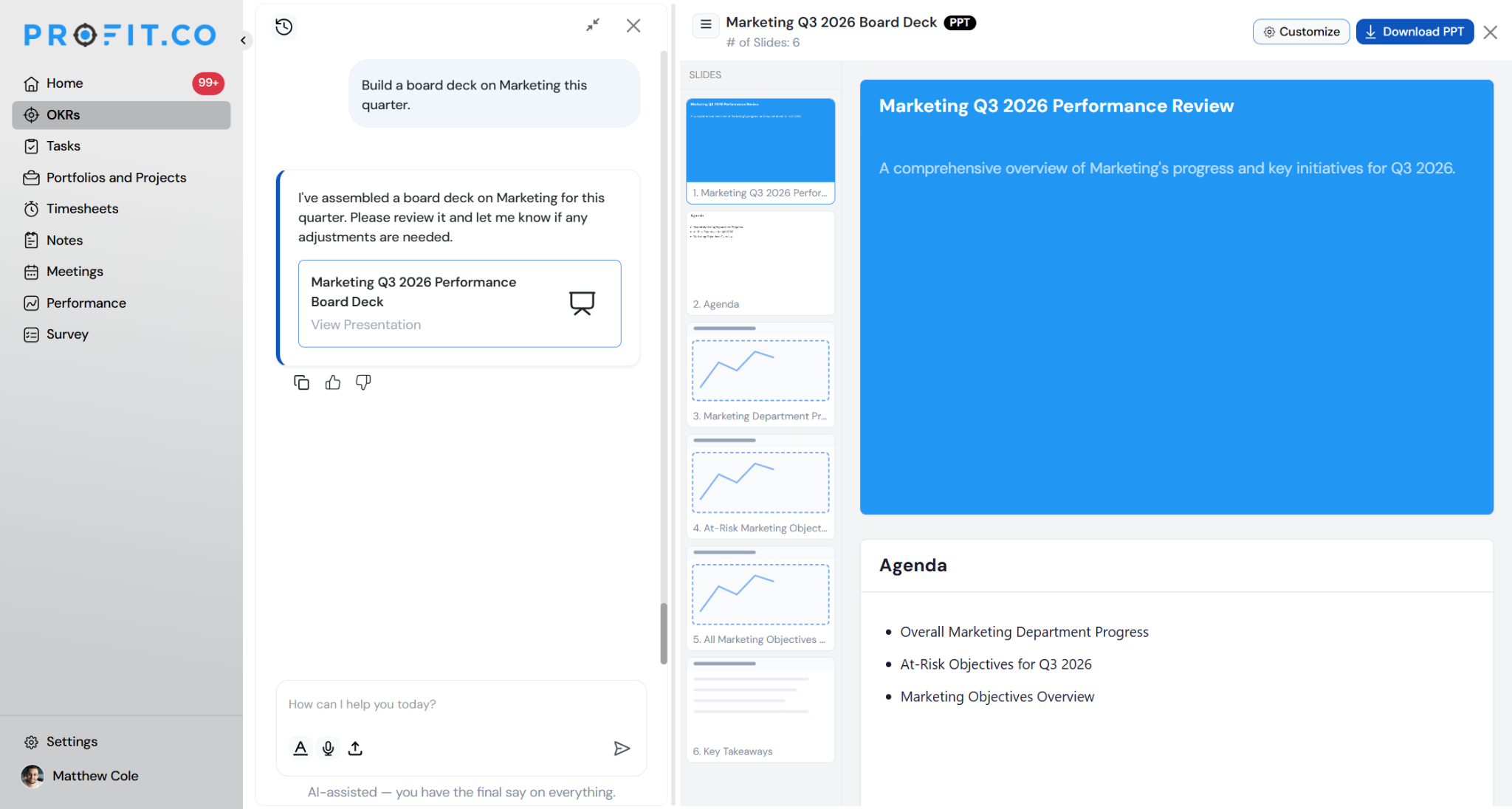
Present: Builds presentation-ready outputs and board decks directly from your data.
- Build a board deck on Marketing this quarter.
- Turn this into a presentation.
- Add a slide on at-risk milestones.
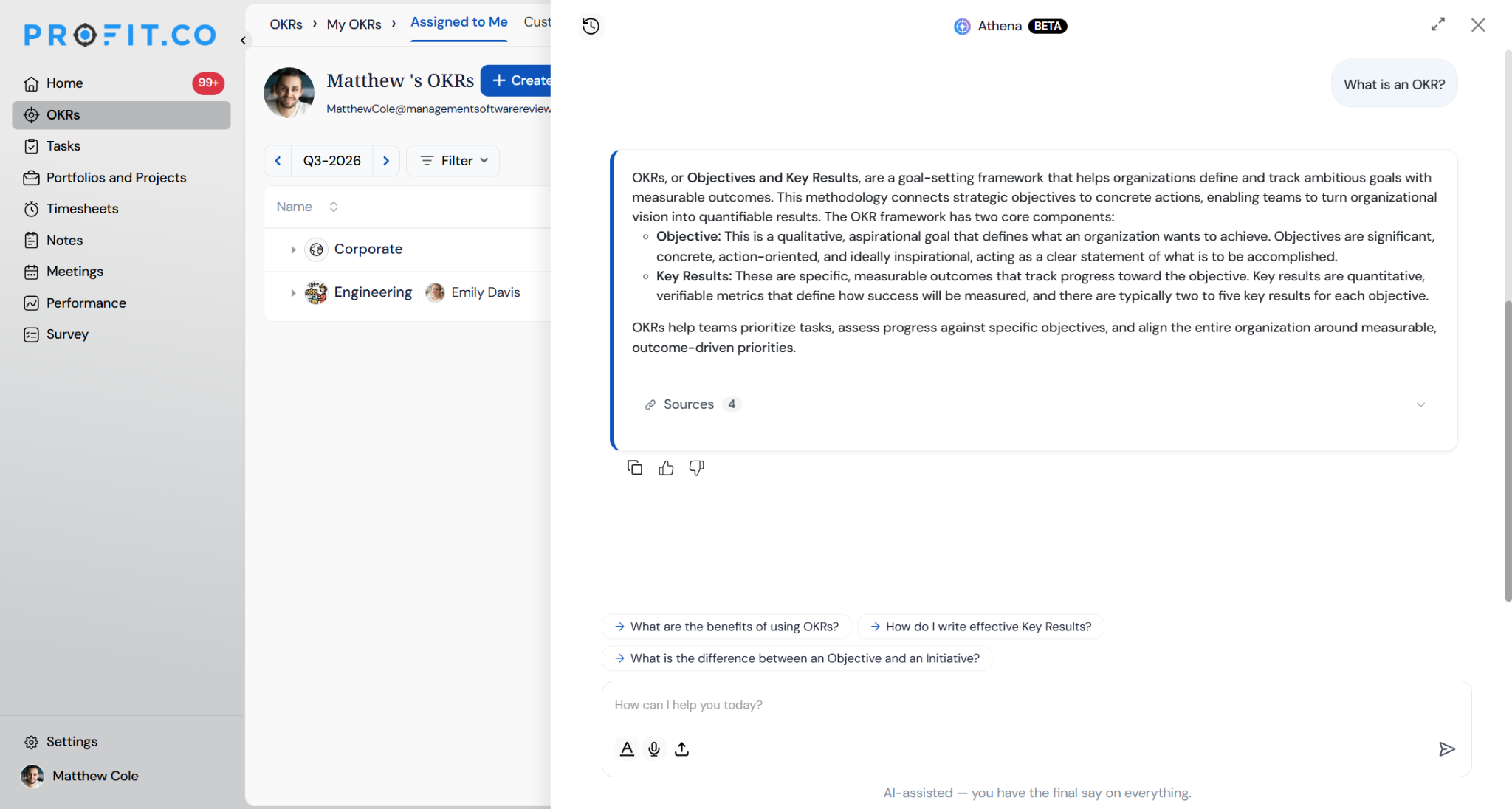
How Things Work: Answers platform and methodology questions, useful for onboarding new team members or reinforcing OKR best practices.
- What is an OKR?
- What does at-risk status mean?
- How do check-ins work in Profit.co?
OKR Widgets (New): Ask Athena can now answer questions using 18 OKR-related widgets, covering objective and alignment views, anomaly detection, check-in and login trends, KPI and Initiative progress, and ownership breakdowns. Instead of opening the Cockpit to find the right widget, you can ask Athena directly and get the same data back in the conversation.
- Which department has the most anomalies this quarter?
| Widget Category | Widgets |
|---|---|
| Objective & Alignment Views | Objectives by Department; Alignment from other OKR levels; Alignment to other OKR levels |
| Anomaly Detection | Anomaly Rule Analysis; Anomalies by All Departments; Anomalies by Users |
| Check-in & Login Trends | OKR Status Trend Progress; On-Time Check-in Users Rate Trend; Active Users Login History Trend; Active Users Login Status by Department; Overview of Active Users Login Status |
| KPI / Initiative Progress | KPIs and Initiatives Key Results Progress Distribution by Departments; KPIs and Initiatives Key Results Progress Distribution |
| Ownership Breakdowns | Initiatives Ownership; Child Objectives Ownership; Departments KPIs Ownership; Departments Initiatives Ownership; Departments Child Objectives Ownership |
Project Portfolio Management (PPM)
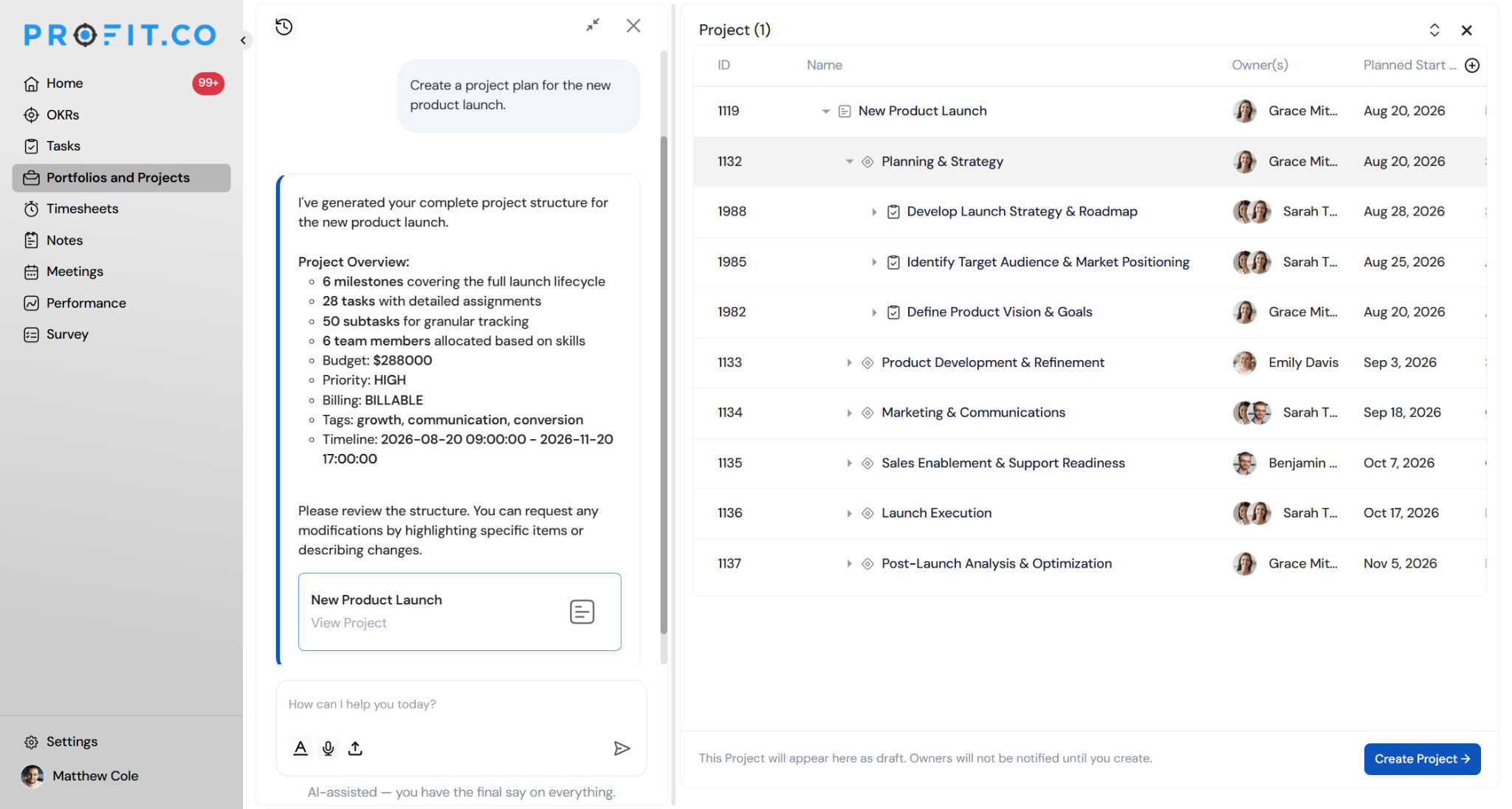
Author – Project & PPM Content: Build out project plans, milestones, and task structures directly from conversation.
- Create a project plan for the new product launch.
- Add milestones to the Website Redesign project.
- Draft a task list for the Q3 go-to-market rollout.
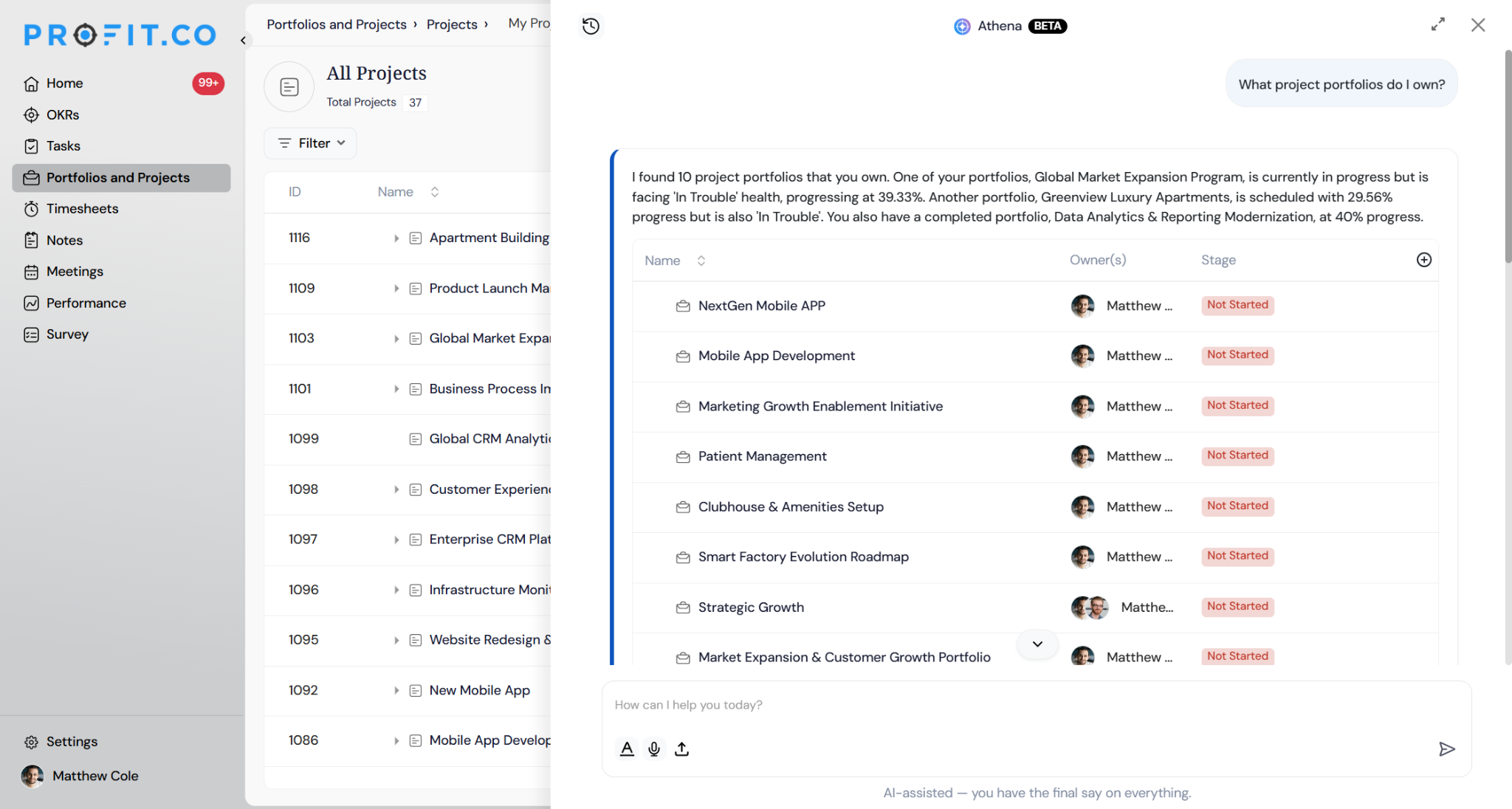
Project and Portfolio Ownership: Tracks who manages specific projects, portfolios, or nested milestones.
- What project portfolios do I own?
- Show me Alice's projects.
- What milestones are assigned to the design team?
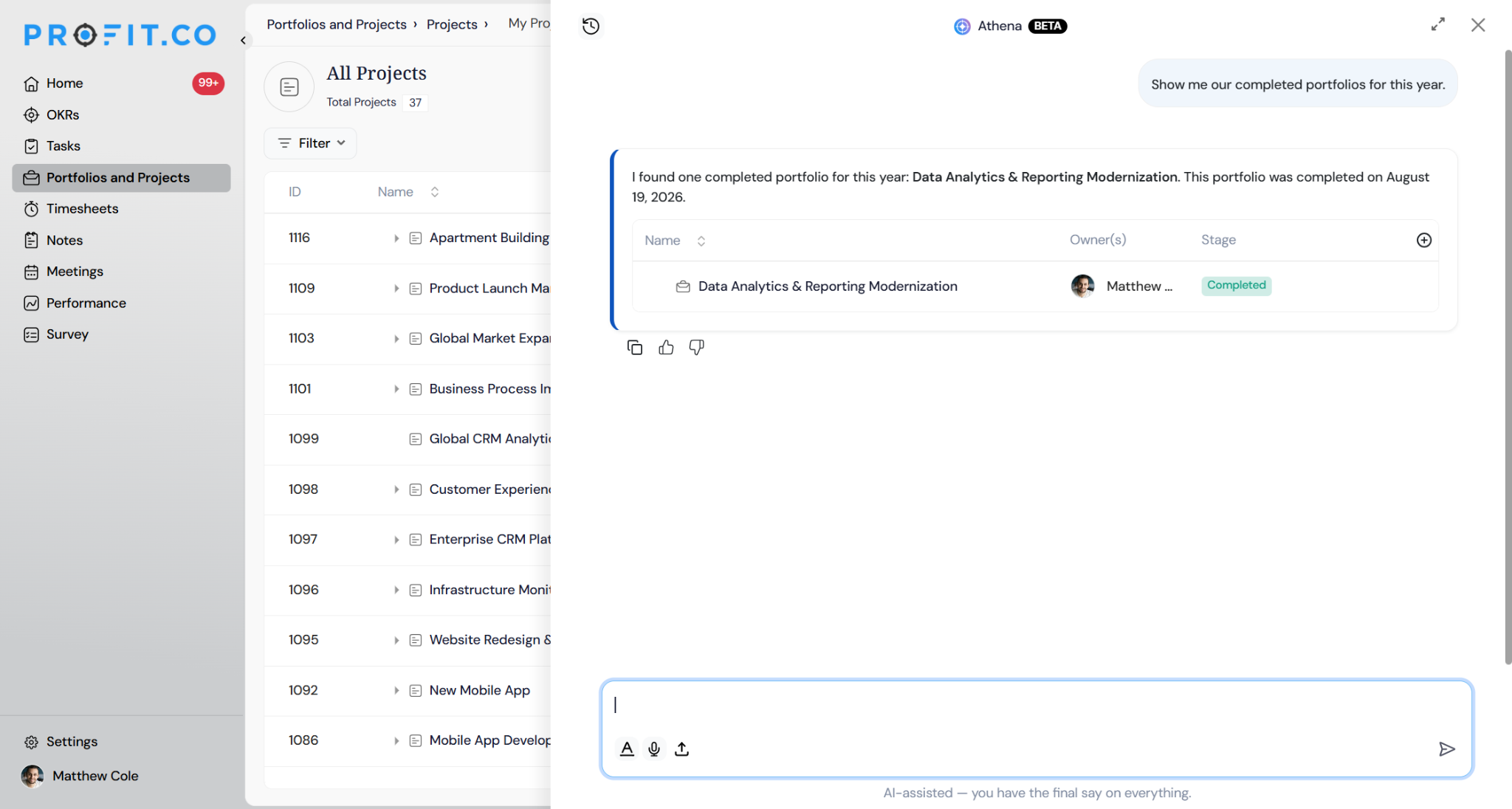
Lifecycle Stages: Filters portfolios, projects, and milestones by their current operational phase (e.g., Not Started, In Progress, On Hold, Completed).
- Show me our completed portfolios for this year.
- Which projects are currently on hold?
- What milestones are scheduled to start next week?
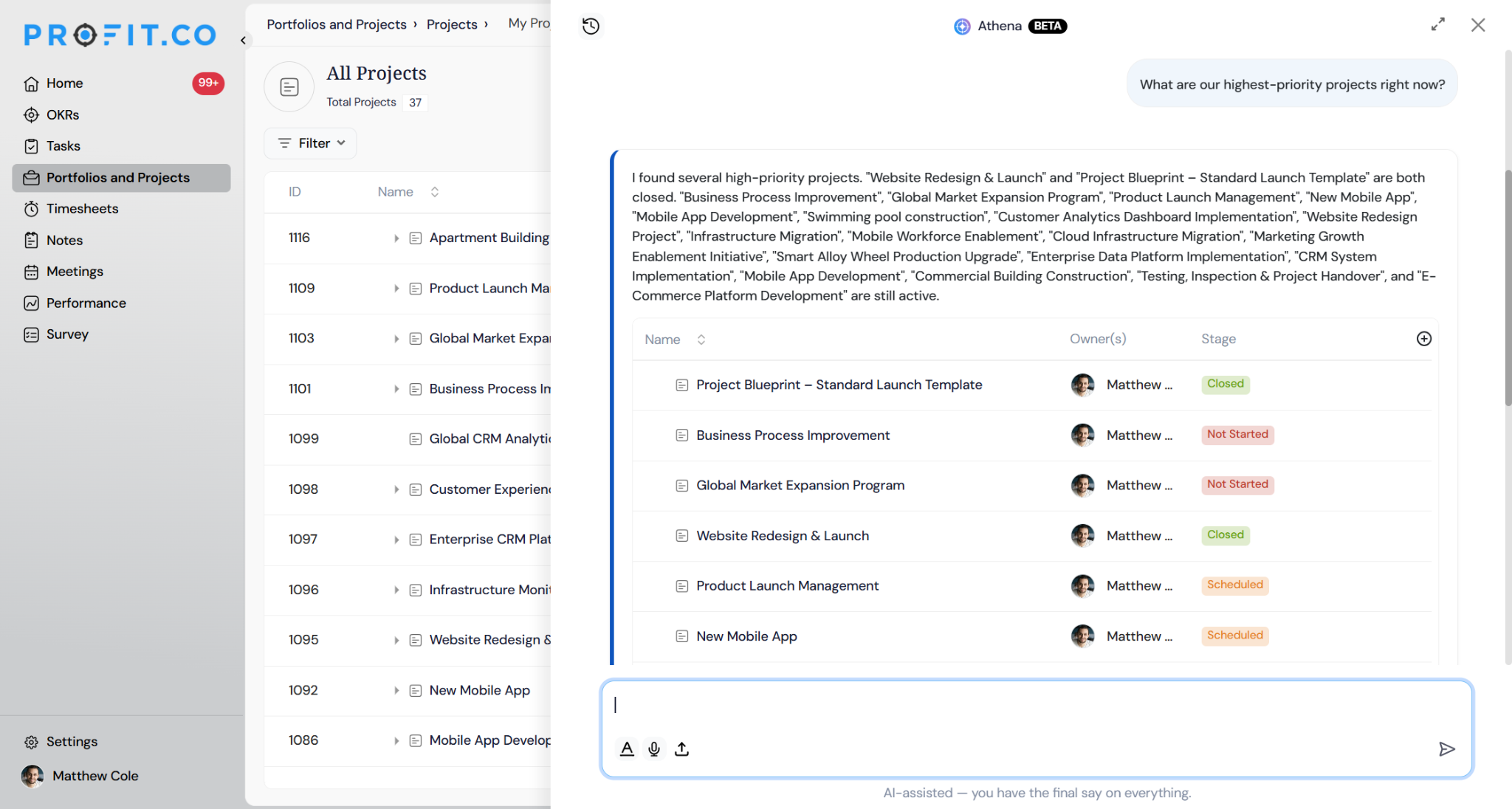
Priority Levels: Ranks and groups PPM work items by their strategic importance.
- What are our highest-priority projects right now?
- Show me our critical portfolios.
- Give me a priority breakdown of all my milestones.
Overdue Items: Surfaces projects, portfolios, and milestones that have missed their planned target end dates.
- Which projects are past their deadline?
- What milestones missed their target dates?
- Show me all overdue portfolios.
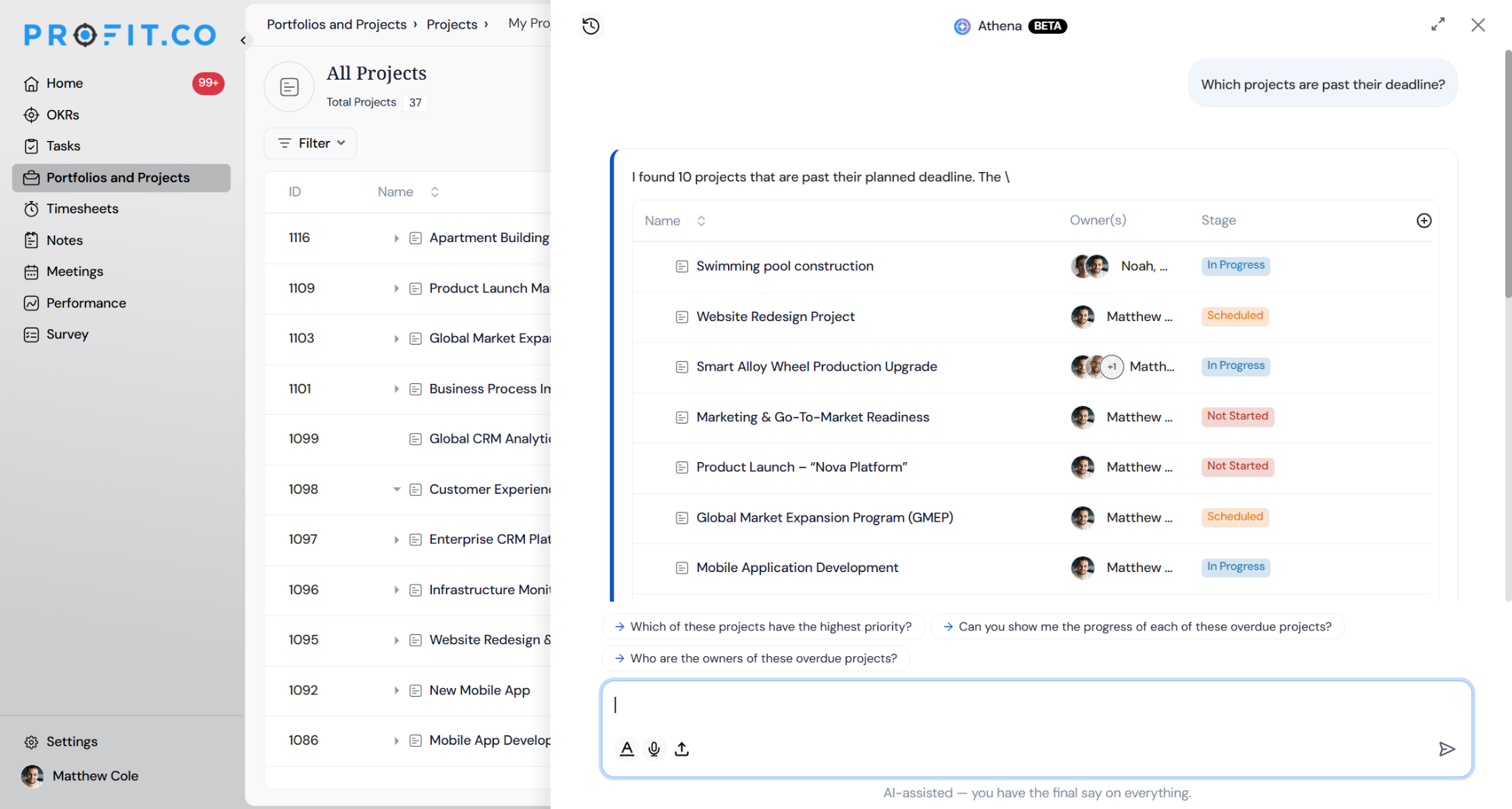
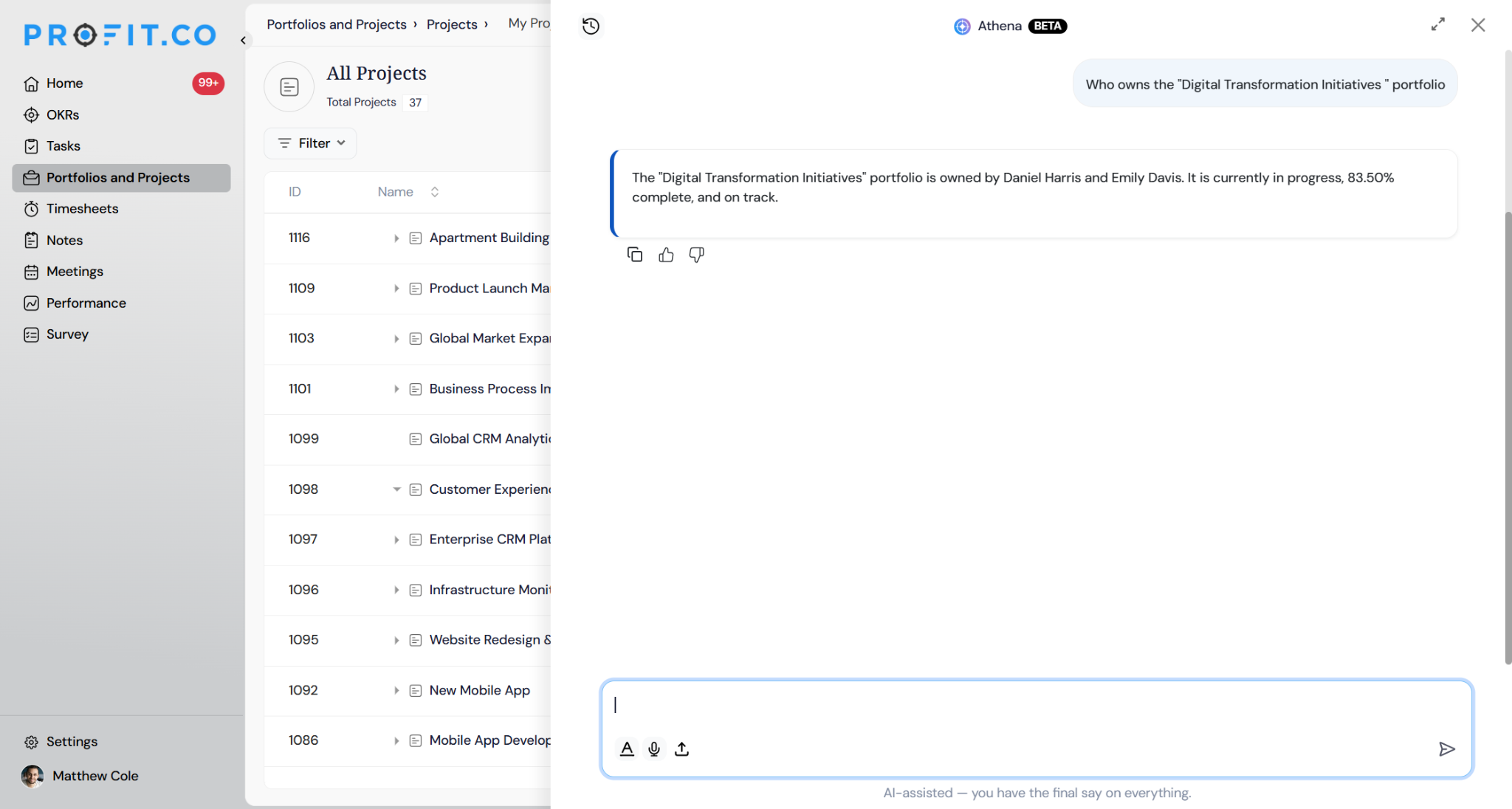
Specific Item Deep-Dives: Retrieves the exact status, owner, and progress data for specifically named work items across the entire system.
- Who owns the “Digital Transformation Initiatives” portfolio?
- What is the current status of the “Migrate Servers” milestone?
Tasks and Tags (New): Ask Athena can now answer questions about tasks and tags, in addition to the OKR data it already supports. You can ask about task status, ownership, or tag-based groupings directly in the conversation instead of navigating to Tasks or filtering manually.
- Show me all overdue tasks tagged Q3 Launch.
Ask Athena Scenarios and Their Outcomes
| Scenario | What Happens |
|---|---|
| You ask Athena to draft OKRs or a project plan. | Athena generates the draft and displays it for review, and owners are not notified until you click Create. |
| You ask Athena a question covered by one of the 18 OKR widgets. | Athena returns that widget's data directly in the conversation instead of requiring you to open the Cockpit. |
| You ask Athena about tasks or tags. | Athena searches task and tag data and returns matching results in the conversation, the same way it handles OKR questions. |
| You ask Athena to visualize an answer. | Athena generates a bar, column, line, or pie chart from that answer without needing a separate BI tool. |
| You ask Athena to build a presentation from an answer. | Athena assembles a presentation-ready deck that you can review, customize, and download as a PPT file. |
Best Practices for Using Ask Athena
- Review any drafted OKRs, projects, or presentations before creating them. Athena's drafts don't notify owners or apply anywhere until you confirm.
- Ask widget-style questions, such as anomaly or ownership breakdowns, directly instead of opening the Cockpit first. Athena matches the question to the right widget automatically.
- Use the suggested follow-up questions under an answer instead of retyping context. Athena remembers what's on screen.
- Ask about tasks and tags the same way you ask about OKRs. Both are now handled in the same conversation.
- Turn a data-heavy answer into a chart or board deck on the spot when you need to share it, rather than exporting to a separate tool.
Frequently Asked Questions
Yes. Ask Athena is also available as a Google Chat app. Search for “Profit.co” in the Google Chat apps directory and connect your account.
Yes. Because Athena lives inside the platform, it's context-aware. When you're viewing a specific objective, project, or department page, Athena uses that context to sharpen its answers.
No. Athena automatically matches your question to the relevant widget among the 18 supported OKR widgets.
Execute your strategy with confidence
Connect OKRs, tasks, and teams in one place with Profit.co
