

Profit.co allows you to control how sub-key result progress rolls up to a parent key result through three distinct Roll-up Approaches: Equally Weighted, % Weighted, and KPI Based. Each method determines how sub-key result check-ins are calculated and reflected in the parent key result's overall progress.
Table of Contents
What is the Key Result Weight Roll-Up Approach?
The Key Result Weight Roll-Up Approach is a configuration setting that defines how progress from sub-key results is aggregated and reflected in a parent key result. When the Sync from Sub Key Results toggle is enabled, you can choose from three calculation types: Equally Weighted, % Weighted, or KPI Based.
Each approach serves a different purpose — from distributing progress equally across all sub-KRs, to assigning manual weights based on priority, to syncing progress only from sub-KRs that share the same KPI type as the parent.
Why This Feature Matters
In complex OKRs with multiple contributors or workstreams, a flat average of sub-key result progress rarely reflects actual business impact. Not all sub-KRs carry equal weight — some drive more value toward the parent objective than others.
The Roll-Up Approach gives you the control to decide how much each sub-key result influences the parent. This means progress calculations stay accurate, priority sub-KRs receive proportional representation, and the parent key result reflects a meaningful composite score rather than a misleading average.
How to Enable the Roll-Up Approach
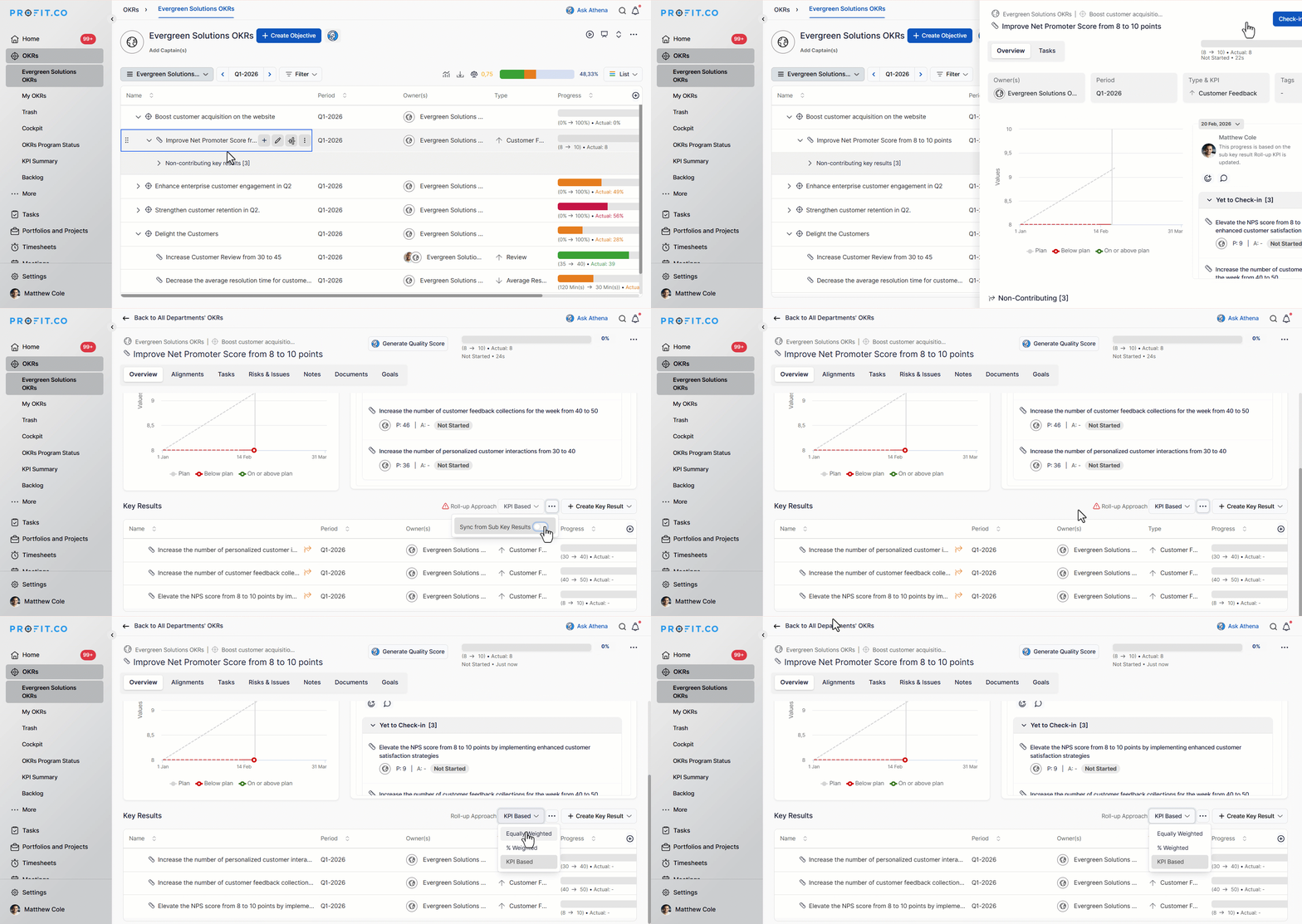
Before using the roll-up approach, ensure that the Sync from Sub Key Results toggle is enabled on the Key Result details page.
Step 1
- Click on the parent key result to open its detail view.
- Navigate to the Sub Key Results tab.
- Enable the Sync from Sub Key Results toggle.
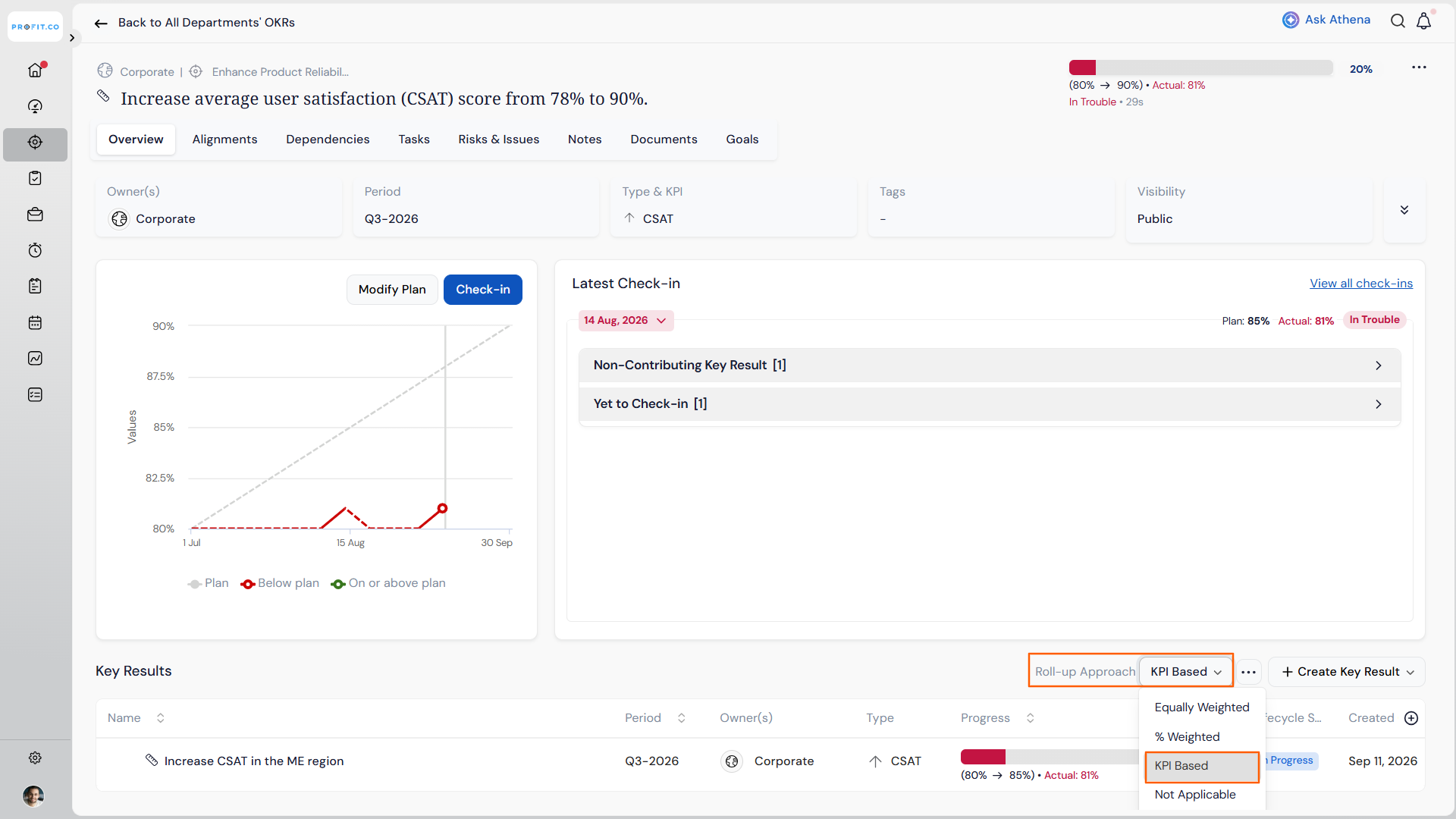
- Open the Roll-up Approach dropdown that appears once the toggle is enabled.
- Select Equally Weighted, % Weighted, or KPI Based based on your requirement.
How Each Roll-Up Approach Works
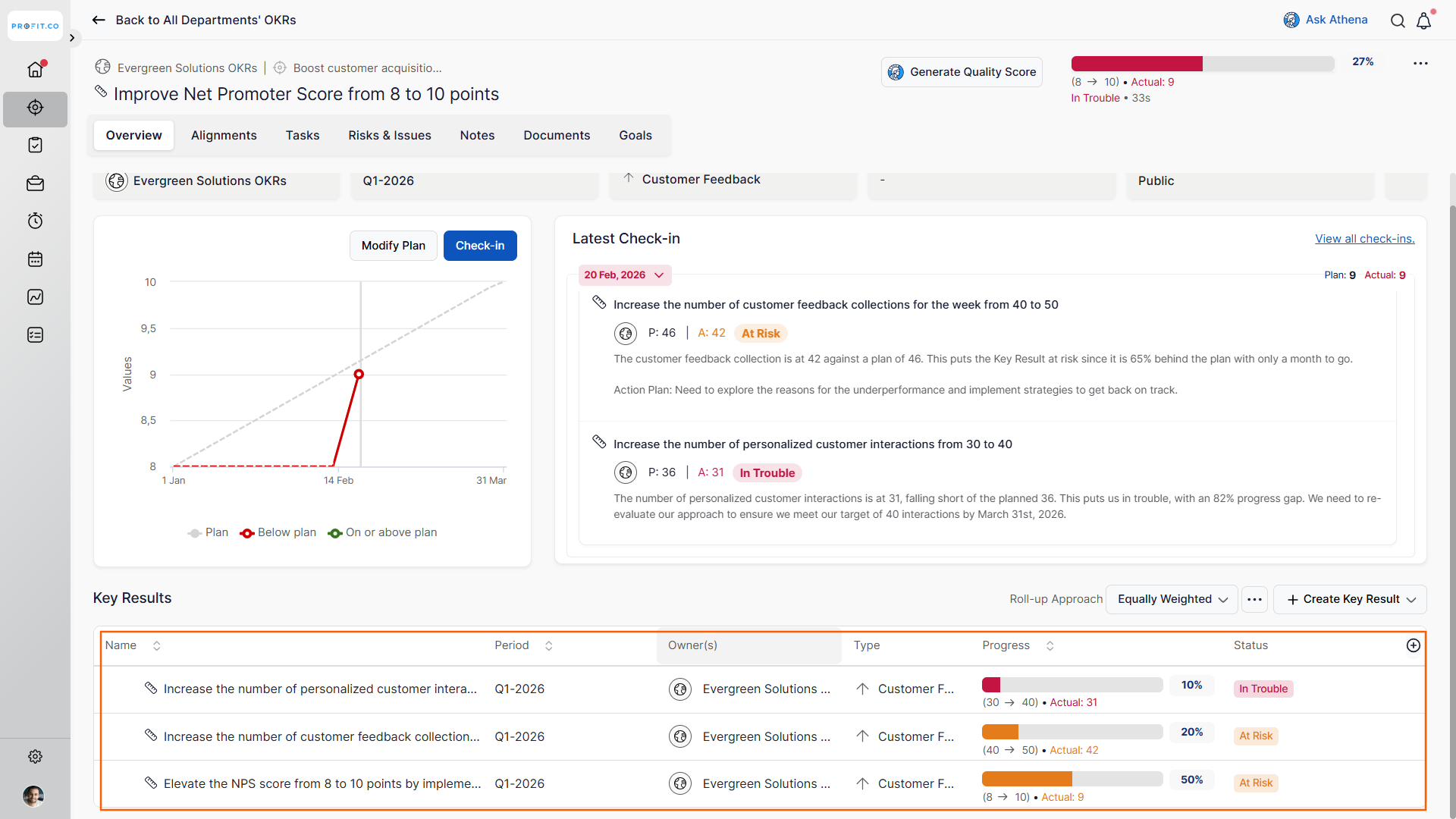
Consider there is an OKR in which a parent key result has three sub-key results.
Equally Weighted
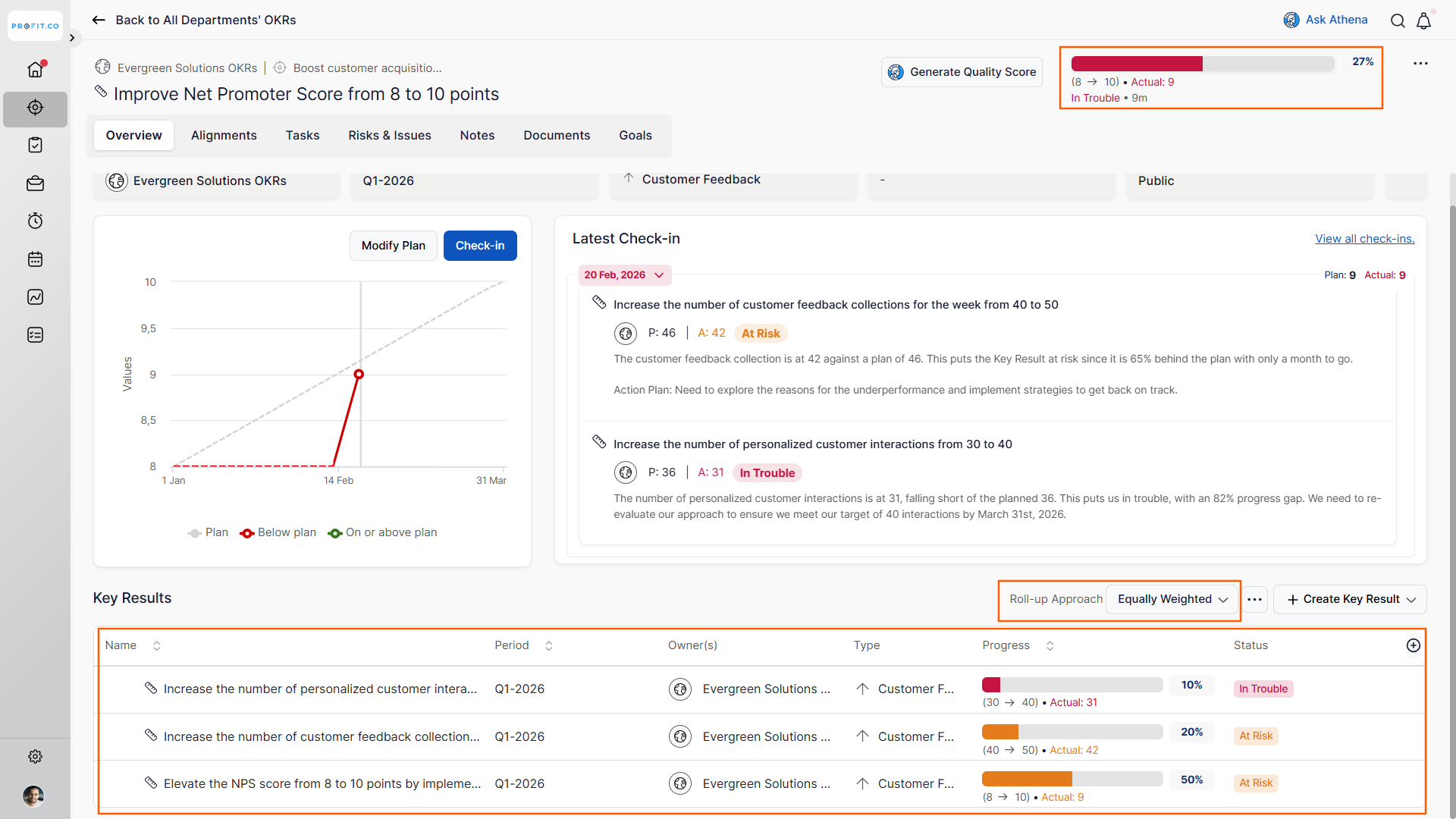
When Equally Weighted is selected, Profit.co distributes weight evenly across all sub-key results. Each sub-KR contributes an identical share to the parent key result's progress, regardless of its individual complexity or business impact.
This approach works best when all sub-KRs are of comparable importance and no prioritization is needed.
% Weighted
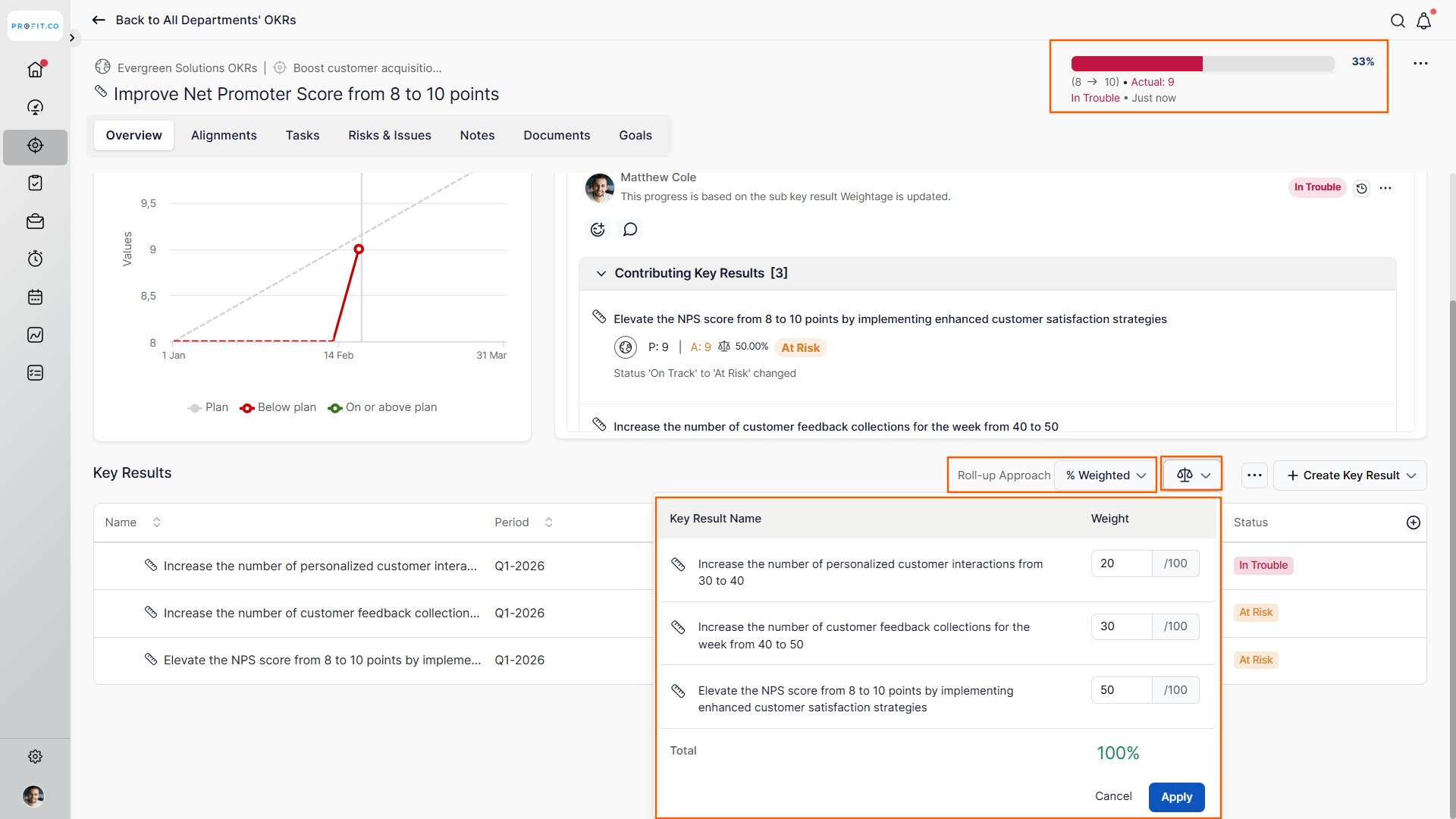
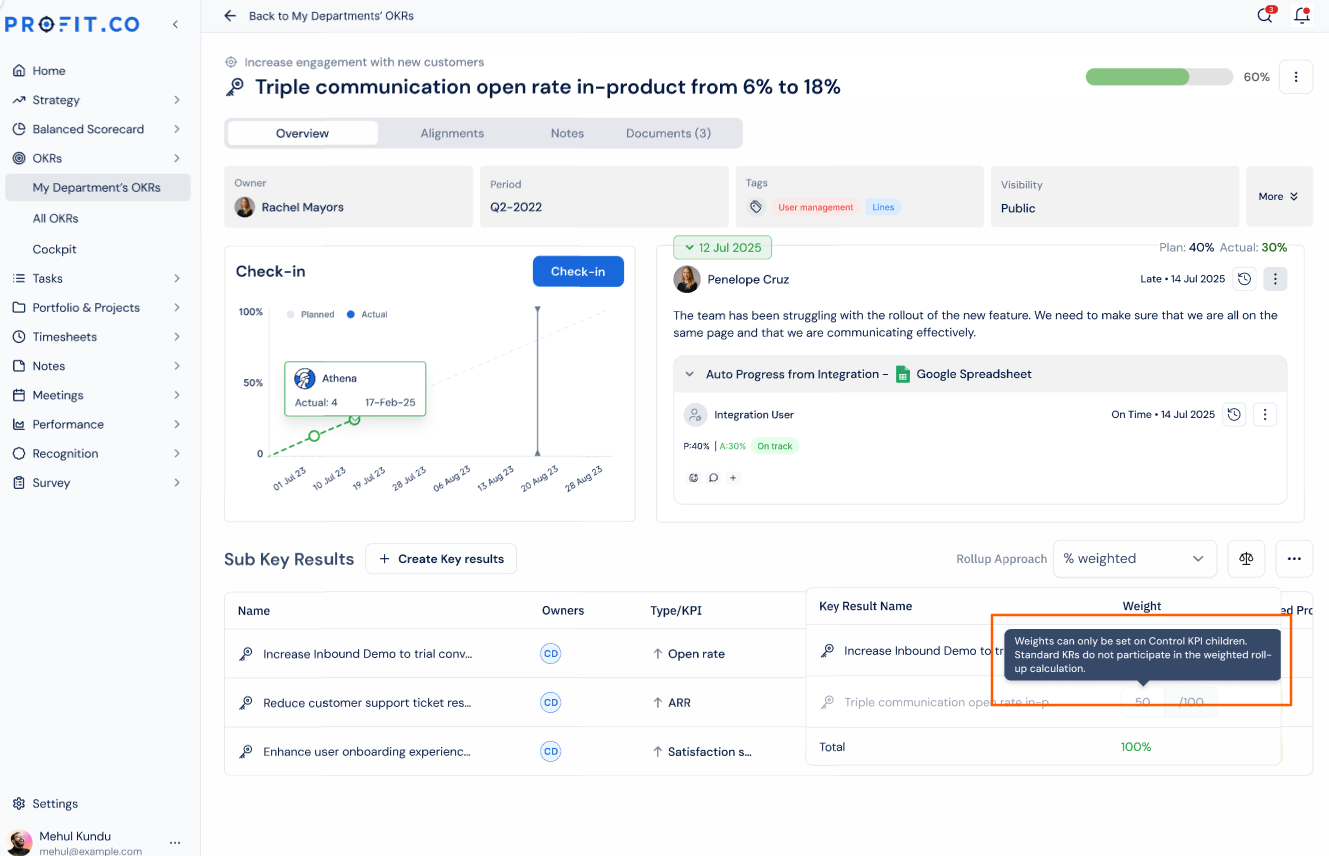
When % Weighted is selected, you manually assign a weight to each sub-key result to reflect its relative importance. The progress from each sub-KR is then multiplied by its assigned weight and aggregated into the parent key result.
Note
- The total weight across all sub-key results must equal 1 (or 100%). If the combined weight exceeds 1, an alert icon will appear to prompt correction before saving.
- In % Weighted roll-up, weight percentages can only be set on Control KPI child Key Results. Standard KR children stay locked and excluded from both weight assignment and the parent KR's weighted-average calculation, which requires Control KPI weights to total exactly 100%.
KPI Based
When KPI Based is selected, progress rolls up only from sub-key results whose KPI type matches the parent key result's KPI type. Sub-KRs that use a different KPI are excluded from the calculation entirely.
For example, if the parent key result uses Net Promoter Score as its KPI, only sub-KRs also using Net Promoter Score will contribute to the parent's progress. Sub-KRs using a different KPI - such as Customer Feedback Count or Customer Interactions - will not be reflected in the parent key result.
Note
The sub-key result type and KPI must match the parent key result type and KPI for progress to sync automatically.
Comparison of Roll-Up Approaches
| Roll-Up Approach | Weight Distribution | KPI Match Required | Best Used When |
|---|---|---|---|
| Equally Weighted | Automatic — equal share per sub-KR | No | All sub-KRs carry equal importance |
| % Weighted | Manual — set per sub-KR (must total 1) | No | Sub-KRs have varying levels of priority |
| KPI Based | Automatic — based on KPI match | Yes | Parent and sub-KRs share the same KPI type |
Best Practices for Key Result Weight Roll-Up
- Choose % Weighted when your sub-KRs have clearly different business impacts - assign higher weights to sub-KRs that are more critical to the parent objective's success.
- Always verify that % Weighted totals equal exactly 1 before saving; an unbalanced weight distribution will trigger an alert and prevent accurate roll-up.
- Use KPI Based only when all contributing sub-KRs are intentionally structured around the same KPI - mismatched KPI types will silently exclude sub-KRs from the parent's progress.
- Review the Roll-up Approach at the start of each OKR cycle; if sub-KR ownership or priorities shift, update the weights before new check-ins begin.
- Avoid mixing KPI types under a single parent key result when using KPI Based mismatched sub-KRs will appear in the list but contribute zero progress, which can give a false read on actual advancement.
Related Questions
Frequently Asked Questions
Yes, you can switch the Roll-up Approach at any point. However, changing the method mid-cycle will immediately recalculate the parent key result's progress based on the new approach, which may cause a visible jump or drop in the reported progress value.
Sub-KRs that do not share the same KPI type as the parent key result are excluded from the roll-up calculation entirely. Their individual check-in progress is still recorded, but it will not be reflected in the parent key result's progress.
There is no documented limit on the number of sub-key results that can participate in the Roll-up Approach. For % Weighted setups, the only constraint is that all assigned weights must sum to exactly 1 across all sub-KRs.
Execute your strategy with confidence
Connect OKRs, tasks, and teams in one place with Profit.co
