

Profit.co provides an option to pause your OKR check-ins during a specific period using the 'Out of Office' feature.
Why this feature?
- Automatically pauses check-in expectations during time off, so users aren't penalized or flagged for inactivity.
- Managers are notified and can approve time-off requests, ensuring alignment and visibility within teams.
- Eliminates the need to explain missed updates after returning — everything is logged and approved in advance.
Step 1
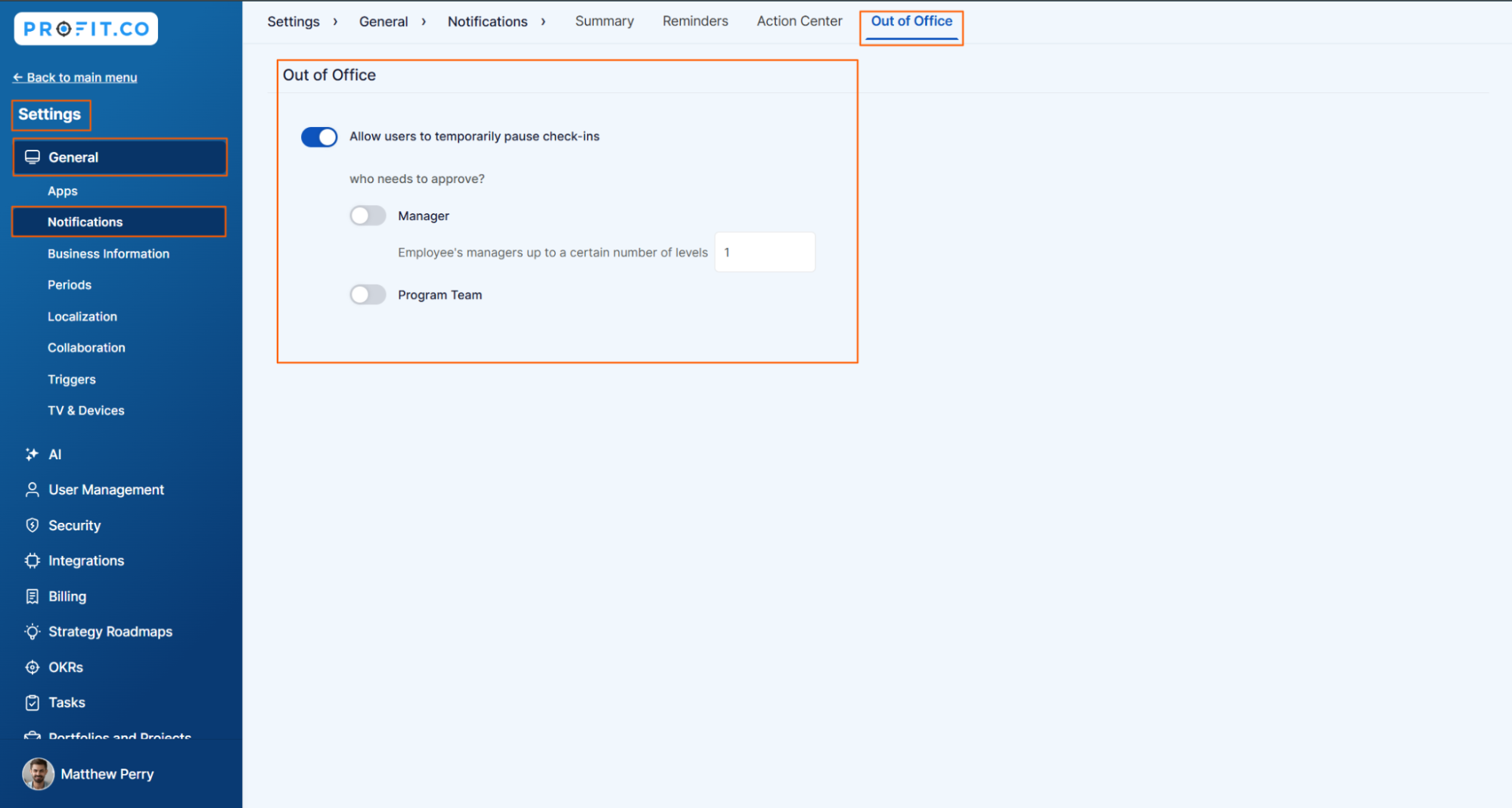
Navigate to Settings → General → Notifications from the left navigation panel.
Switch to the Out of Office tab, and enable the toggle for Out of Office.
Step 2
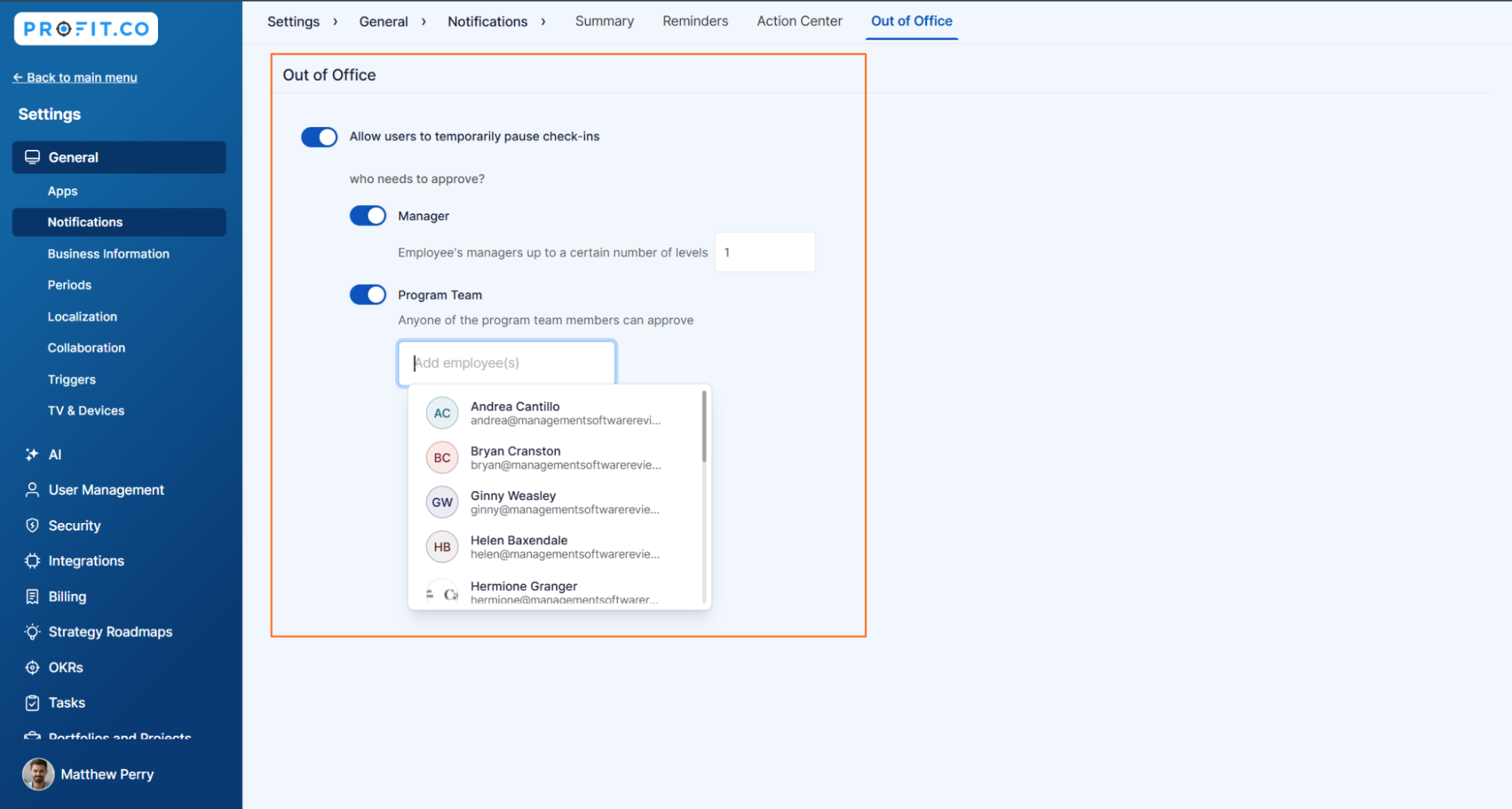
Enable the toggle for Allow users to pause check-ins temporarily.
To approve the request, you have two options:
- Manager – Select how many levels of the employee's manager can approve the request.
- Program Team – Choose the appropriate team or team member to manage approvals.
Related Blog Posts
To learn more about how Profit.co helps managers track Out-of-Office statuses. Click Here
To learn more about how the Out-of-Office feature works in Profit.co.Click Here
