
Profit.co provides an option to provide add-on roles to view the Cockpit.
Why this feature?
- Add-on Roles enable organizations to finely tailor user access, ensuring that individuals only have access to the specific modules they need.
- Profit.co provides an option to create Add-on Roles for the users to provide access or privilege for the users to view the OKR Cockpit.
Step 1
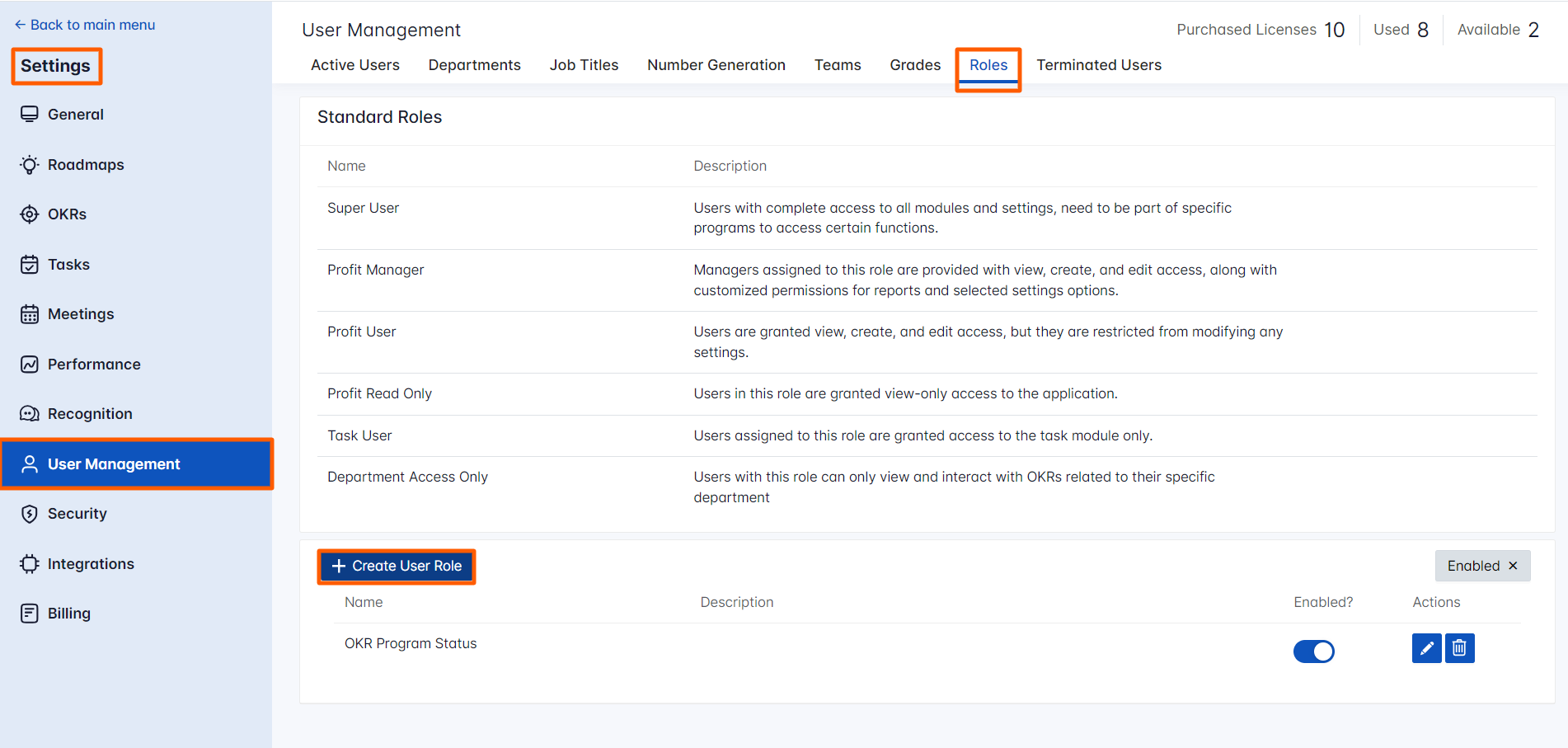
Navigate to Settings → User Management from the left navigation panel and switch to the Roles tab.
Click on the + Create User Role icon to create a new Add-on Role.
Step 2
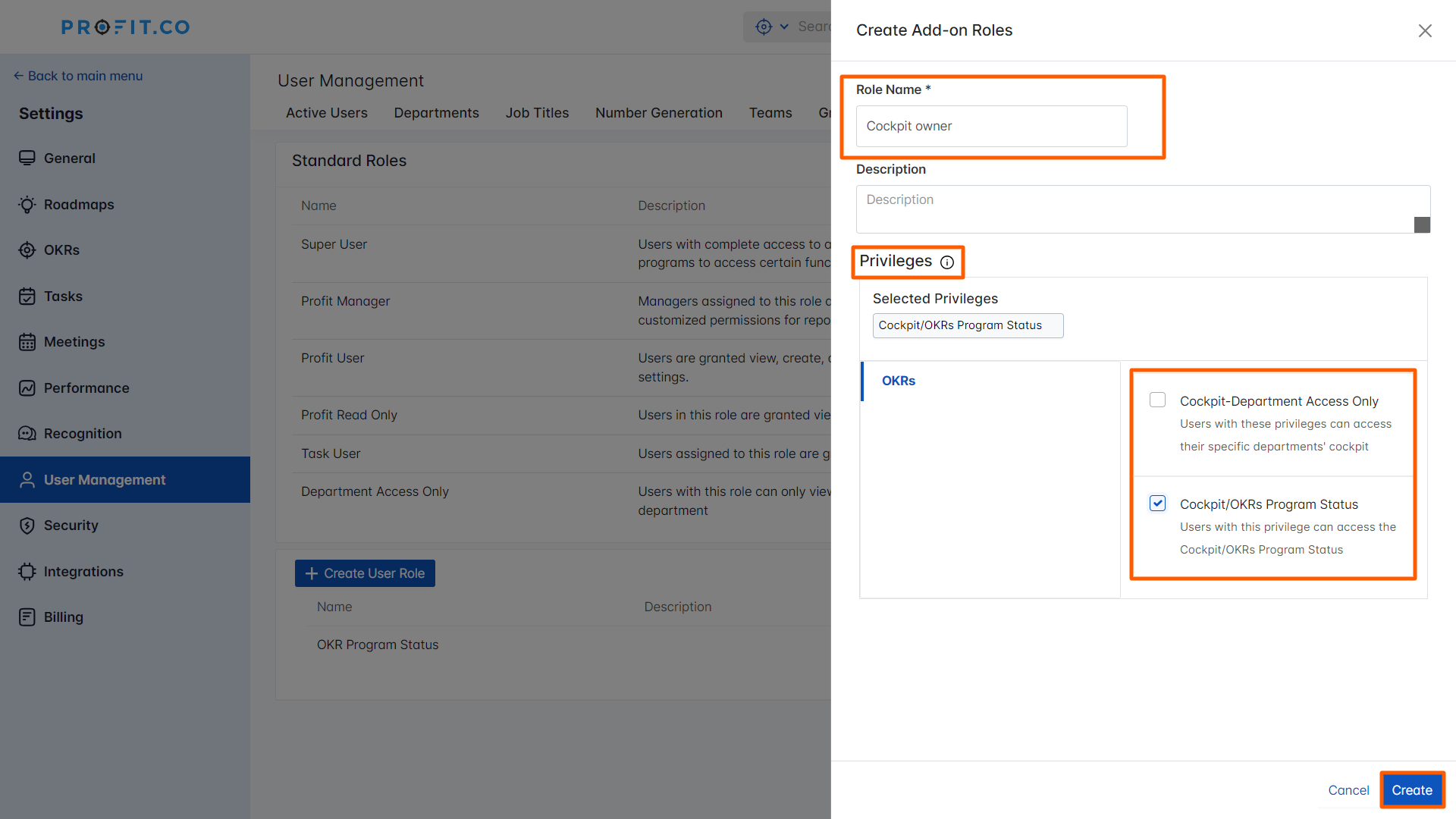
Set a new name for the role. In the Privileges section select the required one.
- Cockpit-Department Access Only - Users with these privileges can access their specific departments' cockpit.
- Cockpit/OKRs Program Status - Users with this privilege can access the Cockpit/OKRs Program Status.
Finally, click on Create.
Related Answer Post
To learn about the Cockpit Dashboard, click here.