

In Profit.co, you can create a Task Tracked Key Result using the Completed Task % tracking type to automatically measure Key Result progress based on the percentage of associated tasks that have been marked as completed.
Table of Contents
- What is a Task Tracked Key Result in Profit.co?
- How to create a Task Tracked Key Result with Completed Task % in Profit.co?
- How to view task progress under a Task Tracked Key Result in Profit.co?
- Best practices for using Task Tracked Key Results in Profit.co
- Related Questions
- Frequently Asked Questions
What is a Task Tracked Key Result in Profit.co?
A Task Tracked Key Result in Profit.co is a non-measurable Key Result type that automatically tracks progress based on the status of tasks associated with it. Instead of manually checking in with a numeric value, the Key Result progress updates automatically as tasks linked to it move to the Completed status. This creates a direct connection between day-to-day task execution and OKR progress reporting.
How to create a Task Tracked Key Result with Completed Task % in Profit.co?
Follow these steps to create a Task Tracked Key Result using the Completed Task % tracking type:
Step 1
- Navigate to your OKR and click to create a new Key Result.
- In the Key Result creation form, select Task Tracked as the Key Result type.
- Set the Tracking Type to Completed Tasks %.
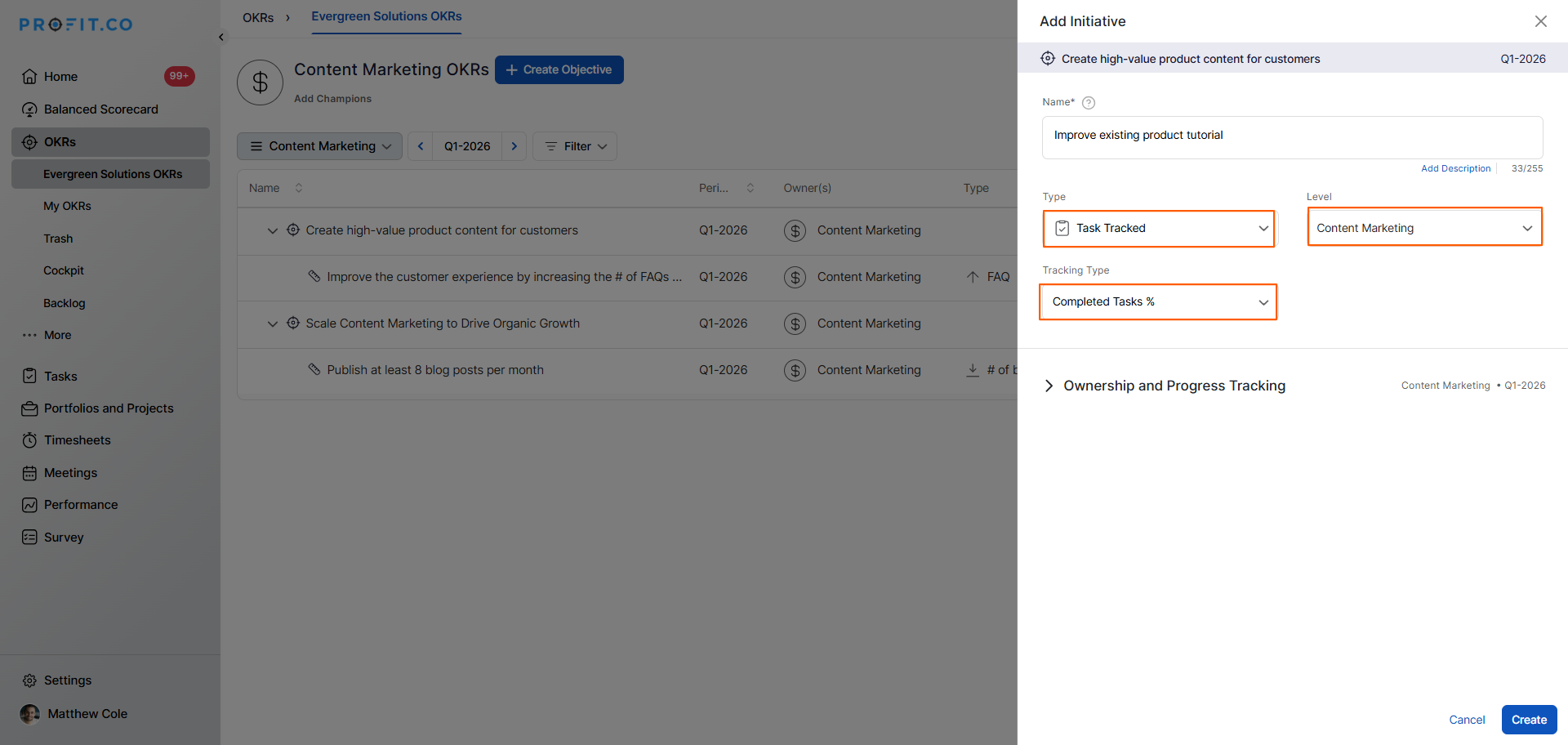
Note: You can also associate an existing Workspace or Board to track the Key Result progress using tasks that are already created.
Step 2
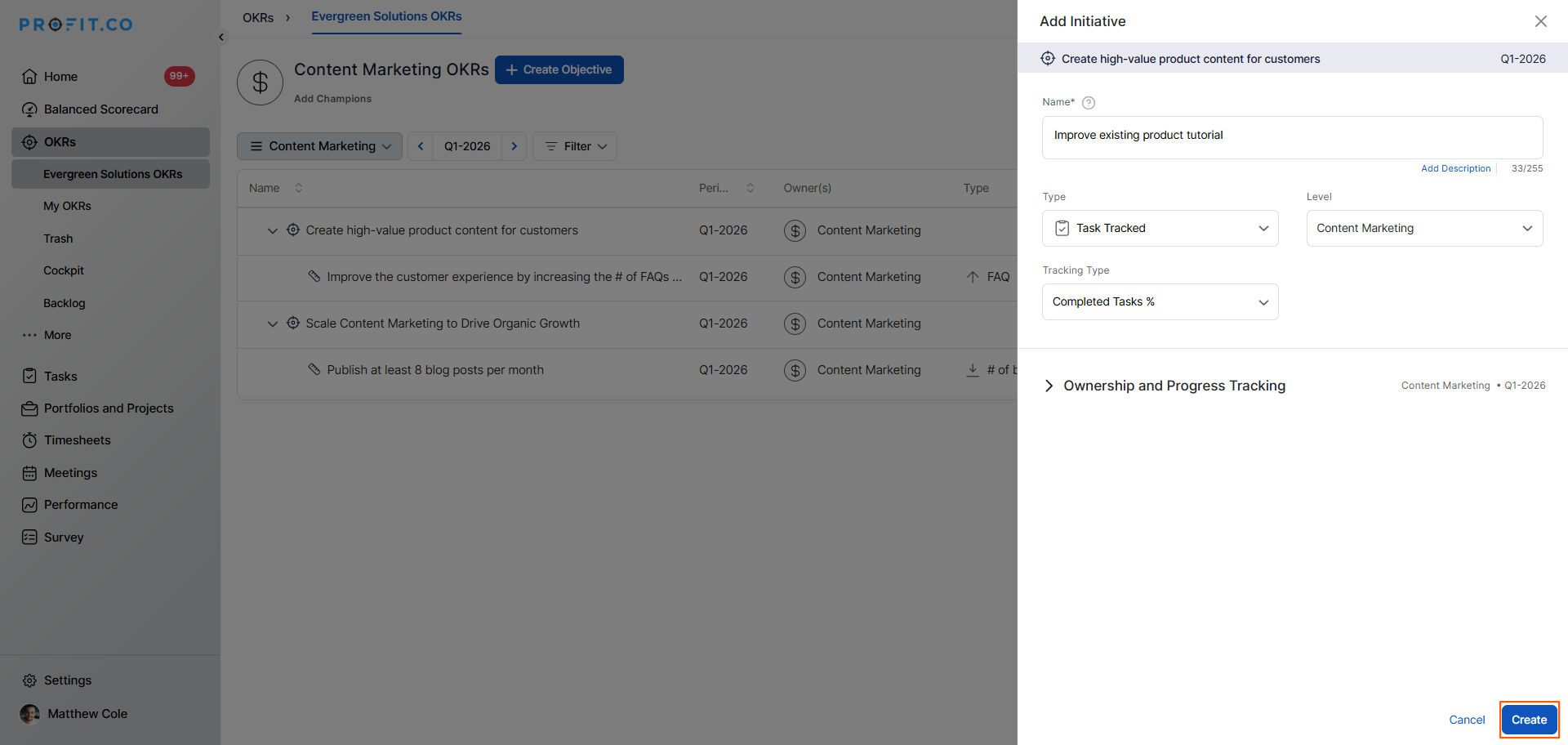
- Review all the details and click Create to save the Task Tracked Key Result.
- The Key Result will now automatically track and update its progress based on task completion within the associated Workspace or Board.
How to view task progress under a Task Tracked Key Result in Profit.co?
Step 1
Once the Task Tracked Key Result is created, you can view the associated tasks and their contribution to the Key Result progress at any time.
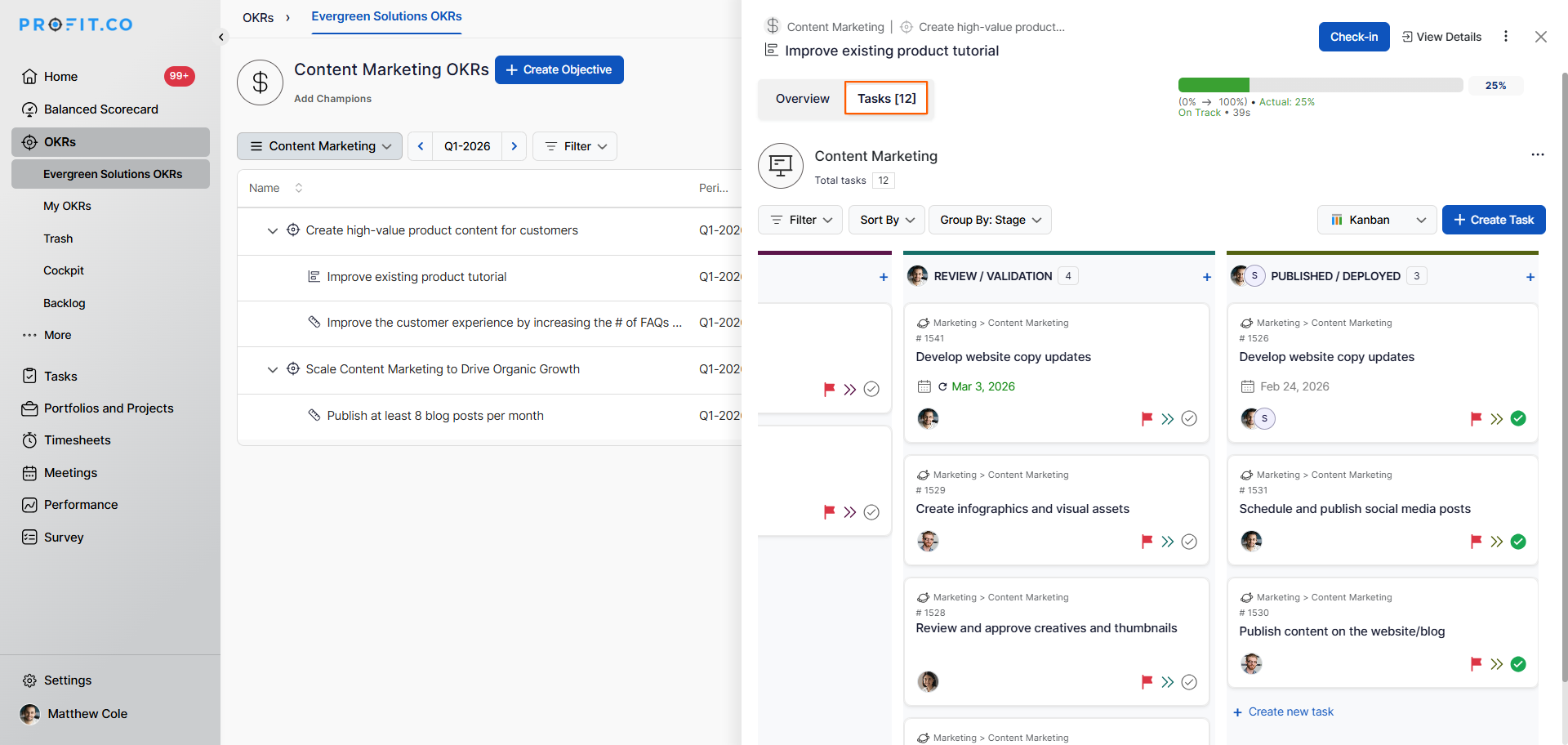
- Click on the Task Tracked Key Result from your OKR view to open its detail panel.
- Within the Key Result detail panel, click on the Task tab.
- The Task tab displays all tasks associated with the Key Result along with their current statuses.
- The overall progress percentage is automatically calculated and updated based on how many tasks have been moved to the Completed status.
The progress is calculated as:
Completed Tasks % = [100% / Total number of Tasks Present] × Number of Tasks Completed
Step 2
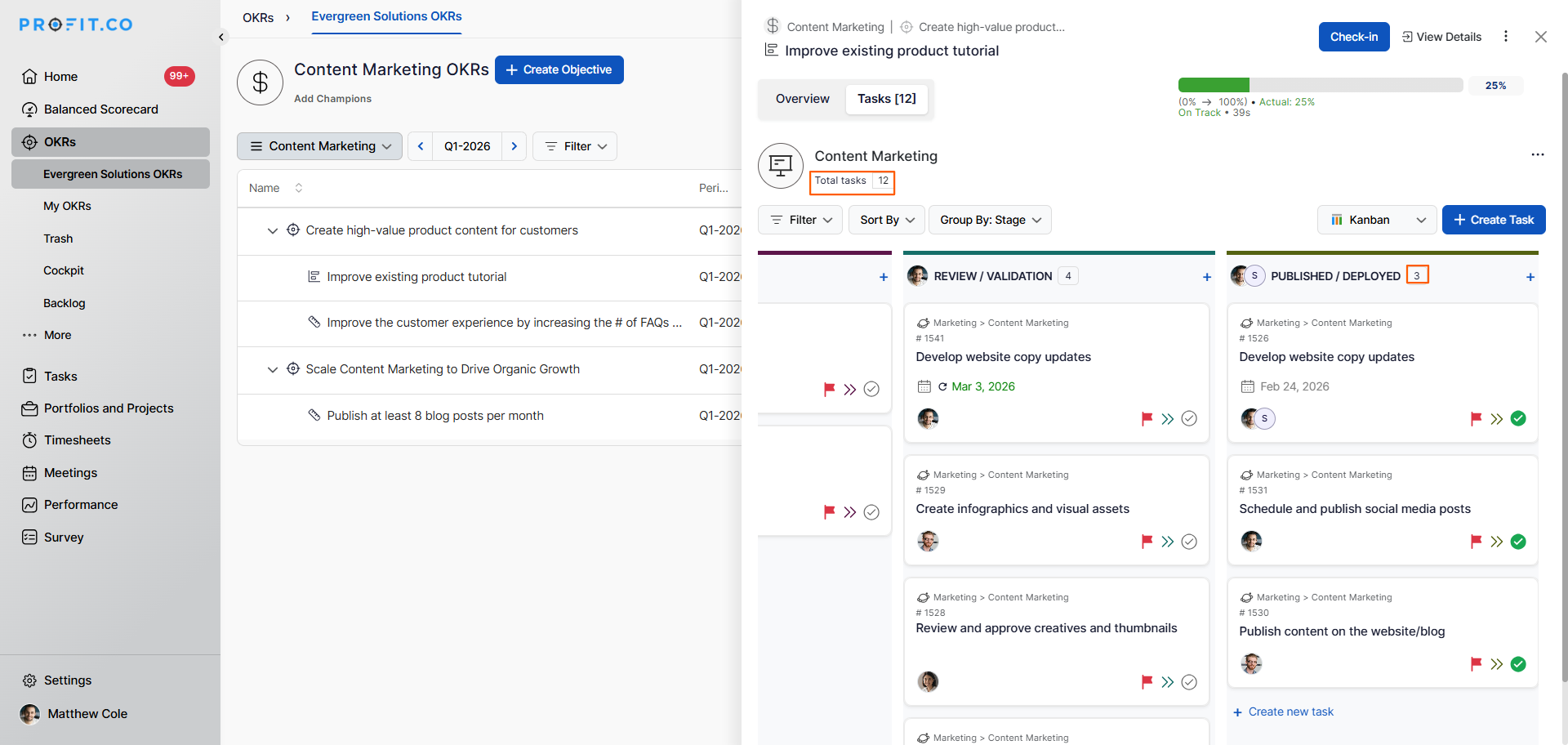
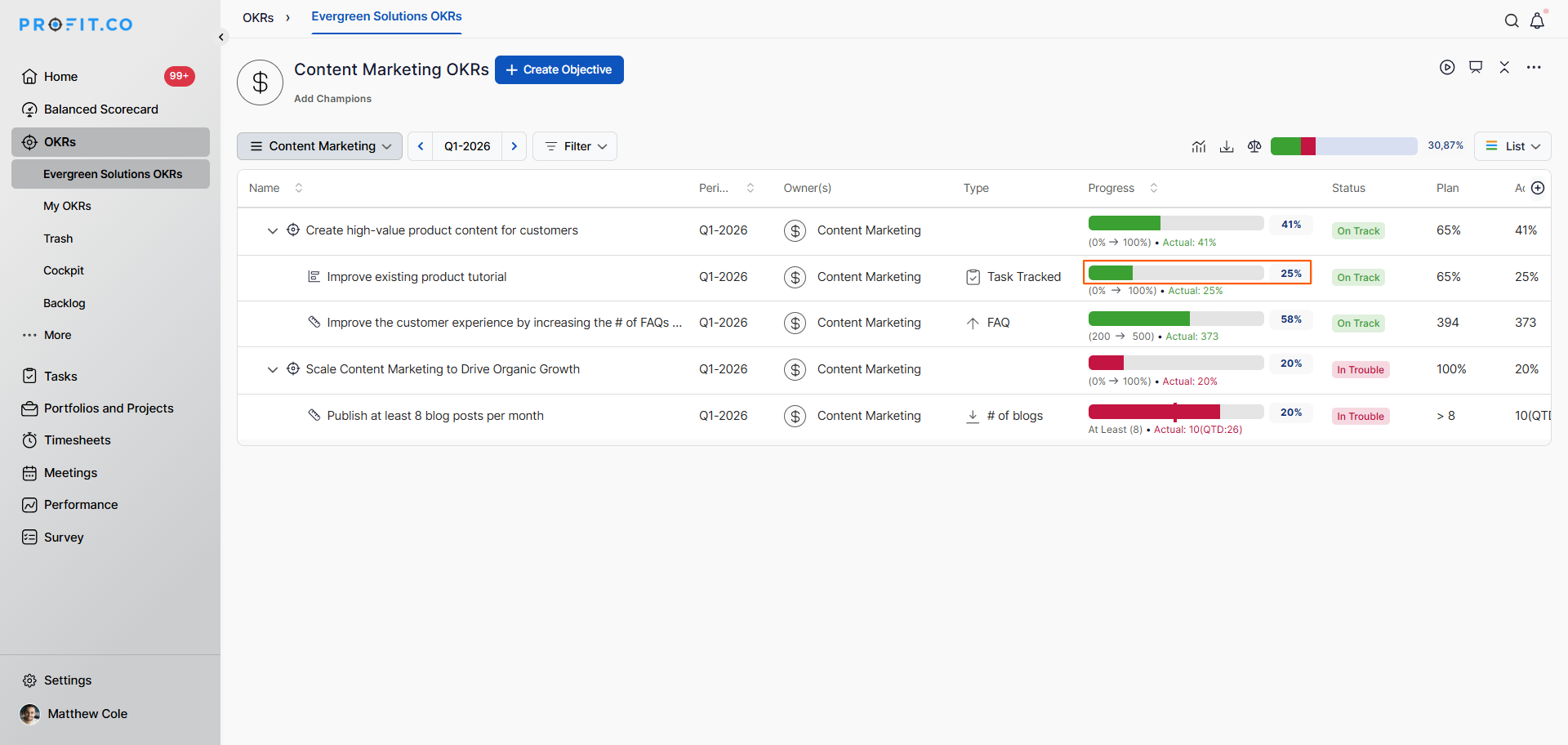
For instance, in your Workspace/Board if you have 12 tasks and you have moved 3 tasks to Completed status, the progress will be 25%.
Best practices for using Task Tracked Key Results in Profit.co
- Use the Completed Task % tracking type for Key Results where the definition of success is clearly tied to completing a defined set of tasks, such as feature releases, compliance checklists, or project milestones.
- Keep the associated Workspace or Board focused and relevant; include only the tasks that directly contribute to the Key Result to ensure the progress percentage is meaningful.
- Encourage team members to update task statuses promptly so the Key Result progress reflects the real state of work at all times.
- Review the Task tab of the Key Result regularly during check-in cycles to identify any tasks that are blocked or overdue and may be impacting progress.
- Combine Task Tracked Key Results with other Key Result types when a single Objective has both task-based and measurable numeric outcomes to track.
Related Questions
Click here to learn how to display the Completed Task Count in a Task Tracked Key Result in Profit.co.
Frequently Asked Questions
A Task Tracked Key Result is a non-measurable Key Result type that automatically updates its progress based on the completion status of tasks associated with a specific Workspace or Board.
The progress is calculated using the formula: Completed Task % = [100% ÷ Total Number of Tasks] × Number of Tasks Completed. For example, completing 2 out of 5 tasks results in 40% progress.
In the Key Result creation form, select Task Tracked as the Key Result type, choose the associated Workspace or Board, set the Tracking Type to Completed Tasks %, and click Create.
