
Work lives in too many places
Tasks scatter across chat, email, and spreadsheets, so nothing has a single home.
Task Management
Connect your team’s daily tasks to goals, sprint plans, and performance data in one place.

Rated 4.7/5 by 500+ Leaders
Trusted by 1,500+ Organizations worldwide

Problems we solve
Scattered tools and missing context slow teams down before work even starts.
Tasks scatter across chat, email, and spreadsheets, so nothing has a single home.
A stalled handoff stays hidden until the due date arrives and the work is already late.
Some people drown in assignments while others have room, and managers cannot tell which.
Most task tools track to-dos in isolation, never linking the work to goals or performance.
Core capabilities
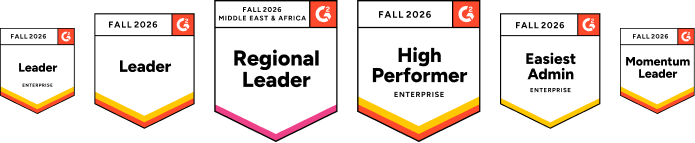
One workspace for sprint planning, task boards, and analytics.
Team Workspace & Boards
Four execution models adapt to your process, whether goals start with objectives, metrics, or initiatives.

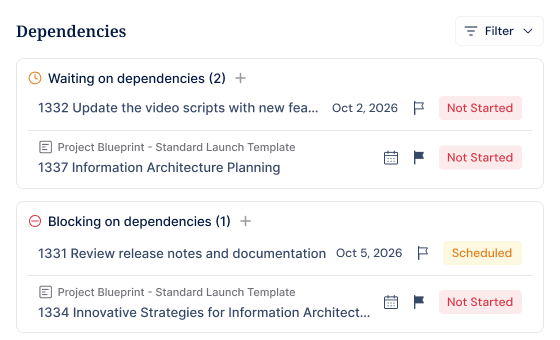
Task Dependencies
Waiting On, Blocking, and Linked relationships connect tasks that depend on each other. Your team sees what is held up and what can move forward.
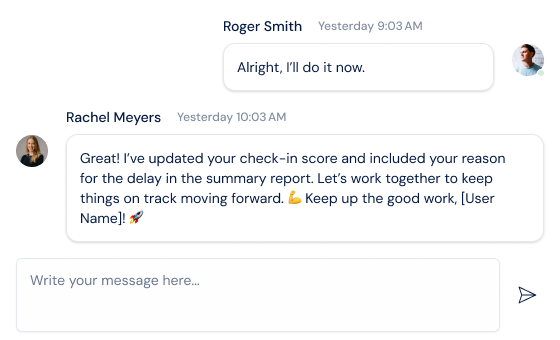
Task Comments & Collaboration
Post comments, @mention teammates, and get AI drafting help without leaving the task. Everything related to that task stays in one place.
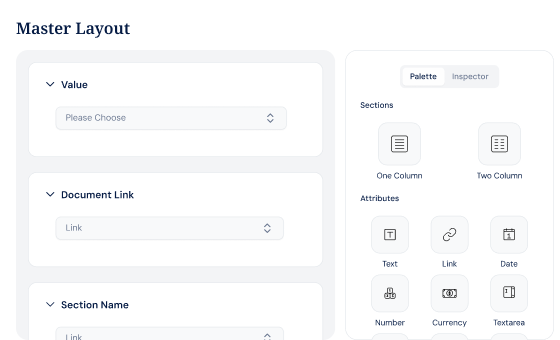
Master Layout
Drag and drop custom fields onto a shared canvas with no coding required.
Task Analytics & Reports
Built-in metrics track velocity, completion, and progress across your team’s work. Export reports instantly without building them from scratch.

AI agents handle status summaries and progress updates so your team focuses on actual work.
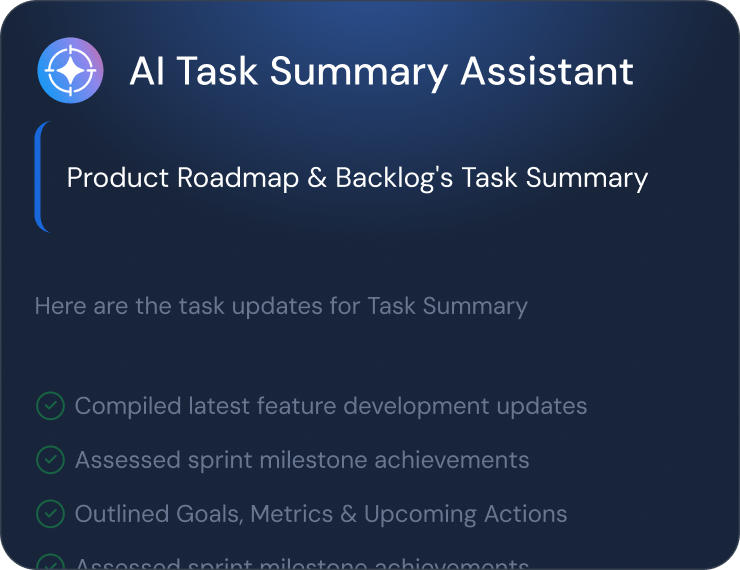
The Tasks Summary Agent pulls together task status, completion data, and blockers into one clear summary automatically.
Complete feature set
Task management built for teams that track, execute, and deliver together.
Share a common project workspace across your full delivery team
Create sprint plans and assign tasks to each sprint cycle
Open, manage, and close sprints with velocity and completion tracking
Track task velocity, completion rates, and progress trends over time
Comment, discuss, and resolve questions directly on individual tasks
Link dependent tasks so blockers are visible before they delay work
Define custom fields and data structure for your project template
Group related tasks and projects into focused delivery workstreams
See all your assigned tasks and goals in one personal view
Break large tasks into smaller pieces and assign separate owners
Drag tasks between stages on a visual delivery board
Clone entire workspaces with boards and tasks for repeatable projects
Task Management Execution Suite

OKRs
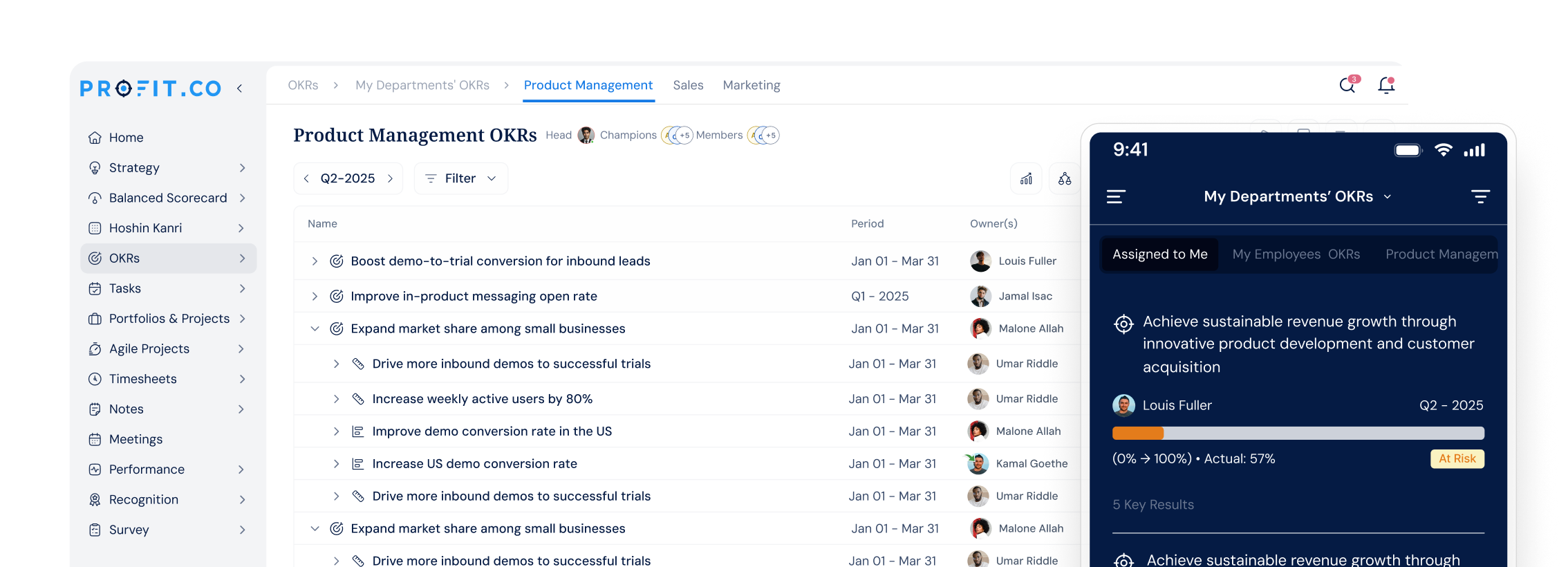
Attach tasks to the key results they move and progress updates automatically. Every task contributes to a measurable goal.

PPM
Group tasks under the projects and portfolios they belong to. Track delivery from portfolio level down to each task

Meetings
Convert what’s discussed in a meeting into tasks with clear owners. Decisions leave the room as tracked, accountable work.
Book a 30-minute demo and see how Profit.co connects daily tasks to goals, sprints, and performance data.
Customer stories
“We accomplished nearly 90% of our high-level objectives that we set out at the beginning of the year. And these objectives are our direct lead indicators to the success of the business.”

Mark Hudoba
Executive VP · REHAU Building Solutions
“Just in the last year, we saved over $300,000. That made it easy to pitch to the owners to implement OKRs throughout the company.”

Deena Giordano Ullom
VP of People Operations · United Technical Support Services
“For us, the key factor was achieving full alignment between OKRs, projects, and tasks, supported by automation and KPI-driven governance. Profit.co provided a centralized portfolio management system – a single source of truth for all projects.”

David Serra
Head of Transformation & CMO · CELO Industry
“After implementing Profit.co, our employee participation in goal setting jumped from 60% to 80%, and review cycles became 40% faster. Leaders now have clear, real-time visibility into progress.”

Suganya R.
Senior HR · Toyota Connected India
“One of the significant benefits we found was reduced time spent on reviews – 75% reduction of time spent in reviews and 84% reduction in time spent in PPTs for Executives.”

Gerardo Haro
CI Manager · Intuitive Surgical
“With Profit.co, we can assign tasks, track progress, and see how everything contributes to our overall goals and mission. Watching everything come together, from the bottom-up tasks to the overarching strategy, is incredible.”

Catherine Pelton
Communications Manager · RUNX1 Research Program
Integrations ecosystem
100+ native integrations with bi-directional sync. Progress in Jira automatically moves OKRs. Slack bots enable check-ins without leaving your workflow.
Browse all 100+ integrations →Enterprise Grade Security
Keep your company’s data secure and compliant with industry-leading security standards and certifications.
SOC 2 TYPE II
ISO 27001
GDPR
HIPAA
FAQ
The Task Management module is Profit.co’s tool for planning, assigning, and tracking work across teams and projects. Visual boards, sprint planning, task dependencies, and built-in analytics cover every stage of execution. Tasks connect directly to OKRs so daily work links to company goals.
Profit.co Task Management connects tasks to OKRs, performance reviews, and sprint data in one product. Most standalone task tools require separate software for goal tracking and performance management. Profit.co gives teams one place for task work and goal tracking.
Most teams are fully set up within 30 days, including workspace configuration, custom fields, and team onboarding. Profit.co’s customer success team guides the process from day one. No long implementation cycles or complex rollout plans required.
Profit.co connects with 100+ tools including Jira, Slack, Microsoft Teams, Salesforce, Google Workspace, and Azure DevOps. Integration data flows automatically into task progress, removing the need for manual updates. Every plan includes all integrations.
Profit.co is SOC 2 Type II certified and ISO certified, with a 99.9% uptime SLA and 24/7 live support. Role-based access control and enterprise-grade encryption protect your data. Find security details at profit.co/data-security.
Profit.co offers a 30-day free trial with no credit card required, giving you full access to all Task Management features. Start at app.profit.co/signup to begin.
Still have questions?
Ask Questions →Ready to transform execution?
Join 1,500+ customers using Profit.co to bridge the gap between strategy and results. Start your free trial — no credit card required.

Welcome to Profit.co 👋
How can I help you today?