

Profit.co lets administrators locate their organization's core API credentials and generate additional access keys scoped to specific permissions, departments, and expiry dates for external integrations.
Table of Contents
What is API Access?
The API Access page in Profit.co displays your organization's core API Key, Access Key, and SCIM Key, and includes a separate Access Keys section for generating scoped credentials. An organization can maintain up to five active access keys at a time, each independent of the core API Key.
A scoped access key carries its own name, status, permission level, department scope, language, and expiry, and is paired with the organization's API key to authenticate external calls. A Read only key is restricted to GET requests and can never write data, regardless of what access the key's creator holds in the app.
Note
To view your API credentials or generate an access key, your organization must have a current subscription for a paid plan.
Why API Access Matters
Before scoped access keys existed, every external system had to share the same organization-wide API Key, so revoking access for one integration risked breaking every other connected system tied to that same key.
Scoped access keys let you issue a dedicated credential per integration, so disabling or deleting one key never touches another system's access. Department and permission scoping also mean each integration reaches only the data it needs, reducing what a compromised key could expose.
How It Works
Method 1: Locate Your API Key, Access Key, and SCIM Key
Step 1
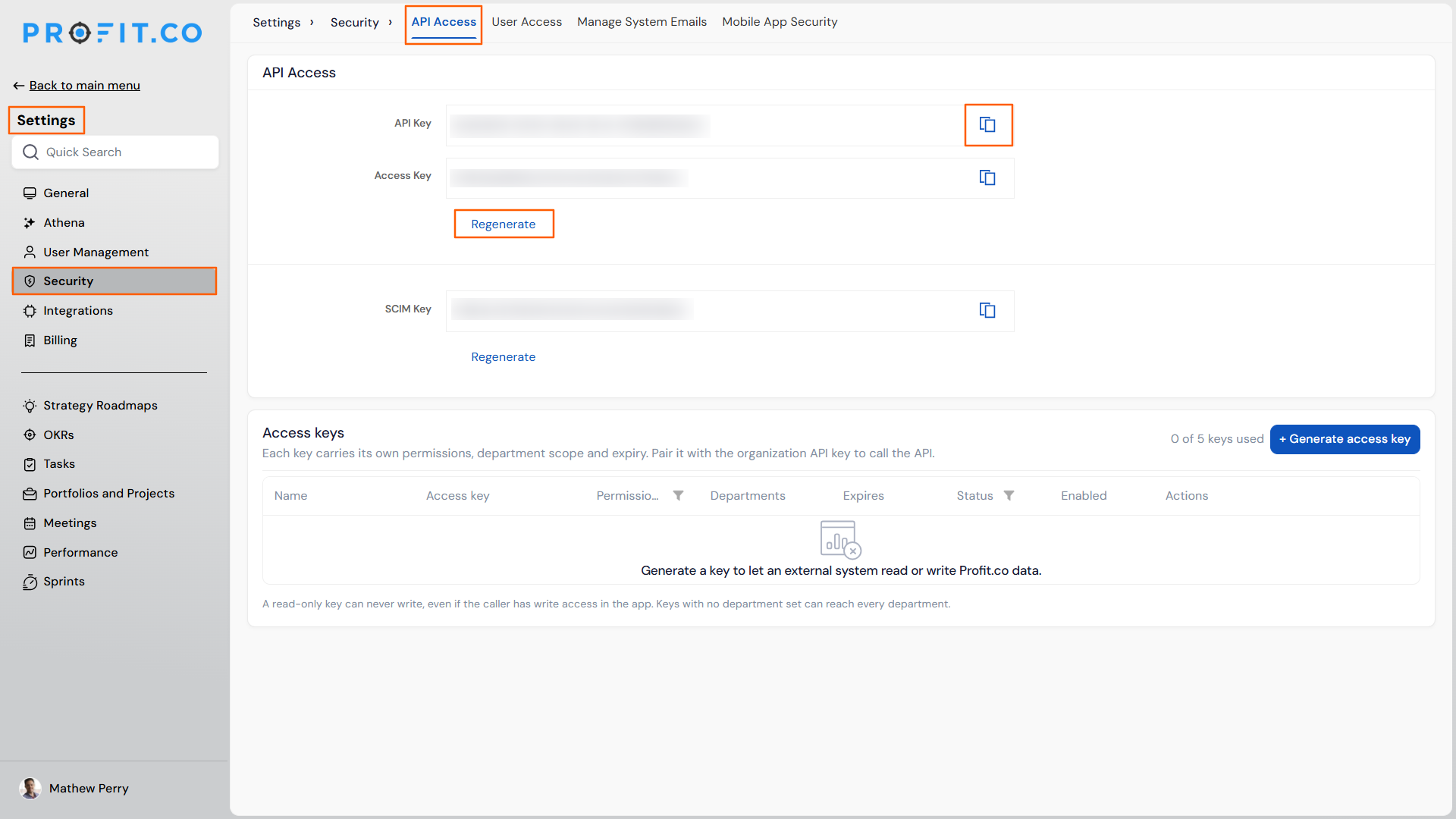
- Navigate to Settings → Security → API Access from the left navigation panel.
Step 2
- Use the Copy icon next to API Key, Access Key, or SCIM Key to copy each value.
- Click Regenerate under API Key or SCIM Key to issue a new value if needed.
Method 2: Generate a Scoped Access Key
Step 1
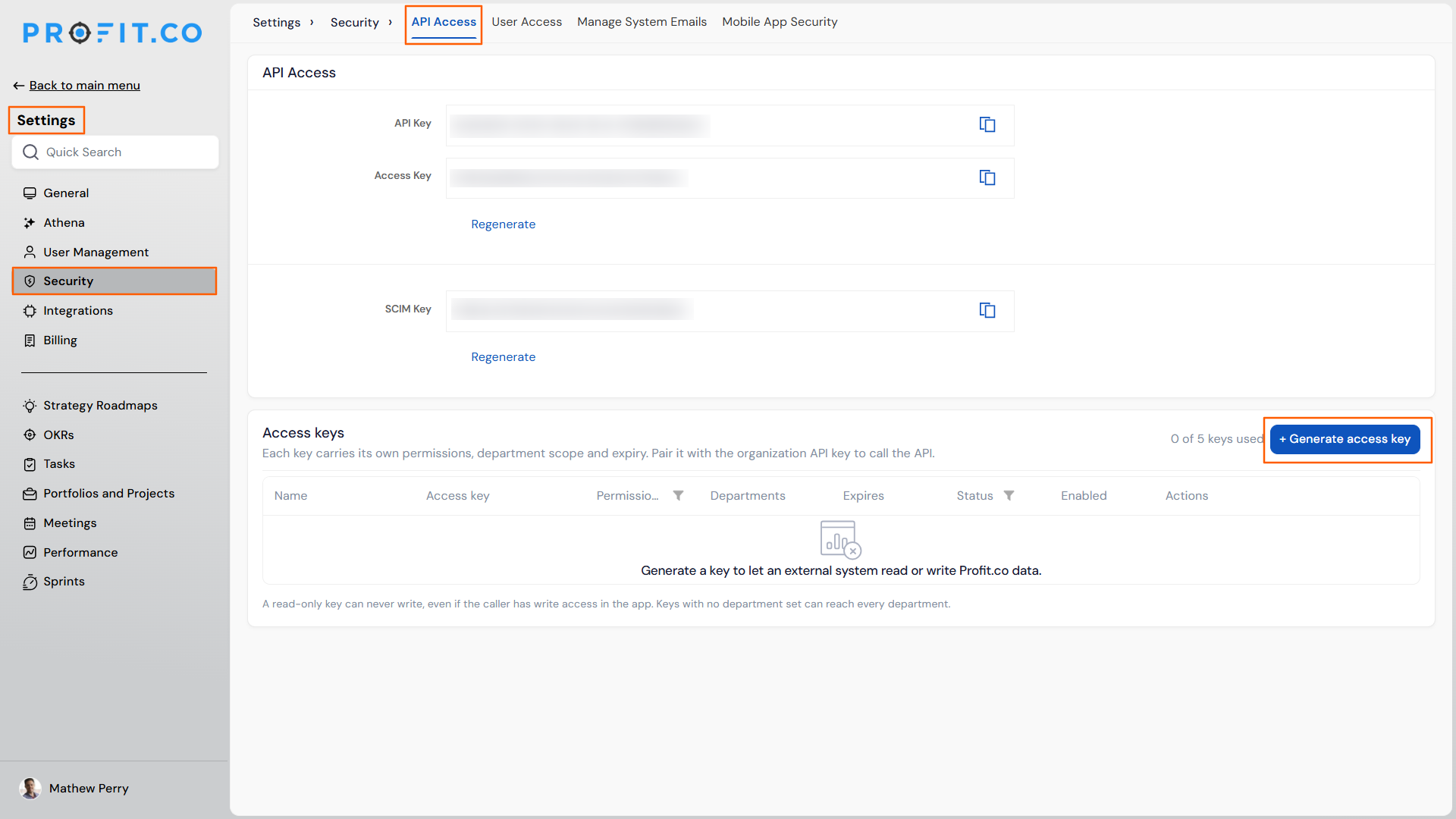
- Under the Access Keys section on the API Access page, click + Generate Access Key.
Step 2
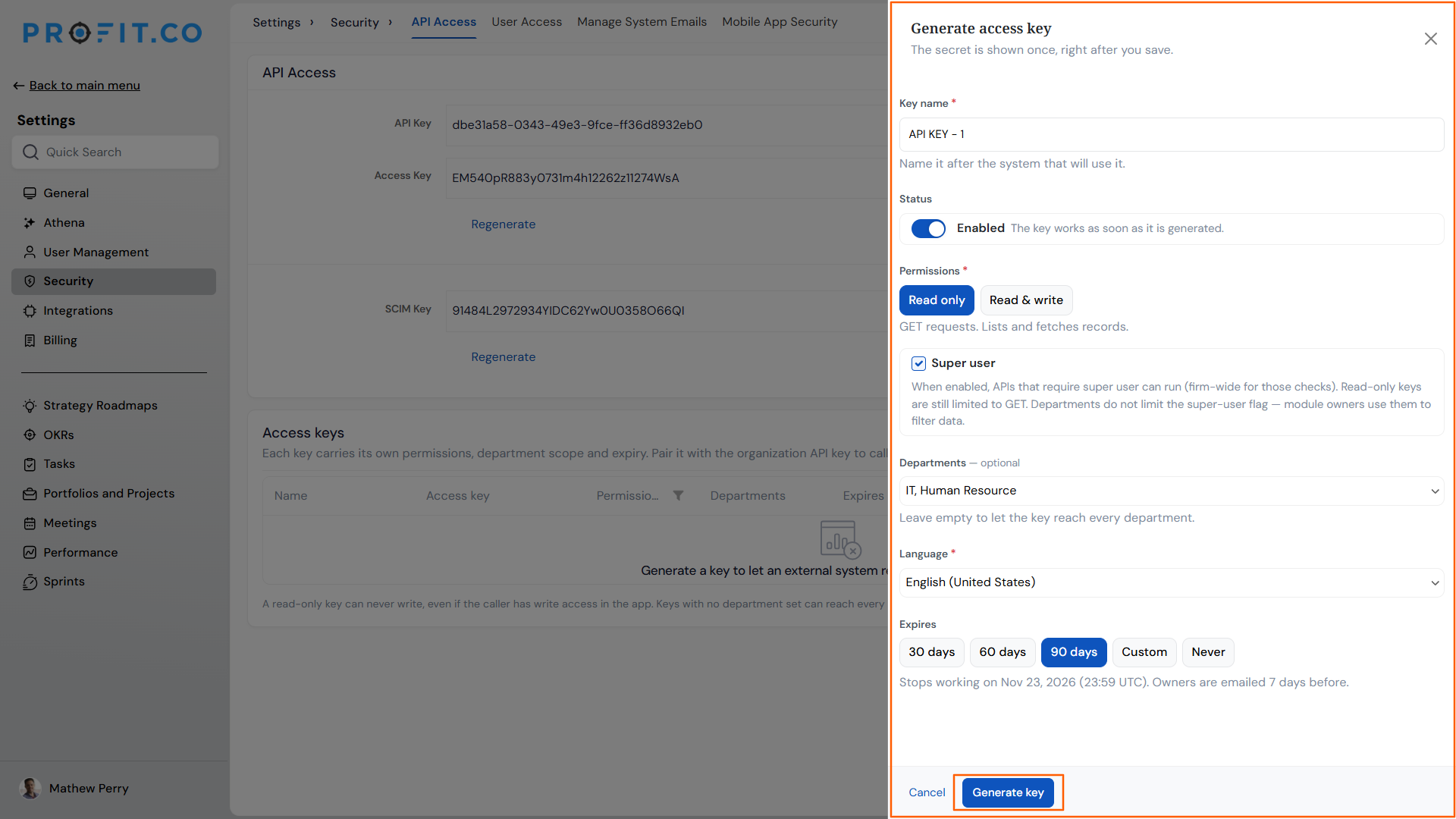
- Enter a Key name that identifies the consuming system, for example Jira objectives sync.
- Toggle Status to Enabled if the key should work as soon as it's generated.
- Choose Read only or Read & write under Permissions.
- Enable Super user only if the key needs to call APIs that require firm-wide super-user access.
- Select specific departments under Departments, or leave it empty for organization-wide reach.
- Set the Language for the key.
- Set an expiry date under Expires.
- Click Generate Key to create the key and reveal its secret.
- Combine the generated access key with the organization's API key to authenticate external API calls.
API Access Scenarios and Their Outcomes
| Scenario | What Happens |
|---|---|
| You generate an access key without selecting a department. | Profit.co lets the key access data across every department in the organization. |
| You create an access key with Read only permission. | Profit.co blocks any write request made through that key, even when your own account has write access. |
| You enable Super user on a Read only access key. | Profit.co keeps the key limited to GET requests while extending its reach to every department, regardless of the Departments setting. |
| You close the Generate Access Key panel without clicking Generate Key. | Profit.co discards the entry and creates no access key. |
| You generate a new access key and view its secret. | Profit.co displays the secret only once immediately after you save the key and does not show it again. |
| You reach the maximum of five active access keys for your organization. | Profit.co blocks creation of additional keys until you disable or delete an existing one. |
Best Practices for API Access
- Name each key after the exact consuming system, not a generic label, so you can immediately identify which integration to disable if a key is compromised.
- Copy and store the generated secret right away since Profit.co shows it only once and will not display it again after you close the panel.
- Leave Departments unset only for integrations that genuinely need organization-wide reach, and scope every other key to the specific departments it serves.
- Reserve Super user for keys that call firm-wide super-user-gated APIs, since the flag extends department reach but does not add write access to a Read only key.
- Track your active key count against the five-key limit before starting a new integration project, so you aren't blocked from generating a key mid-rollout.
Related Articles
- How to add additional attributes to the OKTA SCIM integration?
- How to enable Two Factor Authentication (TFA) / Multi-Factor Authentication code (MFA) in Profit.co?
Frequently Asked Questions
No. Each access key is paired with the organization's single API key to authenticate calls; the access key does not replace it.
Yes. The same current-paid-plan requirement that applies to the API Key and SCIM Key applies to generating access keys.
No. The SCIM Key is a separate credential managed through its own Regenerate option at the top of the API Access page, independent of the Access Keys section.
Execute your strategy with confidence
Connect OKRs, tasks, and teams in one place with Profit.co
