

Departmental objectives serve as the critical bridge between enterprise strategy and team execution, translating high-level corporate goals into actionable targets for specific functions. To maintain strategic coherence and prevent unauthorized goal proliferation, Profit.co implements controlled access for departmental OKR creation—ensuring only designated Department Heads and their authorized delegates can establish objectives that guide their teams' efforts.
Table of Contents
What makes departmental objective creation valuable?
Controlled departmental objective creation ensures strategic alignment and proper governance:
- Strategic deployment: Once you create a department, you would like to start creating your department's OKRs and assign them to yourself as a department head or to your department members.
- Access control: In order to have secured usability, Profit.co allows only the department head and the authorized users added by the department head to create OKRs.
- Governance assurance: This is to make sure that no OKRs can be added without the concern of the department head and authorized users.
How do I create a departmental objective in Profit.co?
Step 1
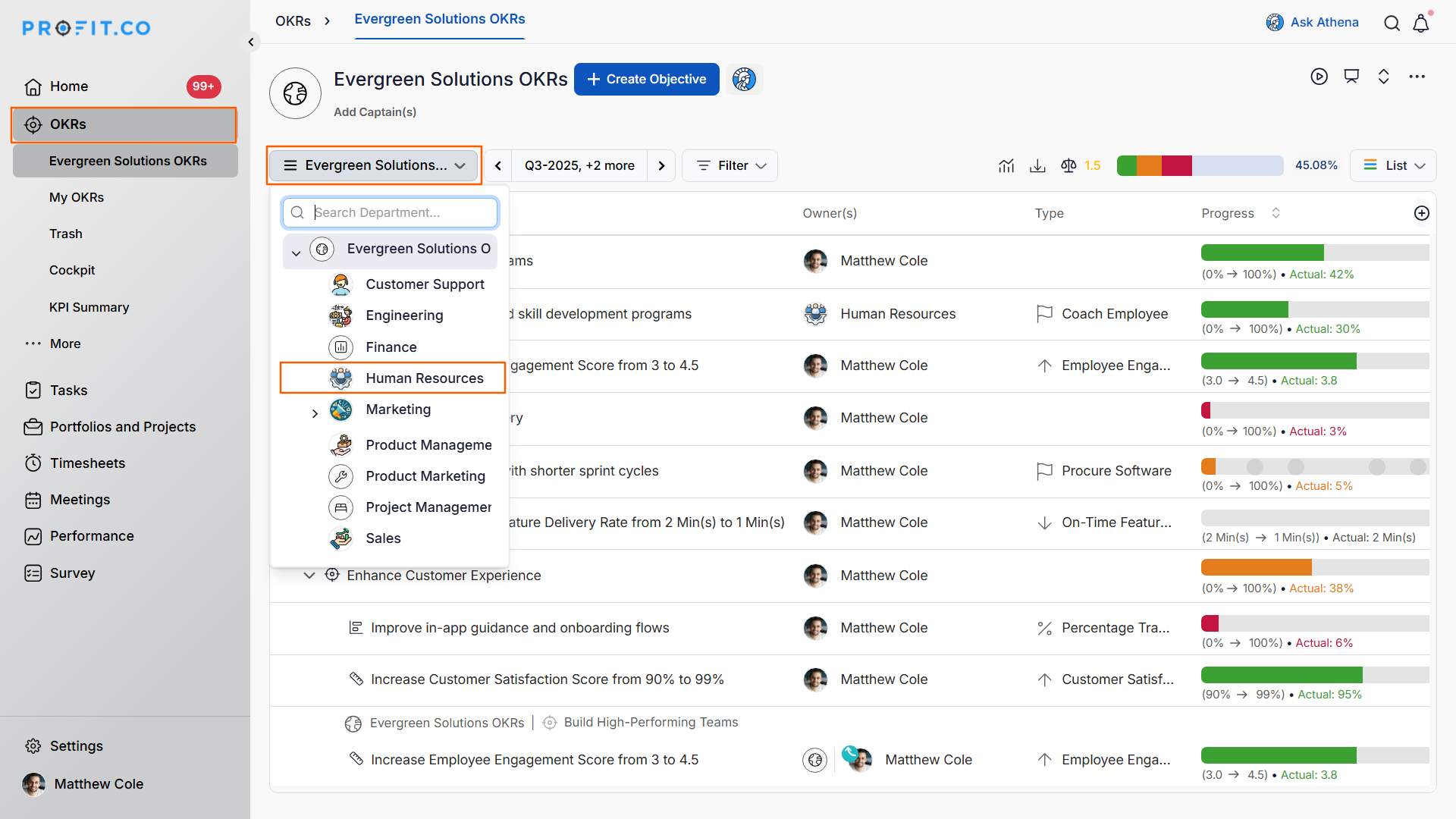
- Navigate to OKRs → All OKRs from the left navigation panel.
- Under the Corporate OKRs name drop-down, click on the department from which you wish to create the Objective.
Step 2
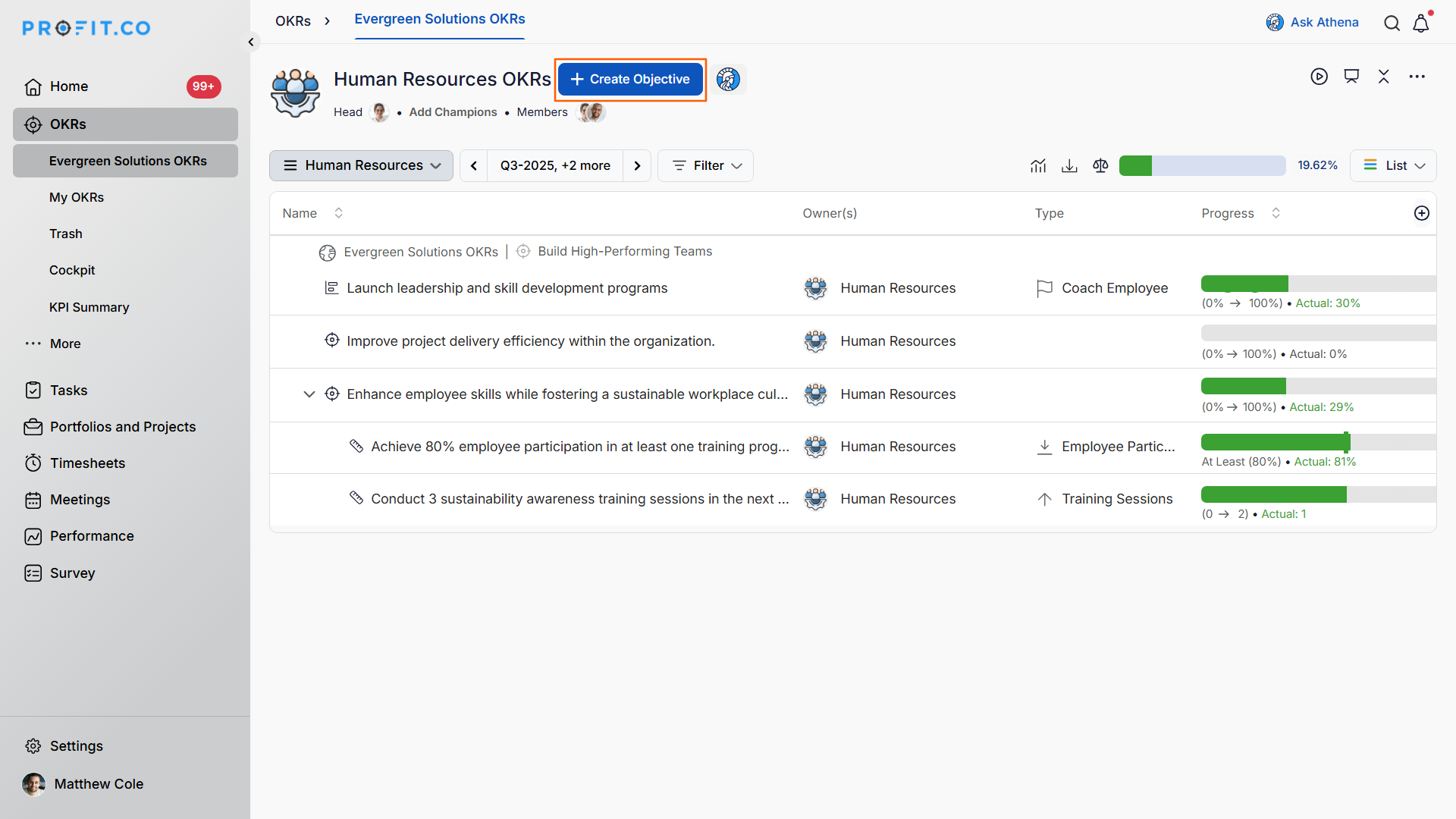
- Click the + Create Objective button to create the objective.
Note
Users must be the Departmental Head of a particular Department in order to create OKRs under that Department.
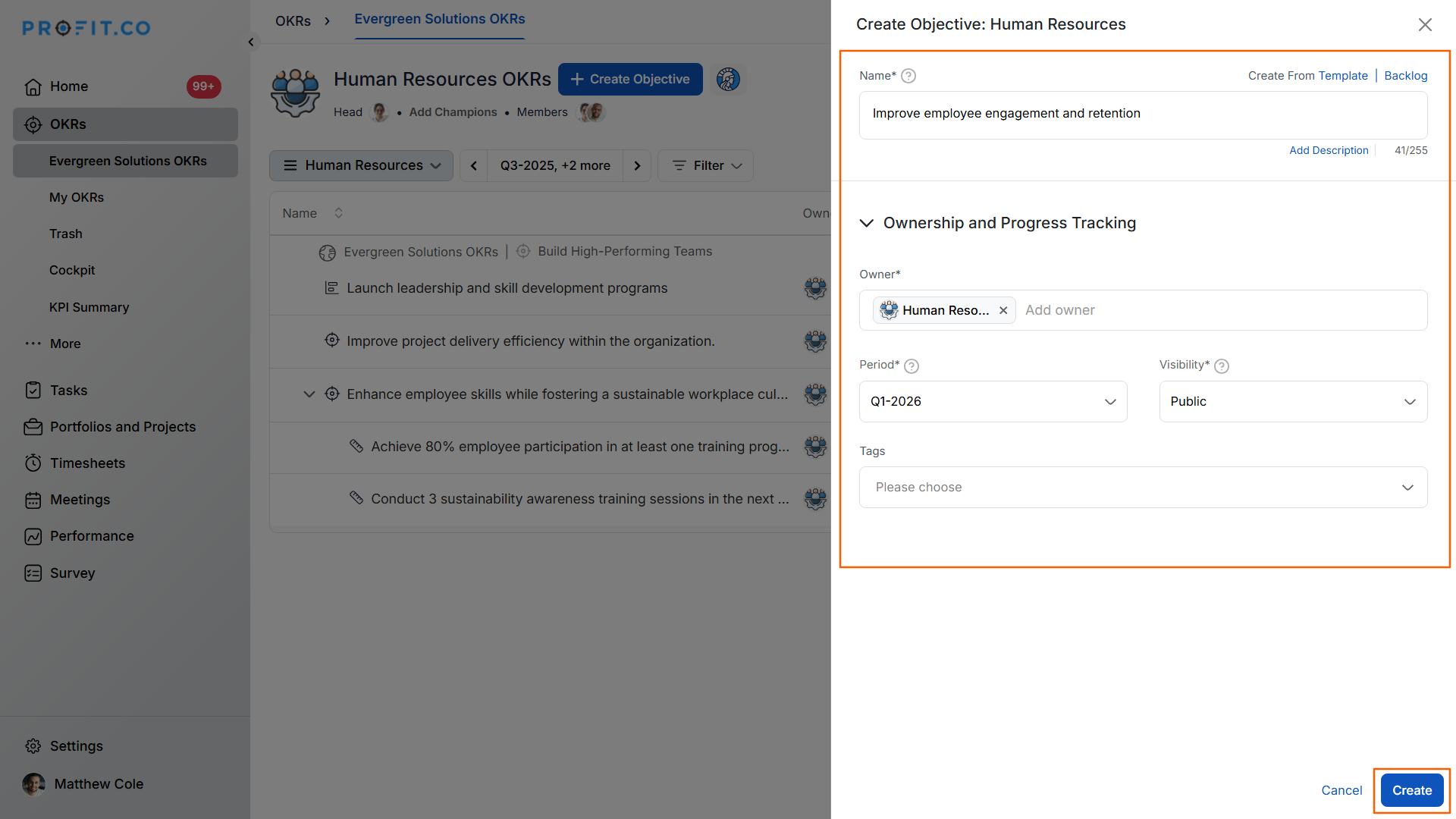
- On the Create Objective side panel, fill in the Objective Name, set the other necessary details, and finally click the Create button.
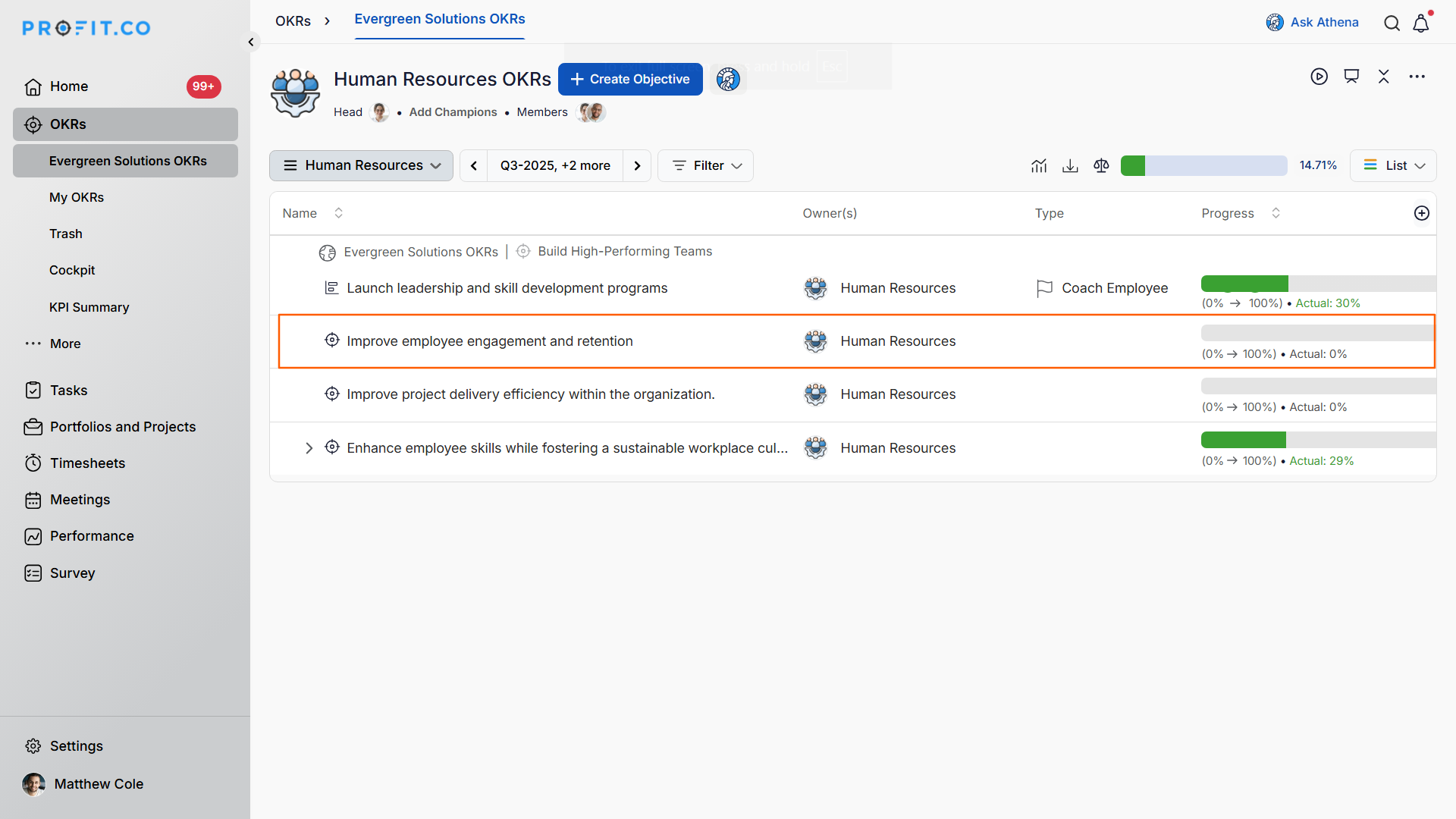
The Objective will be created.
What are the benefits of controlled departmental objective creation?
Strategic Alignment:
- Department heads ensure objectives align with corporate strategy
- Prevents misaligned or conflicting departmental goals
- Maintains coherent organizational direction
Quality Control:
- Authorized creators maintain high OKR standards
- Review process prevents poorly defined objectives
- Ensures objectives meet SMART criteria
Accountability and Ownership:
- Clear responsibility for departmental goal-setting
- Department heads own their team's strategic direction
- Authorized users act as trusted delegates
Governance and Security:
- Prevents unauthorized OKR creation
- Maintains organizational structure integrity
- Audit trail of who created which objectives
Best practices for creating departmental objectives
- Cascade from corporate OKRs: Before creating departmental objectives, review corporate-level OKRs to ensure your department's goals directly support organizational priorities.
- Involve your team: While only authorized users can create departmental OKRs, gather input from team members to ensure objectives reflect ground-level realities and foster buy-in.
- Limit the number: Focus on 3–5 high-impact departmental objectives per quarter rather than creating exhaustive lists—quality and focus matter more than quantity.
- Use clear, inspiring language: Write objective names that are aspirational yet understandable, motivating the team while clearly communicating the desired outcome.
- Define success criteria upfront: Before finalizing an objective, plan the key results that will measure its achievement to ensure the objective is actually measurable.
- Align horizontally: Check objectives from peer departments to identify opportunities for collaboration or to avoid duplicative efforts.
- Set appropriate visibility: Configure who can view and contribute to departmental objectives based on whether cross-functional transparency would be beneficial.
- Authorize trusted delegates: As a department head, designate reliable team members as authorized users who can help create OKRs, distributing the workload while maintaining quality.
Related Questions
- To know how an authorized user can create OKRs for departments, click here.
Frequently Asked Questions
If you're not the designated Department Head, you need to be added as an authorized user by the Department Head. Only the Department Head can grant this permission, ensuring proper oversight of who can create departmental OKRs.
No, you can only create objectives for departments where you're either the Department Head or an authorized user designated by that department's head. This restriction maintains departmental autonomy and prevents cross-departmental interference.
Yes, and this is highly recommended. When creating a departmental objective, you can explicitly align it to parent corporate objectives, creating a clear line of sight from department-level work to organizational strategy.
Execute your strategy with confidence
Connect OKRs, tasks, and teams in one place with Profit.co
