

Review Initiation lets HR administrators and managers launch a structured performance review cycle for a defined group of employees using preset templates and schedules. Once triggered, Profit.co creates the individual employee review records in the background and reports live setup progress until every record is ready.
Table of Contents
What is Review Initiation?
Review Initiation is the process an HR administrator or PMS Admin uses to launch a performance review cycle for a defined scope of employees. It runs on a Review Template, a Q&A Template, a review period, and an access list, and supports self-, manager-, and peer-assessment types within the same cycle.
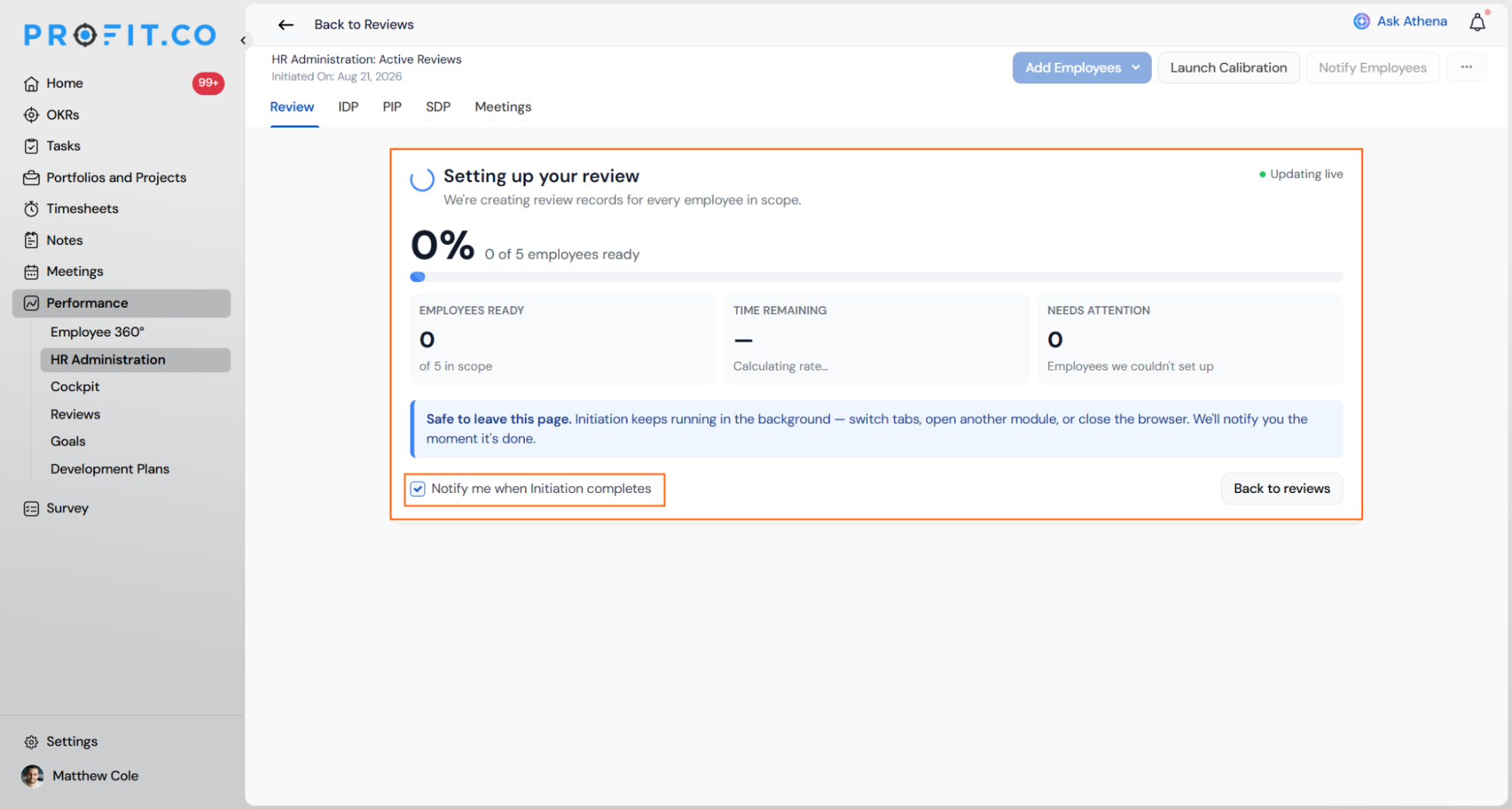
Initiation also covers setup itself: after you trigger a review, Profit.co creates a review record for every employee in scope and displays a live setup screen instead of a static confirmation message.
Why Review Initiation Matters
Template-driven initiation lets HR assess every employee in scope against the same role criteria and review period, instead of managers running evaluations on their own timelines and formats. This keeps scoring and feedback consistent across departments and review cycles.
How It Works
Step 1
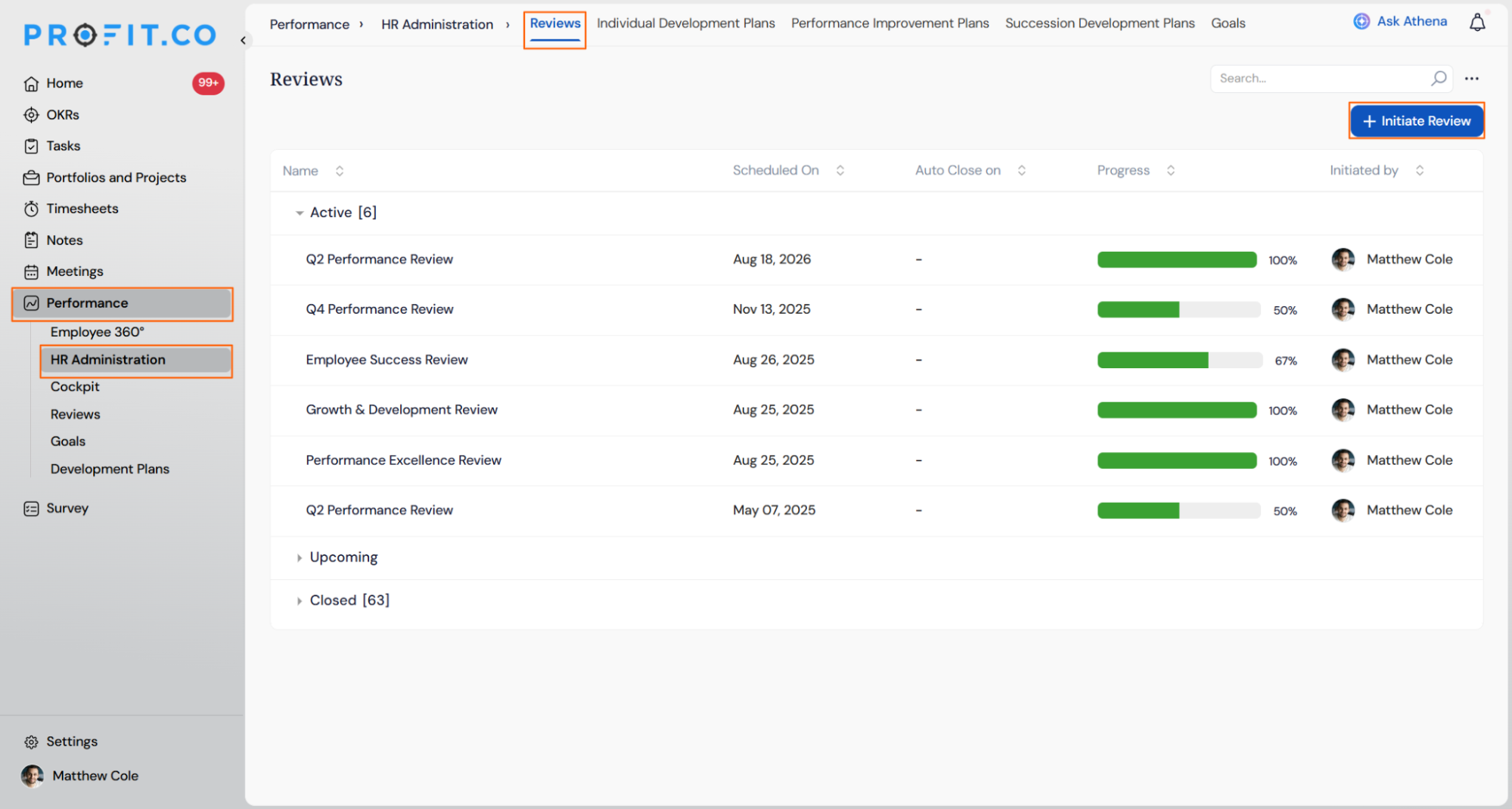
- Go to Performance → HR Administration from the left navigation panel.
- Switch to the Reviews tab.
- Click + Initiate Review.
Step 2
- Select the Review Template and Q&A Template.
- Enter a Review Title, Review Period, and Access List.
- Choose the Joined Before date and the Review Scope.
- Turn on the Add Peer Reviewers toggle if peer assessments are required.
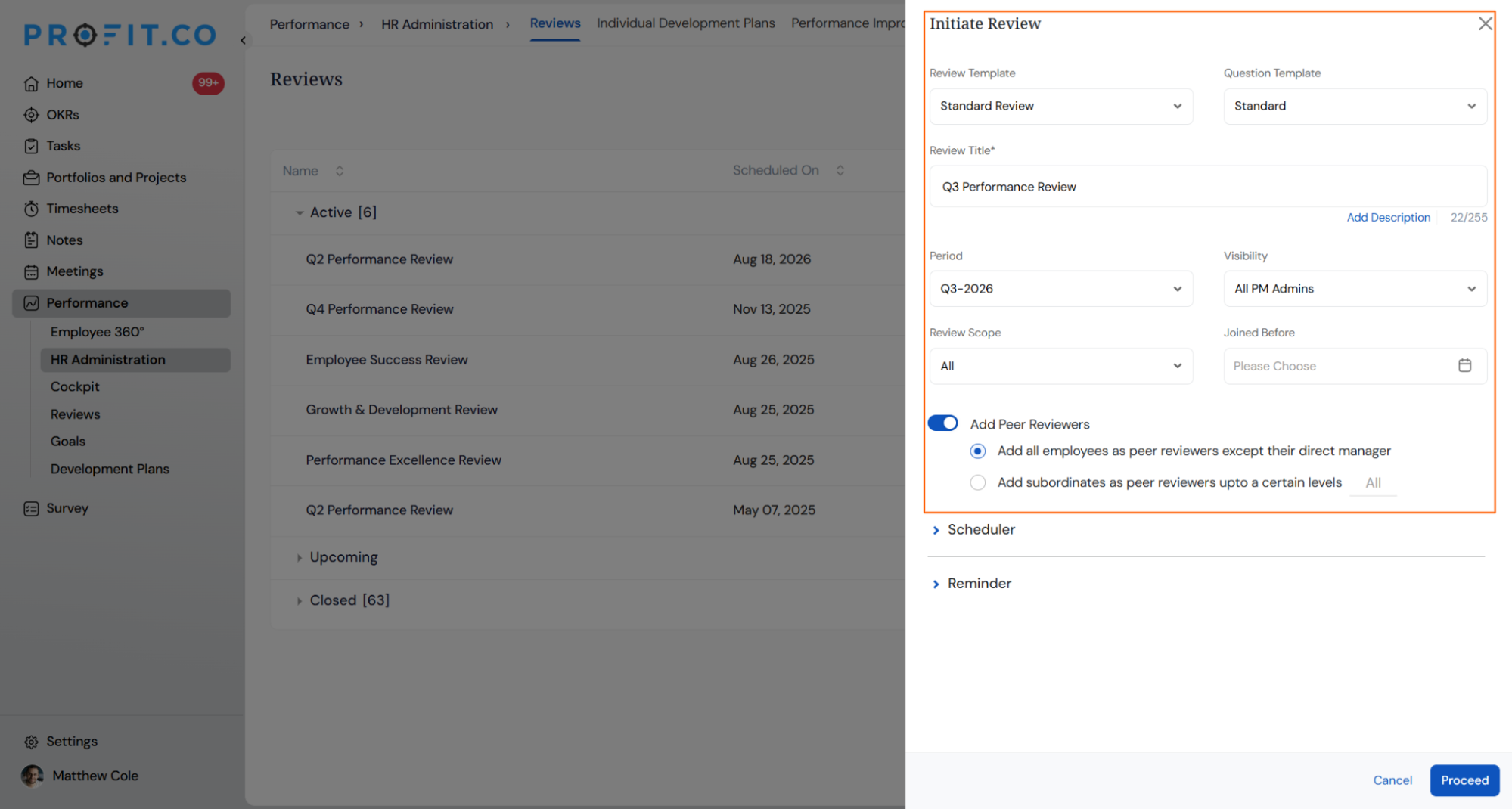
- Choose a peer review configuration based on your organizational needs.
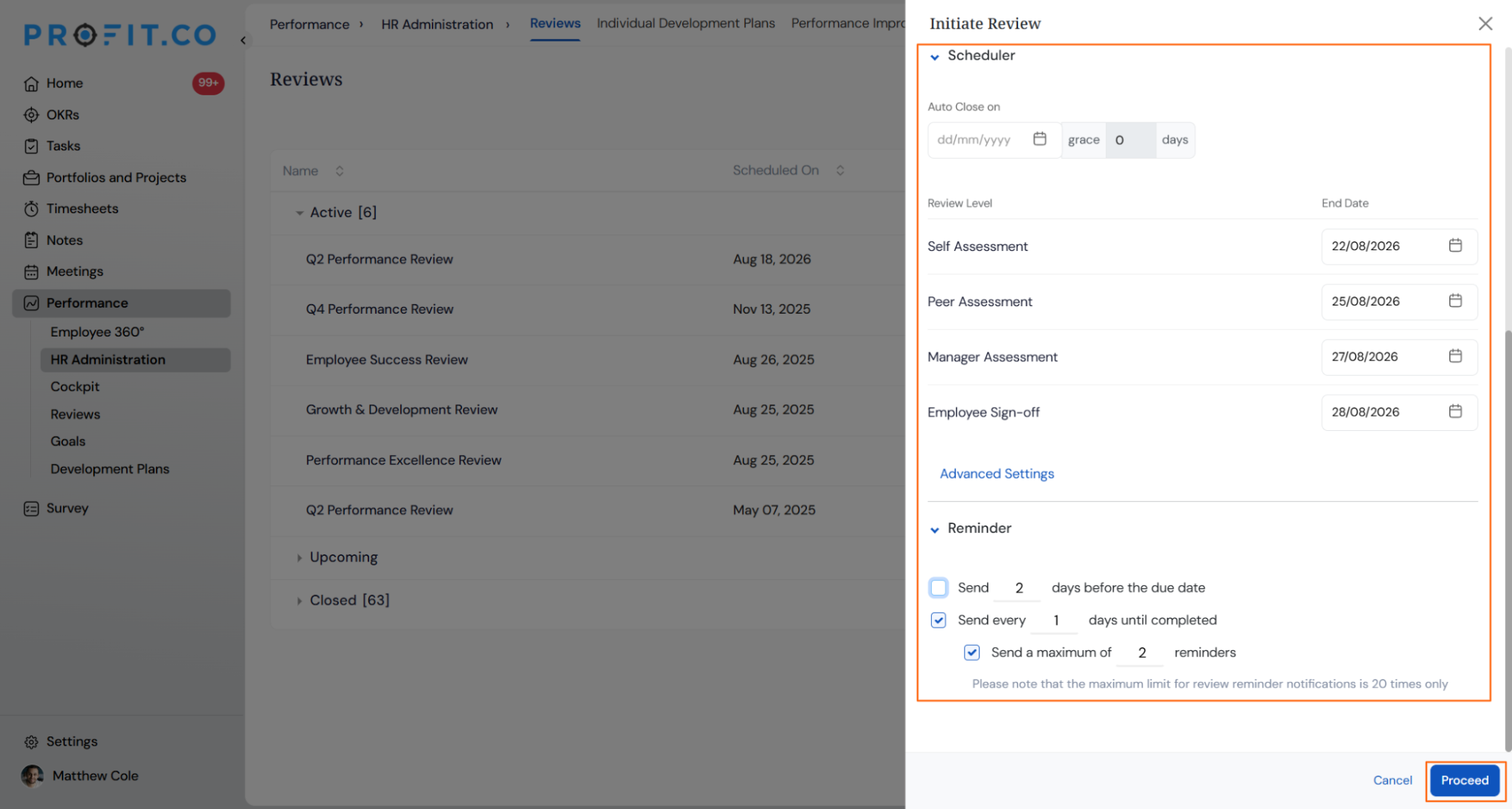
- Set an Auto Close Date and add Grace Days if participants need extra time.
- Configure the Review Level and End Date for each assessment stage.
- Set the reminder count and frequency, up to a maximum of 20 reminders per review.
- Click Proceed from the Scheduler Options screen.
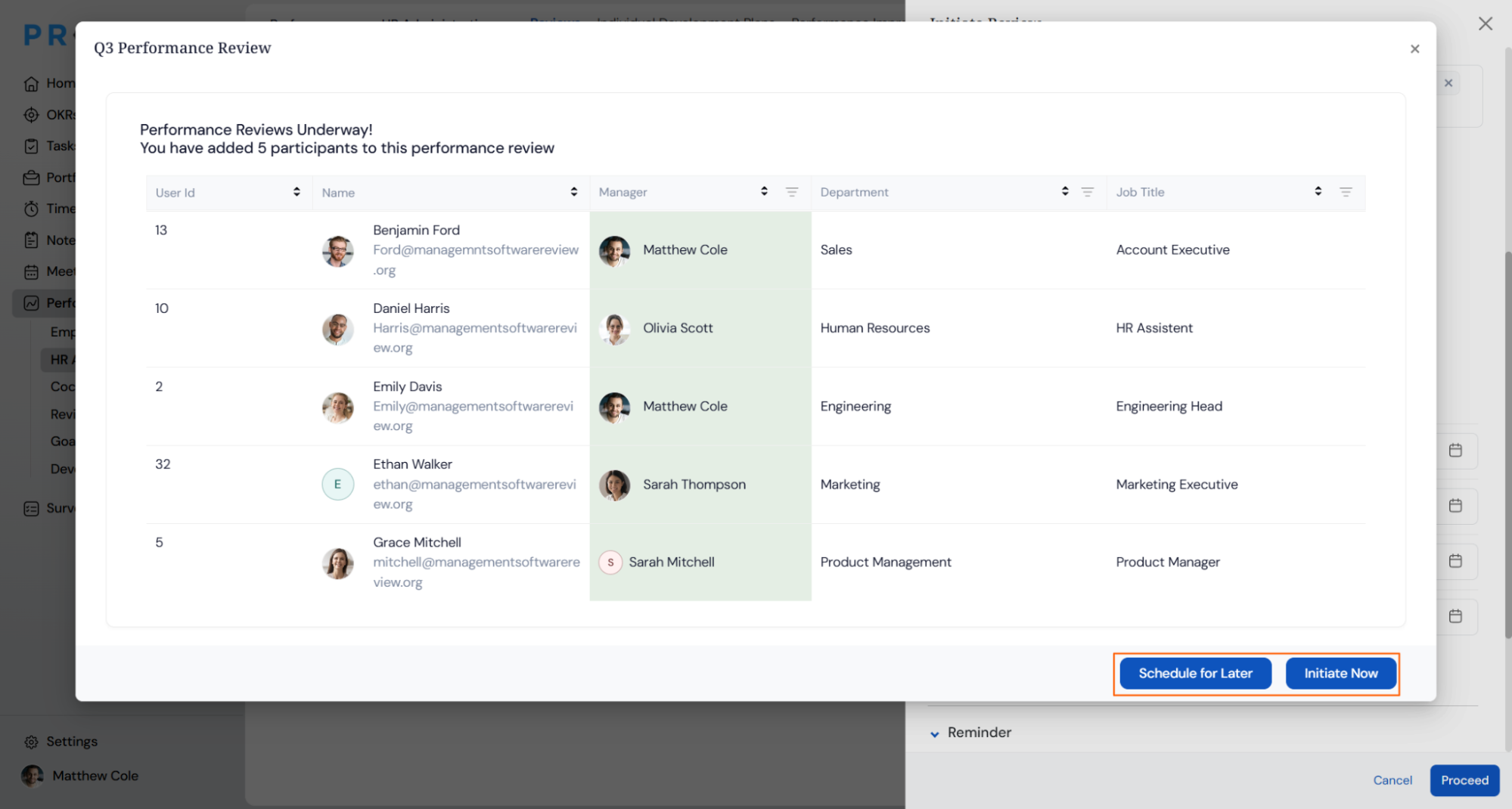
- Choose Initiate Now or Schedule for Later from the confirmation pop-up.
Step 3
- The Setting Up Your Review screen opens automatically once initiation starts.
- Select Notify Me When Initiation Completes to get alerted the moment setup finishes.
Review Initiation Scenarios and Their Outcomes
The table below covers what actually happens to your data, notifications, and unfinished setup once you initiate a review, not the mechanics of clicking through the steps.
| Scenario | What Happens |
|---|---|
| You initiate a review for a group of employees. | Profit.co creates each employee's review record in the background and displays creation progress as a live percentage on the Setting Up Your Review screen. |
| You select Notify Me When Initiation Completes. | Profit.co sends the completion alert only to the HR user who initiated the review, and no other user is notified. |
| You initiate a review where some employees cannot be set up automatically. | Profit.co lists those employees under the Needs Attention count on the progress screen. |
Best Practices for Review Initiation
- Turn on Notify Me When Initiation Completes for large review scopes, so you don't have to keep the Setting Up Your Review screen open to see when every employee record is ready.
- Define the Review Scope precisely before initiating, since a broader scope increases the number of employee records Profit.co has to create and extends the initiation time.
- Configure reminder frequency before initiation rather than adjusting it repeatedly afterward, since each review supports a maximum of 20 reminders per cycle.
- Enable peer reviews only for roles where peer input is genuinely needed, since every peer reviewer added extends the assessment timeline for that employee.
- Confirm the Review Level end dates for self, manager, and peer stages before initiating, since manager assessments can only be scheduled on or after the self-assessment date.
Related Articles
- What is Review Summary Information and How the Scores are calculated in Performance Reviews?
- How to Customize the Email Template for Review Reminder in Profit.co?
- How do I fill up a 360 assessment?
Frequently Asked Questions
Yes. The Review Scope setting supports organization-wide, department, or team-level initiation.
Yes. Choose Schedule for Later during Step 2 and set a future start date.
Yes. Self, manager, and peer assessments can each have separate end dates, with manager assessments starting on or after the self-assessment date.
Yes. Profit.co supports adding custom fields during the review initiation step.
Execute your strategy with confidence
Connect OKRs, tasks, and teams in one place with Profit.co
