

A Stretch Plan lets you set an aspirational performance target above a Key Result's committed forecast, directly inside the Bowler Chart. Profit.co spreads that target across months automatically, giving you a ready-made period-by-period benchmark.
Table of Contents
What is the Stretch Plan?
The Stretch Plan is a column in the Bowler Chart that stores an aspirational target for a Key Result, set higher than the existing committed target or forecast. It sits alongside the Budget, Budget YTD, Actuals YTD, and Forecast columns, and Profit.co stores it independently of those values.
If a Stretch Target was already defined when the Key Result was created, Profit.co uses that value to populate the Stretch Plan automatically and divides it across months. Setting or updating the Stretch Plan does not change any existing target, forecast, or actual figure.
| Bowler Chart Column | What It Shows |
|---|---|
| Budget | The committed budget figure for the Key Result |
| Budget YTD | Budget accumulated year-to-date |
| Actuals YTD | Actual performance recorded year-to-date |
| Forecast | The committed forecast figure |
| Stretch Plan | The aspirational target, set above the committed target or forecast and divided across months |
Why Does the Stretch Plan Matter?
Before this, tracking an aspirational goal above the committed forecast meant keeping a separate sheet or view outside the Bowler Chart. The Stretch Plan puts that benchmark directly next to committed figures, so teams read both from a single chart.
Profit.co spreads the Stretch Plan value across months automatically, removing the manual calculation needed to break an annual aspirational number into a period-by-period breakdown. Because the value is stored independently, teams can raise the bar without touching existing target, forecast, or actual figures.
How Does the Stretch Plan Work?
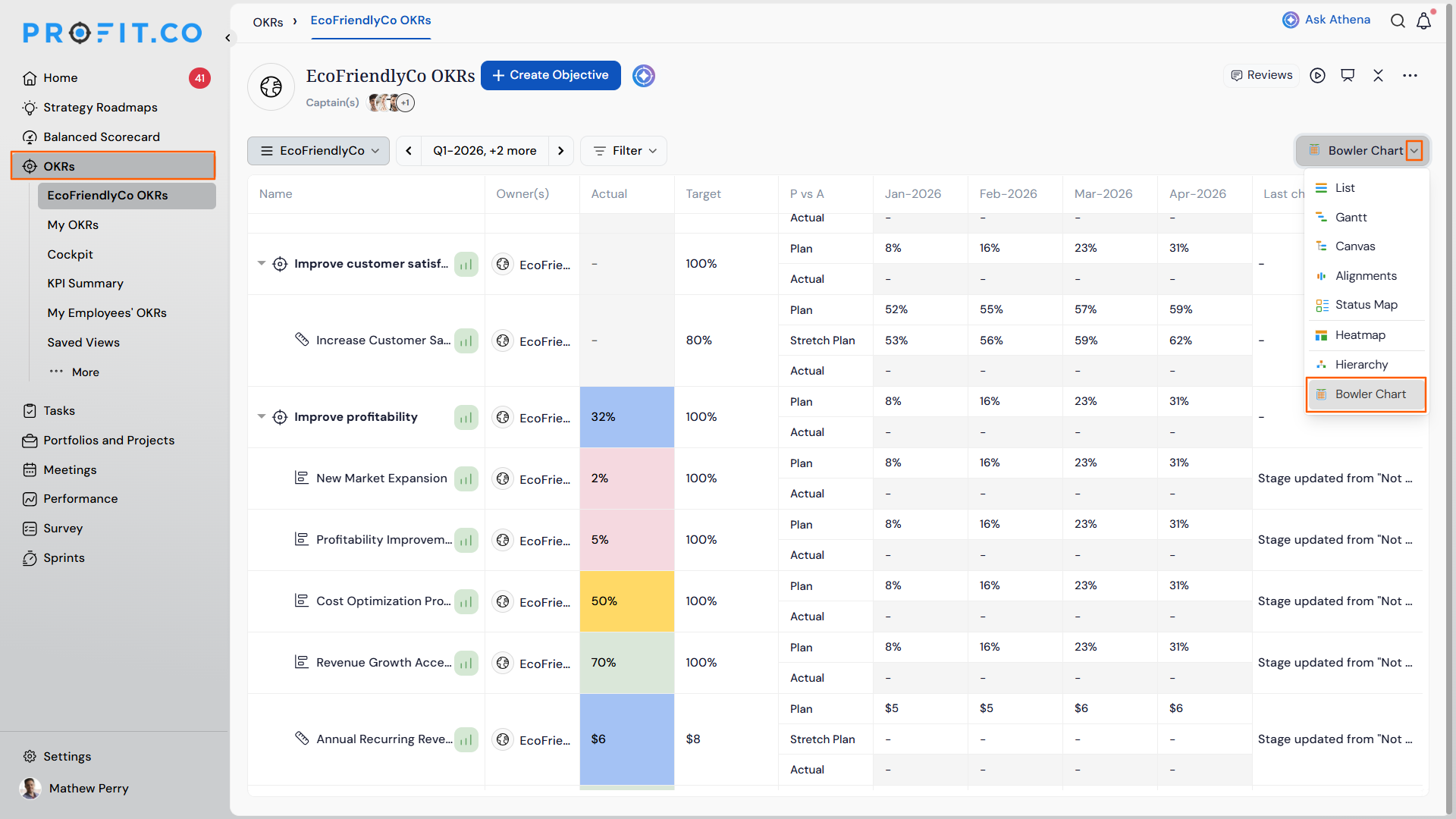
Step 1: Open the Bowler Chart
- Navigate to OKRs from the left navigation panel.
- From the Views dropdown, choose Bowler Chart.
Step 2: Add the Stretch Plan Column
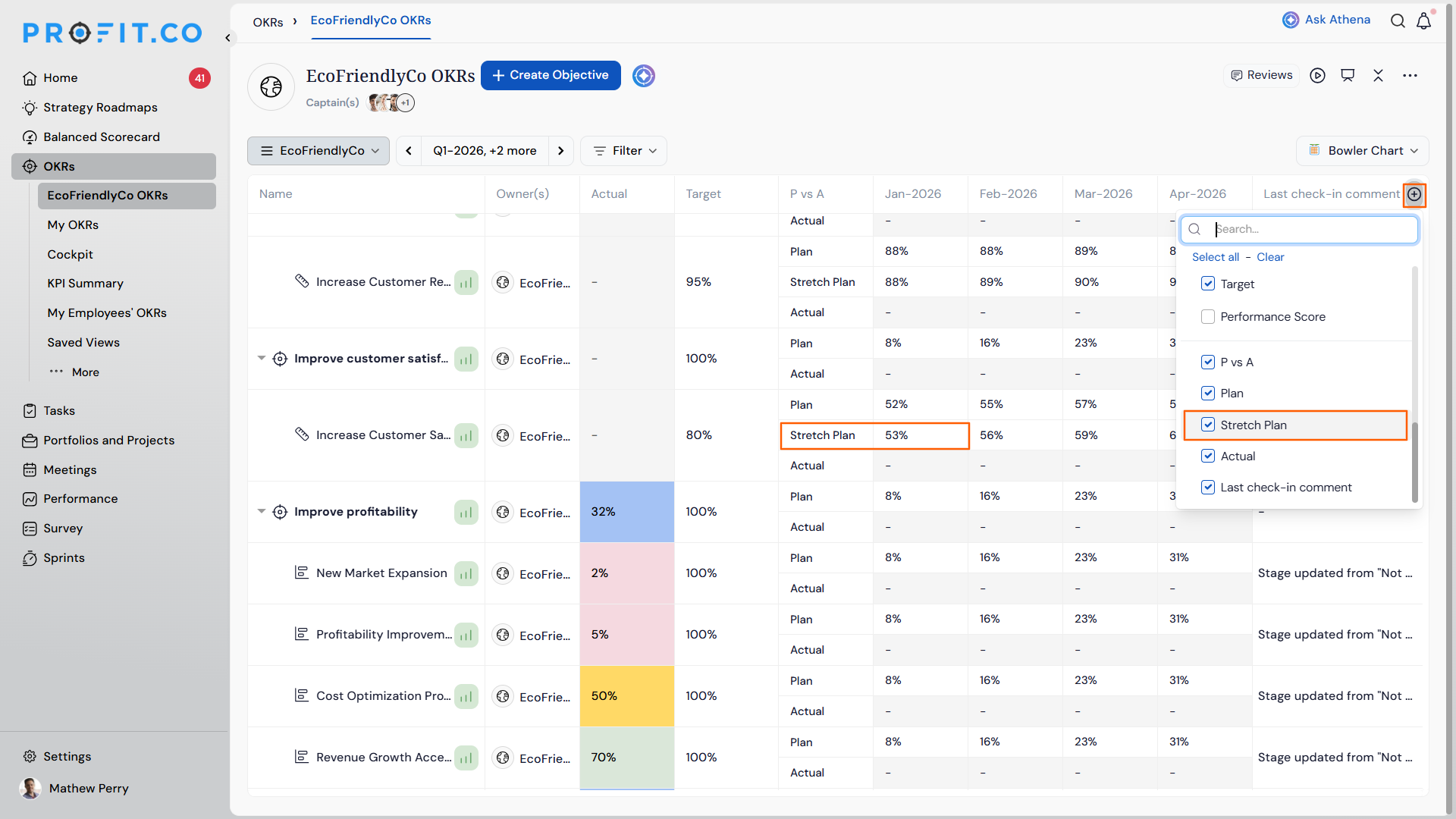
- Click the + icon on the Bowler Chart column header.
- Select Stretch Plan to add it alongside Budget, Budget YTD, Actuals YTD, and Forecast.
Step 3: Enter the Stretch Plan Value
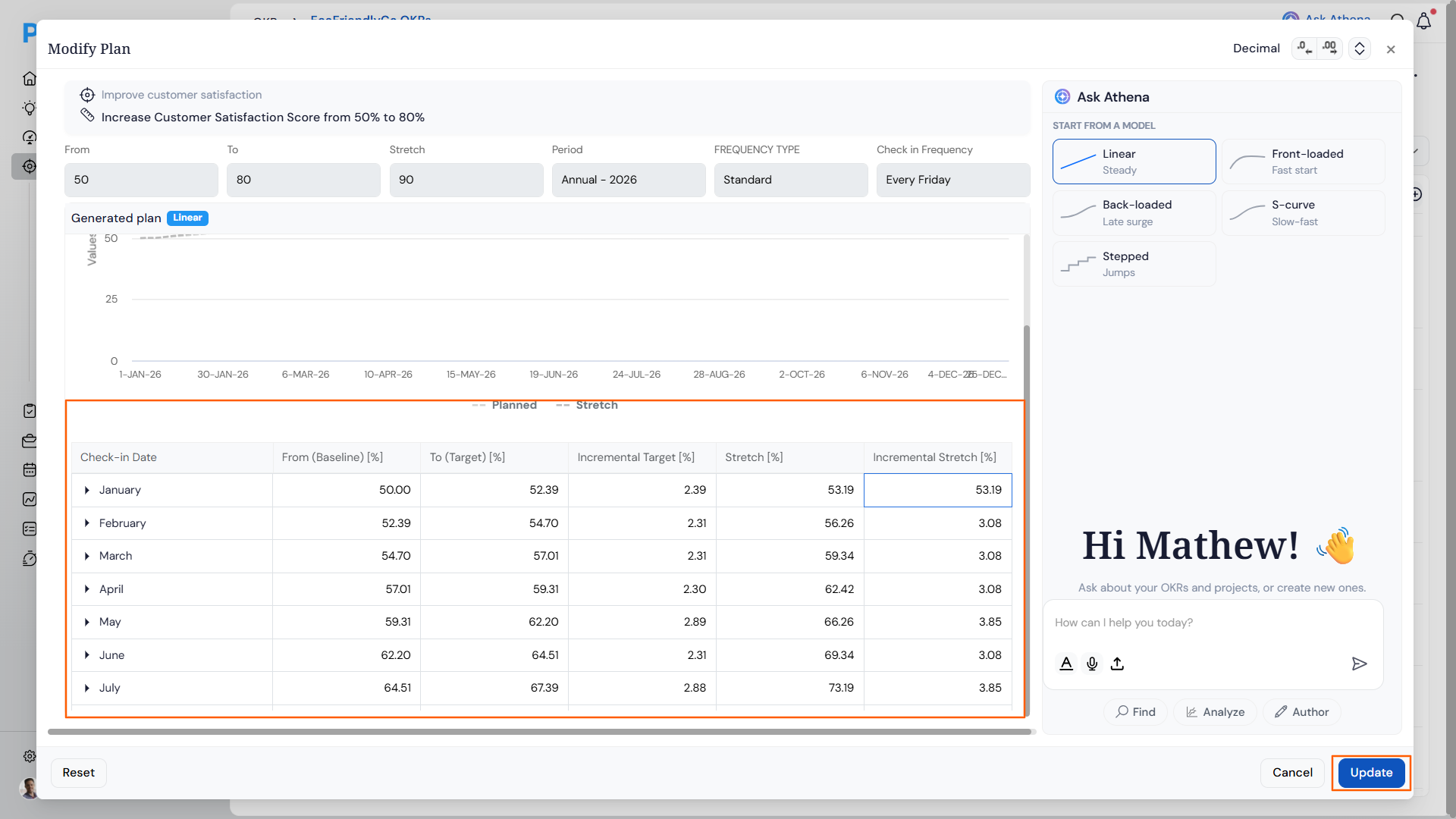
- Click on the required Stretch Plan value.
- Enter a Stretch Plan value higher than the existing committed target or forecast.
Note
A Stretch Target set while creating the Key Result populates this column automatically, so Step 3 is only needed when no Stretch Target already exists.
What Happens When You Use the Stretch Plan?
| Scenario | What Happens |
|---|---|
| You add the Stretch Plan column to the Bowler Chart. | Profit.co places it alongside the existing Budget, Budget YTD, Actuals YTD, and Forecast columns. |
| You enter or update a Stretch Plan value for a Key Result. | Profit.co divides that value across the months and displays it period-by-period in the Bowler Chart. |
| You enter or update a Stretch Plan value for a Key Result. | Profit.co leaves all existing target, forecast, and actual figures unchanged. |
| You create a Key Result with a Stretch Target already defined. | Profit.co populates the Stretch Plan in the Bowler Chart with that value automatically and divides it across months. |
What Are the Best Practices for the Stretch Plan?
- Always enter a Stretch Plan value higher than the current committed target or forecast, since the column is meant to represent an aspirational benchmark above committed figures.
- Set the Stretch Target while creating the Key Result if you already know the aspirational goal, so the Bowler Chart's Stretch Plan populates and divides across months without a separate manual entry.
- Review the Stretch Plan alongside Forecast in the Bowler Chart, since the two remain independent columns and reading them together shows the gap between committed and aspirational performance.
- Revisit the Stretch Plan value if the committed target or forecast changes significantly, so the aspirational benchmark still sits meaningfully above the updated committed figures.
- Add the Stretch Plan column only for Key Results where an aspirational goal is relevant, keeping the Bowler Chart focused on the metrics your team is actually tracking.
Related Articles
- How to set stretch targets for your key results in Profit.co?
- How do I manage Key Results directly in the Bowler Chart View in Profit.co?
What Are Some Frequently Asked Questions About the Stretch Plan?
Yes. The Stretch Plan column exists alongside Forecast and does not require removing or changing the Forecast value.
No. You enter a single Stretch Plan value and Profit.co divides it across the months automatically.
They are connected but not identical. The Stretch Target is set at Key Result creation and, when present, automatically populates the Stretch Plan column in the Bowler Chart.
Execute your strategy with confidence
Connect OKRs, tasks, and teams in one place with Profit.co
