

Table of Contents
Profit.co allows you to assign weights to goals so progress is calculated based on each goal’s relative importance.
Why set weights for goals?
Setting weights for goals helps you:
- Reflect the true importance of each goal in progress calculations
- Prioritize critical goals over less impactful ones
- Get a more accurate and meaningful performance score
- Focus effort on high-value objectives
How to enable goal weights in Profit.co
Step 1: Enable goal weighting
- Navigate to Settings → Performance → Goals from the left navigation panel
- Open the General tab
- Enable the Allow users to define weights for goals toggle
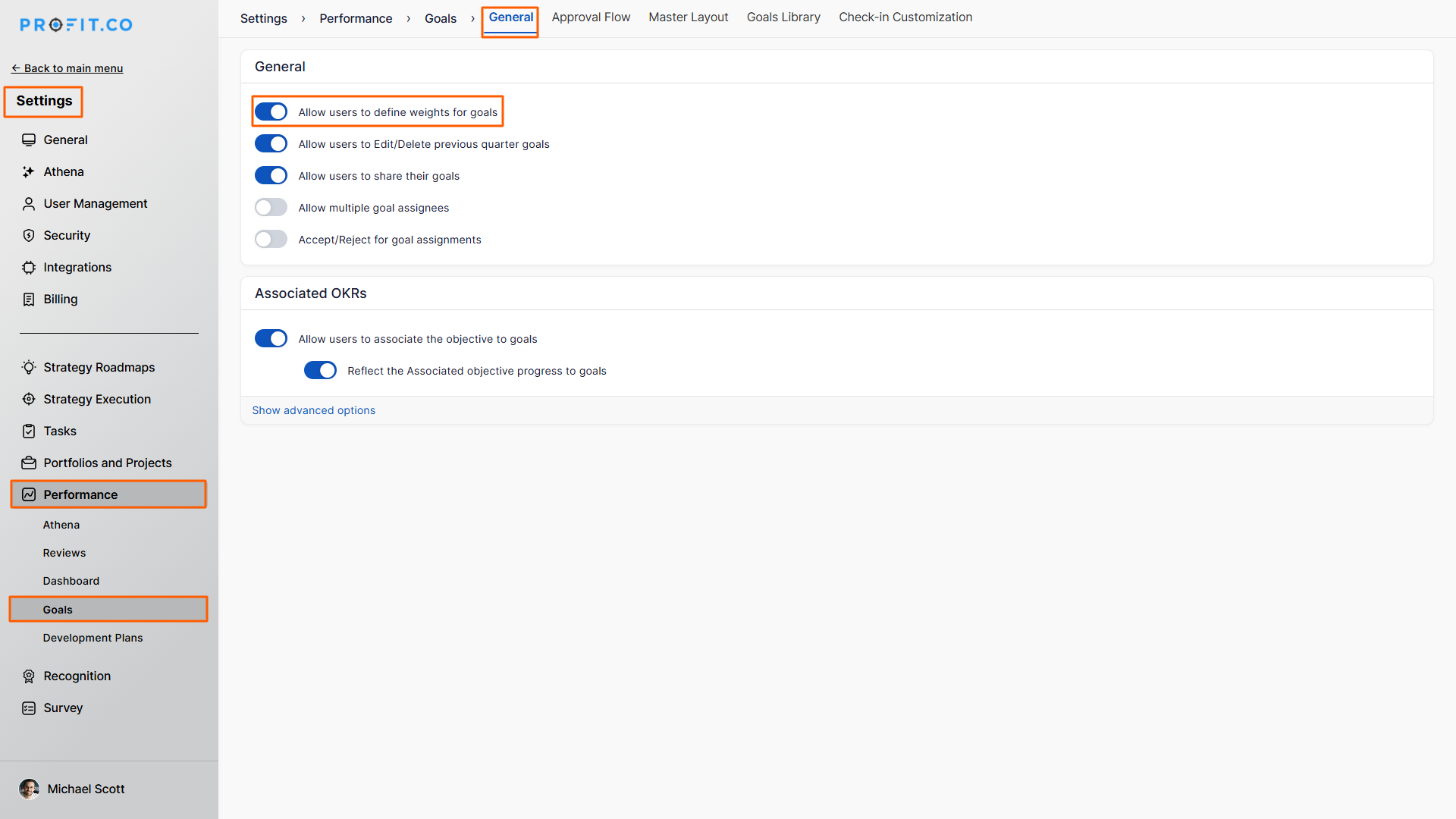
How to assign weights to goals
Step 2: Apply weights to individual goals
- Go to My Goals from the main menu
- On the Goals page, click the Weights icon
- Enter the desired weight value for each goal
- Click Apply to save the changes
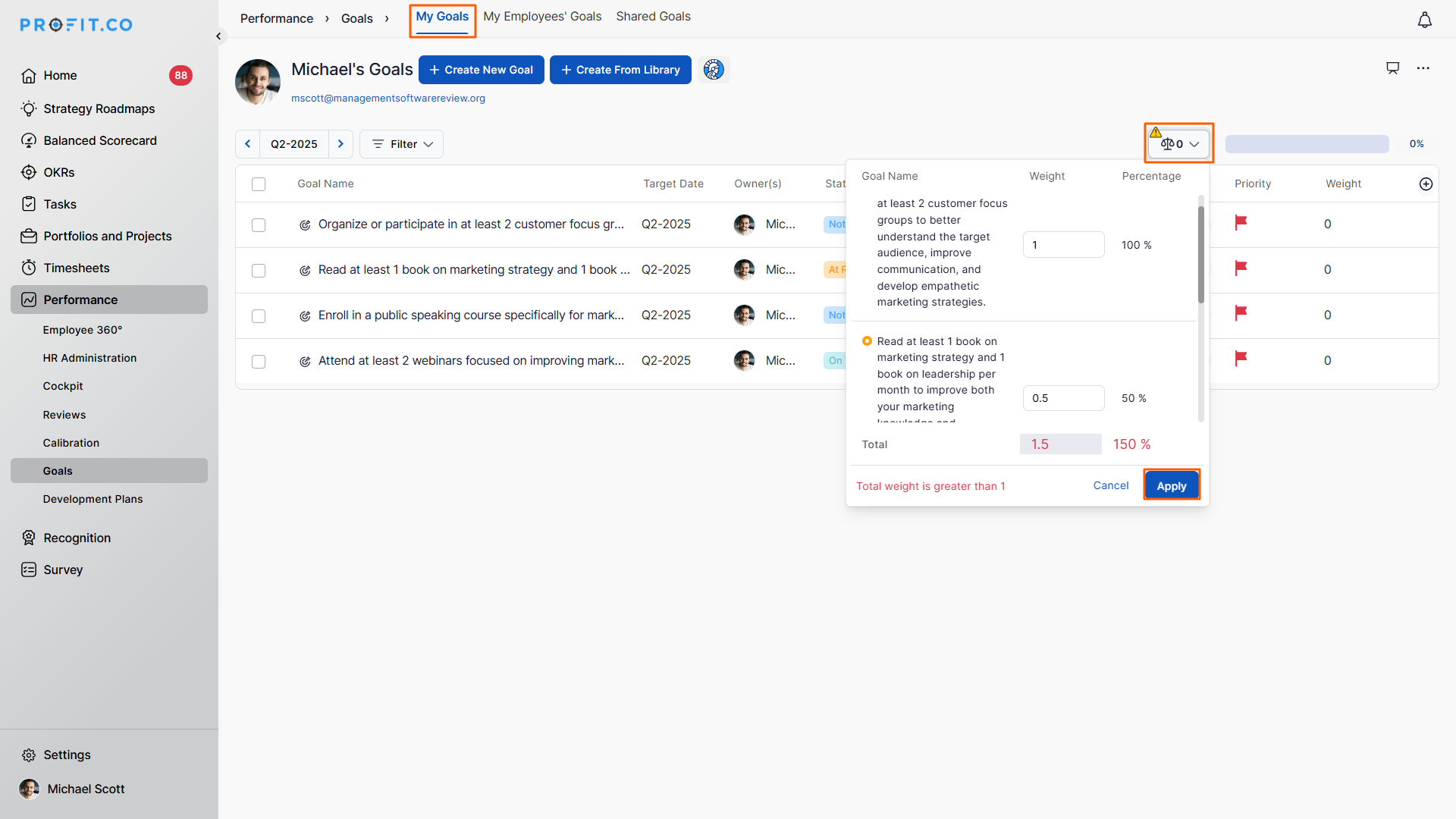
What happens after setting weights?
- The assigned weights are applied to the respective goals
- Overall goal progress is calculated based on weight distribution
- High-priority goals contribute more to the final performance score
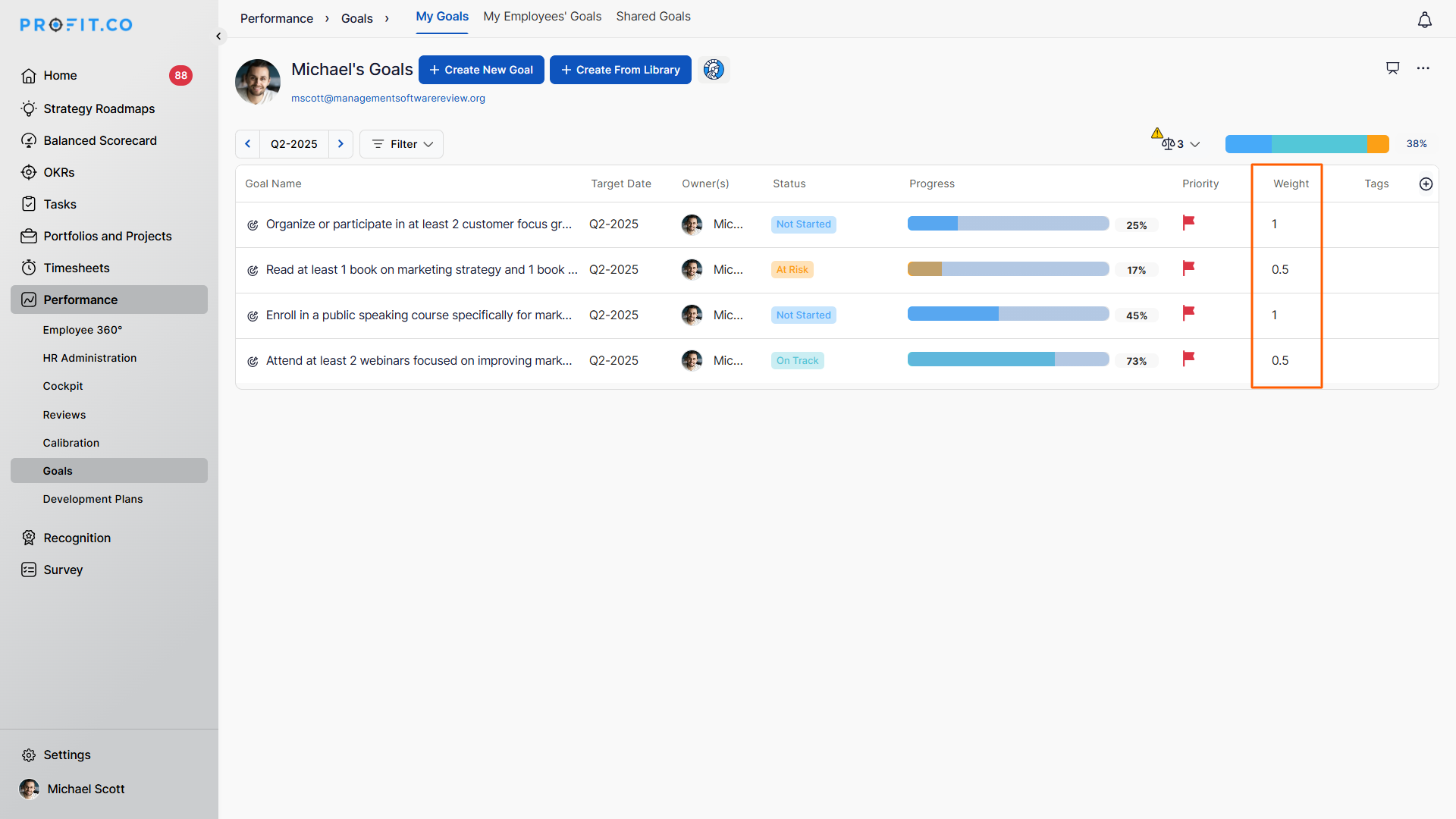
Best practices for goal weighting
- Ensure total goal weights add up logically
- Assign higher weights to business-critical goals
- Avoid giving equal weight to goals with different impact levels
- Review and adjust weights when priorities change
- Keep goal weights simple and transparent for teams
Related Questions
To learn more about the difference between OKRs and Goals, Click here
Frequently Asked Questions
Q1. Can I change goal weights after setting them?
Yes. You can update goal weights anytime from the My Goals page.
Q2. Who can enable goal weighting in Profit.co?
Only users with access to Settings can enable the goal weighting option.
Q3. Does goal weight affect performance scores?
Yes. Goal progress is calculated based on assigned weights, impacting overall performance results.
