

In Profit.co, the Portfolio Dashboard provides comprehensive health metrics and visual heatmaps that help you monitor project performance, budget utilization, risk status, and strategic alignment across your entire portfolio in a unified view.
Profit.co's PPM software gives portfolio managers a single dashboard to track project progress, budget utilization, risk status, and strategic alignment across every project in the portfolio.
Table of Contents
- What are Portfolio Health Metrics in Profit.co?
- How do I access the Portfolio Dashboard?
- What summary cards are available on the Portfolio Dashboard?
- What detailed widgets can I view on the Portfolio Dashboard?
- How do I view the Projects Progress widget?
- How do I download the Portfolio Dashboard as a one-pager?
- Presentation Export with Project Tollgate Tracking
- Best practices for monitoring Portfolio Health Metrics
- Related Questions
- Frequently Asked Questions
What are Portfolio Health Metrics in Profit.co?
Portfolio Health Metrics are comprehensive performance indicators that provide visibility into the overall status of your portfolio, including project progress, budget utilization, risk distribution, stage analysis, and strategic alignment. These metrics help portfolio managers make informed decisions about resource allocation and strategic priorities.
How do I access the Portfolio Dashboard?
Follow these steps to view your portfolio health metrics:
Step 1
- Click on Portfolios and Projects from the left navigation panel.
- Select Portfolios from the submenu.
- On the All Portfolios page, click on the portfolio you want to view.
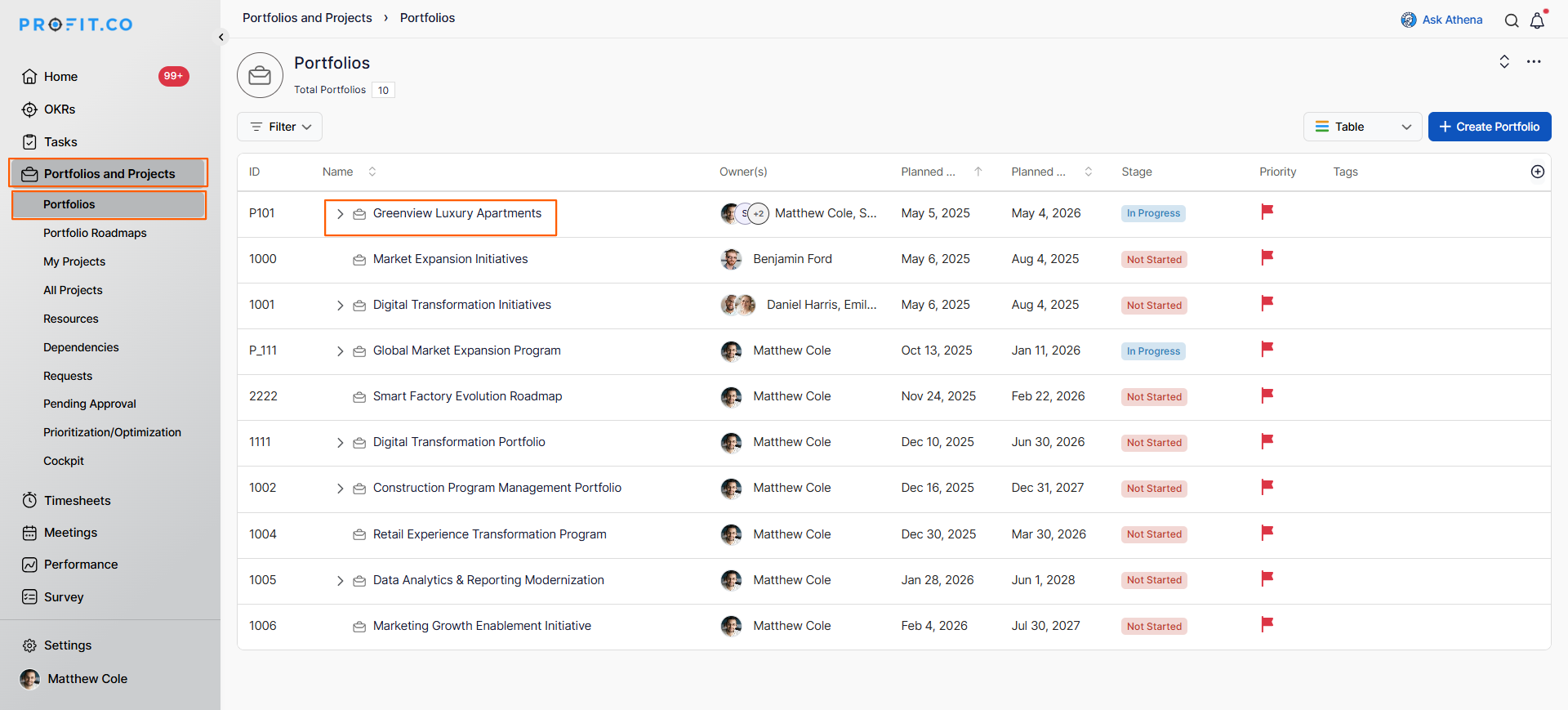
- In the portfolio detail page, click on the Dashboard tab.
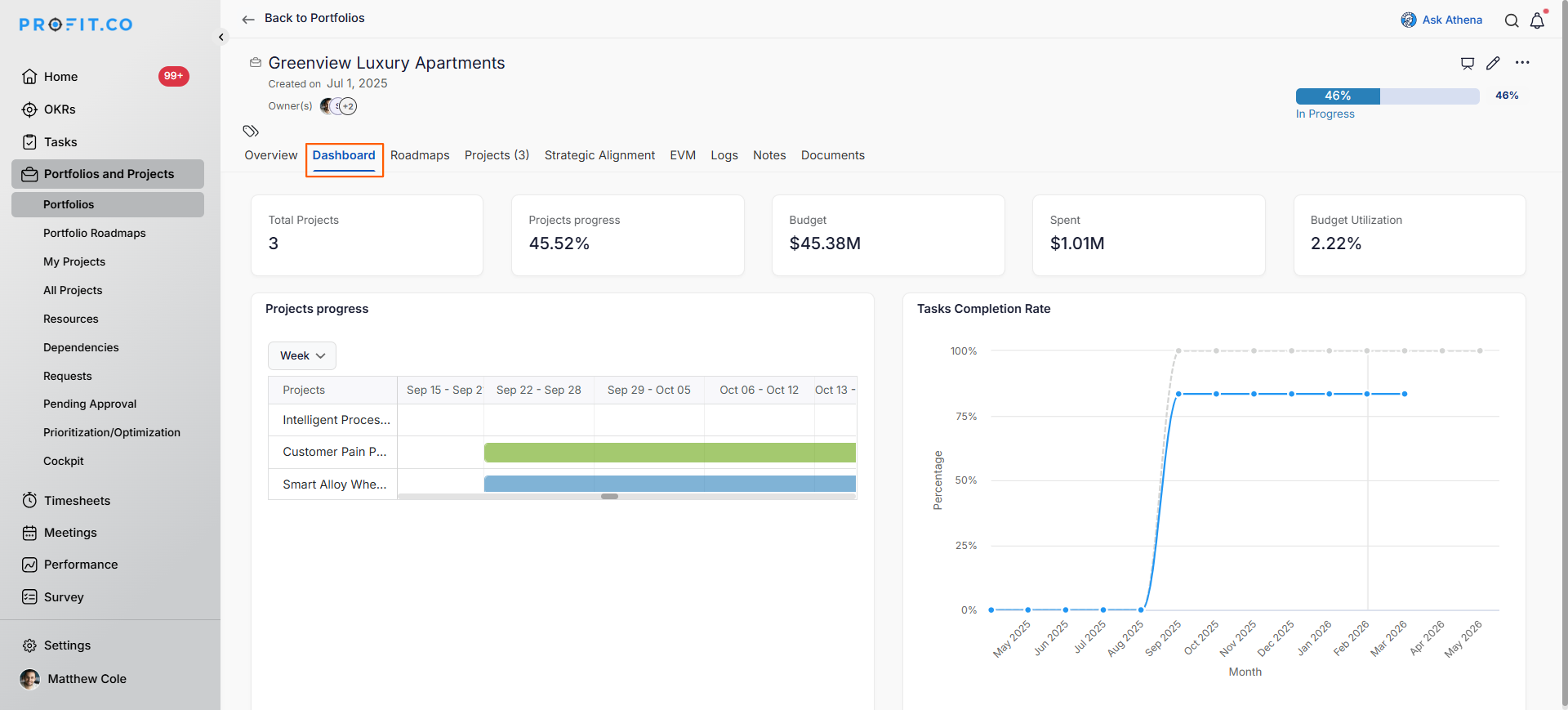
You will now see the comprehensive portfolio dashboard with summary cards and detailed widgets.
Note
On the Overview tab, any project with sub-projects shows an expand arrow next to its name. Select it to reveal or collapse the nested sub-projects.
What summary cards are available on the Portfolio Dashboard?
The Portfolio Dashboard displays key metrics as summary cards at the top:
| Summary Card | Metric |
|---|---|
| Total Projects | Number of projects in the portfolio |
| Projects Progress | Overall completion percentage |
| Budget | Total allocated budget |
| Spent | Amount spent to date |
| Budget Utilization | Percentage of budget used |
Note
On the Project sub-tab, the Total Projects card now shows a separate line for projects that come from sub-portfolios, for example "+1 in sub-portfolios." Hovering over that line displays a tooltip clarifying what the figure includes.
What detailed widgets can I view on the Portfolio Dashboard?
The portfolio dashboard includes multiple visualization widgets:
| Widget | Purpose |
|---|---|
| Projects Progress | Timeline view showing project progress by week/month |
| Tasks Completion Rate | Trend analysis of task completion over time |
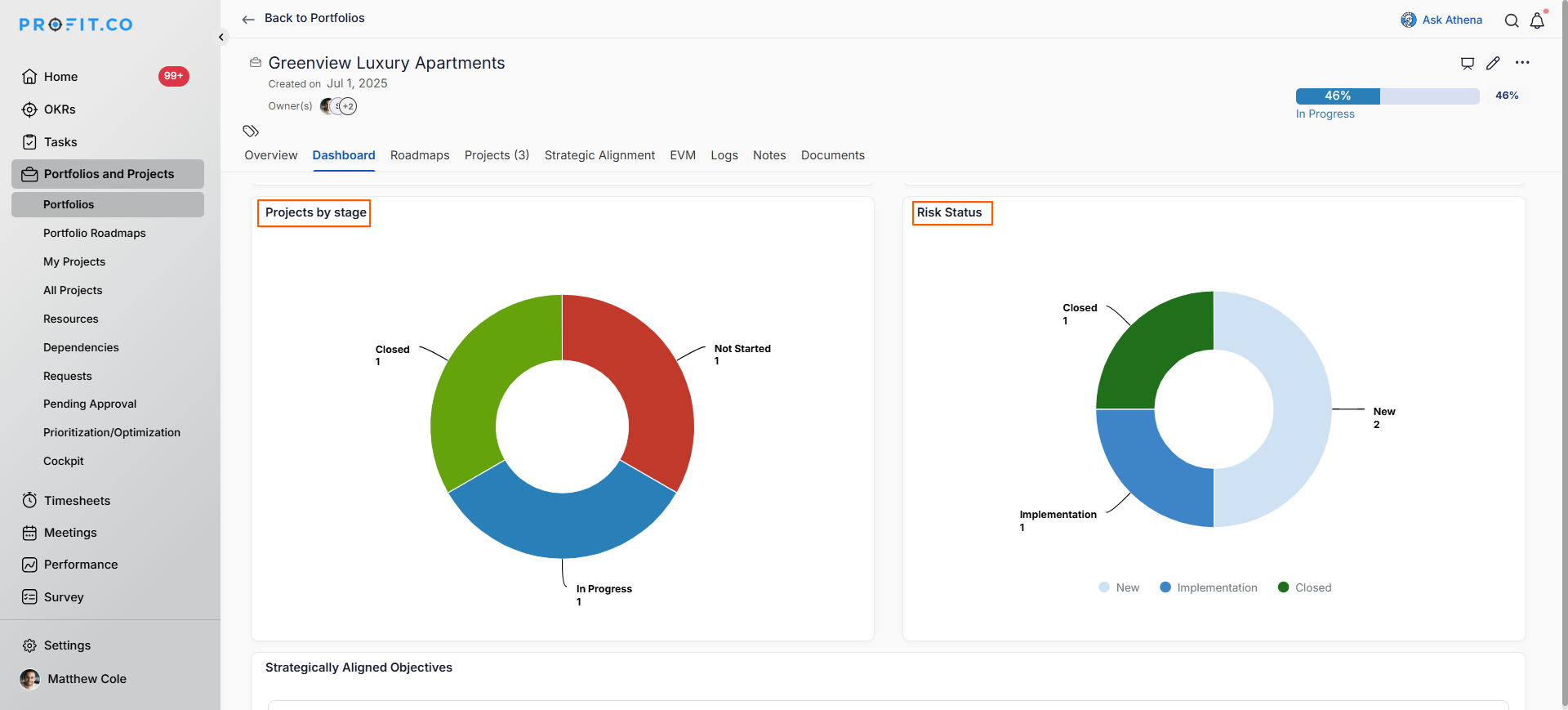
| Projects by Stage | Distribution of projects across lifecycle stages |
| Risk Status | Breakdown of portfolio risks by status |
| Strategically Aligned Objectives | OKRs and objectives linked to portfolio projects |
How do I view the Projects Progress widget?
- Projects Progress – Shows project completion progress over time with weekly or monthly granularity.
- Tasks Completion Rate – Line chart tracking the percentage of completed tasks over time.
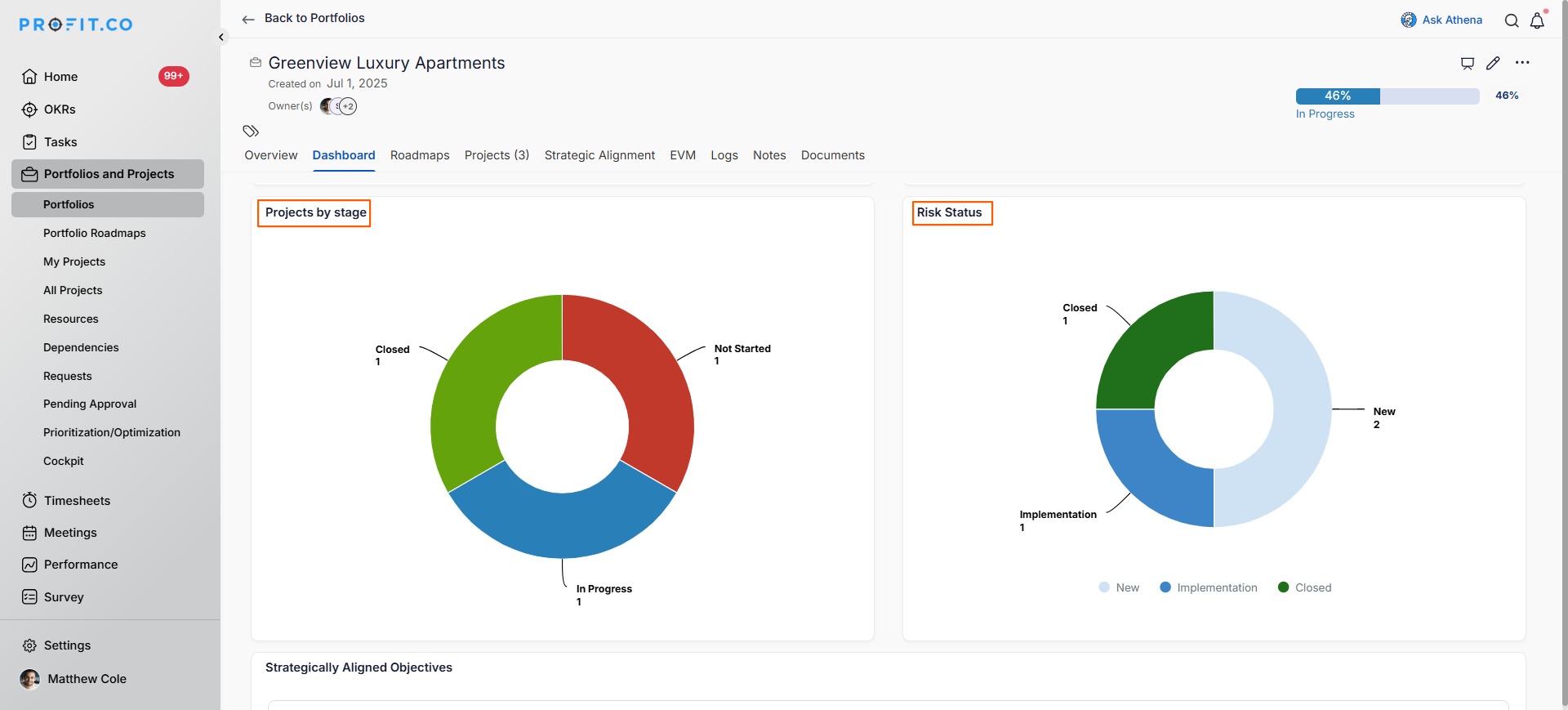
- Projects by Stage – Donut chart showing the distribution of projects across different lifecycle stages.
- Risk Status – Donut chart displaying the distribution of risks by their current status.
- Strategically Aligned Objectives – Table showing OKRs and objectives linked to portfolio projects with progress tracking.
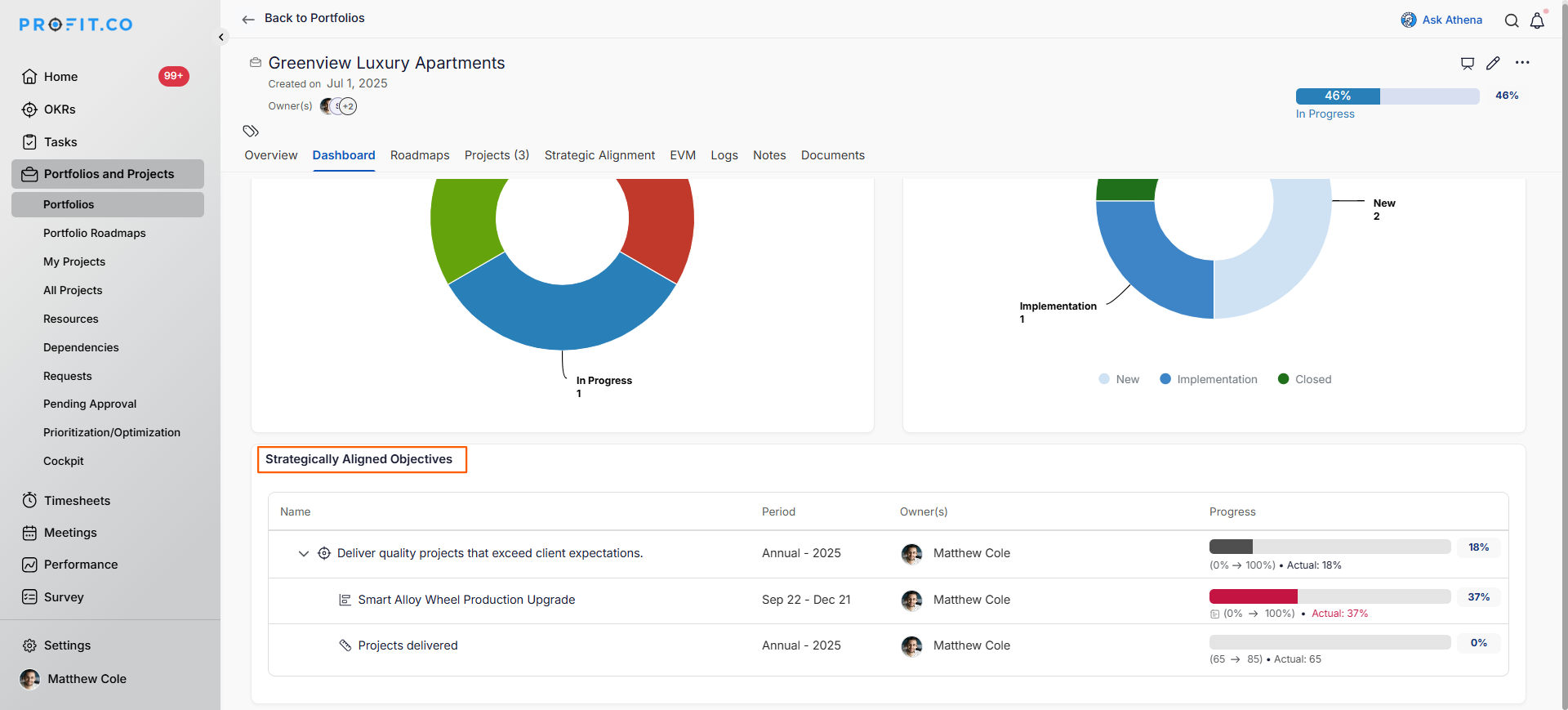
Profit.co's strategic portfolio management capabilities ensure every project in the portfolio is tied to a business objective, so stakeholders can see how execution connects to strategy in real time.
How do I download the Portfolio Dashboard as a one-pager?
You can export the entire Portfolio Dashboard for sharing or reporting:
Step 1
- Click on the More Options icon (three dots) in the top right corner of the dashboard.
- Select Download Portfolio One-Pager from the dropdown menu.
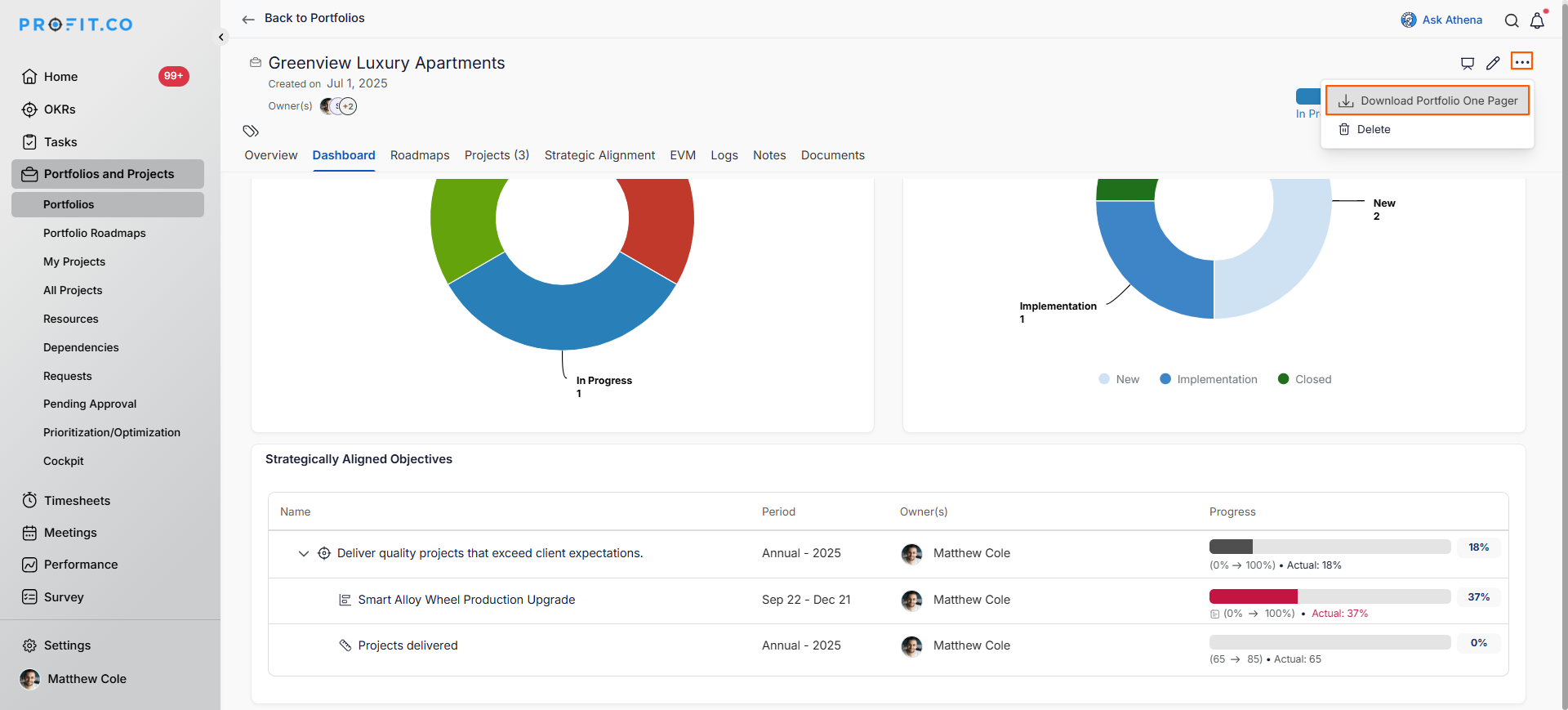
Result: The system generates a comprehensive document containing all dashboard summary cards, widgets, and metrics that you can share with stakeholders or include in reports.
Presentation Export with Project Tollgate Tracking
In addition to the One-Pager export, Profit.co provides a PPM Presentation export at the portfolio level that includes tollgate tracking data for each project. This lets portfolio managers share a structured, stage-by-stage view of all projects in the portfolio as a downloadable PPT file.
What is Tollgate Tracking in the PPM Presentation?
Tollgates are structured checkpoint stages in a project's lifecycle; each tollgate represents a defined phase that must be reviewed and validated before the project advances. In the PPM Presentation, the tollgate tracking view surfaces the current stage, progress, and validation status of each project within the portfolio, giving stakeholders a governance-ready view of project execution.
What the PPM Presentation Export Includes
- Tollgate tracking progress and current stage for each project in the portfolio
- Project-level status, timeline, and milestone alignment across the portfolio
- A consolidated, presentation-ready layout formatted for stakeholder reviews and portfolio governance meetings
How to Download the PPM Presentation
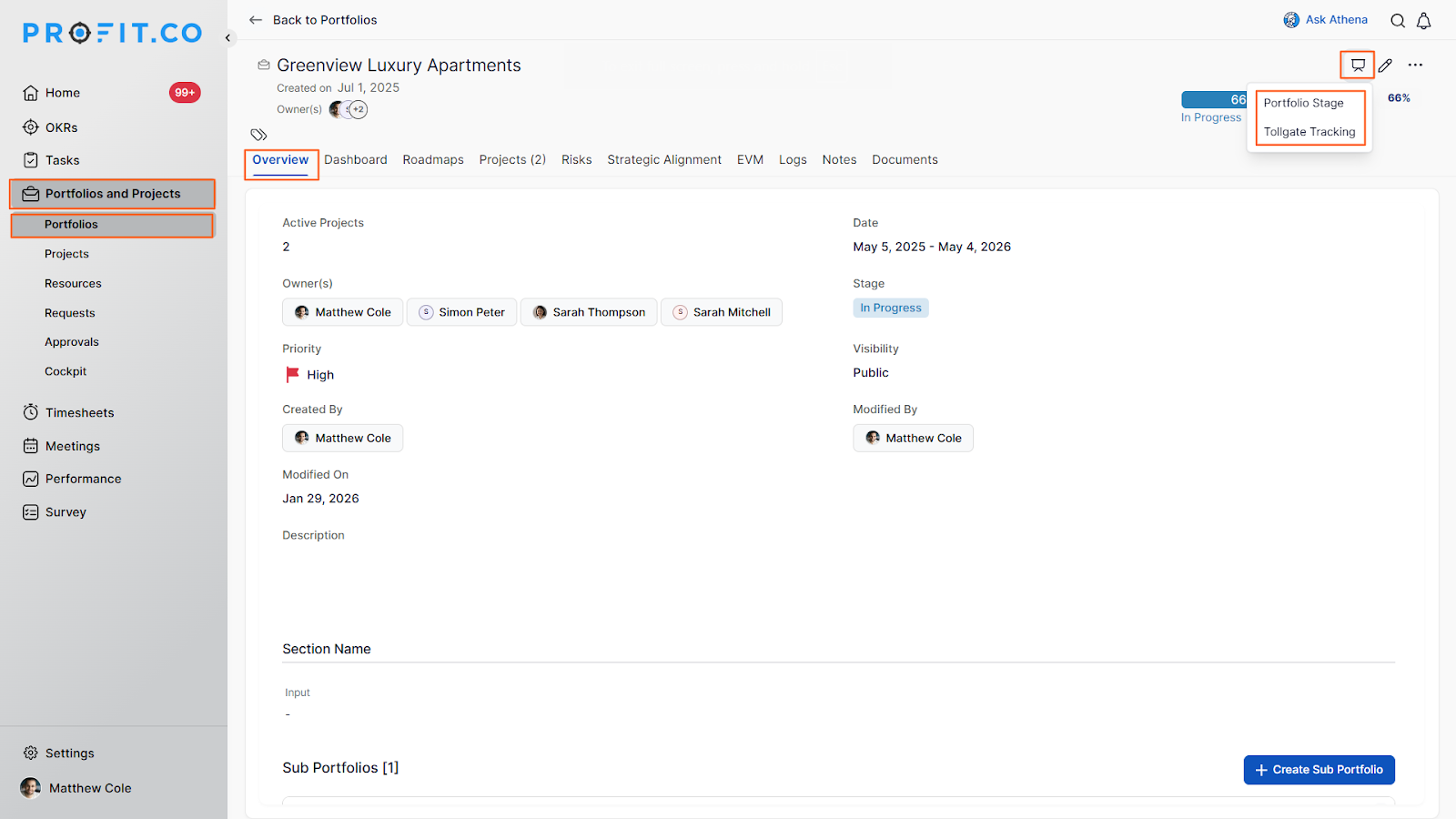
- Navigate to the portfolio and click the required one.
- Click the Presentation icon to download the portfolio data as a .PPT file.
- At the Portfolio level, users can view the tollgate tracking process for each project included in the portfolio.
- This helps stakeholders understand the progress and stage of each project during portfolio reviews.
- Users can now download the portfolio presentation as a PPT file for offline viewing or sharing with stakeholders.
Best practices for monitoring Portfolio Health Metrics
- Review the portfolio dashboard weekly to stay informed about portfolio health and identify issues early.
- Pay close attention to the Projects by Stage widget; too many projects in one stage may indicate a bottleneck.
- Monitor the Risk Status widget regularly and ensure "New" risks are being moved to "Implementation" status promptly.
- Use the tasks completion rate trend to identify if portfolio velocity is improving or declining over time.
- Track budget vs. spent vs. budget utilization to ensure spending aligns with project progress.
- Review strategically aligned objectives quarterly to ensure portfolio investments support strategic goals.
Related Questions
Frequently Asked Questions
The Portfolio Dashboard reflects real-time data and updates automatically as project information changes, providing current portfolio health information.
These are OKRs or strategic objectives that have been explicitly linked to projects in the portfolio, showing how projects contribute to organizational goals.
Projects Progress shows overall project milestone completion, while Tasks Completion Rate tracks the percentage of individual tasks completed across all projects.
