

What is OKR Cockpit?
In the context of organizational management and goal-setting, OKR Cockpit refers to a dashboard that assists in tracking and managing OKRs within an organization.
It offers real-time data visualization through charts, graphs, and other visual elements, aiding in optimizing decision-making, providing insights into the organization's performance, and helping identify areas that need attention or improvement.
Why this feature?
- The OKR Cockpit elucidates the organization's PEEL (Plan, Execute, Engage, Learn) approach.
- Cockpit facilitates streamlined workflows and efficiency by centralizing data access and presenting user-friendly information.
- The Cockpit Dashboard's Execute phase evaluates organizational Check-in Discipline, Alignments, and Progress, providing insights crucial for effective decision-making and goal attainment.
Note :
- The filter option allows selection between Corporate, Department, or Team, displaying relevant data accordingly.
- Data is viewable only for the selected period.

The Execute phase involves implementing actions outlined in the OKR plan to achieve defined Objectives and Key Results, translating plans into action.
Navigate to OKRs → Cockpit from the left navigation panel and switch to the Execute phase of the cockpit dashboard. You will find the Alignments.
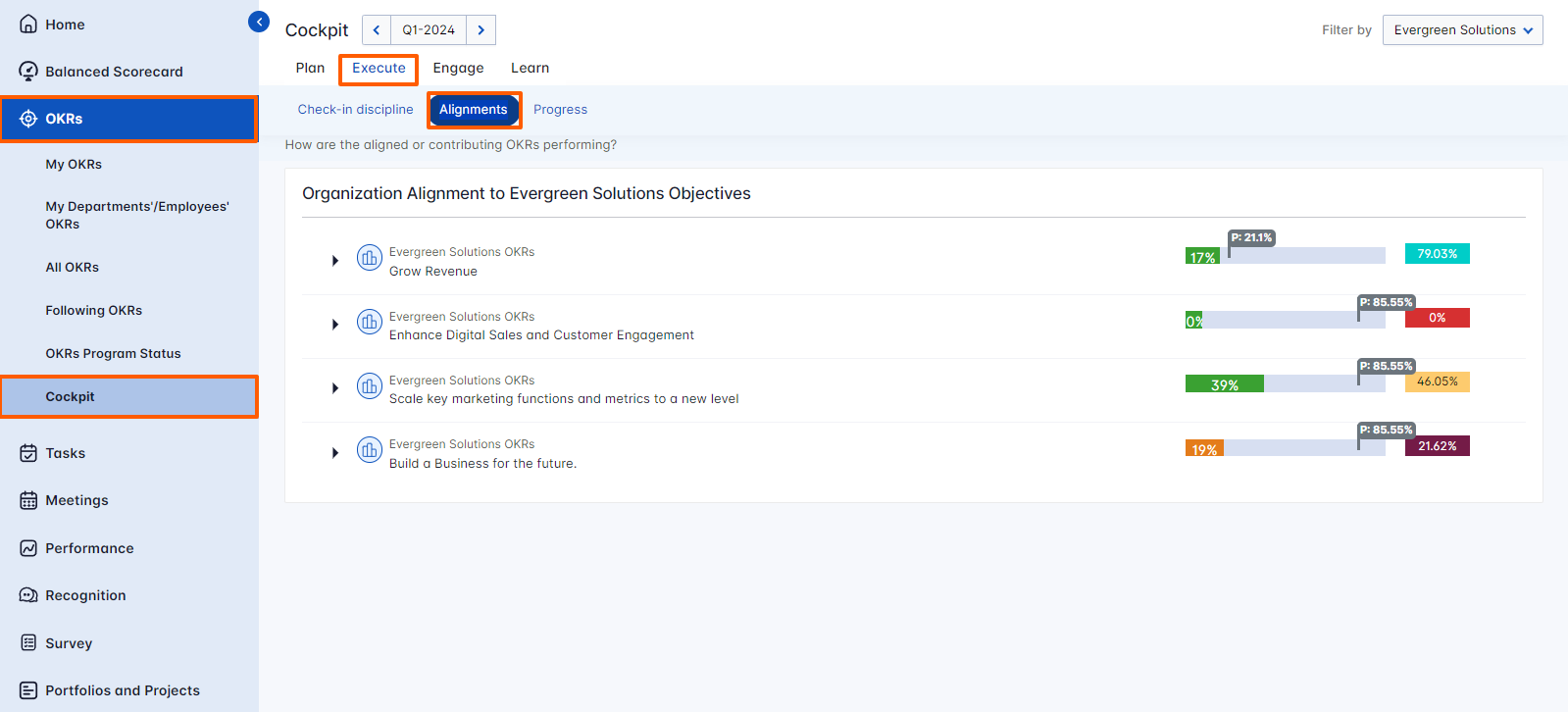
Alignments
Alignments refer to ensuring that individual, team, and department objectives are aligned with organizational goals and priorities. This involves cascading objectives and tracking progress to ensure alignment and focus.
Organization Alignment to Corporate Objectives
Organization Alignment to Corporate Objectives displays a visual representation and a table showing the number of assigned and aligned key results/sub-key results, their Progress and Status, and the Planned and actual progress and Confidence % of the Objective.

Related Answer Post
To learn more about the Cockpit Dashboard, click here.
