
In Profit.co, you can assign tasks exclusively to employees who report directly to you using the My Employees filter, ensuring that task delegation stays within your reporting hierarchy and responsibilities are distributed to the right people.
Table of Contents
- What is the My Employees filter in Profit.co Task Management?
- How does the My Employees filter work in Profit.co?
- How to assign a task to employees reporting to you in Profit.co?
- Best practices for assigning tasks using the My Employees filter in Profit.co
- Related Questions
- Frequently Asked Questions
What is the My Employees filter in Profit.co Task Management?
The My Employees filter in Profit.co is a checkbox option available within the task creation panel that restricts the assignee dropdown to display only the employees who report directly to the currently logged-in user. Instead of seeing the full organization-wide user list, managers and team leads can quickly find and assign tasks to their direct reports without scrolling through unrelated users.
How does the My Employees filter work in Profit.co?
When creating a new task, the assignee dropdown by default displays all users across the organization. By enabling the My Employees checkbox, the dropdown is filtered to show only the employees who are directly reporting to the logged-in user based on the organizational hierarchy configured in Profit.co.
This means:
| Scenario | Assignee List Displayed |
|---|---|
| My Employees checkbox - unchecked | All users across the organization |
| My Employees checkbox - checked | Only direct reports of the logged-in user |
How to assign a task to employees reporting to you in Profit.co?
Follow these steps to assign a task to your direct reports using the My Employees filter:
Step 1
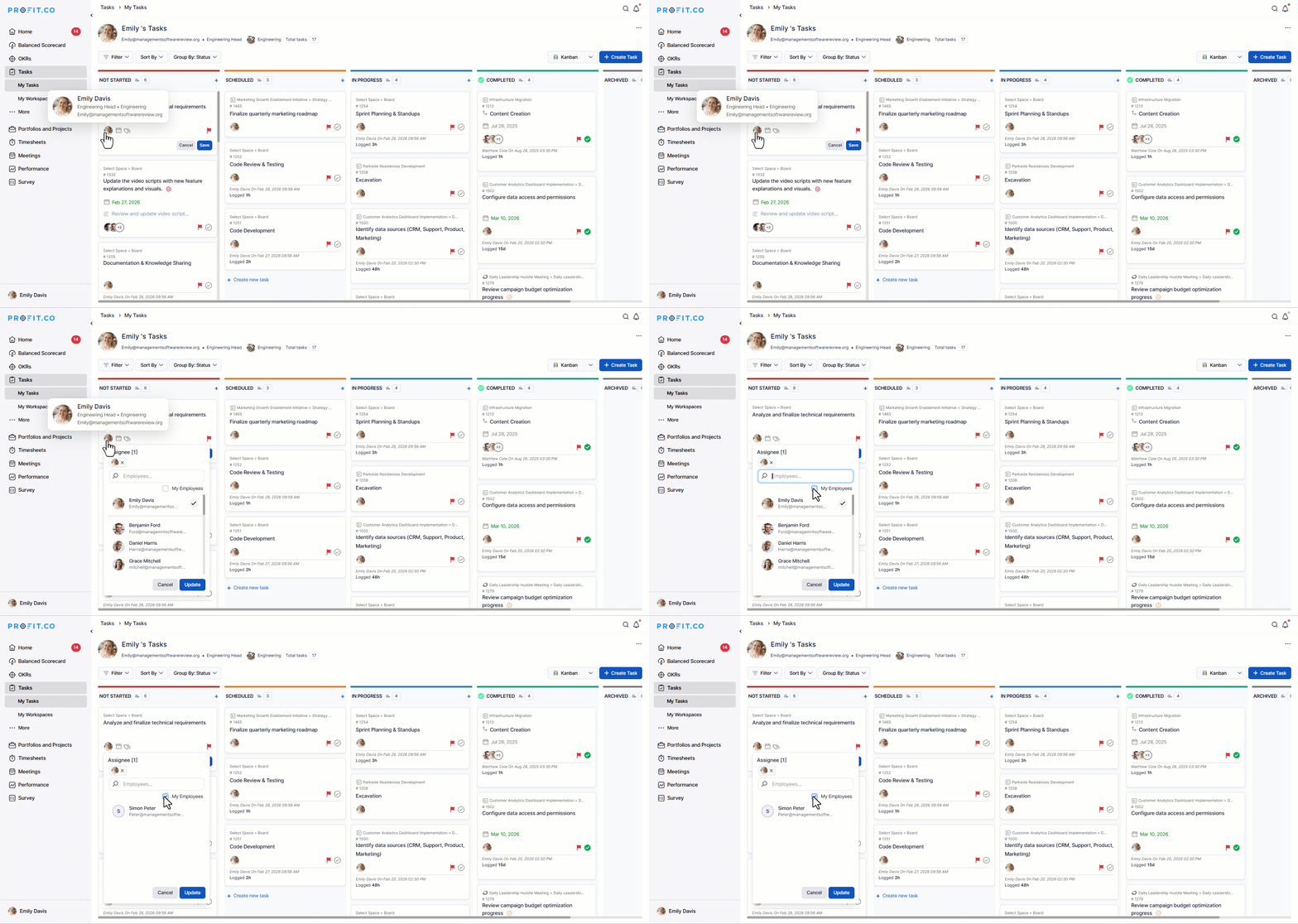
- Go to Tasks from the left navigation panel.
- Open the Workspace or Board where you want to create the task.
- Click the + Create Task button to open the task creation panel.
- In the task creation panel, locate the Assignee field.
- Check the "My Employees" checkbox.
- The assignee dropdown will immediately update to display only the employees who report directly to you.
- From the filtered dropdown, select the direct report you want to assign the task to.
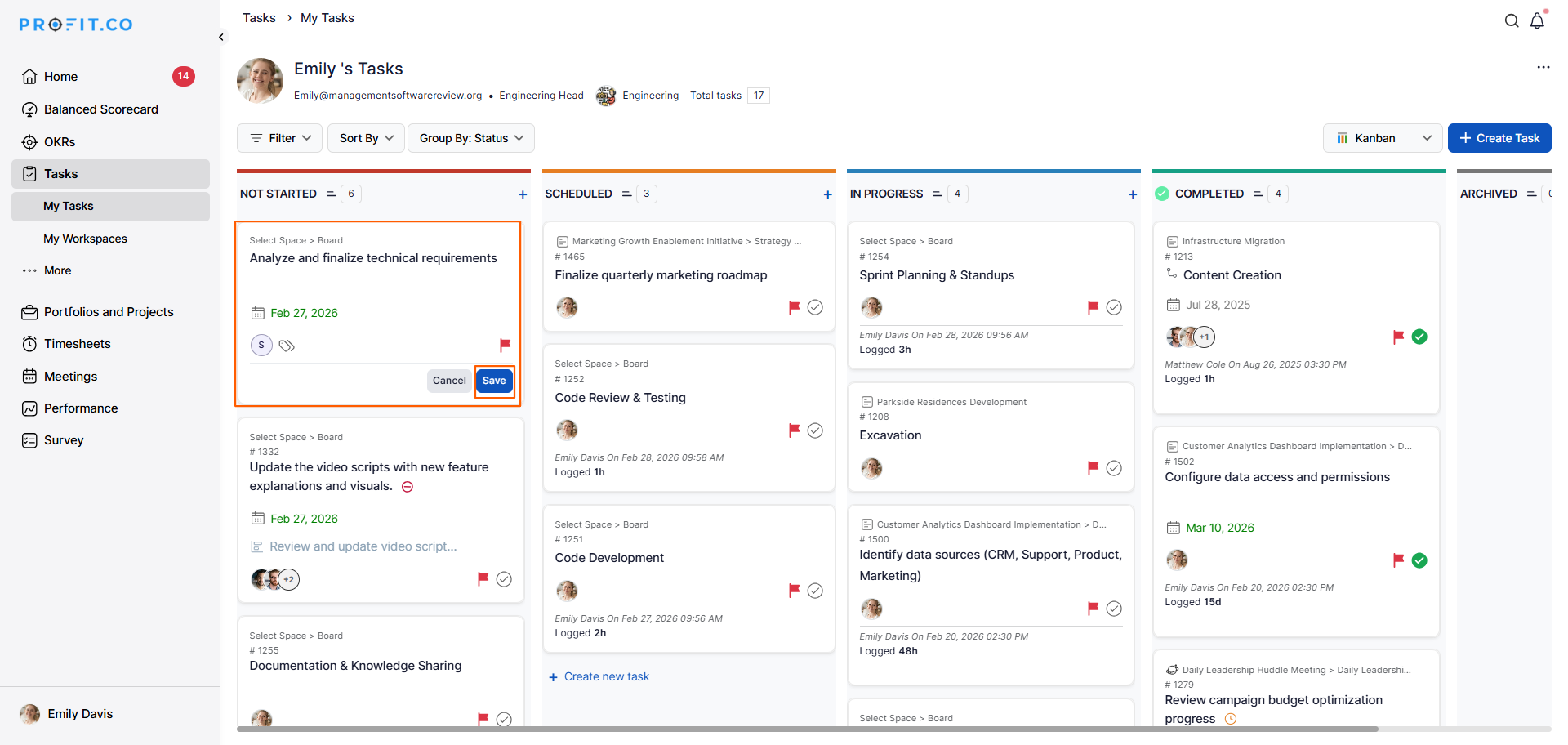
- Enter the task name, due date, priority, tags, and any other relevant details.
- Click Save to confirm.
Best practices for assigning tasks using the My Employees filter in Profit.co
- Always use the My Employees filter when you are a manager or team lead assigning tasks, to ensure delegation stays within your reporting hierarchy.
- Combine the My Employees filter with Priority and Due Date fields to give your direct reports clear direction on what to focus on and when.
- After assigning tasks to direct reports, use the My Employee's Task view to monitor progress and identify any tasks that may need follow-up or reassignment.
- If you need to assign a task to someone outside your direct reporting line, uncheck the My Employees checkbox to restore the full organizational user list.
- Ensure your organizational hierarchy is accurately configured in Profit.co so that the My Employees filter consistently displays the correct reporting relationships.
Related Questions
Click here to learn how to assign tasks to others in Profit.co.
Frequently Asked Questions
When creating a new task, check the My Employees checkbox in the Assignee field. The dropdown will filter to show only employees who report directly to the logged-in user. Select the desired direct report and save the task.
It filters the assignee dropdown to display only the employees who are directly reporting to the currently logged-in user, based on the organizational hierarchy in Profit.co.
Yes. Simply uncheck the My Employees checkbox to restore the full organization-wide assignee list within the task creation panel.
