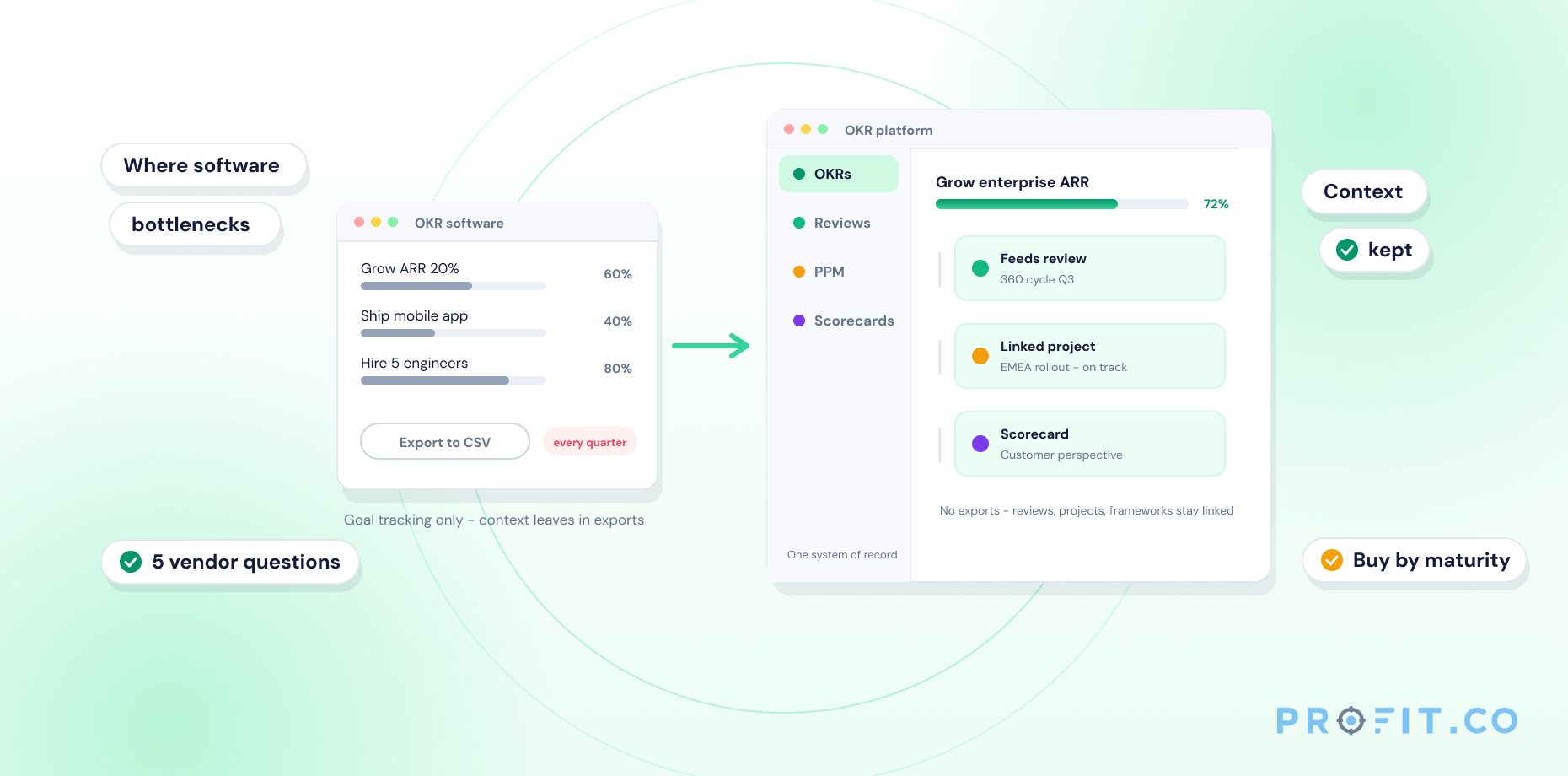













An OKR tool is software that helps teams set Objectives and Key Results, track progress against them, and run regular check-ins — replacing spreadsheets and slide decks with a live, shared system. Every team sees the same real-time goal data in one place, so quarterly progress updates automatically instead of being rebuilt by hand before each review.
In this guide
- What Is an OKR Tool?
- Who Uses an OKR Tool?
- How Does an OKR Tool Work?
- Core Features of an OKR Tool
- Types of OKR Tools
- OKR Tool vs. Spreadsheets
- Frequently Asked Questions
An OKR tool doesn’t just store goals. It keeps them alive between quarterly reviews.
Most teams don’t fail at OKRs because the framework is wrong: they fail because the system tracking it lives in a slide deck nobody opens after the kickoff meeting. Objectives get written in January, the deck gets shared once, and by March nobody can say with confidence whether a key result is 20% done or 80% done. An OKR tool fixes that by giving Objectives and Key Results a permanent, shared home that updates as work happens instead of once a quarter. Here’s what that software actually is, who typically runs it, how it works day to day, and what separates it from a spreadsheet.
What Is an OKR Tool?
An OKR tool is purpose-built software: not a generic project tracker with a goals tab bolted on. It’s designed around the specific mechanics of the OKR methodology: objective-setting, key result scoring, cascading alignment, and a recurring check-in cadence that a spreadsheet or slide deck can’t reproduce without constant manual upkeep.
The distinction matters because generic tools treat a goal as a static line item: a task with a due date. An OKR tool treats a goal as a living measurement: each key result carries a current value, a target value, and a score that recalculates automatically every time someone logs a check-in. That structural difference is what allows a manager to open a dashboard on any given Tuesday and see exactly where a goal stands, rather than waiting for someone to compile a status update.
Profit.co is a working example of the category. Its OKR platform pairs that same objective/key-result/check-in mechanic with a 300+ prebuilt KPI library, so a key result can be attached to a metric that’s already defined in the system rather than built from scratch, and with Athena AI, which can turn a plain-language description of a goal into a structured objective with key results and an owner already assigned.
Who Uses an OKR Tool?
OKR tools are used at every level of an organization that has adopted the methodology, not just by a strategy or PMO team:
- Executive and leadership teams set company-level Objectives and use dashboards to track strategic progress across departments Profit.co’s CEO view is built around exactly this rollup.
- Department and team leads cascade company OKRs into team-level goals and run weekly check-ins with their reports, which is the core workflow behind Profit.co’s Manager experience.
- Individual contributors set personal OKRs aligned to their team’s goals and log their own progress each week, with Profit.co’s Individual Contributor view keeping that check-in to a couple of minutes.
- Operations and PMO teams use reporting views to prepare board updates and quarterly business reviews without rebuilding a deck from scratch the same reporting layer Profit.co surfaces for PMO Leaders and Operations Leaders.
How Does an OKR Tool Work?
The OKR cycle inside a dedicated tool runs in four steps:
Set Objectives and Key Results
Teams set quarterly Objectives and measurable Key Results: the qualitative goal and the numbers that prove it happened. A strong key result reads as a number moving from a starting value to a target value, not a task on a to-do list. In Profit.co, Athena AI can generate this structure directly from a plain-language description of the outcome, so a team isn’t starting its first quarter from a blank form.
Cascade and Align Across Levels
Key results cascade and align across company, team, and individual levels, so individual work visibly ladders up to company strategy. An individual contributor can see exactly which team objective and which company objective above it their own key result supports.
Log Weekly Check-Ins
Teams log weekly check-ins, updating progress percentages against each key result rather than waiting for a quarterly review to report status. A check-in typically takes under two minutes per key result once the habit is established in Profit.co, that check-in can happen from the web app, the mobile app, or directly inside Slack using the /checkin command, without opening a separate tool.
Auto-Score and Surface Dashboards
The tool auto-scores each OKR from the check-in data and surfaces dashboards for managers and leadership to review in real time, replacing the status-deck rebuild that used to happen the night before a review meeting.
Profit.co runs this cycle through its own Plan–Execute–Engage–Learn (PEEL) framework: a real example of how a dedicated OKR management platform turns the four-step cycle into a repeatable weekly habit instead of a quarterly scramble. In the Plan phase, teams draft Objectives and Key Results; in Execute, they run the check-in cadence; in Engage, managers and reports discuss progress in 1:1s tied directly to OKR data; and in Learn, the quarter’s results feed into how the next quarter’s goals get set.
Core Features of an OKR Tool
- Goal cascading and alignment view — see how every objective ladders up from individual to company level, so anyone can trace a single key result all the way up to a strategic priority in a couple of clicks.
- Weekly check-ins — a structured, recurring cadence for updating progress, built into the OKR management workflow rather than left to memory. Check-ins can include a confidence rating and a short comment alongside the progress number, giving managers context, not just a percentage.
- Automatic progress scoring — key result percentages roll up into an OKR score without manual calculation, the kind of automation Profit.co’s AI Agents handle continuously, so a score visible on Monday morning already reflects every check-in logged the previous week.
- Dashboards and reports — real-time visibility for managers and leadership without a manual status-deck rebuild. Cascading views let a VP filter straight down to a single team’s OKRs or roll everything up into a company-wide scorecard.
- Integrations with task-management tools such as Jira and Asana (see Profit.co’s full integrations list) so OKR progress updates from the tools teams already use, not a second manual entry. A key result linked to a Jira epic, for example, can update its percentage automatically as tickets close. Profit.co connects to 100+ tools in total, including Slack, Microsoft Teams, and Salesforce, alongside Jira and Asana.
- Built-in OKR templates and guided authoring — pre-built frameworks by department and industry, plus AI-assisted drafting, so a team writing its first quarter of OKRs isn’t starting from a blank page.
- Mobile access — a dedicated mobile app keeps check-ins and dashboards available away from a desk, which matters most for the field, retail, and operations teams who aren’t sitting at a laptop when a weekly check-in is due.
See Every Core Feature Running Live in One Platform
Types of OKR Tools
Not every OKR tool solves the same problem. The right category depends on whether a team needs OKRs alone or wants OKRs connected to the rest of how work actually gets measured:
Standalone OKR Tools
Focus narrowly on goal-setting and tracking. Lightweight and fast to set up, but usually disconnected from performance reviews and project execution. Best for small teams or early-stage OKR programs that need a quick start without integration overhead.
All-in-One Strategy Execution Platforms
Extend the same OKR engine into performance management, project portfolio tracking, and employee recognition, so goal data, review data, and project data live in one system instead of three. Profit.co is built this way, connecting OKRs with Performance Management, Project Portfolio Management, and Balanced Scorecard on a single platform. Best for teams that want OKRs connected to how work actually gets measured across the organization.
OKR Tool vs. Spreadsheets
Spreadsheets can hold a first quarter of OKRs, but teams outgrow them fast: there’s no integration with the tools where work actually happens, scoring is calculated and re-checked by hand, and nobody has real-time visibility into where an objective actually stands between updates. A dedicated OKR tool removes all three failure points by design. Profit.co’s own comparison OKR tools vs. OKRs with spreadsheets walks through why teams consistently move off spreadsheets once an OKR program passes its first quarter.
| Factor | Spreadsheet | Dedicated OKR Tool |
|---|---|---|
| Scoring | Manual formulas, prone to error | Automatic, recalculates on every check-in |
| Visibility | Only as current as the last manual update | Real-time across the whole organization |
| Integrations | None: data re-entered by hand | Connects to Jira, Asana, Slack, and more |
| Cascading Alignment | Difficult to maintain across tabs | Built-in company-to-individual view |
| Goal Drafting | Blank template, written from scratch | AI-assisted drafting (e.g. Profit.co’s Athena) plus a prebuilt KPI library |
See Profit.co’s OKR Tool in Action
Frequently Asked Questions
An OKR tool is software that helps teams set Objectives and Key Results, track progress against them, and run regular check-ins replacing spreadsheets and slide decks with a live, shared system that updates as work happens.
An OKR tool works in a four-step cycle: teams set quarterly Objectives and measurable Key Results, key results cascade across company, team, and individual levels, teams log weekly check-ins updating progress, and the tool auto-scores each OKR and surfaces dashboards for review.
No. An OKR tool measures strategic outcomes objectives and key results while a project management tool plans and tracks the day-to-day tasks that support those outcomes. The two are complementary, and some platforms, including Profit.co, combine both in one system.
Small teams can use an OKR tool just as effectively as large enterprises the check-in cadence and scoring mechanics work the same regardless of team size, and many OKR tools offer free plans specifically for smaller teams.
No. Most OKR tools are built for business users, not engineers guided setup flows and built-in templates let a founder, ops lead, or HR manager configure a first quarter of OKRs without IT support. Profit.co’s Athena AI goes a step further, drafting the first quarter’s objectives and key results from a plain-language description instead of a blank template.