

Profit.co lets you assign a priority level to any Objective, Key Result, or Sub Key Result, and sort OKR lists by that priority. This makes it easy to see which OKRs matter most without relying on naming conventions or manual notes.
Table of Contents
What is Priority Levels for Objectives and Key Results?
Priority Levels is a configurable field enabled under Planning settings that lets teams tag Objectives, Key Results, and Sub Key Results with a priority, and sort OKR lists by that value. Admins control which priority levels exist, whether the field is mandatory, and what the default value is.
Priority is a display and sorting attribute only. It doesn't affect progress calculation, weightage, or OKR status.
Why Priority Levels Matters
Before this feature, teams flagged important OKRs informally, through naming conventions or side notes in reviews. Priority Levels replaces that guesswork with a structured field everyone can sort by.
| Benefit | What Changes |
|---|---|
| Clear prioritization | Teams flag the most important OKRs directly on the record, without extra documentation. |
| Faster sorting | Sorting by priority surfaces high-priority items immediately, instead of scanning the full list. |
| Configurable setup | Admins control whether priority is mandatory and what the default value is. |
How It Works
Step 1
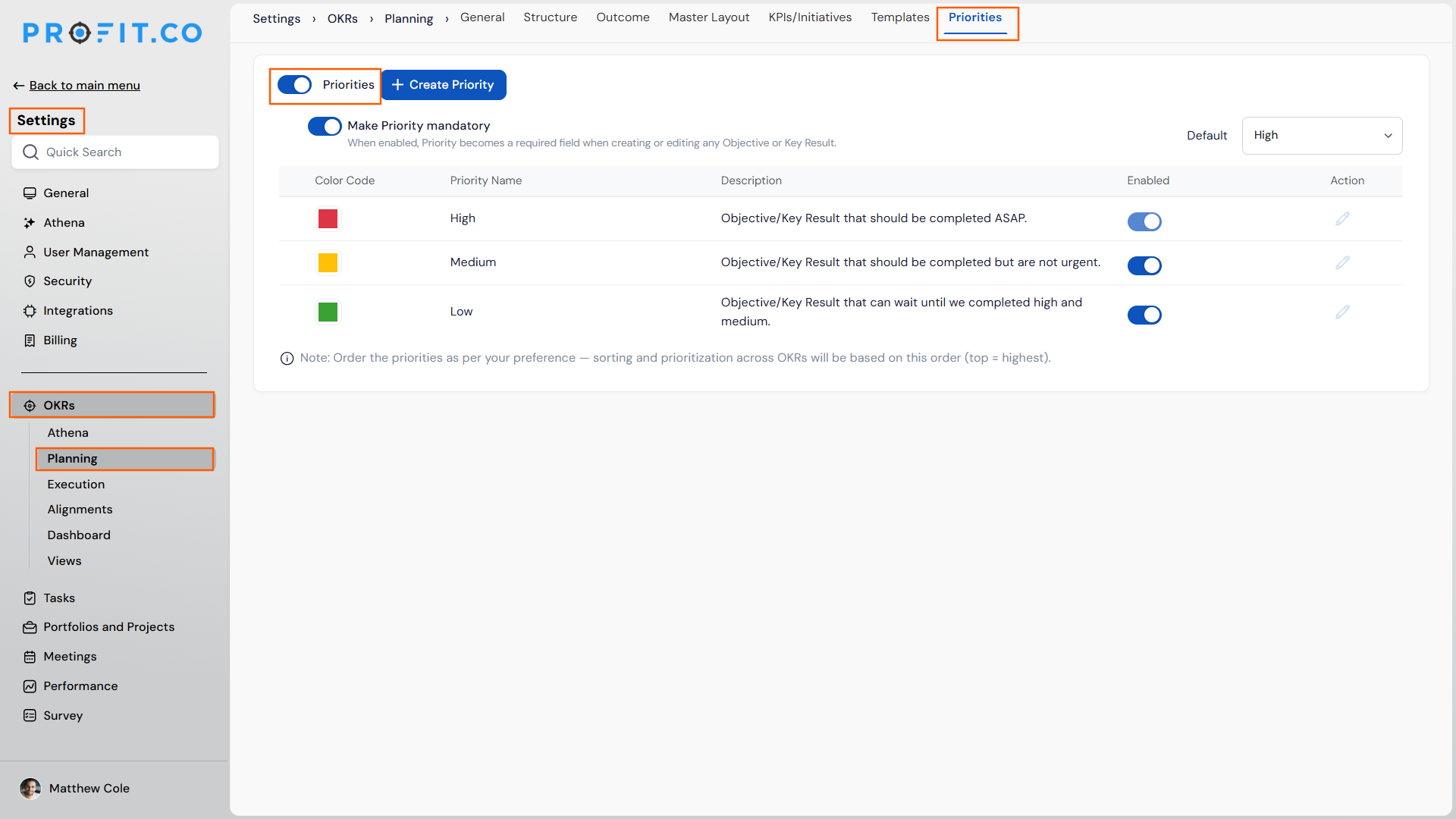
- Navigate to Settings → OKRs → Planning → Priorities.
- Enable the toggle.
Step 2
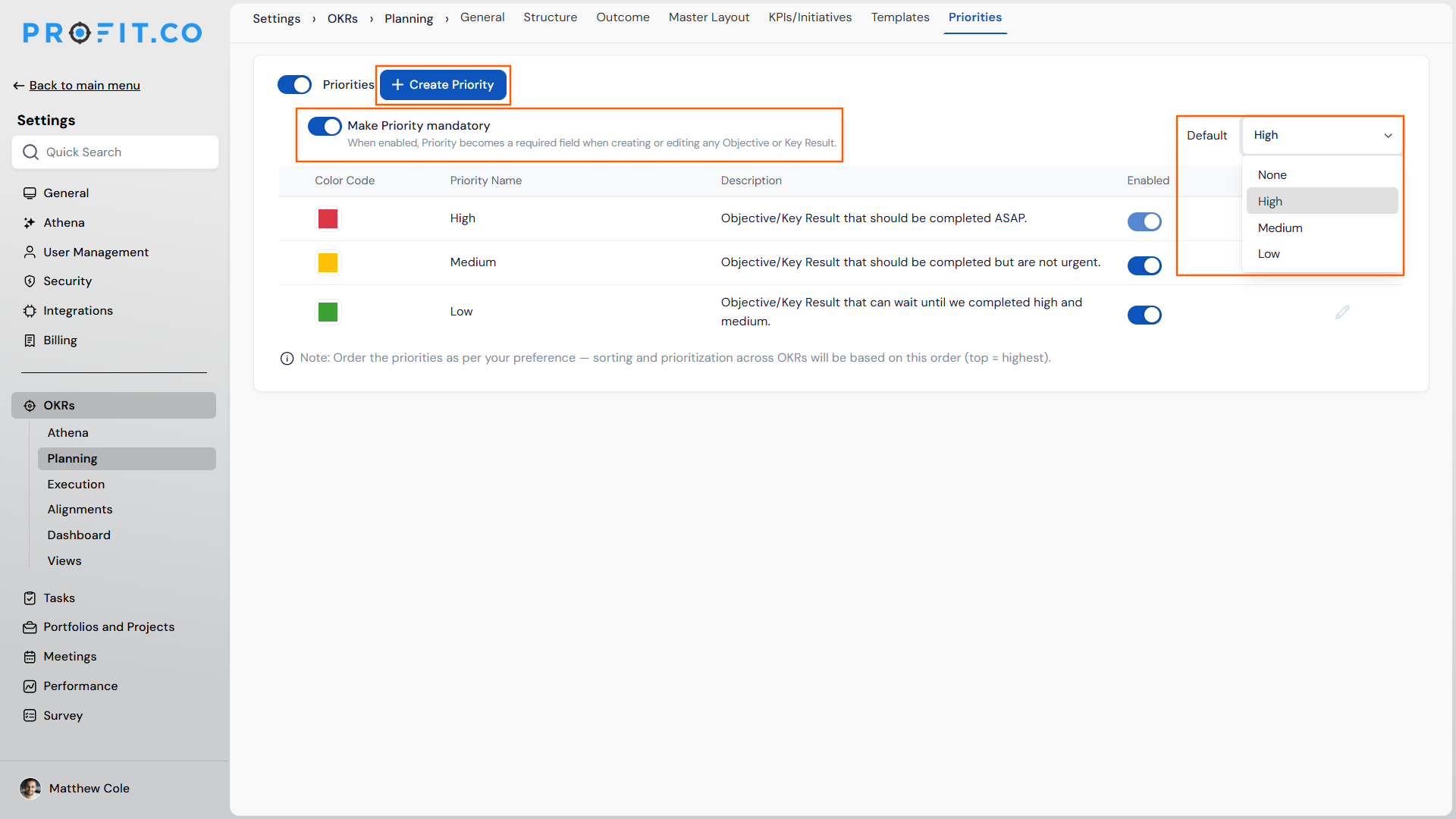
- Optionally make the priority field mandatory.
- Create new priority levels.
- Set a default priority.
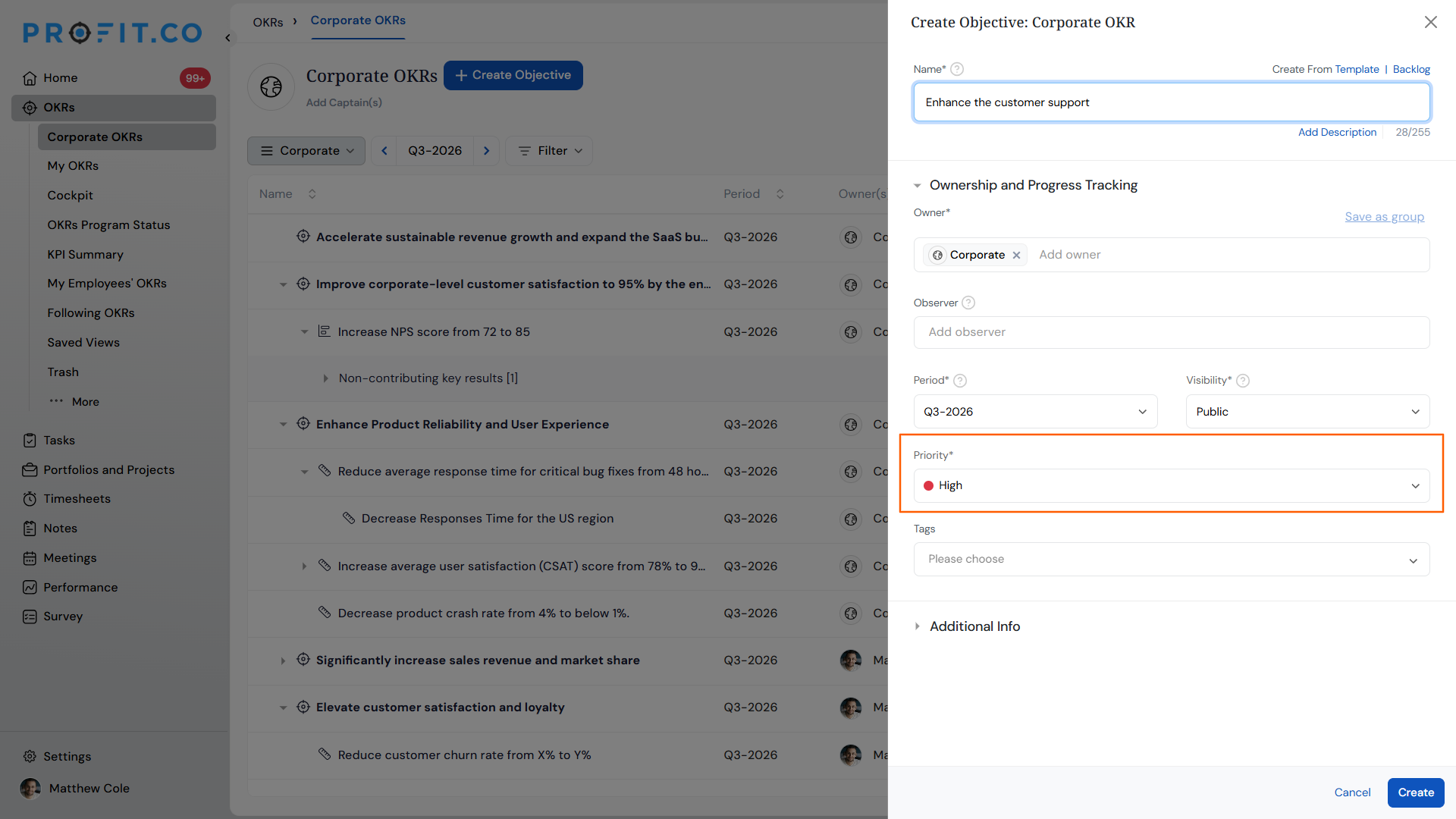
- Assign a priority to any Objective, Key Result, or Sub Key Result.
Priority Levels Scenarios and Their Outcomes
| Scenario | What Happens |
|---|---|
| You assign a priority to an Objective, Key Result, or Sub Key Result. | Profit.co records the priority as a separate field and does not change the item's progress, status, or weightage. |
| You sort an OKR list by priority. | Profit.co reorders the list to bring the highest-priority items to the top, without changing any underlying values. |
| You leave the priority field blank while it is set to mandatory. | Profit.co applies the default priority that the admin configured, so the item is never left without a priority value. |
| You enable Priority Levels after Objectives and Key Results already exist. | Profit.co leaves existing items without a priority until you assign one manually or the configured default applies to them. |
Best Practices for Using Priority Levels
- Decide whether priority is mandatory before teams start creating OKRs, since making it mandatory later leaves earlier items without a value until someone assigns one.
- Keep the number of priority levels small, since a short list is what makes sorting by priority useful for surfacing what matters most.
- Set a default priority that reflects your organization's typical OKR, since every new item that doesn't get an explicit priority inherits that default.
- Sort by priority during planning and review meetings instead of scanning the full OKR list, since the highest-priority items surface immediately.
- Revisit priority assignments each cycle, since priority is a manual field and won't update automatically as an OKR's importance changes.
Related Articles
Frequently Asked Questions
Yes. Priority is assigned independently on each Objective, Key Result, and Sub Key Result, so a Sub Key Result can carry a different priority than its parent.
No. Weightage affects how a Key Result's progress rolls up into its Objective. Priority is a separate, standalone field used only for flagging importance and sorting.
You create the priority levels your organization wants to use under Settings → Planning → Priorities. The feature doesn't ship with predefined levels.
Execute your strategy with confidence
Connect OKRs, tasks, and teams in one place with Profit.co
