Your pipeline already lives in Zoho CRM. Your strategy lives in Profit.co. Here’s how to connect the two so your OKRs update themselves, in real time, with zero busywork.
It’s the last Friday of the quarter. Your VP wants a clean read on where the revenue OKR actually stands. So what happens next? Someone opens Zoho CRM, pulls the pipeline, exports a report, and then hops into Profit.co to hand-update every key result. Multiply that by a dozen sales reps and a handful of OKRs, and you’ve turned strategy tracking into a data-entry chore.
The numbers were right there in your CRM the whole time. They just weren’t talking to your goals. That gap, between where your sales data lives and where your strategy is measured, is exactly what this integration closes.
- The real cost of manual OKR check-ins
- Meet Profit.co for Zoho CRM
- How to get started in a few steps
- What this looks like in the real world
- Everything you get at a glance
The real cost of manual OKR check-ins
Manual check-ins feel harmless. In practice, they quietly erode the thing OKRs are supposed to give you: a trustworthy, real-time view of progress. When updates depend on someone remembering to log in and copy numbers over, a few predictable things happen:
- Your OKRs are always stale. By the time a key result is updated, the pipeline has already moved. You’re steering with last week’s map.
- Reps lose selling time. Every hour spent reconciling spreadsheets is an hour not spent closing deals.
- Nobody fully trusts the dashboard. Manual entry means typos, missed updates, and “wait, is this current?” conversations in every review.
- Course-correction comes too late. If you only see you’re behind at the quarterly review, there’s no runway left to fix it.
Left unsolved, this doesn’t just cost time; it costs decisions. Leaders can’t act on data they don’t trust or don’t have yet. The whole promise of OKRs (focus, alignment, and fast feedback) breaks down when the feedback loop runs on manual labor.
Meet Profit.co for Zoho CRM
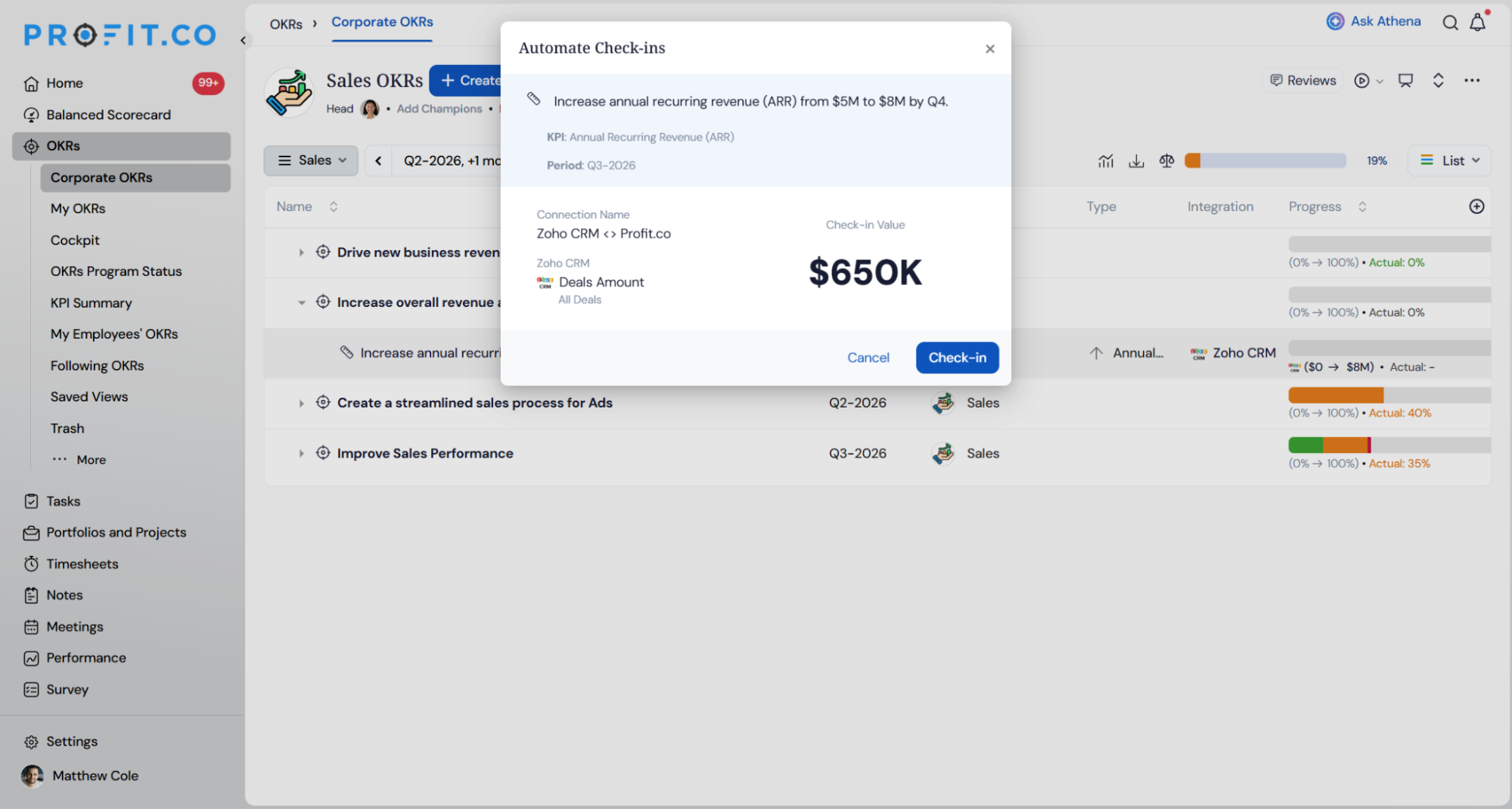
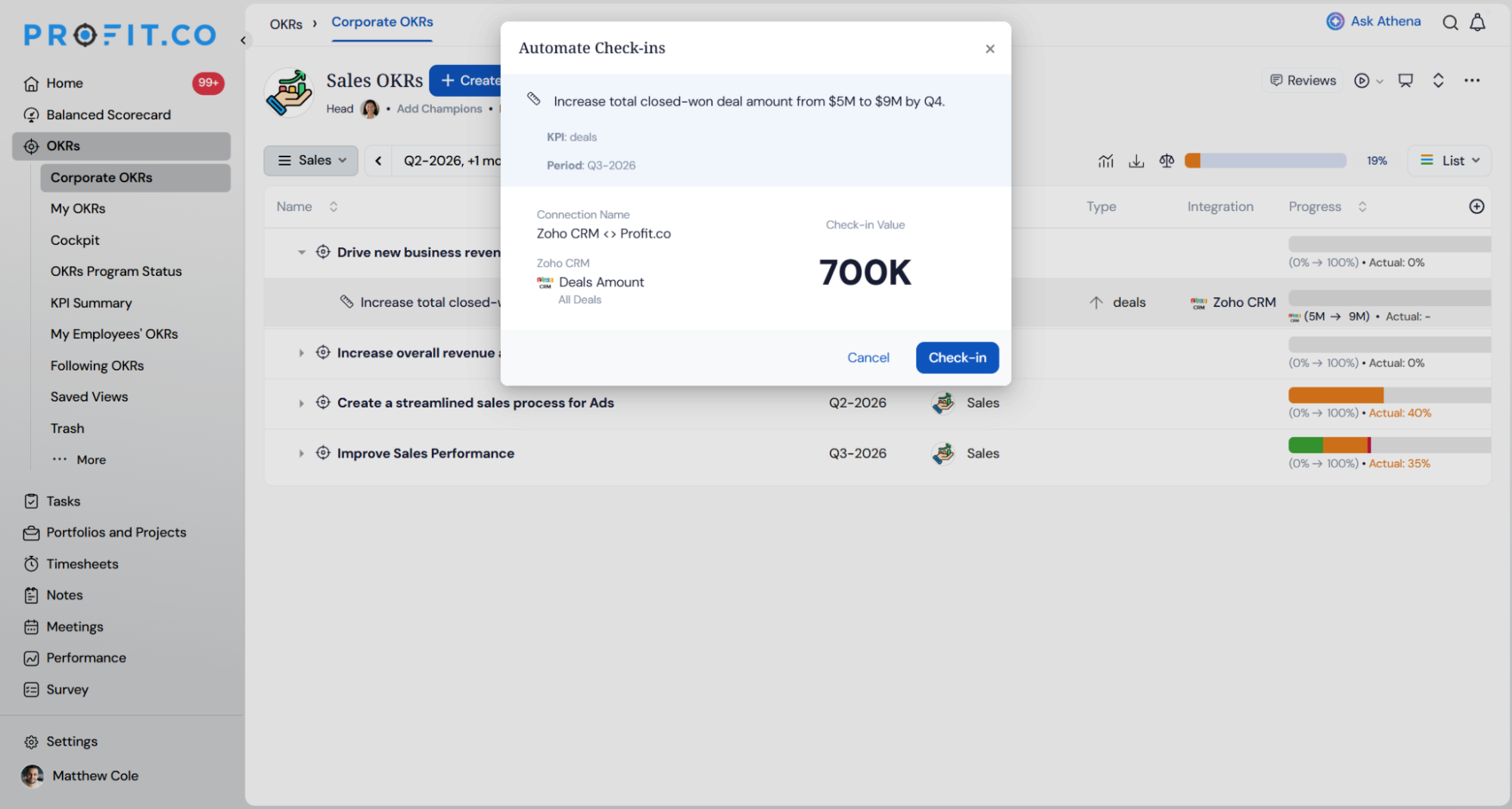
Profit.co for Zoho CRM is a native integration that automatically syncs your Zoho CRM leads, deals, deal amounts, and activities into Profit.co, and uses that live data to update your key result progress in real time. No exports. No copy-paste. No manual check-ins.
It’s built for the people who own the number and the strategy behind it:
- Sales leaders who want pipeline and revenue targets reflected as OKRs the moment deals move.
- RevOps teams who are tired of being the human bridge between the CRM and the goal-tracking tool.
- OKR and strategy owners who need a single source of truth that’s always current.
If you run your pipeline in Zoho CRM and set your goals in Profit.co, this integration makes those two systems finally speak the same language.
How to get started in a few steps
Setup is designed to be self-serve. Here’s the typical flow from zero to auto-updating OKRs:
- Connect Zoho CRM to Profit.co. From the Profit.co Integrations marketplace, select Zoho CRM and authorize the connection with your Zoho account.
- Choose what to sync. Pick the CRM objects that matter, leads, deals, deal amounts, or activities, and the filters or pipelines they should pull from.
- Map CRM data to your key results. Link a metric (say, “Closed-Won revenue this quarter”) to the key result it should drive inside your OKR.
- Pick your KPI direction. Set the key result as an Increase, Decrease, or Control type so the sync matches how you actually measure success.
- Turn on automated check-ins. From here, Profit.co refreshes progress from live Zoho CRM data automatically; your job is just to review and act.
What this looks like in the real world
A few concrete scenarios where the integration earns its keep:
- Revenue target on autopilot. Your “Grow Q3 new-business revenue to $2M” key result climbs on its own as Closed-Won deal amounts roll in from Zoho CRM.
- Pipeline coverage you can trust. Track open pipeline value against a coverage OKR without a single manual update, so you know weeks early if you’re short.
- Activity-based leading indicators. Sync activities, calls, demos, meetings, to measure the effort that predicts results, not just the results themselves.
- Reduce-the-bad-stuff goals. Use a Decrease KPI type to track sales-cycle length or lead response time trending down over the quarter.
- Stay-in-the-band goals. Use a Control KPI type to keep average discount or deal size within a healthy range.
Everything you get at a glance
- Sync leads, deals, deal amounts, and activities from Zoho CRM straight to Profit.co key results.
- Auto-update key result progress with real-time CRM data and automated check-ins.
- Track pipeline and revenue targets directly against your strategic OKRs.
- Flexible KPI types, Increase, Decrease, and Control, so every sales goal is measured the right way.
Let your OKRs update themselves
Your pipeline data is already doing the work; let it update your strategy too. Connect Zoho CRM to Profit.co and turn manual check-ins into automatic, real-time OKR progress.