












What is meeting agenda software? Meeting agenda software sets topics before a meeting, records decisions during it, and tracks action items afterward. The tools worth buying go one step further: they connect each agenda item and action to the goal it serves, so meetings move OKRs and projects forward instead of producing notes nobody reads.
In this guide
- What Does Meeting Agenda Software Actually Do?
- Why Do Most Meeting Tools Leave Teams Stuck in the Same Problems?
- Which Meetings Benefit Most From Meeting Agenda Software?
- What Should You Look for When Choosing Meeting Agenda Software?
- How Does Profit.co Connect Meeting Agendas to Strategy Execution?
- What Is the Right Way to Evaluate Meeting Agenda Software?
- What Does Meeting Agenda Software Cost?
- Frequently Asked Questions
What Does Meeting Agenda Software Actually Do?
At the basic level, meeting agenda software lets you set topics before a meeting starts, collect notes during it, and distribute action items when it ends. At the most effective level, it connects every discussion point to the goals, projects, and key results that decide whether the meeting was worth holding.
The gap between those two descriptions is where most organizations lose productivity. They schedule well. They document thoroughly. Then the meeting ends and nothing happens, because the action items sit in a document no one checks, disconnected from the OKRs and project milestones that actually measure progress.
Meeting agenda software falls into two broad categories. Scheduling-first tools handle calendar logistics and basic note-taking. Execution-first platforms connect meeting outcomes to goals, track follow-through between sessions, and show progress data inside the meeting itself. For teams running OKR programs or managing project portfolios, only the second category changes results.
The distinction matters because the two produce different things. An administrative meeting produces a record. An execution checkpoint produces a decision, an owner, and a follow-up that actually closes. If you are still building the basics of a good agenda, start with this step-by-step guide to crafting an effective meeting agenda.
Why Do Most Meeting Tools Leave Teams Stuck in the Same Problems?
The standard explanation for poor meeting culture is bad behavior: too many invites, no clear owner, people multitasking. Fix the behavior, the reasoning goes, and the meeting improves. This misses the structural problem entirely.
“The problem is not that your teams meet too much. It is that your meetings do not know where they are going.”
When agenda topics are not anchored to OKRs or project milestones, discussions default to the comfortable and the urgent rather than the strategically important. Teams spend time on status updates that could be automated, on decisions already made upstream, and on action items that duplicate work tracked elsewhere. The behavioral problems are symptoms. The structural problem is the absence of a goal layer connecting what is discussed to what is measured.
Most meeting tools are designed to organize this noise. An effective platform reduces it by connecting each agenda item to a goal, a key result, or a project task before the meeting begins. When participants see OKR progress in the same view as the agenda, the conversation changes: decisions happen faster, action items land on the right key results, and follow-through improves because accountability is built into the structure rather than requested afterward.
“A meeting without an OKR is just a conversation with minutes.”
Most teams diagnose their meeting problem as cultural. It is usually architectural. No amount of better behavior fixes a tool that cannot connect a discussion to a goal.
Which Meetings Benefit Most From Meeting Agenda Software?
Not every meeting needs the same agenda. The meetings that gain most are the recurring ones, where the same goals come up week after week and follow-through from the last session decides whether the next one is useful.
| Meeting | Cadence | Agenda built around | What it must produce |
|---|---|---|---|
| 1:1 meeting | Weekly or biweekly | The person’s goals, blockers and development | Unblocked work and agreed next steps |
| Weekly team meeting | Weekly | Key result progress and confidence | Owners for anything at risk |
| Sprint review or retrospective | Every one to two weeks | Sprint goals and the key results they move | Changes to the next sprint |
| Monthly business review | Monthly | KPIs against target and exceptions | Decisions on what changes next month |
| Stage-gate or phase review | At each project phase | Gate criteria and evidence | Go, hold, or stop |
| Quarterly business review | Quarterly | OKR scores and the next quarter’s priorities | Reset targets and funding |
Organizations that run both phase reviews and sprint meetings feel the gap most, because the two cadences rarely share a goal layer. When both reference the same quarterly key results, a gate review and a sprint review stop arguing past each other. The trade-offs between the two models are covered in stage-gate vs agile: comparison and hybrid models. For the monthly cadence specifically, see this guide to running a business review meeting.
What Should You Look for When Choosing Meeting Agenda Software?
Most evaluations focus on surface features: calendar sync, note templates, video conferencing. These are table stakes. The criteria that separate useful meeting software from effective meeting software are structural, and most buyers only notice them after rollout.
Goal connection. Can agenda items link to specific OKRs or project milestones? If not, the platform produces organized records of meetings, not results. Every action item should be assignable to a key result, not just to a person with a deadline.
Follow-through tracking. Does the platform carry incomplete actions from one session into the next? The follow-through gap is where most meeting momentum is lost. Closing it in the software is more reliable than relying on individual discipline.
Meeting type flexibility. Can it support both a formal review with documented criteria and a lightweight standup? A single rigid template forces teams to compromise one meeting type for the other. Good platforms let you build a template per meeting type. In Profit.co, you can create a meeting template with predefined topics for each kind of meeting.
Progress data in the meeting view. Can participants see OKR progress, project status, and task completion inside the meeting without switching tools? Switching tabs mid-meeting is exactly where decisions get made without the data that would improve them.
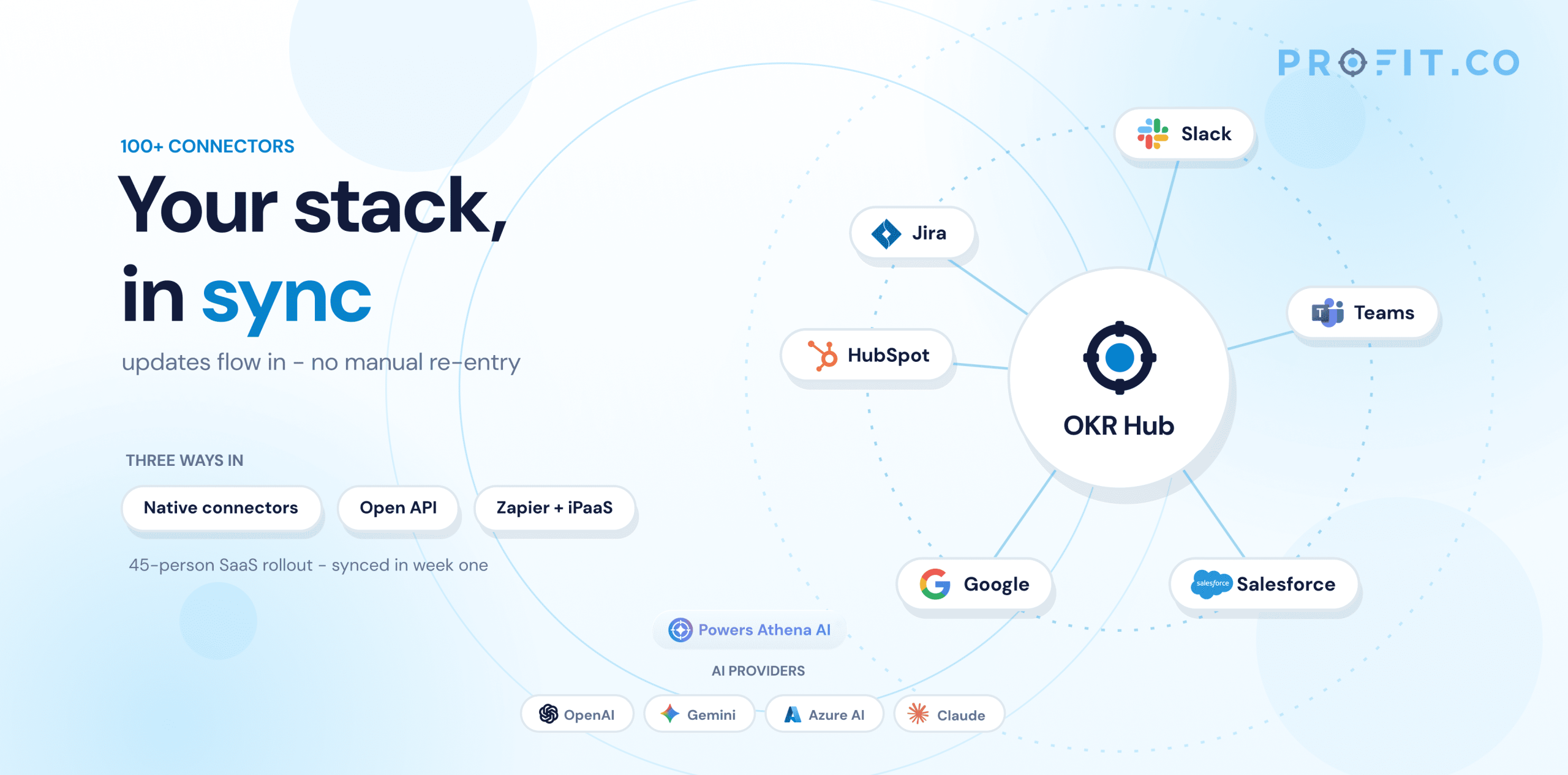
Integration breadth. Does it connect to the tools your team already uses, such as Jira for engineering work, Salesforce for revenue, and Slack for async follow-up? A meeting platform that needs manual updates from other systems adds admin rather than removing it.
In practice
A monthly business review without the deck
A North American telecom carrier used to spend most of a week chasing status updates before every monthly business review, assembling a picture that was out of date by the time it reached the room. After moving planning, alignment and check-ins onto Profit.co, the review runs off the live dashboard, with no parallel deck to build.
“Strategy reviews used to feel like archaeology. … Now I walk in with a live screen.”
VP of Operations, North American telecommunications carrier
Read the customer storyHow Does Profit.co Connect Meeting Agendas to Strategy Execution?
Profit.co’s meeting module is built for teams where meeting outcomes need to drive measurable progress, not just documentation. OKRs and key results sit inside the agenda, so the conversation starts from current progress rather than from memory, and both people can add topics to a shared agenda before the meeting starts.
The difference from a standalone meeting tool is context. Because OKRs, projects, and tasks live in the same platform, the meeting layer can show where each goal actually stands. A standalone tool knows nothing about the work it is supposed to support.
| Meeting need | Profit.co capability |
|---|---|
| Anchor the agenda to goals | 1:1 and team meetings with OKRs and key results built into the agenda |
| Agree the agenda before the meeting | Shared agendas both people add to, with nudges to add topics ahead of time; see how to add or edit talking points before a meeting |
| Review progress without building slides | OKR Present Mode and the OKR Cockpit Dashboard |
| Keep leaders current between meetings | A weekly OKR audit summary emailed to leaders, covering check-ins and status changes |
| Connect decisions to delivery | OKR management linked to project portfolio management |
| Keep progress current automatically | Integrations with Jira, Slack, Salesforce and 100+ other tools |
Teams also have AI agents across the OKR cycle, including an OKR Review Agent that checks objectives and key results before the quarter starts.
What Is the Right Way to Evaluate Meeting Agenda Software?
The baseline question is no longer “does this tool make our meetings more organized?” It is “does this tool make our meetings more consequential?”
Consequential meetings produce action items that close key results. They surface blockers before they become delays. They give leaders the context to decide from data rather than intuition. Bring one real recurring meeting to every demo, with its actual goals and open actions, and ask the vendor to run it in their tool. The difference between a note-taking tool and an execution tool shows up within ten minutes.
Key Takeaways
- Scheduling-first tools organize meetings; execution-first platforms connect meeting outcomes to OKRs and projects.
- Poor meetings are usually a structural problem: no goal layer connects what is discussed to what is measured.
- Recurring meetings gain most, because follow-through from the last session decides whether the next one is useful.
- Judge tools on goal connection, follow-through, template flexibility, in-meeting progress data, and integrations.
See how Profit.co turns recurring meetings into decisions tied to your goals. Book a demo at profit.co/request-demo.
What Does Meeting Agenda Software Cost?
Price splits the same way the tools do. A scheduling-first tool is a standalone per-seat subscription, quoted on its own. An execution-first platform charges for the goal layer the meetings sit on, and the meeting capability comes as part of that. So the honest comparison is not one tool against another. It is a meeting tool plus the OKR or project system you still need, against a single platform that already holds both.
That changes the arithmetic more than most shortlists allow for. A standalone agenda tool at a low per-seat price still leaves the goal data somewhere else, and someone has to keep the two in step. The integration you build to close that gap is usually the first thing to break, and the admin time it consumes never appears on either invoice.
Profit.co starts from a base plan, Essentials, which covers OKRs, performance reviews, 1:1s and feedback, task management and AI agents. Modules for Strategy Execution, Portfolios & Projects and People Management build on that base, each with optional add-ons, and Enterprise is a custom quote for organizations that need SSO, data residency, audit logs or on-premises deployment. Current figures are on the pricing page, and there is a free trial with no credit card required.
Two things are worth checking against any quote you compare it with. The first is whether the price includes the system of record for goals, or assumes you already own one. The second is the number of seats you actually need: a meeting platform is only useful if the people in the meeting can open it, which usually means more seats than the planning team alone. How OKR software integrates with other tools covers what the integration layer has to carry either way.
Free Product Demo
Run Meetings That Move Your Goals
A 30-minute walkthrough, tailored to your team.
Book a free demo
What happens in the call
Your recurring meetings, who attends, and what they are meant to decide.
Agendas, action items and OKR progress in one view, with AI agents.
A practical path to turn one recurring meeting into an execution checkpoint.
Frequently Asked Questions
Software that sets meeting topics in advance, records decisions, and tracks action items. Advanced platforms also connect agenda items and actions to OKRs and project milestones, so meetings drive measurable progress.
One that links agenda items to OKRs, project tasks, and milestones, carries open actions into the next meeting, and shows goal progress inside the meeting view without switching tools.
Recurring meetings: 1:1s, weekly team meetings, sprint reviews, monthly business reviews, and phase or quarterly reviews. Follow-through between sessions is what makes each one useful.
By placing OKRs and key results inside the agenda, assigning action items against specific key results, and showing current progress during the meeting, so discussion starts from data rather than memory.
Scheduling software finds times and sends invites. Agenda software manages what happens inside the meeting: topics, decisions, action items, and goal progress. Most teams need both.