

Profit.co gives you three separate toggles to show or hide Past, Future, and Current key results in the OKR list. You can enable any combination independently, instead of switching all three groupings on or off together.
Table of Contents
- What is Independent Toggle for Past, Future, and Current Key Results?
- Why Independent Toggle for Past, Future, and Current Key Results Matters
- How It Works
- Independent Toggle for Past, Future, and Current Key Results Scenarios and Their Outcomes
- Best Practices for Independent Toggle for Past, Future, and Current Key Results
- Related Articles
- Frequently Asked Questions
What is Independent Toggle for Past, Future, and Current Key Results?
The Independent Toggle for Past, Future, and Current Key Results is a display control in the OKR list view that replaces what was previously a single combined switch with three standalone toggles: Past, Future, and Current. Each toggle governs only its own time-based grouping, so you no longer have to show or hide all three together.
Note
This is a shared, list-level setting. Turning a toggle off hides that grouping from the OKR list for everyone who views the list, not only for the person who changed it.
The toggles control visibility only. They do not change key result data, status, or progress, regardless of which groupings are shown or hidden.
Why Independent Toggle for Past, Future, and Current Key Results Matters
Before this update, showing only Current and Future key results meant leaving Past key results visible too, since one toggle controlled all three groupings together. Independent toggles remove that trade-off.
| Benefit | What Changes |
|---|---|
| Precise filtering | You isolate exactly the key results you need, such as Current and Future only, without an all-or-nothing switch. |
| Less clutter | Hiding irrelevant Past or Future key results keeps the list focused on what matters right now. |
| Faster reviews | Reviewers toggle between time-based groupings directly in the list without adjusting filters elsewhere. |
How It Works
Step 1
- Navigate to OKRs from the left navigation panel.
- Click on the More option.
- Find the Past, Future, and Current toggles listed independently.
- Turn the Past toggle on or off to show or hide Past key results.
- Turn the Future toggle on or off to show or hide Future key results.
- Turn the Current toggle on or off to show or hide Current key results.
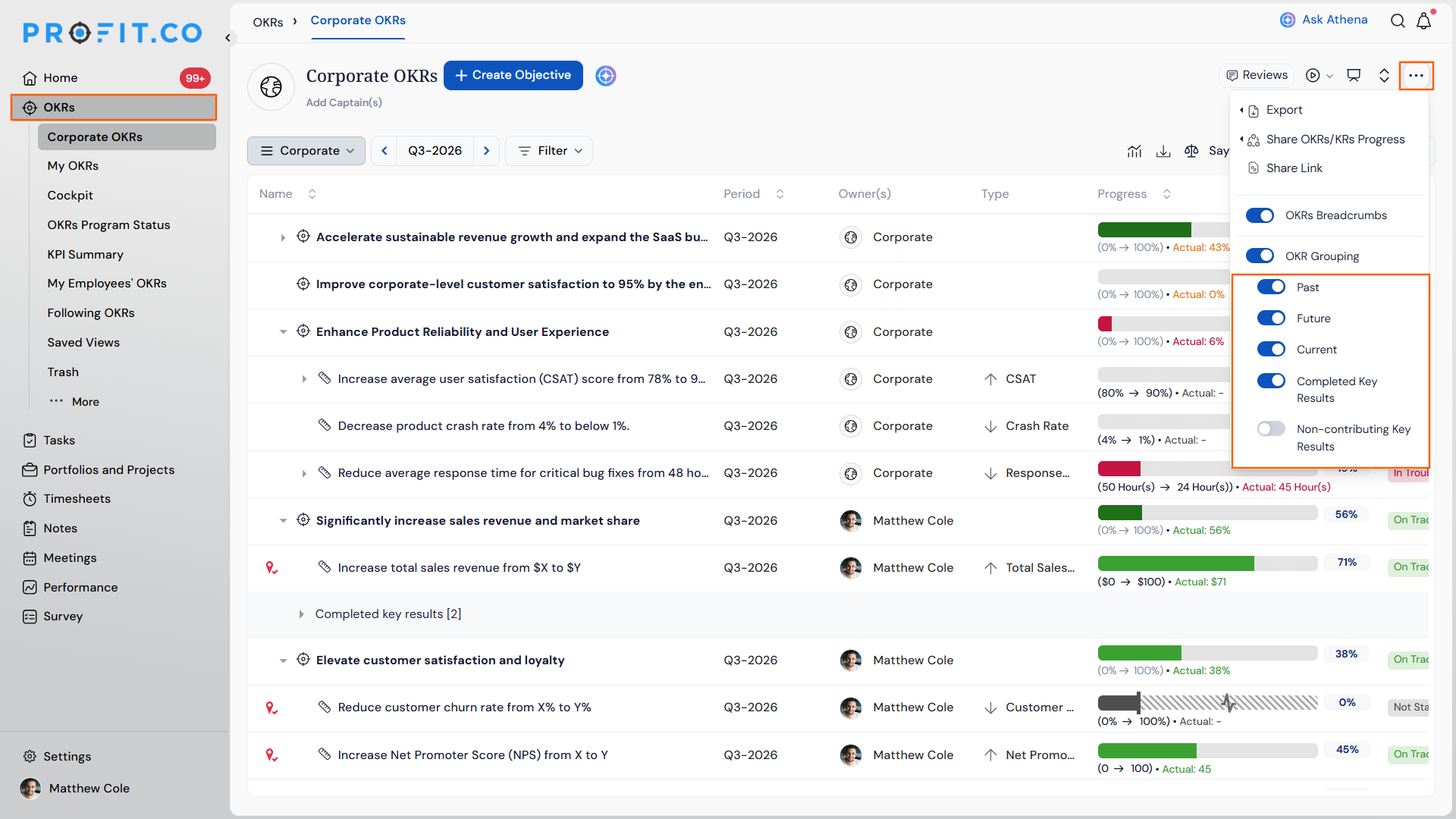
- Check that the OKR list reflects your selected toggle combination immediately.
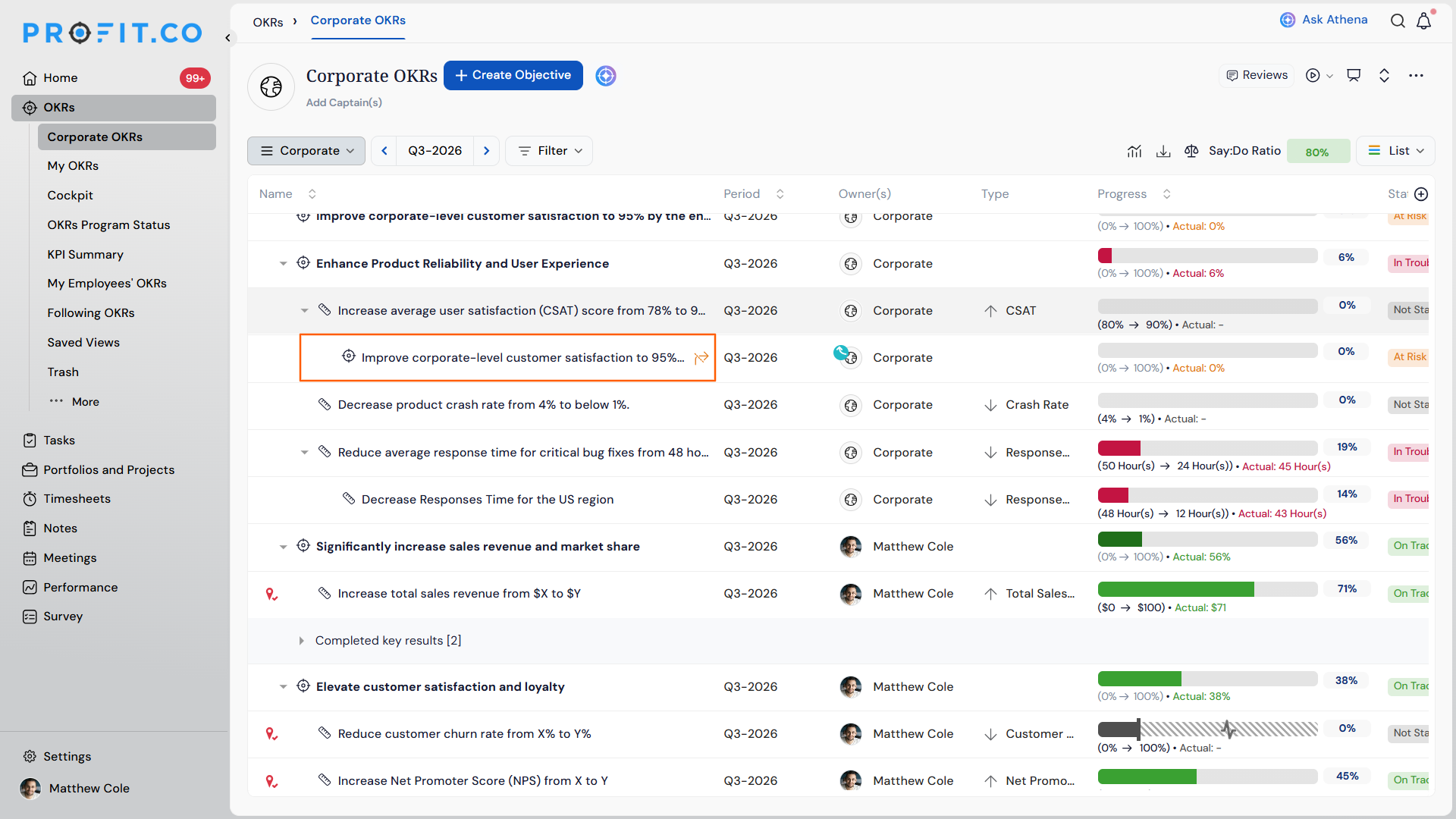
- As Non Contributing toggle is off, the Non contributing tag is not shown.
Independent Toggle for Past, Future, and Current Key Results Scenarios and Their Outcomes
| Scenario | What Happens |
|---|---|
| You turn off the Past toggle. | Profit.co hides all Past key results from the OKR list for every user viewing that list, not only for you. |
| You turn off both the Past and Future toggles. | Profit.co displays only Current key results in the list for all users accessing it. |
| You turn a previously hidden toggle back on. | Profit.co immediately restores the corresponding key results to the list view for all users. |
| You hide a key result grouping using any toggle. | Profit.co keeps the underlying key result data, status, and check-in history unchanged, since the toggle affects only the list display. |
| You leave the OKRs page after adjusting the toggles. | Profit.co retains the toggle configuration so the list shows the same grouping visibility the next time the page loads. |
Best Practices for Independent Toggle for Past, Future, and Current Key Results
- Coordinate toggle changes with your team before turning off a grouping, since the change hides that grouping from the shared list view for everyone, not just your own screen.
- Turn off Past key results during active quarters to keep the list focused on Current and Future work, then re-enable it during quarter-end reviews when historical context is useful.
- Confirm which groupings are currently hidden before reporting on OKR completion, since a hidden Past toggle can make it look like fewer key results exist than actually do.
- Combine Current and Future when planning ahead, since disabling Past does not affect target values or progress calculations on the key results that remain visible.
- Re-enable all three toggles periodically to audit the full key result set, since long-term filtering can leave older or Future key results out of routine visibility checks.
Related Articles
Frequently Asked Questions
Yes. Enabling Past, Future, and Current together shows the OKR list exactly as it appeared before the toggles were split, with all key results visible regardless of timing.
The list shows no key results, since no time-based grouping is left enabled. Turn on at least one toggle to bring key results back into view.
Yes. Each toggle works independently, so you can enable any single grouping, any two, or all three, in any combination.
Execute your strategy with confidence
Connect OKRs, tasks, and teams in one place with Profit.co
