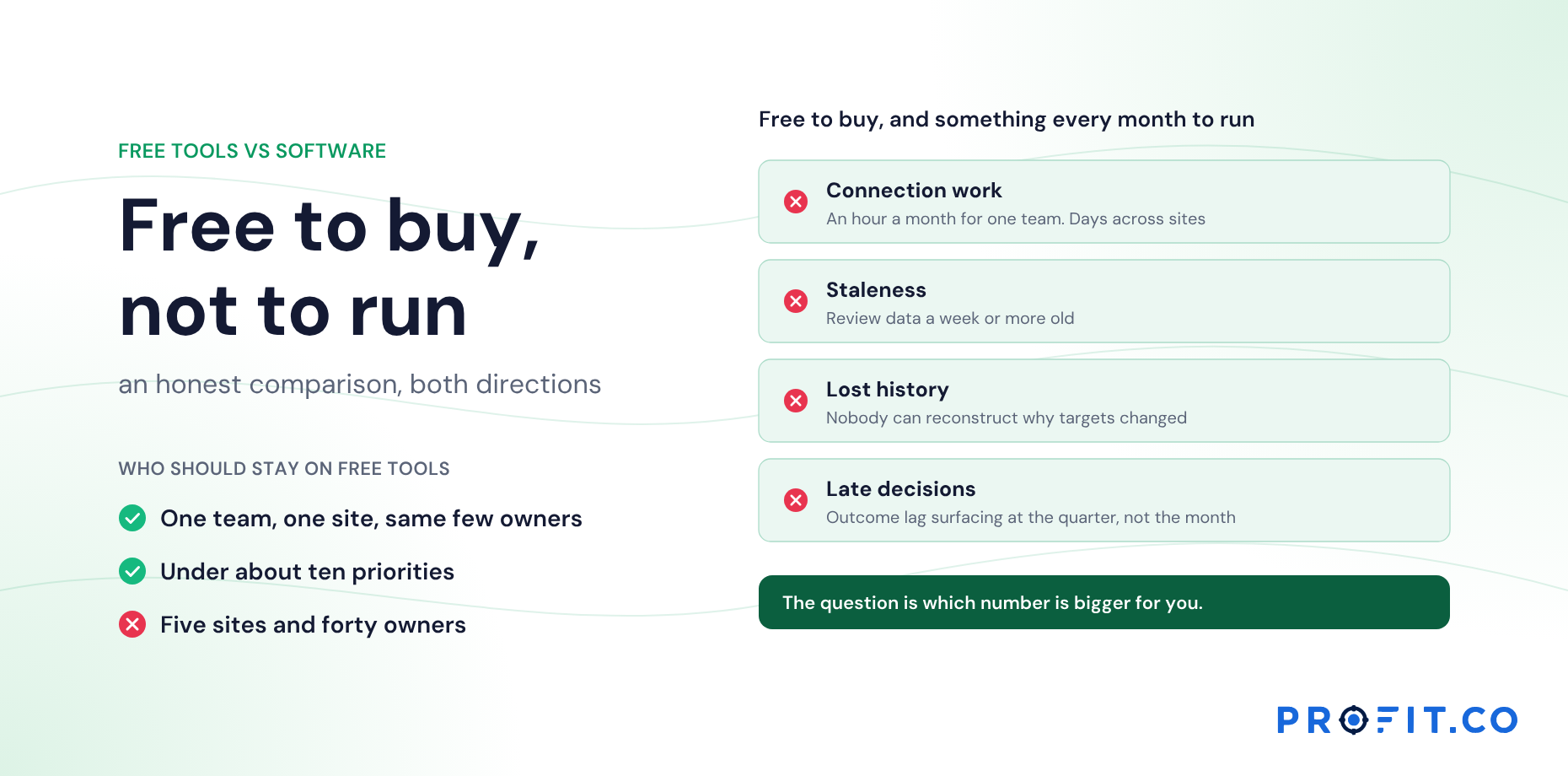













A template is a tool with the connections removed. That’s fine when the same few people hold the connections in their heads. It stops being fine when the plan spreads across owners, levels and months.
In this guide
Key Takeaways
- →A template gives a tool its shape, which is genuinely valuable while you are learning the method.
- →What it cannot hold is the relationships between tools, because those span files.
- →In a small team people carry those links. The files multiply; the people carrying them don’t.
- →Four signs: different owners, multiple copies, a lost trail, and a keeper spending days a month.
- →Two or more of those and templates cost more than they save.
- →Keep whiteboards for drafting and paper A3s for thinking. Put the finished outputs in the system.
What a template is good at
A template gives a tool its shape: the corner grids of the X-matrix, the plan and actual rows of the bowler, the boxes of an A3. For someone learning hoshin, that shape is valuable. It shows what the tool is for and prevents common omissions.
Templates are also flexible, free and familiar. For a small team, they may be all the tooling hoshin ever needs.
What a good one contains, tool by tool, is in X-Matrix Template for Hoshin Kanri: What a Good One Includes and Bowler Chart Template for Hoshin Kanri: Structure, Formulas, Colors.
What a template can’t do
A template holds one tool’s content. It can’t hold the relationships between tools, because those span files. The bowler doesn’t know the matrix changed. The A3 doesn’t know which bowler row prompted it. The matrix doesn’t know an A3 questioned one of its correlations.
In a small team those links are carried by people. The same strategy lead updates the matrix, runs the bowler review and coaches the A3s, so nothing falls between files. As the program grows, the files multiply and the people carrying the links don’t.
A template is a tool with the connections removed. Someone has to carry them, and that someone doesn’t scale.
Those relationships have names, and one of them breaks far more often than the rest. See The Hoshin Loop: From X-Matrix to Bowler to A3 and Back.
Four signs you’ve outgrown templates
- Different owners. The matrix, the bowler and the A3s are maintained by different people.
- Multiple copies. Sites or functions keep their own versions of each template.
- Lost trail. Nobody can say which of last year’s A3s changed the plan.
- A keeper. One person spends days each month moving numbers between files.
Two or more of these and the templates are costing more than they save. The comparison in more detail is in Free Hoshin Kanri Tools vs Software: An Honest Comparison and, for the X-matrix specifically, Hoshin kanri software vs Excel: the point where the spreadsheet breaks.
What to keep after moving to software
- Whiteboards and templates for drafting. Planning debates still work best in a room. Capture the outcome in the system.
- Paper A3s for thinking. Many practitioners draft A3s by hand because it forces brevity. Attach the finished A3 to the objective.
- Visual boards on the shop floor. Physical boards for daily management complement a digital plan. See Obeya Rooms and Visual Boards in Hoshin Kanri.
A worked example: the same year, two ways
Here is a hypothetical year run two ways, with separate templates and with a connected system:
| Moment | With separate templates | With a connected system |
|---|---|---|
| Planning | Matrix drawn in a workshop, typed into Excel | Matrix drawn in a workshop, captured live |
| Monthly review | Bowler rebuilt from collected numbers | Bowler current from check-ins |
| A red row persists | A3 written in a separate file | A3 attached to the objective |
| A3 finds a wrong measure | Presented, filed; matrix unchanged | Measure changed on the matrix with the reason |
| Annual reflection | Reconstructed from folders | Read from the record |
Both columns use the same tools. The difference is whether the connections are maintained by a system or depend on a person remembering.
What the keeper costs
The fourth sign is the one with a number attached. A keeper spending days each month moving numbers between files is a real salary line, and it buys nothing a reader of the plan can see: the same rows, retyped, slightly later. Over a year that is weeks of someone’s time spent on transcription rather than on the plan.
The fourth row of the table above is the more expensive one, though, because it has no visible cost at all. An A3 that found a wrong measure, presented and filed, leaves a matrix that keeps measuring the wrong thing. Nobody is paid for that hour and nobody notices it until next year’s reflection has nothing to say.
Among published alternatives, OnStrategy lists $200 per month for unlimited users. i-nexus publishes a free Starter tier for up to five users and $28 per user per month at its Standard tier. The first sign on the list, different owners, is also the seat question: the moment the matrix, the bowler and the A3s belong to different people, every one of them needs access or the links go back into somebody’s head.
Profit.co publishes two plans, Essentials and Enterprise, quoting against modules and scale rather than a public seat rate. Hoshin Kanri sits in Essentials alongside OKRs and Goals, Balanced Scorecard and Strategy Roadmap. What drives the cost of hoshin kanri software lists the rest to total, Migrating Your X-Matrix From Excel or PowerPoint covers what carries across from the templates you already have, and the 30-day free trial is enough to run one month both ways and compare.
Templates and Profit.co
Profit.co can take the X-matrix and bowler you keep in templates and run them as connected records: objectives, KPIs and correlations on the matrix, monthly plan and actual on the bowler.
Countermeasure A3s are templates too, but connected ones. Each organization configures its A3 templates, which blocks each section starts with and which owners can add, and every A3 opened from a template stays anchored to its gap and linked to the correlation that raised it. Templates are versioned, so open A3s keep the version they started with. More on the Hoshin Kanri software page.
Free Product Demo
Connect the templates you already have
A 30-minute walkthrough, tailored to your team.
Book a free demo
What happens in the call
How your teams set goals, track progress and review results.
Strategy, performance, projects and engagement on one platform, with AI.
A practical path to align teams, execute faster and drive results.
Questions this article answers
For one team at one site, where the same few people fill in every tool, usually yes. They struggle when tools have different owners, plans cascade, or links between files must be maintained by hand.
Hold the connections between tools: which bowler row prompted an A3, which A3 changed a correlation, which matrix change the bowler should now track.
Not entirely. Templates and whiteboards remain good for drafting, and paper A3s for thinking. The finished outputs should live in the system.
Different people owning the matrix, bowler and A3s; sites keeping their own copies; nobody able to say which A3s changed the plan; and one person spending days each month moving numbers between files.
Because the links between tools are carried by people. When the same strategy lead updates the matrix, runs the bowler review and coaches the A3s, nothing falls between the files.
No, it is a good one. A template gives each tool its shape, shows what the tool is for and prevents common omissions. The limits appear as the program grows, not while you are learning.