












In this guide
Key Takeaways
- →“People didn’t adopt it” is a description, not a cause. Something made the old way easier, and people did what was easier.
- →Six failure modes, each with a structural fix. None of the fixes involve training or persuasion.
- →The single best predictor of software adoption: the chair opens the live matrix in the review, from the first cycle.
- →Run the five-point early-warning check monthly for two quarters. Any “no” is a signal to act before the pattern sets.
- →Three of the six are yours to prevent and three can be tested in a demo. Knowing which is which changes the shortlist.
- →Software can’t create a practice that never existed. It will faithfully record its absence, and the renewal conversation will be awkward.
When a hoshin software rollout fails, the post-mortem usually blames the tool or the users. The real causes tend to be structural: conditions that made the old way easier than the new one. Change the conditions and behavior follows.
The pattern
The rollout starts well. The matrix is loaded, owners are trained, the first reviews run from the tool. By the second quarter, check-ins are patchy. By the third, the review is running from slides again and the tool is updated afterwards, if at all. A year later, the license is up for renewal and nobody can say what it changed.
The usual explanations are that people didn’t adopt it, or the tool was too complex. Both are descriptions, not causes. Something in the environment made the old way easier, and people did what was easier.
You don’t fix adoption by asking people to try harder. You fix it by removing the conditions that let the old way survive.
Six failure modes and their fixes
1. The tool is fed, not used
To keep the matrix complete, a program lead starts entering values on owners’ behalf. Owners stop checking in, because someone else will. The matrix keeper is back, now with a license fee.
Fix: nobody enters data for anyone else. An empty check-in shows as empty in the review, and the chair asks about it.
2. Leadership reviews from slides
The executive chairing the review asks for a deck “to make it easier to discuss”. Owners now maintain the deck, and the tool becomes optional.
Fix: the chair opens the live matrix in the review, from the first cycle. This single behavior predicts adoption better than anything else.
3. The old spreadsheet survives
The file stays editable “just in case”. Within weeks, some people update it instead of the tool, and the two disagree.
Fix: archive it read-only on a published date, after one parallel cycle.
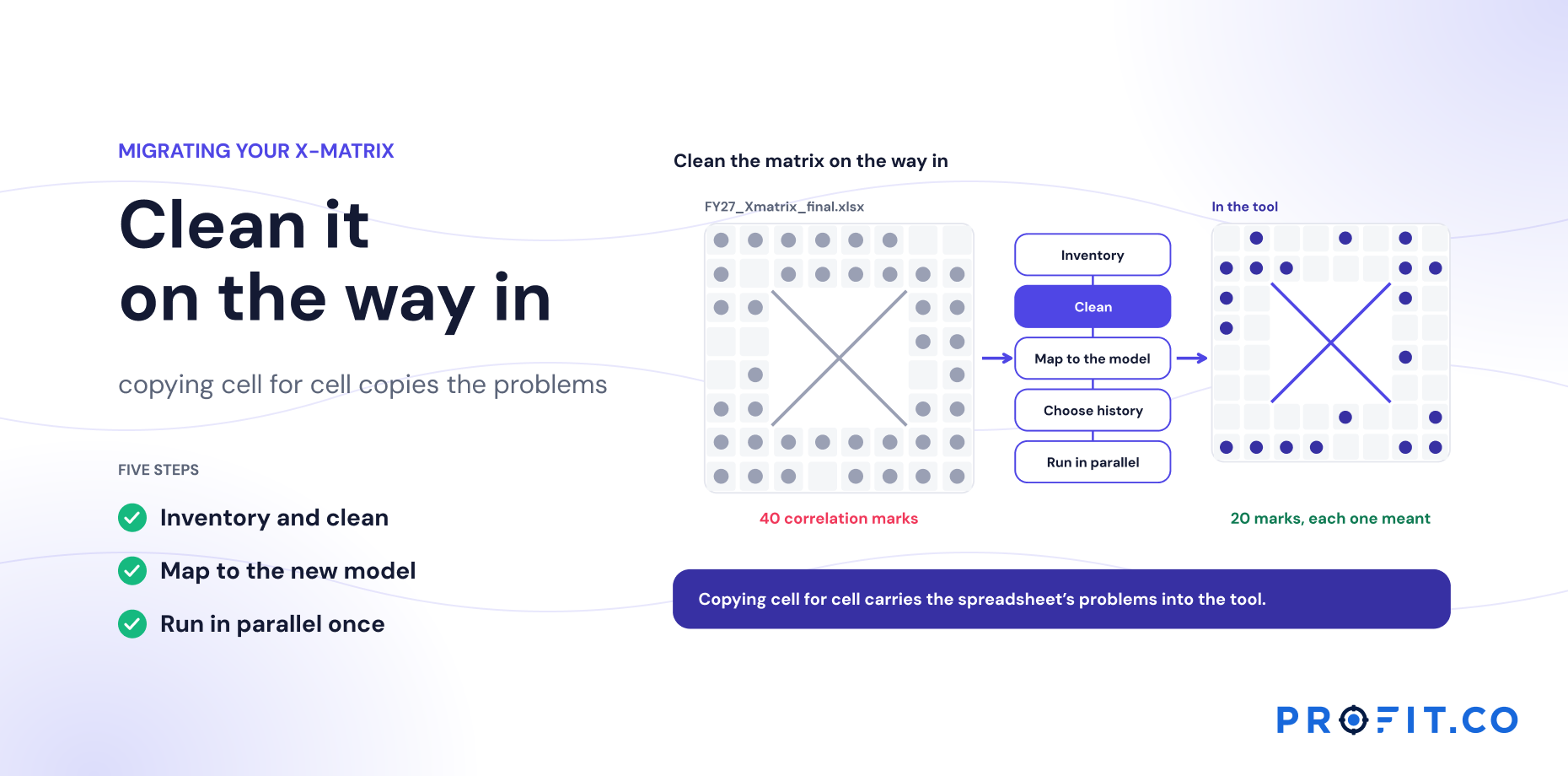
4. The matrix was migrated with its problems
Inflated correlations, shared owners and undefined KPIs were copied across. The tool now displays noise, and people conclude the tool is noisy.
Fix: clean during migration. (See Migrating Your X-Matrix From Excel or PowerPoint.)
5. Cascade too fast
Every site and function is connected in the first month. Problems at the top are multiplied across levels before they’re fixed, and support is spread too thin.
Fix: three review cycles at the top level, then extend one level at a time. (See Implementing Hoshin Kanri Software: The First 90 Days.)
6. Software was bought to create a practice that didn’t exist
If the organization never ran real hoshin reviews, catchball or countermeasures on paper, the tool can’t supply them. It will faithfully record the absence of the practice.
Fix: be honest about this up front. Use the rollout to establish the review rhythm, with the tool as its support, and expect the method to take longer to mature than the software takes to configure.
An early-warning check
Run this at the end of each month in the first two quarters. Any “no” is a signal to act before the pattern sets in.
- Owners check in themselves. Values were entered by their owners, not by an administrator.
- The review ran from the tool. No deck was built for it.
- One source of truth. Nobody updated the old file this month.
- Exceptions led. The review opened with outcome lag and repeated reds, not a walk through every row.
- A decision was recorded. At least one decision is recorded on the objective it affected.
A worked example: a rollout that slipped, and how it recovered
| Month | What happened | Failure mode |
|---|---|---|
| 1 | Matrix loaded, training done, first review run from the tool | – |
| 2 | Several owners missed check-ins; the program lead entered their values to keep the review complete | 1. Fed, not used |
| 3 | The CEO asked for “a few slides” for the review | 2. Slides |
| 4 | Some site leads updated the old spreadsheet, which was still editable; the two disagreed | 3. Spreadsheet survives |
| 5 | Fixes: no proxy entry, CEO opened the live matrix, spreadsheet archived | Structural fixes |
| 6 | Check-ins back above 90%; review shorter | Recovered |
Illustrative.
Each step in months two to four was well-intentioned. The program lead was being helpful; the CEO wanted a familiar format; site leads were being careful. Together they recreated the old process with a license fee. None of the fixes in month five involved training or persuasion. Each removed a condition that made the old way available.
Which failure modes are yours, and which are the vendor’s
The six modes are not equally within your control, and sorting them changes what you test during evaluation rather than discover during rollout. Three are conditions only you can set. Three can be made better or worse by the product, which means they belong in a demo.
| Failure mode | Whose to prevent | What to test before buying |
|---|---|---|
| 1. Fed, not used | Shared | How long one owner’s check-in takes. If it is slow, proxy entry becomes inevitable |
| 2. Reviews from slides | Yours | Whether the review view is good enough to project. Ask to be shown it, not a dashboard |
| 3. Spreadsheet survives | Yours | Nothing. This is a decision and a date |
| 4. Migrated with its problems | Shared | Whether the vendor flags inflated correlations and shared owners during loading |
| 5. Cascade too fast | Yours | Whether levels can be added one at a time without a reconfiguration project |
| 6. No practice to support | Yours | Nothing the software can fix. Be honest before the business case |
Four of six are mostly yours. That is the honest split, and it is why software adoption is not something a vendor can sell you.
Mode one is the one buyers most often misjudge, because it reads as a discipline problem and starts as a product one. If checking in takes an owner four minutes across three screens, proxy entry is not a failure of character; it is what a reasonable person does under time pressure. Time a real check-in during the demo, with your own matrix if possible.
Mode two is worth testing in the opposite direction. Ask the vendor to show you the view a CEO would project in a monthly review, and watch whether they show you a dashboard instead. A dashboard is for reporting; a review needs the matrix with its comments, which is a different view with a different job. If that view does not exist, the deck will come back, and with it mode two.
None of this makes a software adoption strategy the vendor’s responsibility. Four of the six are conditions you set, and no product removes them. But two of them get measurably harder with the wrong tool, and both are testable before anything is signed, which is cheaper than discovering them in month three. The seven pass/fail tests cover the method side; this table covers the adoption side.
What the software is responsible for
None of this lets the software off entirely. A tool that makes check-ins slow, hides the outcome-lag view or can’t show history will push people back to spreadsheets however well the rollout is run. That’s why the seven pass/fail tests for choosing hoshin kanri software include “does it run the review?” as a must-pass.
Profit.co’s check-ins and review cadences come from the same engine that runs its OKR and Balanced Scorecard programs, built for owners to update their own objectives. The structural conditions above are still yours to set, and we’ll talk through them in the working session. More on the hoshin kanri software overview.
Because Hoshin Kanri, OKRs and Goals and Balanced Scorecard share the Essentials plan and one check-in engine, extending a level at a time (the fix for mode five) is a configuration step rather than a new purchase, and the 30-day free trial is long enough to run the early-warning check once before committing. Where hoshin, OKR software and balanced scorecard software are three separate systems, mode one gets harder in a way no training fixes: owners face three check-in habits, and the one somebody does for them is the one that gets done.
Free Product Demo
Plan a rollout that sticks
A 30-minute walkthrough, tailored to your team.
Book a free demo
What happens in the call
How your teams set goals, track progress and review results.
Strategy, performance, projects and engagement on one platform, with AI.
A practical path to align teams, execute faster and drive results.
Questions this article answers
Because conditions make the old way easier than the new one: someone enters data for owners, reviews run from decks, the spreadsheet stays editable, or the organization cascades to every level before the top level works.
The executive chairing the review opening the live matrix in the meeting, from the first cycle. When the chair uses a deck, owners update the deck.
No. If reviews, catchball and countermeasures never happened on paper, the tool will record their absence. Use the rollout to establish the rhythm, with software supporting it.
Two of the six. Time how long one owner’s check-in takes, and ask to see the view a CEO would project in a monthly review. Slow check-ins cause proxy entry; a missing review view brings the deck back.
Mostly not. Four of the six failure modes are conditions you set and no product removes. Two get measurably harder with the wrong tool, and both are testable during evaluation.
No proxy data entry, the chair running the review from live data, one source of truth with the old file archived, exceptions leading the agenda, and at least one decision recorded on its objective each month.