

You can now enable OKRs in Profit.co to set, track, and achieve your goals effectively.
Why this feature?
- Helps employees align their objectives with organizational priorities.
- Enables continuous tracking and improvement of key results.
Step 1:
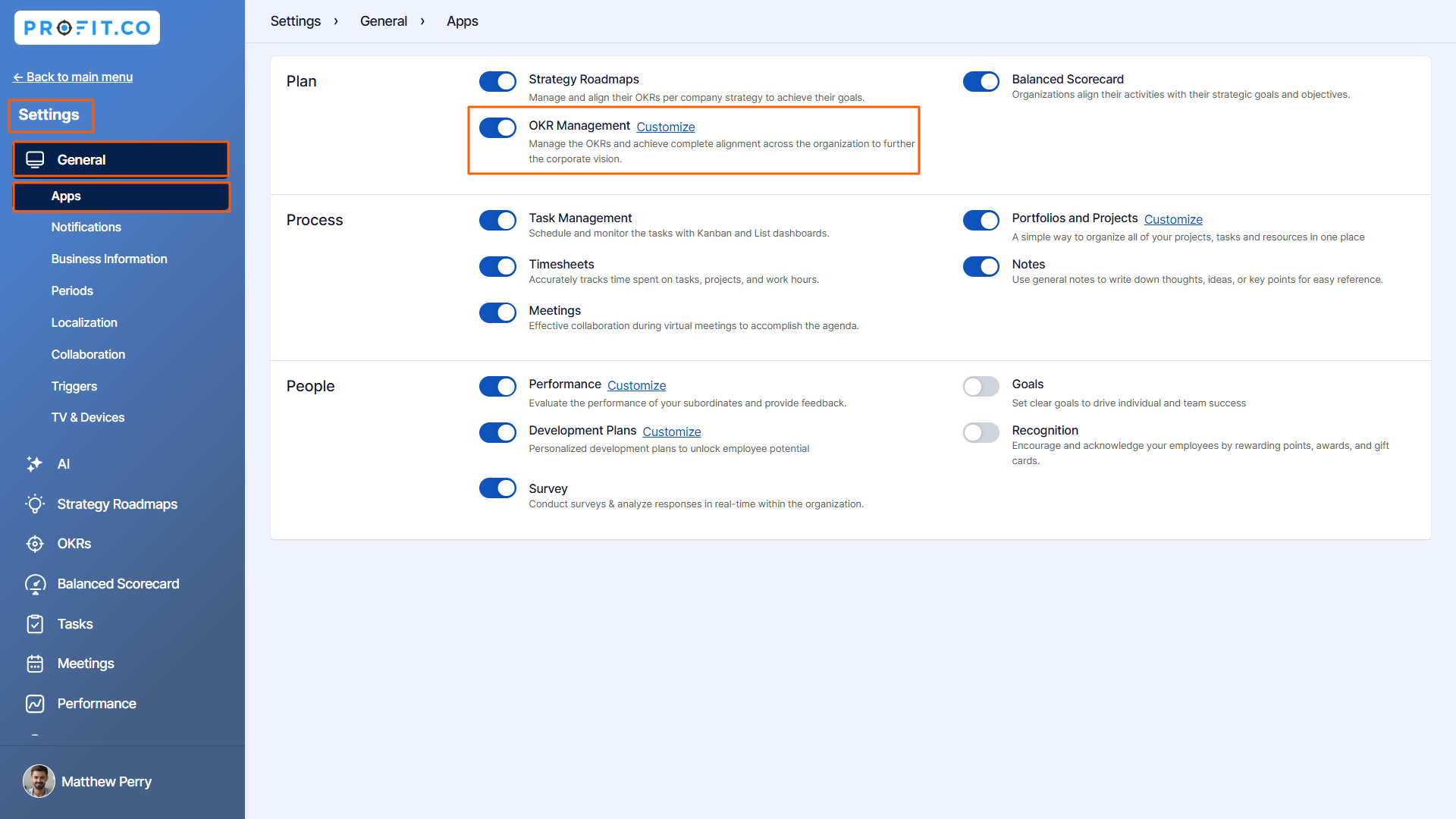
Navigate to Settings → General → Apps from the left navigation panel.
Enable the toggle “OKR Management”
Step 2:
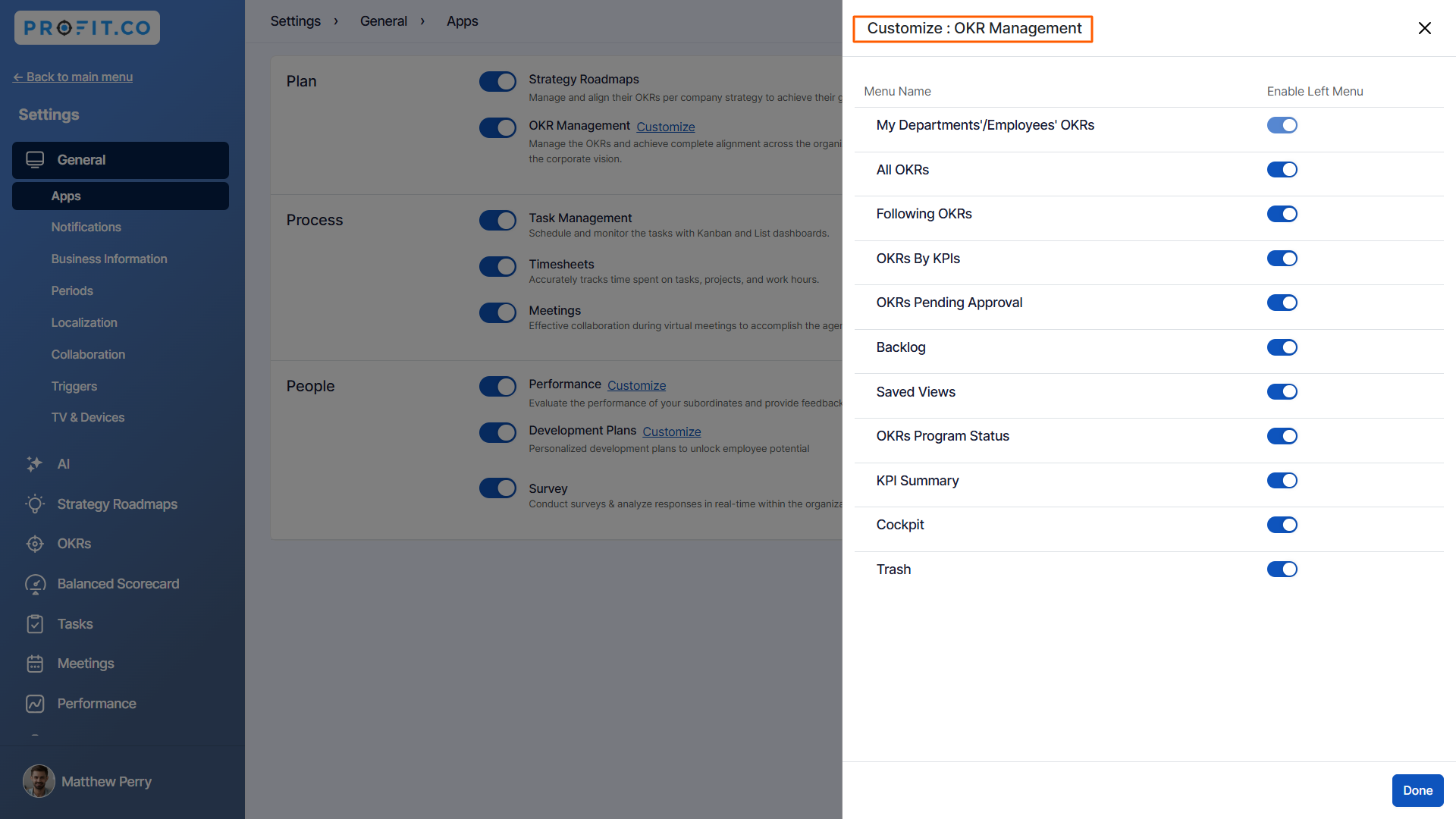
You can customize the OKR Management left menu by clicking the Customize button.
Related Answer Posts:
To learn more about how to create OKRs on the My OKRs page, Click here.
