

In Profit.co, Key Result progress is calculated by comparing Planned values with Actual check-in values, based on the target date and check-in frequency. This comparison helps you clearly understand whether you are on track, ahead, or behind your goal.
Table of Contents
What are Planned and Actual Values in Profit.co?
- Planned Value: The expected progress you should achieve by a specific date.
- Actual Value: The real progress you record during each check-in.
By comparing Planned vs Actual values, Profit.co visually shows how closely your execution aligns with your plan.
Why use Actual vs Planned Values?
This feature helps you:
- Track progress objectively against time-bound targets
- Identify gaps early and adjust execution pace
- Stay accountable with data-driven check-ins
- Ensure consistent progress toward Key Results
How are Planned vs Actual Values Calculated?
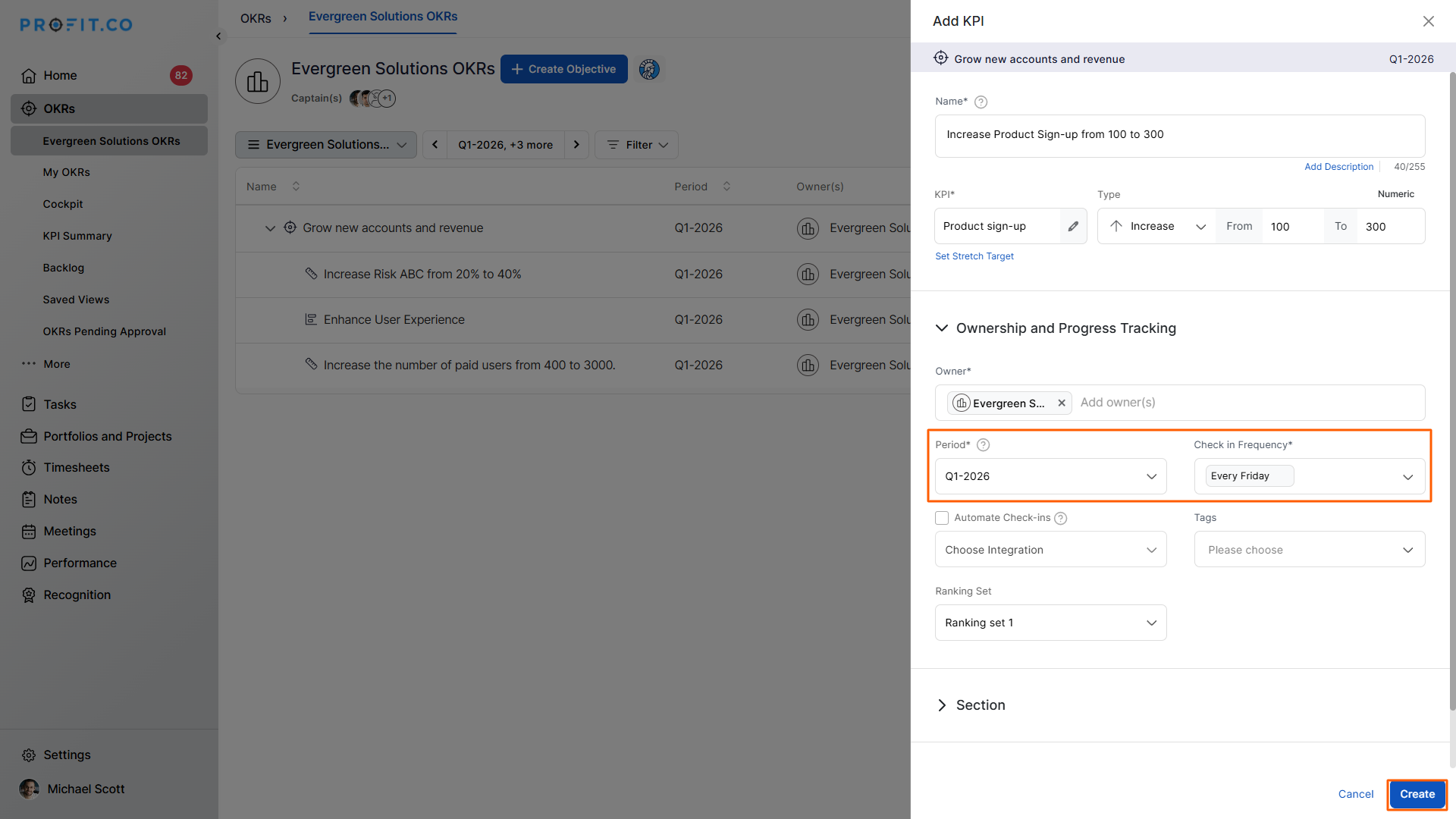
Step 1: Create a Key Result
- Create a Key Result using Increase KPI
- Set the check-in frequency as Every Friday
- Choose the time period as Quarterly
Step 2: View the Planned Values
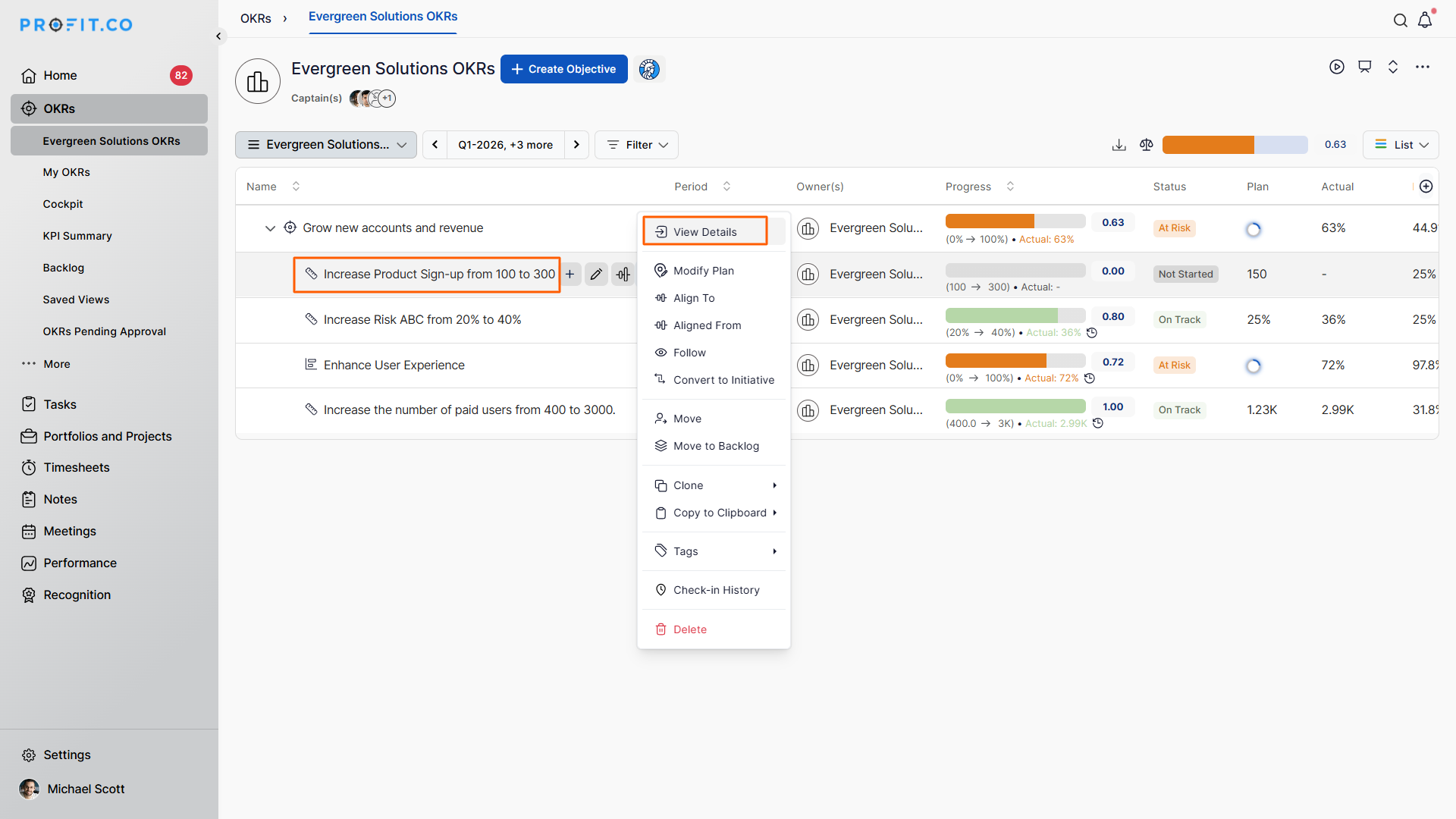
- Open the Key Result
- Click the More (⋮) icon → View Details
- Click the View all checkins
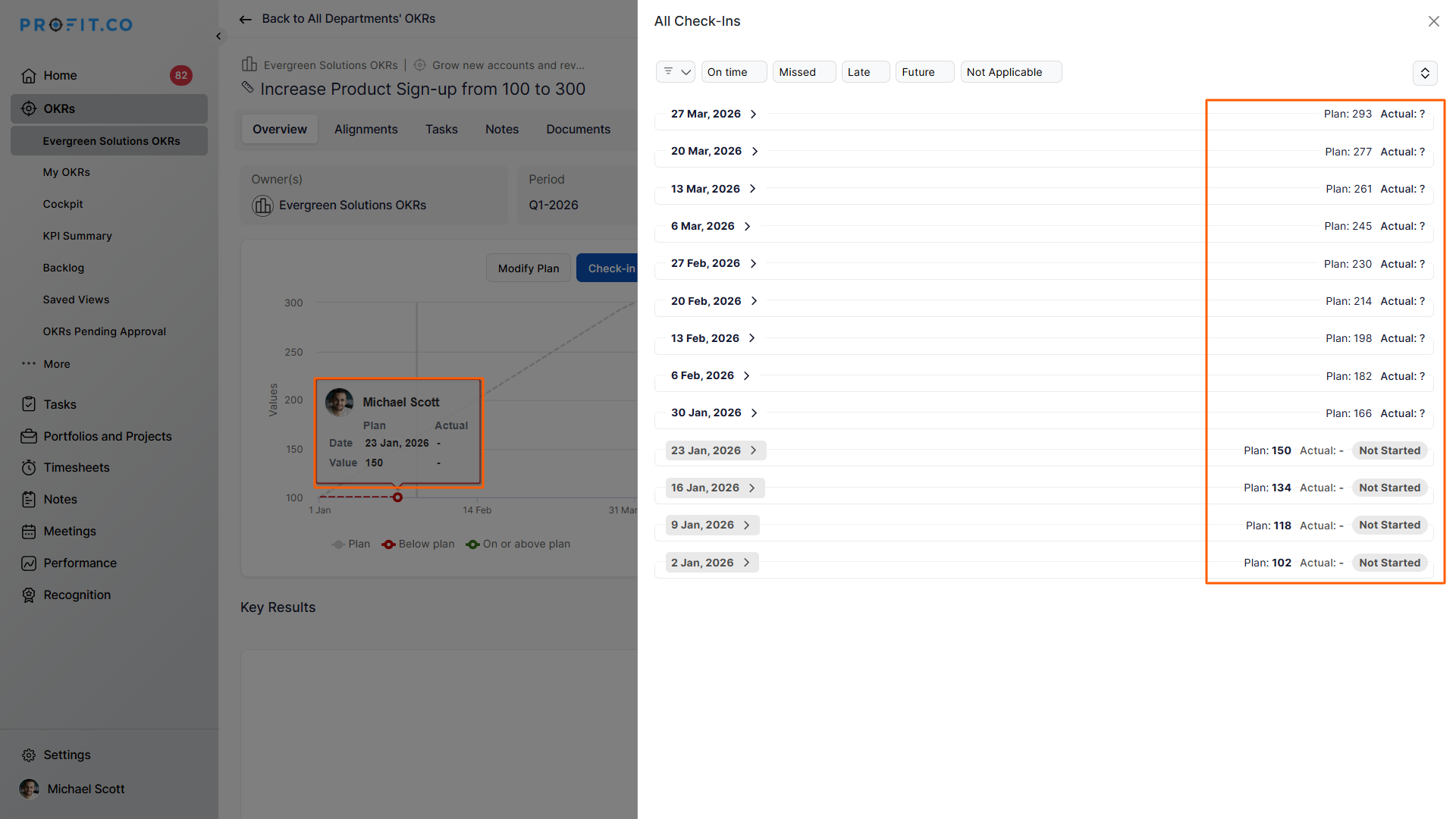
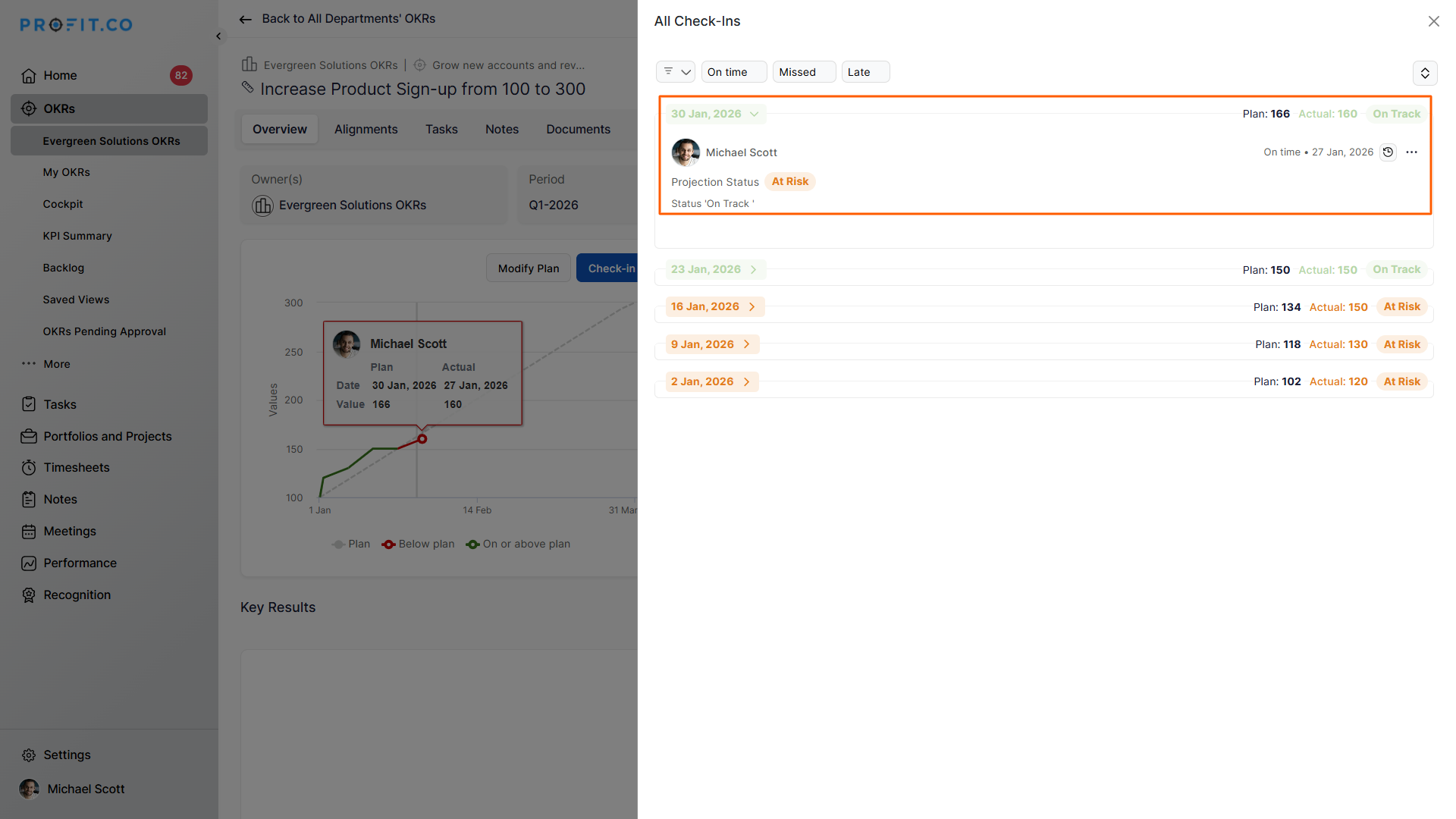
The Planned Value is automatically distributed across every scheduled check-in date.
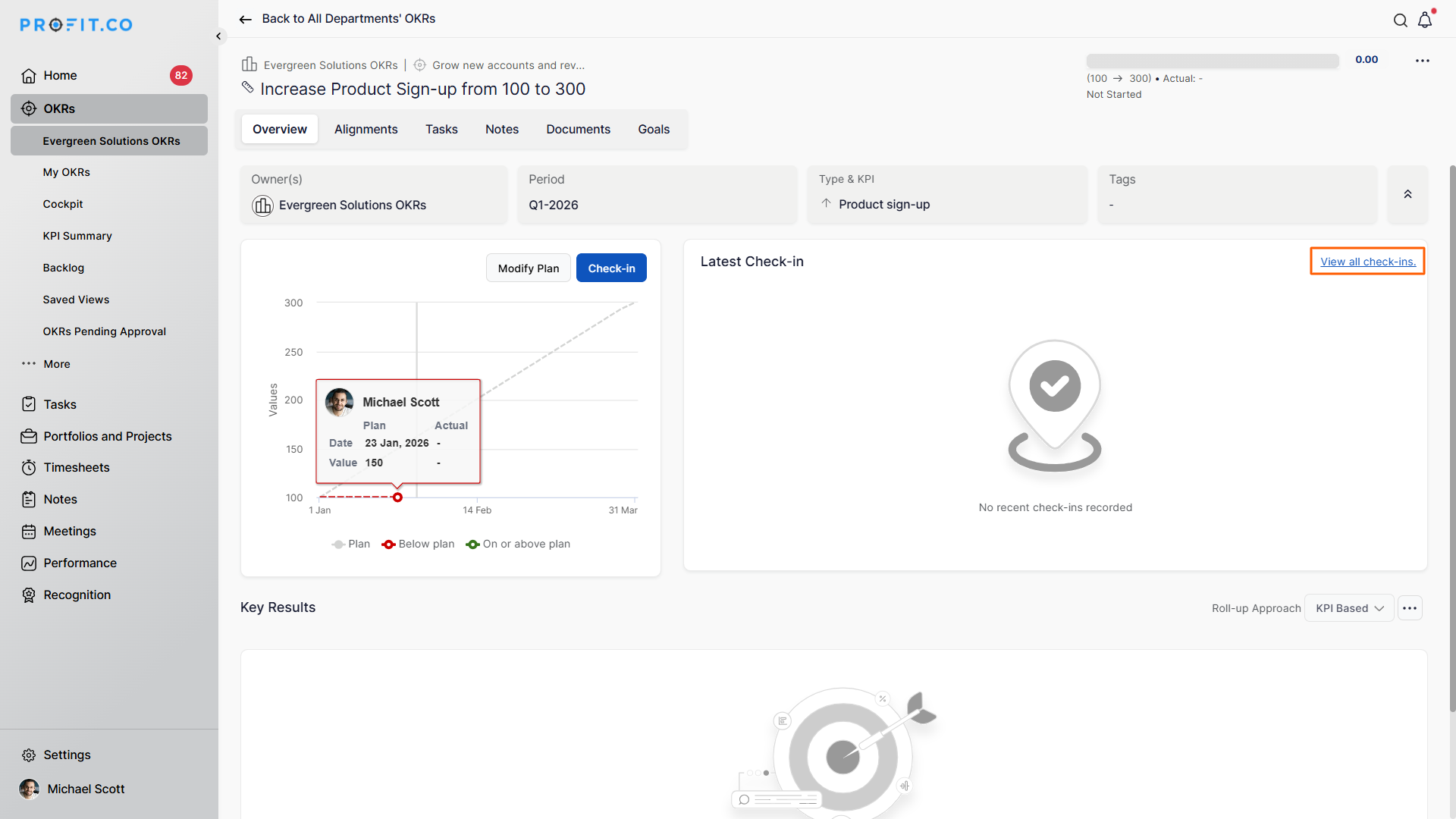
Example:
- Quarter: Jan to March 2026
- Fridays in the quarter: 13
- Planned values are plotted across 13 check-ins in the graph
Step 3: Compare Planned vs Actual Progress
Assume:
- You have completed 4 check-ins
- 30 January 2026 is your 5th check-in
On this date:
Planned Value: 166
Actual Value: 160
This comparison clearly shows how close your actual execution is to the expected progress.
Where can I see Planned vs Actual Values?
You can view Planned and Actual values in:
- Key Result Check-in Board
- Progress graphs
- Detailed Key Result view page
These visuals help you instantly assess progress trends.
Best Practices for Using Planned vs Actual Values
- Set realistic targets aligned with check-in frequency
- Check in consistently to avoid skewed progress
- Use early deviations to course-correct execution
- Review graphs regularly to spot momentum shifts
Related Questions
To learn the process of setting a custom check-in frequency, click here.
Frequently Asked Questions
The Planned value shows the expected progress for each scheduled check-in based on the target and timeline.
The Actual value reflects the real progress you record during each check-in.
Planned values are automatically distributed across all check-in dates within the selected time period.
