
Profit.co allows you to follow the Tasks.
Why this feature?
- Enhances task visibility by enabling users to follow specific tasks and receive real-time updates, ensuring stakeholders remain informed even if they aren’t directly responsible.
- Facilitates better collaboration by allowing all relevant team members to monitor progress and changes effortlessly, reducing communication gaps and improving accountability.
Step 1
Navigate to the Tasks from the left navigation panel. Choose the required tasks and click on the More icon.
Click on the Follow option.
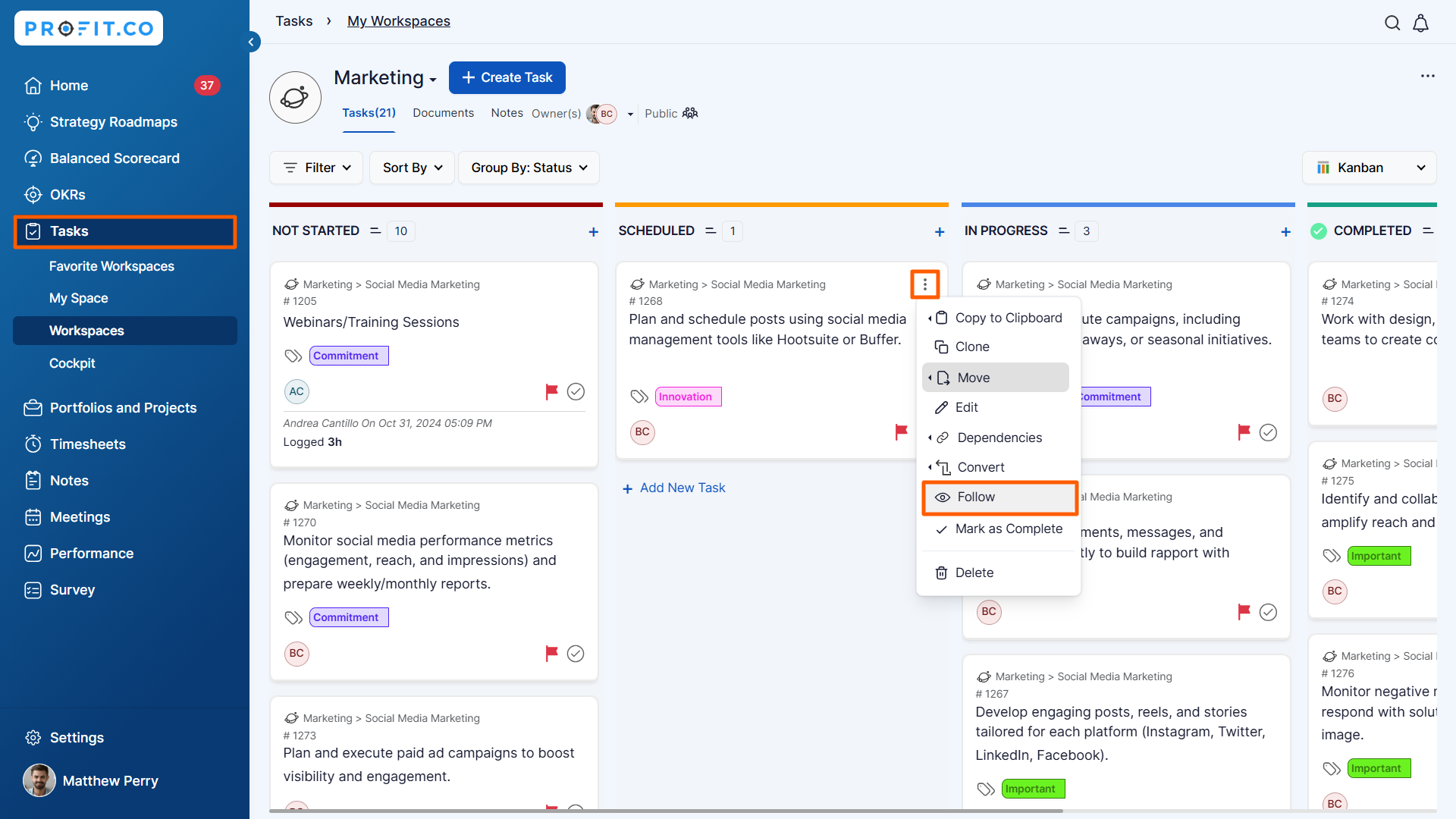
Note: You will not be able to follow tasks assigned to you or tasks you created and assigned to someone else.
Step 2
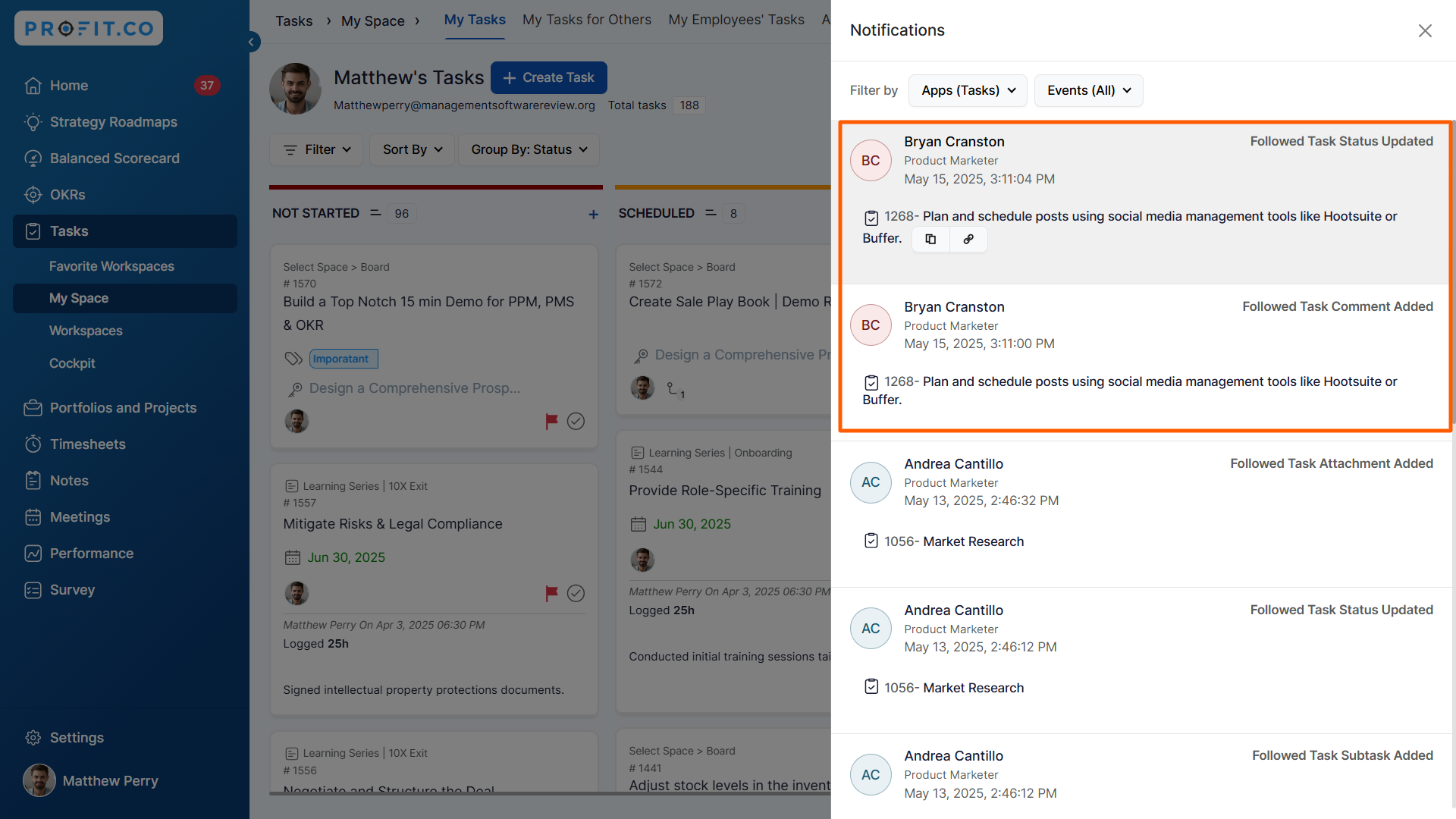
Once you follow a task, you’ll receive notifications whenever key updates happen in that task, such as:
- Status changes
- Attachments being added
- Key Results being associated

Related answer post
To learn more about how to stop following your subordinate's OKRs, click here.
