

Profit.co lets HR administrators define a Mission, Vision, and Values statement for each department, either during department creation or by editing an existing department, and display it on the department page through a configurable widget.
Table of Contents
- What is Department-Level Mission, Vision, and Values in Profit.co?
- Why Does Department-Level Mission, Vision, and Values Matter?
- How Do I Add Mission, Vision, and Values to a Department?
- What Happens When You Configure Department Mission, Vision, and Values?
- What Are the Best Practices for Department Mission, Vision, and Values?
- Related Articles
- Frequently Asked Questions
What is Department-Level Mission, Vision, and Values in Profit.co?
Department-Level Mission, Vision, and Values is a configuration feature in Profit.co that allows Super Users to attach a mission statement, a vision statement, and a set of values directly to a department record. These statements are stored as part of the department's profile and can be surfaced on the department page when the corresponding widget is enabled.
The feature covers two entry points: the Create Department form for new departments, and the Edit action for existing departments. The widget toggle controls whether the content is visible on the department page. If the widget is disabled, the statements are saved in the department record but do not appear on the department page.
Note
Only Super Users can create and edit department records in Profit.co. The Mission, Vision, and Values fields and the widget toggle are accessible exclusively through Settings → User Management → Departments.
Why Does Department-Level Mission, Vision, and Values Matter?
Previously, Profit.co held mission, vision, and values only at the organization level. Department members had no way to see how their specific team's purpose and guiding principles connected to their day-to-day goals within the platform. This gap was especially noticeable for large organizations where individual departments operate with distinct mandates.
Department-level statements give each team a visible identity within Profit.co. When the widget is enabled, members visiting the department page see the team's mission, vision, and values alongside their OKRs, making the link between purpose and goals explicit without requiring employees to look outside the platform.
How Do I Add Mission, Vision, and Values to a Department?
Method 1: Add During Department Creation
Step 1: Open the Create Department Form
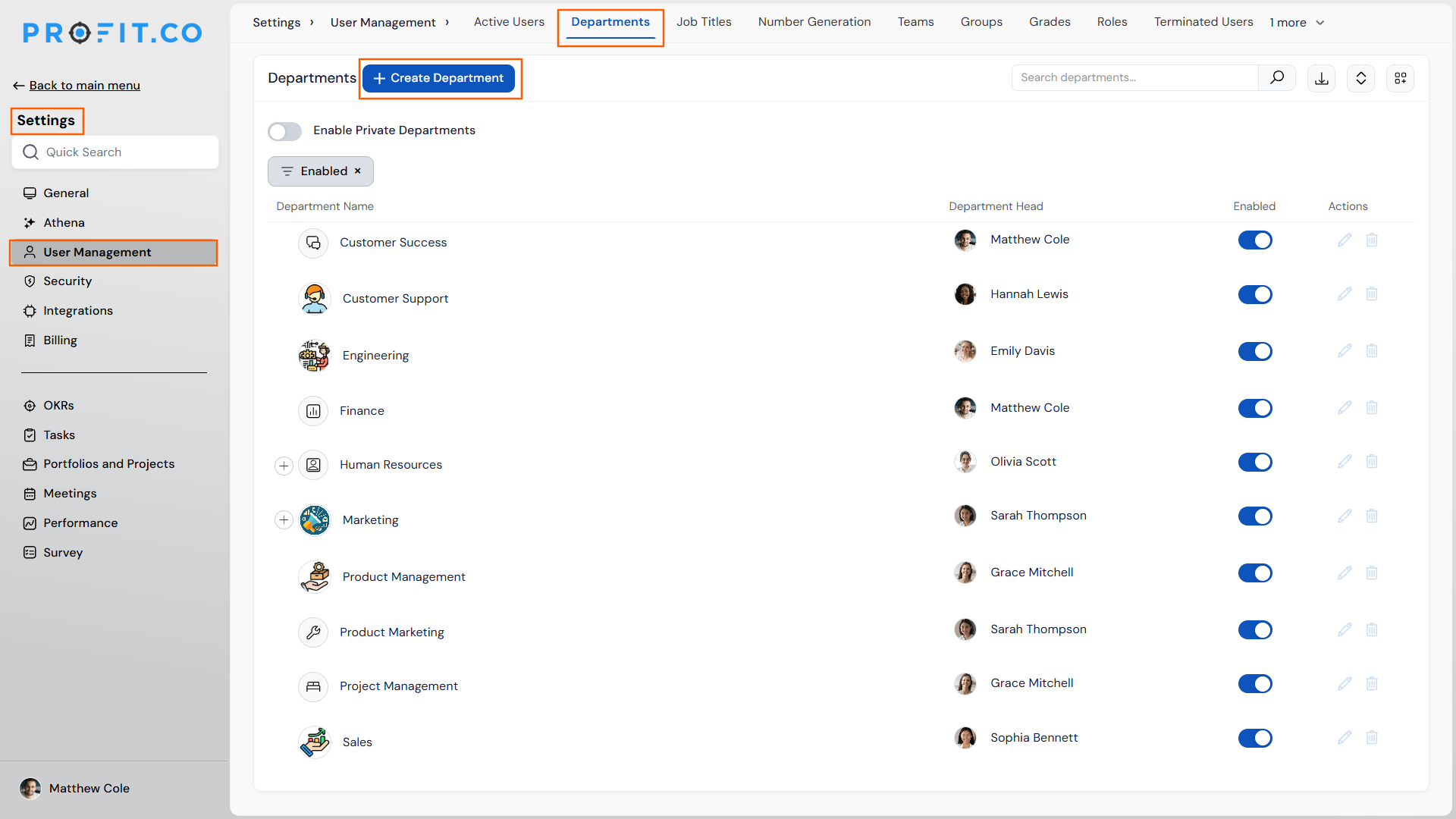
- Navigate to Settings → User Management from the left navigation panel.
- Switch to the Departments tab.
- Click + Create Department.
Step 2: Enter Department Details
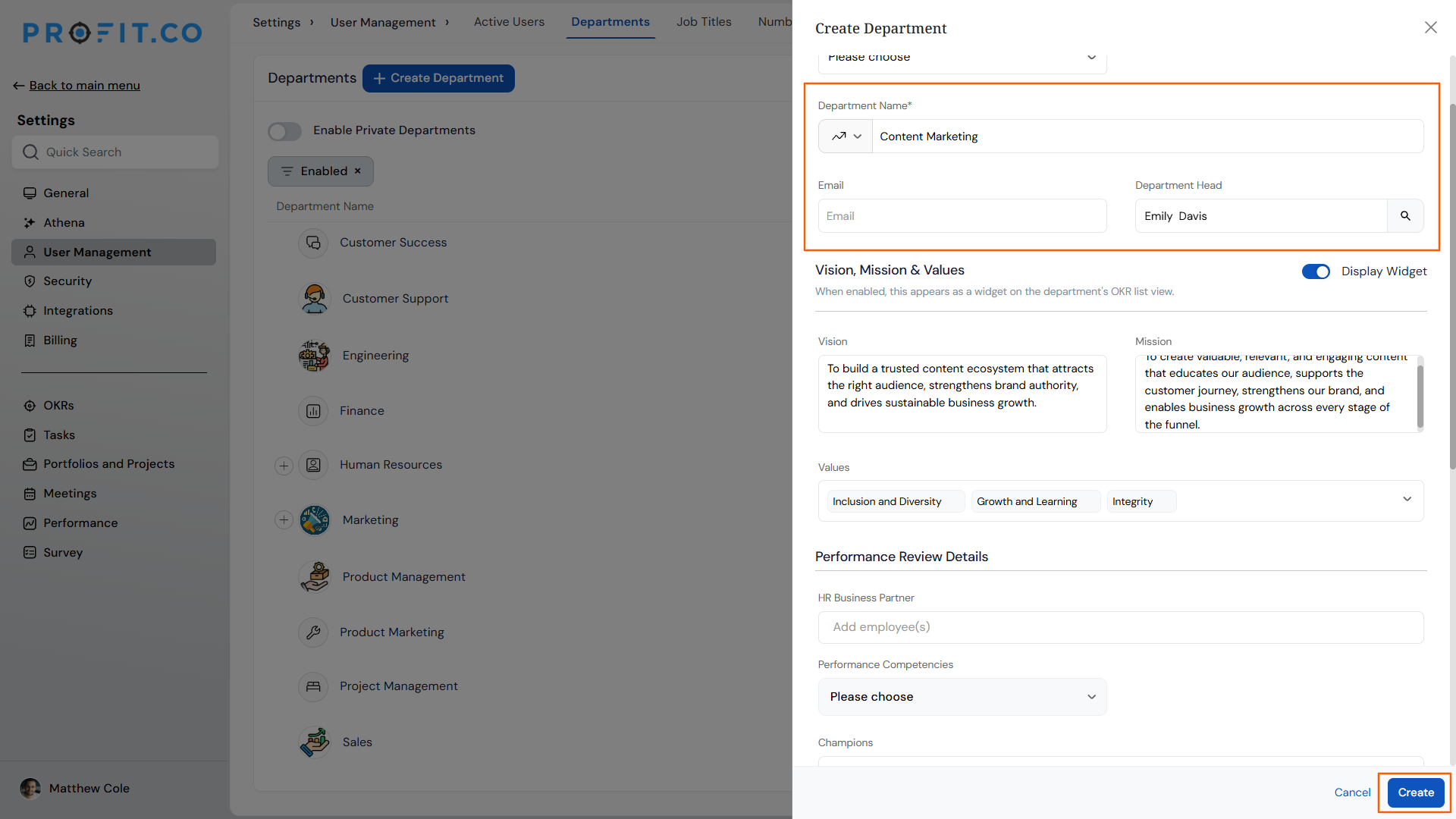
- Fill in the required fields such as Department Name, Department Head, OKR Champions, and HR Business Partner.
Step 3: Add Mission, Vision, and Values
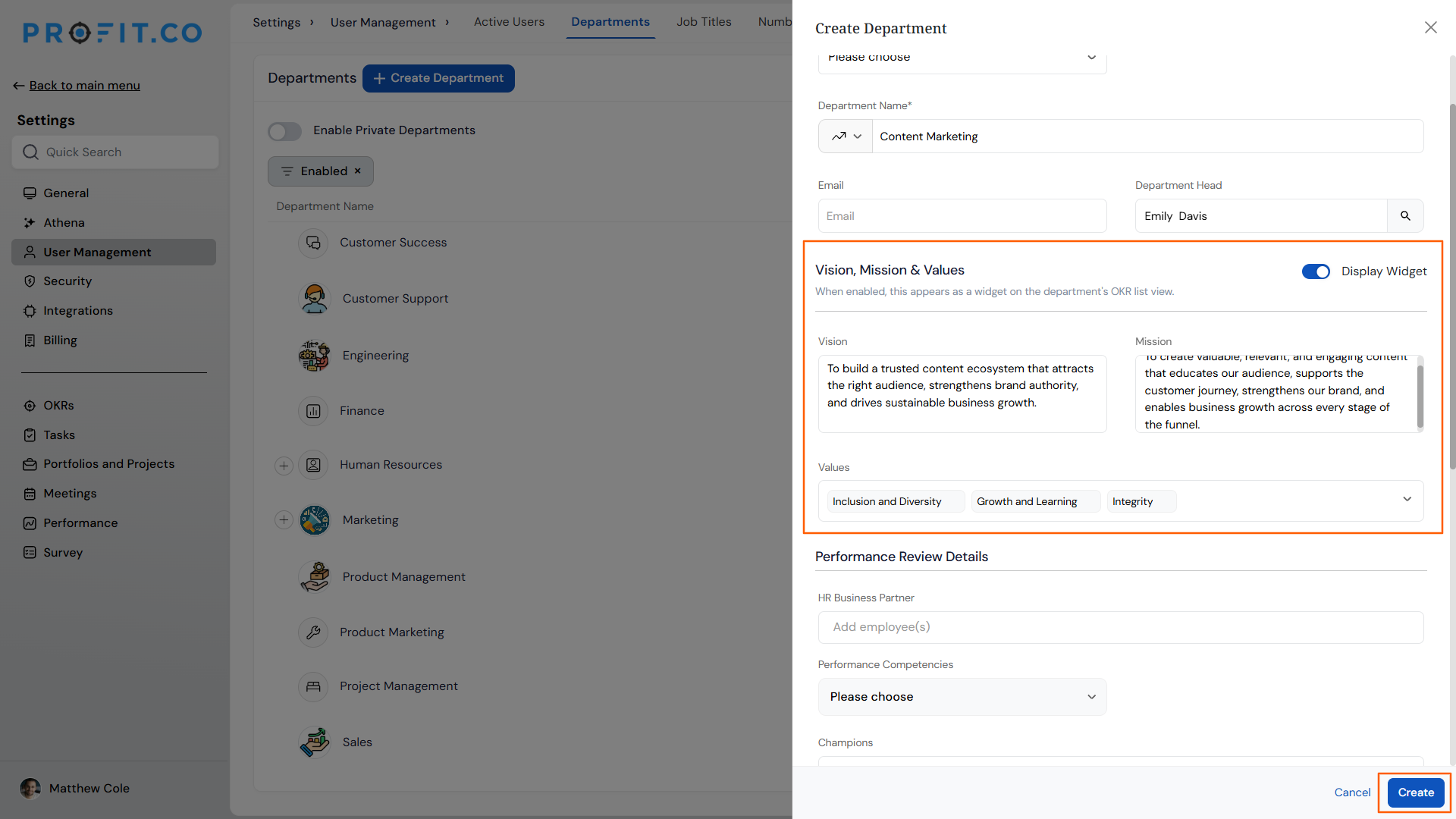
- Locate the Mission, Vision, and Values fields within the creation form.
- Enter the relevant statement or content for each field.
- Click Create to save the department with the statements included.
Method 2: Add or Edit on an Existing Department
Step 1: Locate the Department
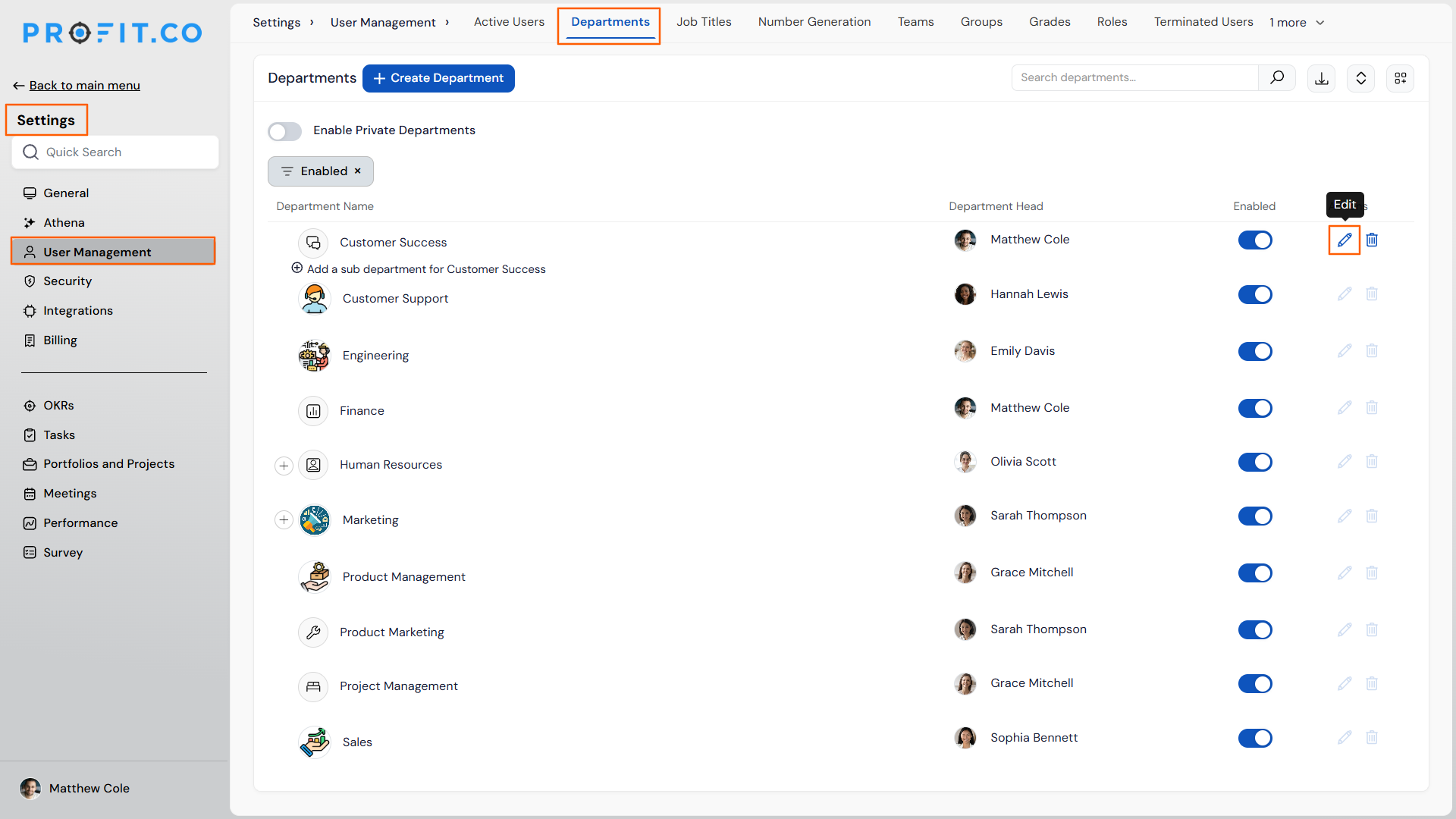
- Navigate to Settings → User Management from the left navigation panel.
- Switch to the Departments tab.
- Find the department you want to update and click its Edit icon.
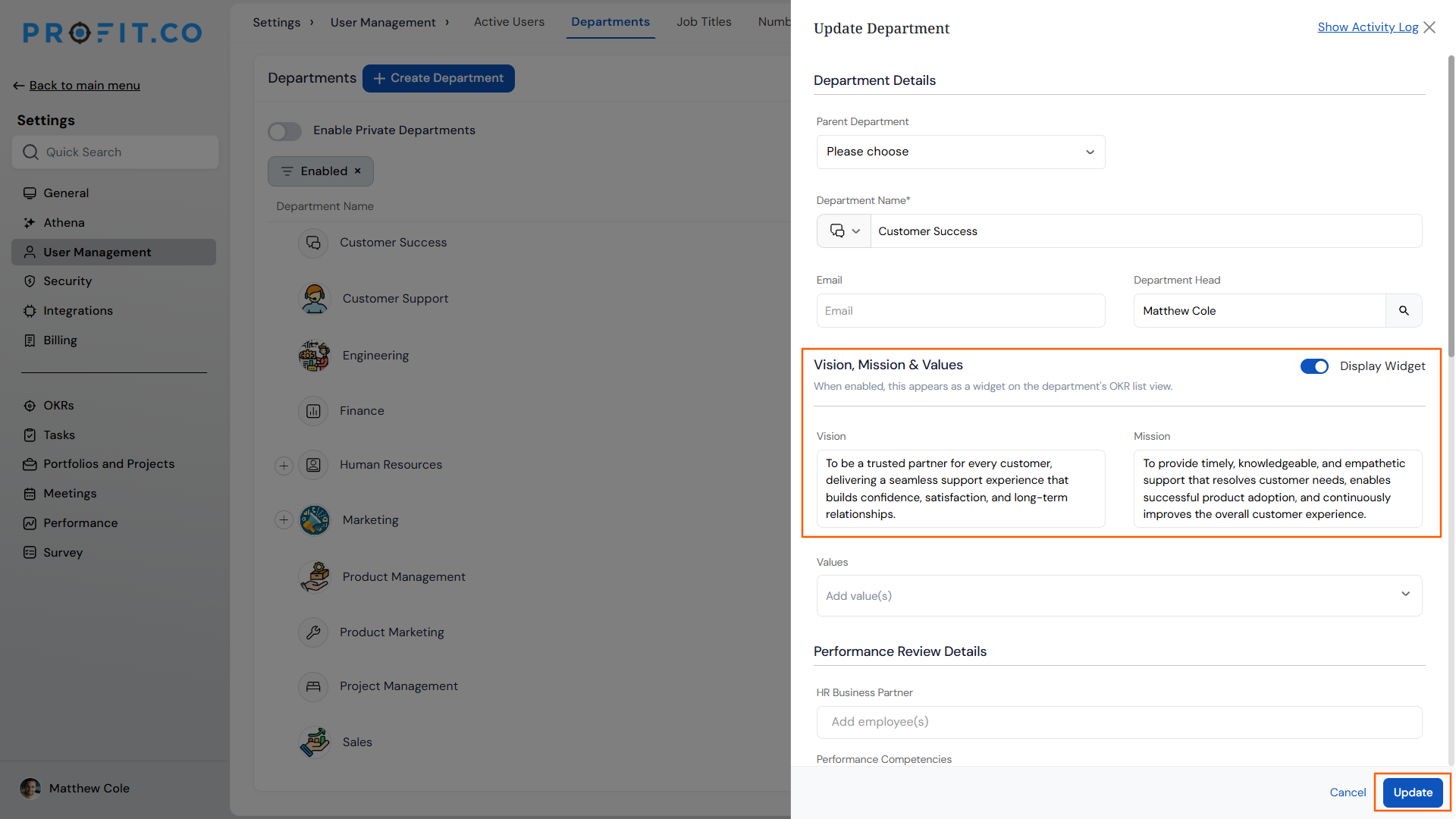
Step 2: Add Mission, Vision, and Values
- In the department edit form, locate the Mission, Vision, and Values fields.
- Enter or update the content for each field.
- Click Save to apply the changes.
Note
You must be a Super User to create or edit departments and to enable the widget. The department must exist in Profit.co before Mission, Vision, and Values content can be added via the Edit method.
What Happens When You Configure Department Mission, Vision, and Values?
| Scenario | What Happens |
|---|---|
| You add Mission, Vision, and Values during department creation. | Profit.co saves the statements as part of the department record. They are stored but not visible on the department page until the widget is enabled. |
| You add Mission, Vision, and Values by editing an existing department. | Profit.co updates the department record with the new content. The statements remain stored but do not appear on the department page until the widget is enabled. |
| You enable the Mission, Vision and Values widget for a department. | Profit.co displays the department's Mission, Vision, and Values content on the department page, making it visible to all members who access that department's page. |
| You disable the Mission, Vision and Values widget after it was enabled. | Profit.co removes the content from the department page view. The statements remain saved in the department record and reappear if the widget is re-enabled. |
| You leave the Mission, Vision, or Values fields empty and save the department. | Profit.co saves the department without those statements. The widget can still be enabled but will display only the fields that have content. |
What Are the Best Practices for Department Mission, Vision, and Values?
- Write each statement before enabling the widget. Enabling the widget with empty or draft-quality content makes the department page visible to all members before the statements are ready. Complete the content first, then enable the widget.
- Keep the Mission statement focused on the department's specific purpose, not a restatement of the organization's corporate mission. Department members interact with this statement in the context of their own team's goals, so the closer it is to their actual work, the more useful it is.
- Limit Values to 4 to 6 clearly defined principles. A long list of values is harder to recall and apply than a short, specific set. Choose values that are distinct to the department's way of working, not generic organization-wide statements.
- Review and update the statements whenever the department's scope or leadership changes. A mission statement written for a team of 5 in one function may no longer be accurate after a reorganization.
- Enable the widget only after communicating the statements to the department head and key stakeholders, since enabling it makes the content immediately visible to all department members with access to the department page.
Related Articles
Frequently Asked Questions
Each department has its own independent Mission, Vision, and Values fields. Statements configured for one department do not affect or appear on any other department's page.
No. Editing department records, including Mission, Vision, and Values fields, is restricted to Super Users in Profit.co. Department heads can view the content on the department page when the widget is enabled, but cannot modify it directly.
Please confirm this with the product team, as the current documentation does not specify whether the widget toggle applies independently to each department or cascades to sub-departments.
Please verify the character limits for each field with the product team, as this detail is not specified in the current documentation.
Execute your strategy with confidence
Connect OKRs, tasks, and teams in one place with Profit.co
