

Every checklist item on a tollgate stage now carries its own completion requirement, instead of forcing every item to be finished before the stage can move forward. Super Users decide, item by item, which ones actually have to be done and which can stay optional.
Table of Contents
- What is a Mandatory Checklist Item?
- Why Does a Mandatory Checklist Item Matter?
- How Do I Set Up a Mandatory Checklist Item?
- What Happens When You Use a Mandatory Checklist Item?
- What Are the Best Practices for Mandatory Checklist Items?
- Related Articles
- What Are Some Frequently Asked Questions About Mandatory Checklist Items?
What is a Mandatory Checklist Item?
A mandatory item is a per-item setting inside a tollgate stage's Checklist tab that decides whether a specific checklist item must be completed before the stage can move forward. Unchecked items stay optional and don't gate progression on their own.
A separate checkbox, Mandatory attachment, requires a file on any item regardless of whether that same item is marked Mandatory item. The two settings apply independently, so an item can need a file without gating the stage, or gate the stage without needing a file.
| Checkbox | What It Controls |
|---|---|
| Mandatory item | Whether the item must be completed before the stage can move forward. |
| Mandatory attachment | Whether the item must have a file attached before it can be marked done. |
Note
The Enable Checklist toggle for a stage must be turned on before its checklist items, including any Mandatory item and Mandatory attachment settings, become visible to project teams.
Why Does a Mandatory Checklist Item Matter?
Before this setting, every checklist item on a stage had to be completed with no way to bypass any of them, even purely informational items with no real bearing on stage readiness. Mandatory item lets Super Users mark only the deliverables that actually determine readiness, so teams aren't blocked by items that were never true gating criteria.
Because Mandatory attachment works independently, evidence-heavy items can carry a file requirement even when they stay optional, instead of forcing an all-or-nothing choice between gating a stage and capturing documentation.
How Do I Set Up a Mandatory Checklist Item?
Step 1
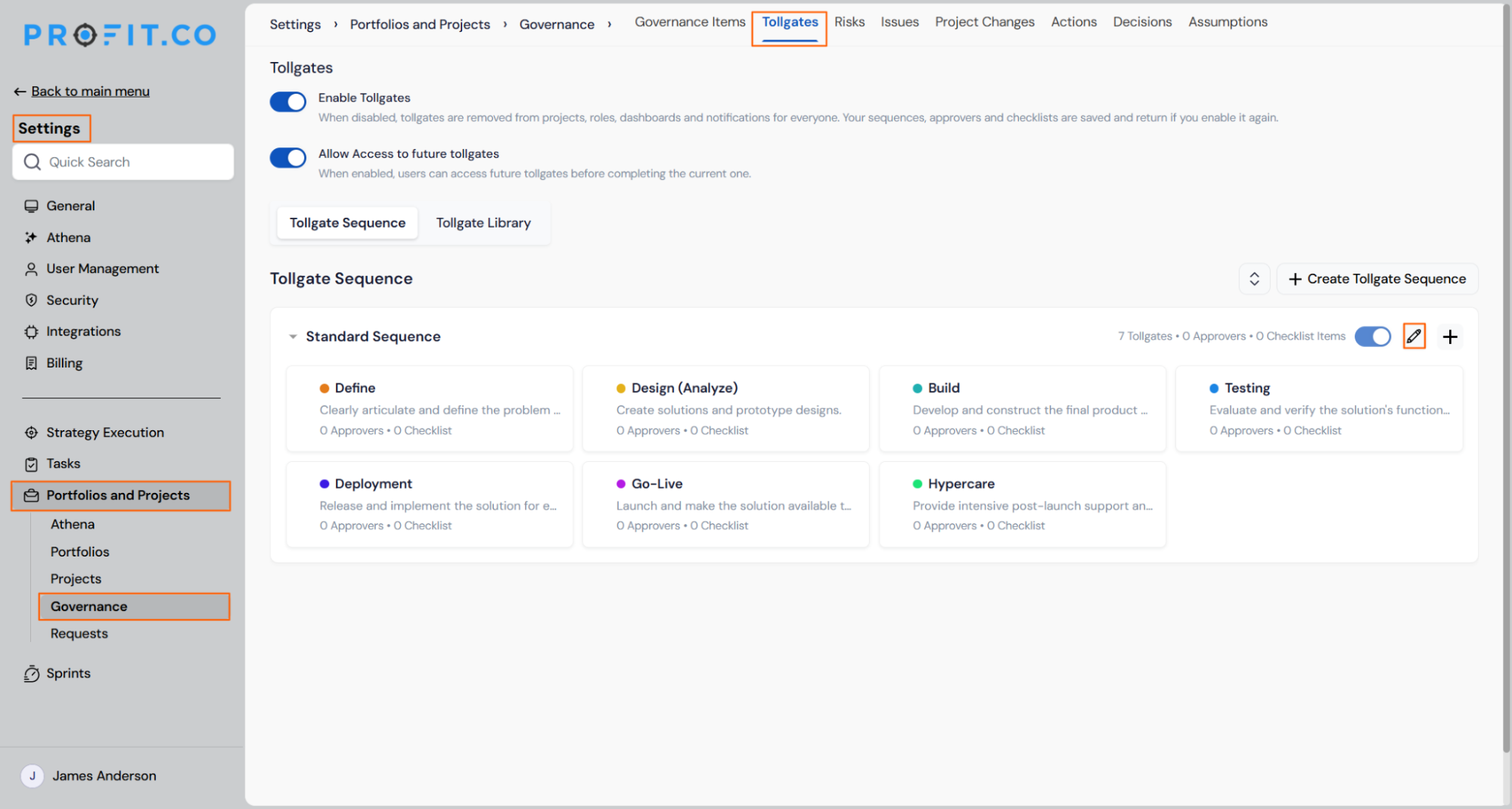
- Go to Settings → Portfolios and Projects → Projects → Tollgate Sequence.
- Click on the Edit icon, then pick the Tollgate sequence stages.
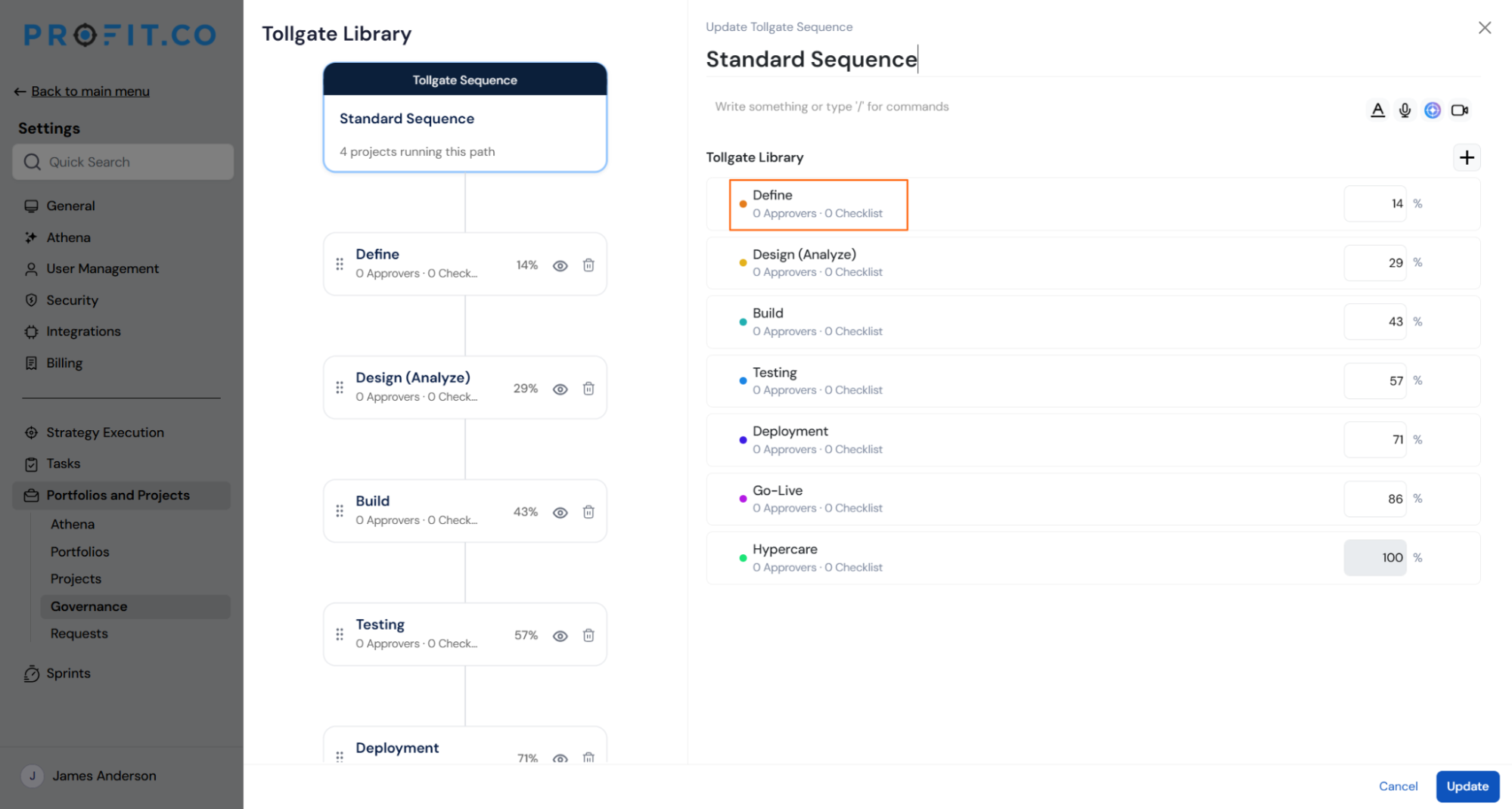
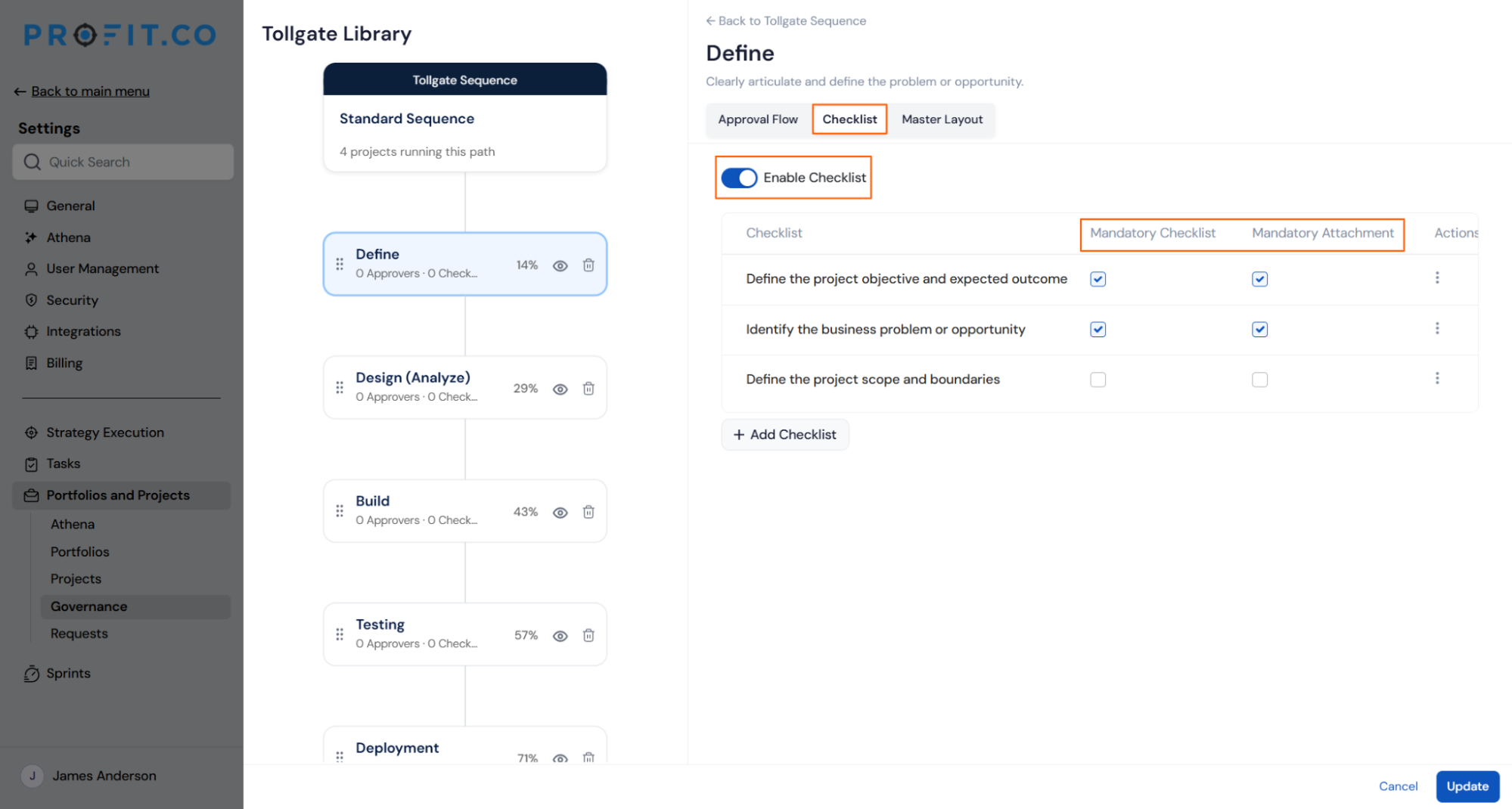
- Switch to the Checklist tab.
- Turn on Enable Checklist if it isn't already on.
- Click Add Checklist Item to add each item the stage needs.
- Check Mandatory item on any item that must be completed before the stage can move forward.
- Check Mandatory attachment on any item that needs a file, independent of the Mandatory item setting.
- Leave both boxes unchecked to keep an item purely optional.
What Happens When You Use a Mandatory Checklist Item?
| Scenario | What Happens |
|---|---|
| You leave Mandatory item unchecked on a checklist item. | Profit.co lets the stage move forward even if that item stays incomplete. |
| You try to move a project past a stage with a mandatory item still incomplete. | Profit.co blocks the move and names each outstanding mandatory item that still needs to be completed. |
| You check Mandatory attachment on a checklist item. | Profit.co prevents that item from being marked done until a file is attached, regardless of whether Mandatory item is also checked. |
| You delete the file attached to a Mandatory attachment item. | Profit.co reverts that item to incomplete, even if it had previously been marked done. |
| You turn off Enable Checklist on a stage that already has items configured. | Profit.co hides the checklist from view without deleting any items, settings, or mandatory flags. |
| You turn Enable Checklist back on after disabling it. | Profit.co restores every item, along with its Mandatory item and Mandatory attachment settings, exactly as they were before. |
What Are the Best Practices for Mandatory Checklist Items?
- Check Mandatory item only on deliverables that genuinely must be finished before a stage should progress, so informational items don't block a team that's otherwise ready to move forward.
- Turn on Mandatory attachment independently of Mandatory item whenever a file needs to exist as evidence, since a non-mandatory item can still carry its own file requirement.
- Confirm the required-item count shown in the Checklist tab before turning on Enable Checklist for a new sequence, since that count is exactly what blocks submission once the stage goes live.
- Tell project teams up front that deleting a file on a Mandatory attachment item drops it back to incomplete, since that reversal happens automatically and can resurface an item in the outstanding list without any other change.
Related Articles
- How Do I Set Up Mandatory Attachment for a Tollgate Checklist Item?
- What is a Tollgate in the PPM in Profit.co?
- How Do I Run a Stage-Gate Review in Profit.co?
What Are Some Frequently Asked Questions About Mandatory Checklist Items?
One count is the total number of checklist items configured for that stage; the other is how many of those items are marked Mandatory item and are therefore required before the stage can move forward.
No. The two checkboxes are independent, so checking one doesn't change the other, and you can require a file on an item that stays optional for stage progression.
Renaming and reordering only change an item's label or position, so its settings stay attached to the item. A duplicated item gets its own independent copy of the original's Mandatory item and Mandatory attachment settings, which you can then adjust separately.
Execute your strategy with confidence
Connect OKRs, tasks, and teams in one place with Profit.co
