

In Profit.co, once your project meets all stage requirements, you can submit it for tollgate approval, which routes through a configured sequence of approvers. You can track the approval status in real-time as it progresses through each approval level until final authorization.
Table of Contents
What is Tollgate Approval?
Tollgate approval is the governance gate where your project must receive sign-off from designated approvers before advancing to the next stage. Think of it like airport security—you've packed your bags (completed work), you have your documents (checklists done), and now TSA needs to clear you (approvers review and approve).
The Complete Flow:
You complete stage work.
↓
You Submit for Approval
↓
Approver 1 Reviews and Approves
↓
Approver 2 Reviews and Approves
↓
Approver 3 Reviews and Approves
↓
All Approved → Stage Closes → Next Stage Opens
Key Roles:
- You (Submitter): Project Manager or team member submitting the stage for approval
- Approvers: Designated individuals who review and approve (managers, department heads, PMO, executives)
- PMO Admin: Administrator who configured the approval sequence
How do I submit a project for tollgate approval?
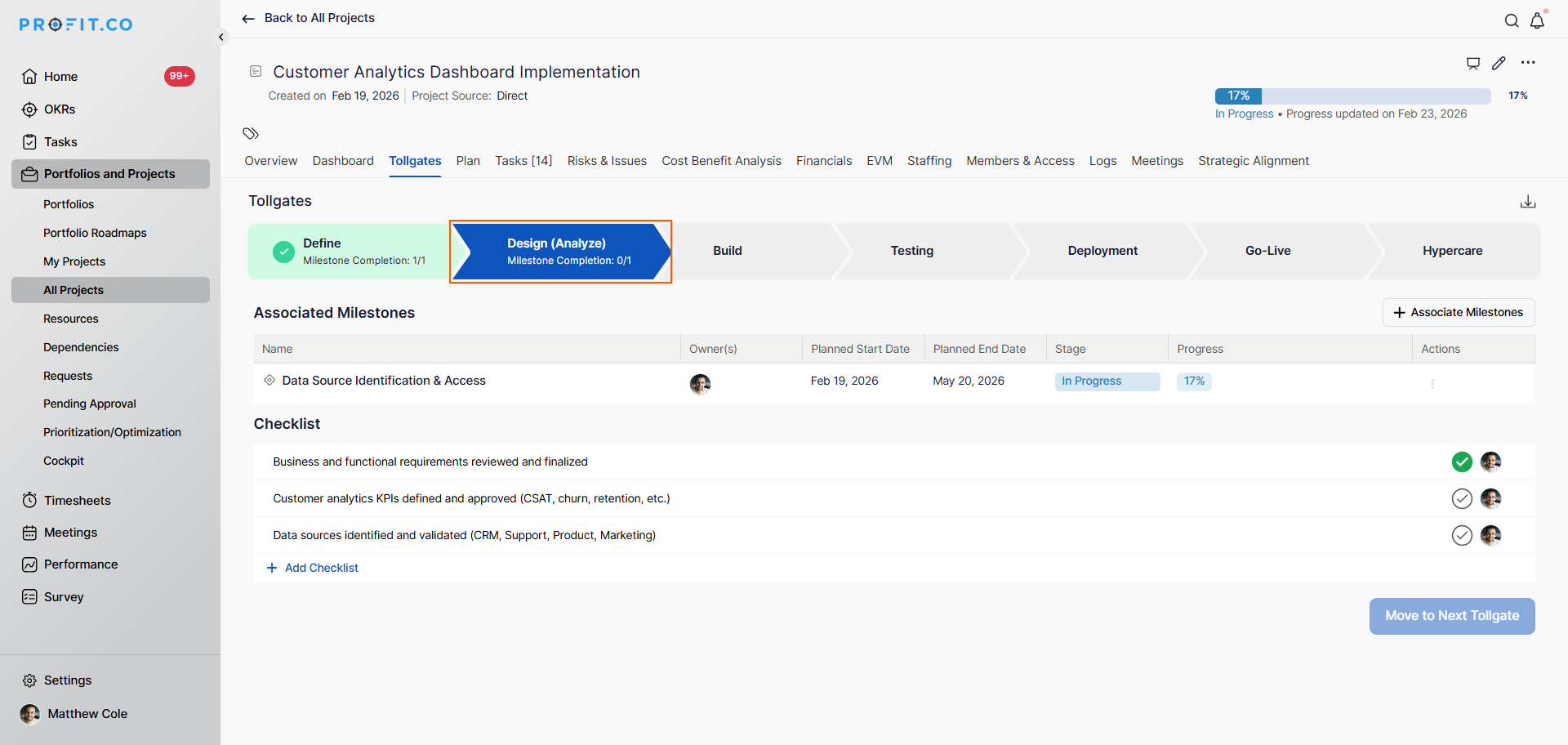
Follow these steps to submit your project stage for approval:
Step 1
- Open your project
- Click on the project name
- Switch to the Tollgate tab
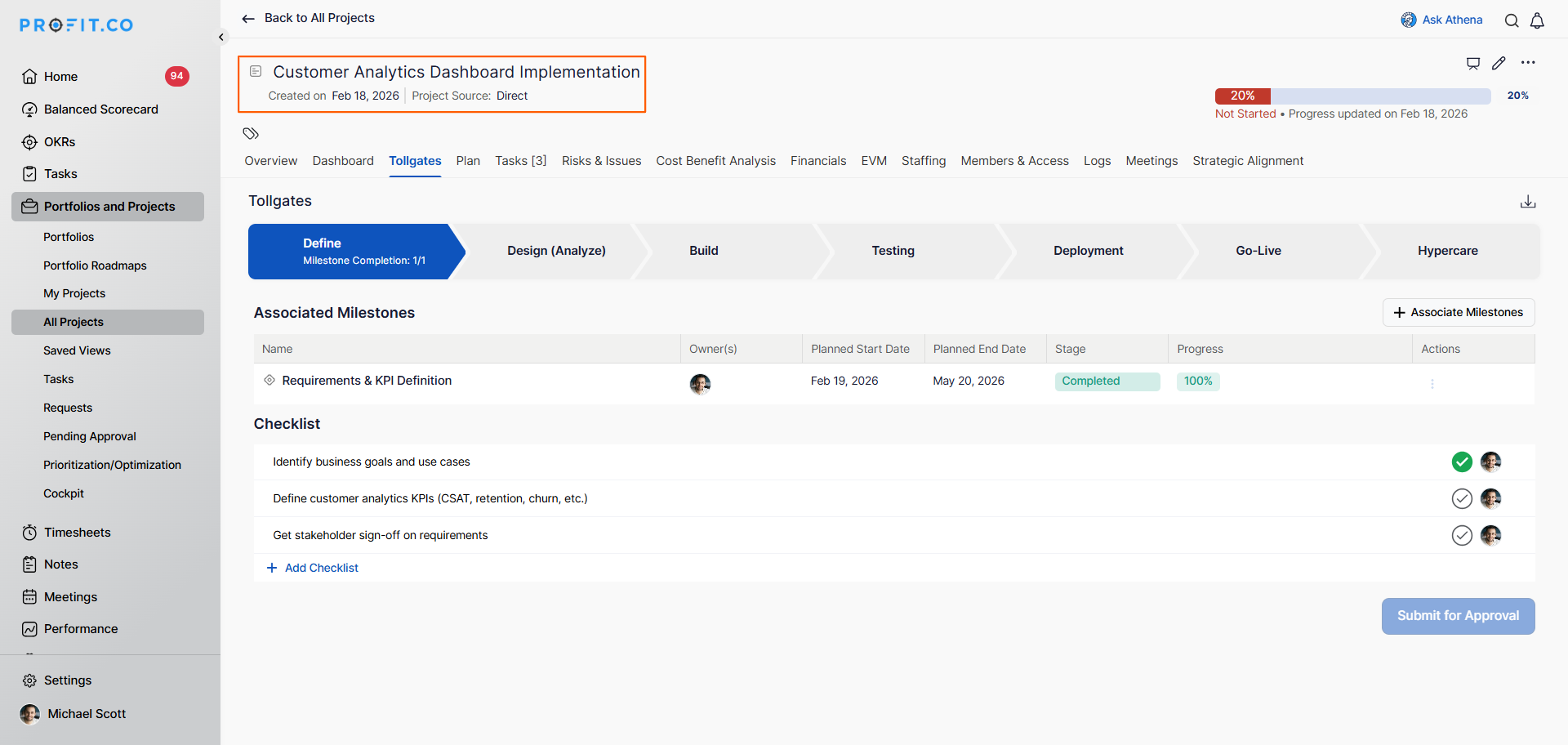
Before clicking Submit, verify:
- Complete all checklist items within the current stage
- Ensure all deliverables are submitted
- Verify all requirements are met
- Once all requirements are satisfied, click Submit for Approval
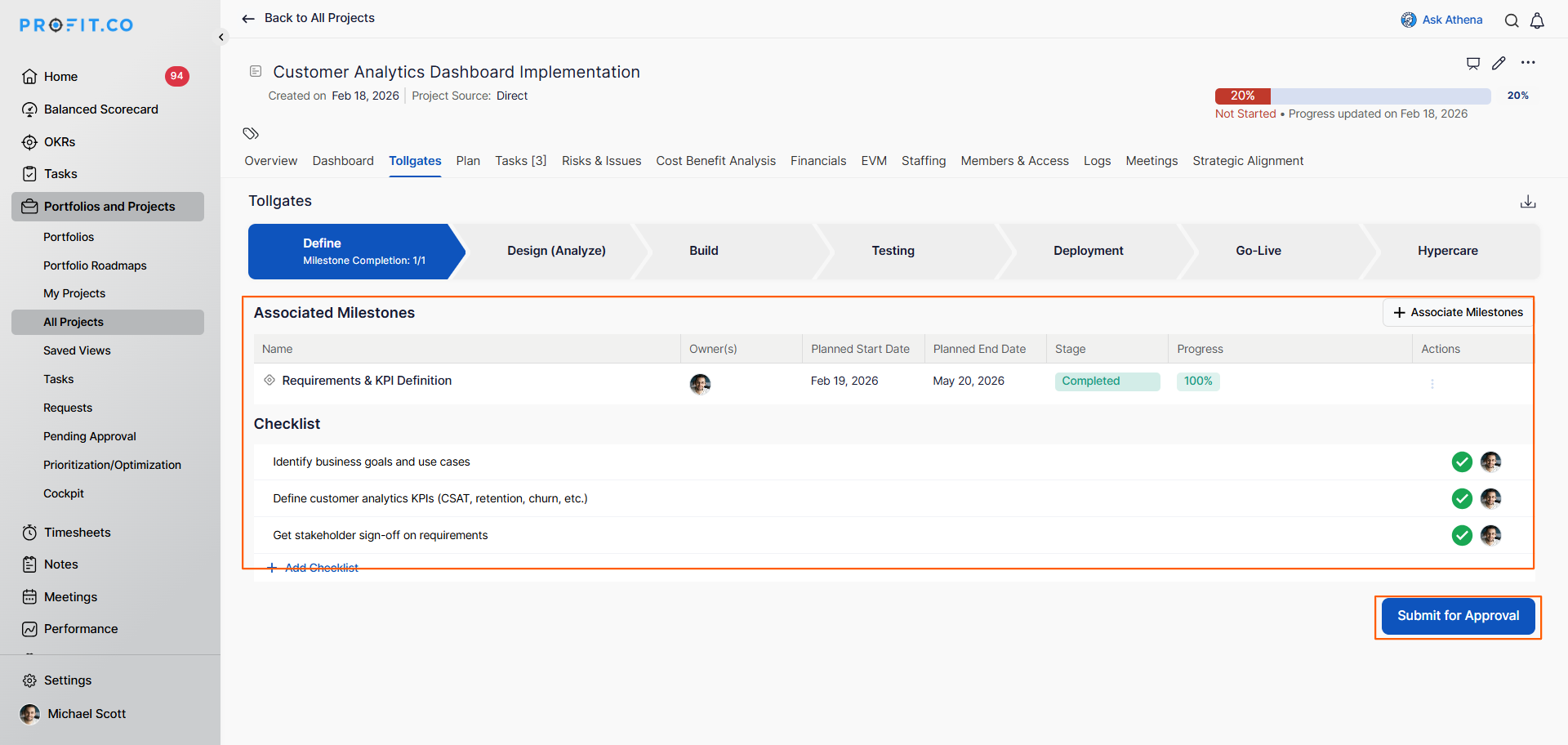
- If the first approval level is "Employees can designate their own approvers":
- A pop-up will appear
- Choose the user/employee who should serve as the first-level approver
- Click Submit for Approval
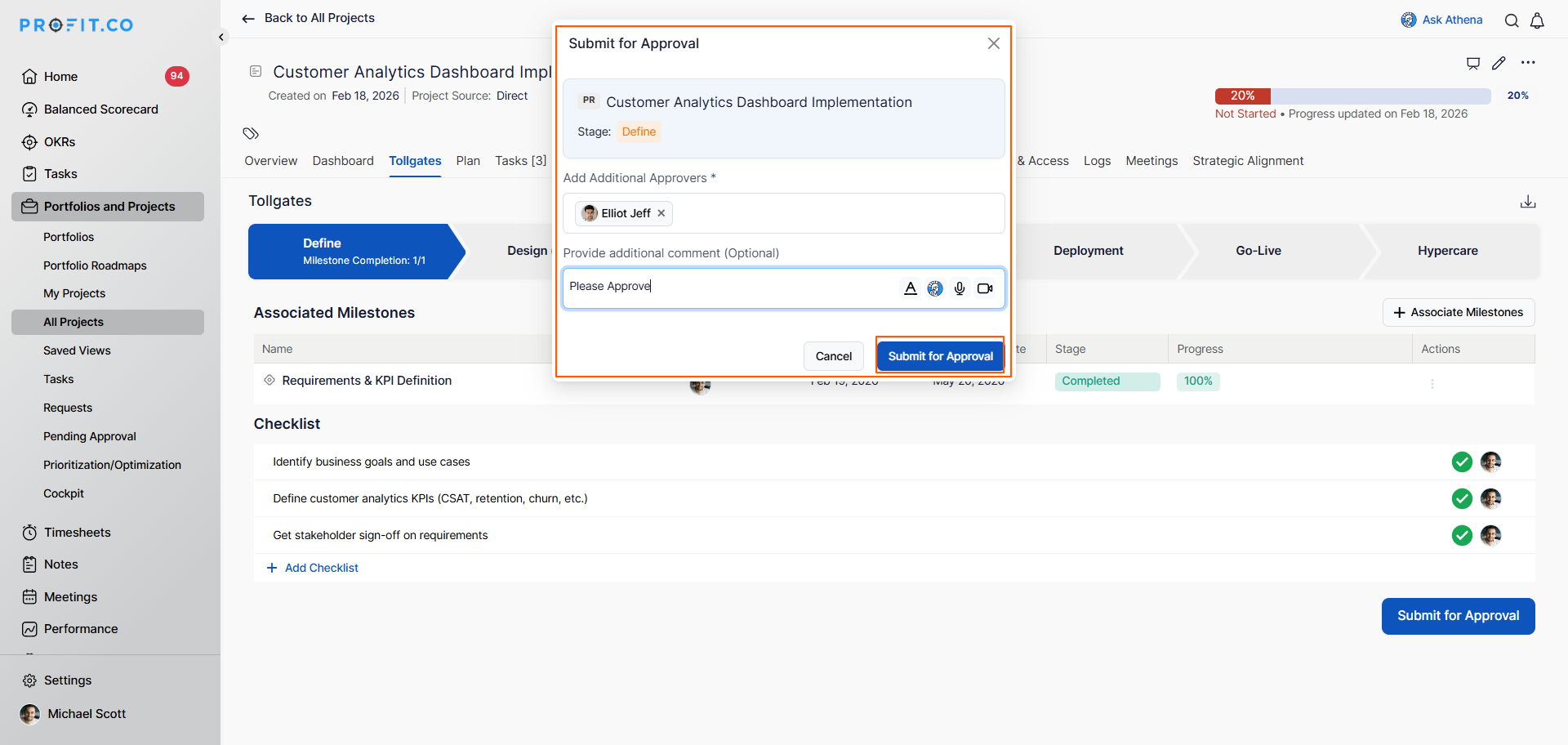
- The approval request is sent to the designated approver
How does the approval sequence flow work?
The approval flows through the configured sequence:
Approval Sequence Flow:
Step 1: Initial Submission
- Employee (e.g., Michael Scott) submits project for approval
- Selects first approver (e.g., Elliot Jeff) if using self-designation
- Request enters approval queue
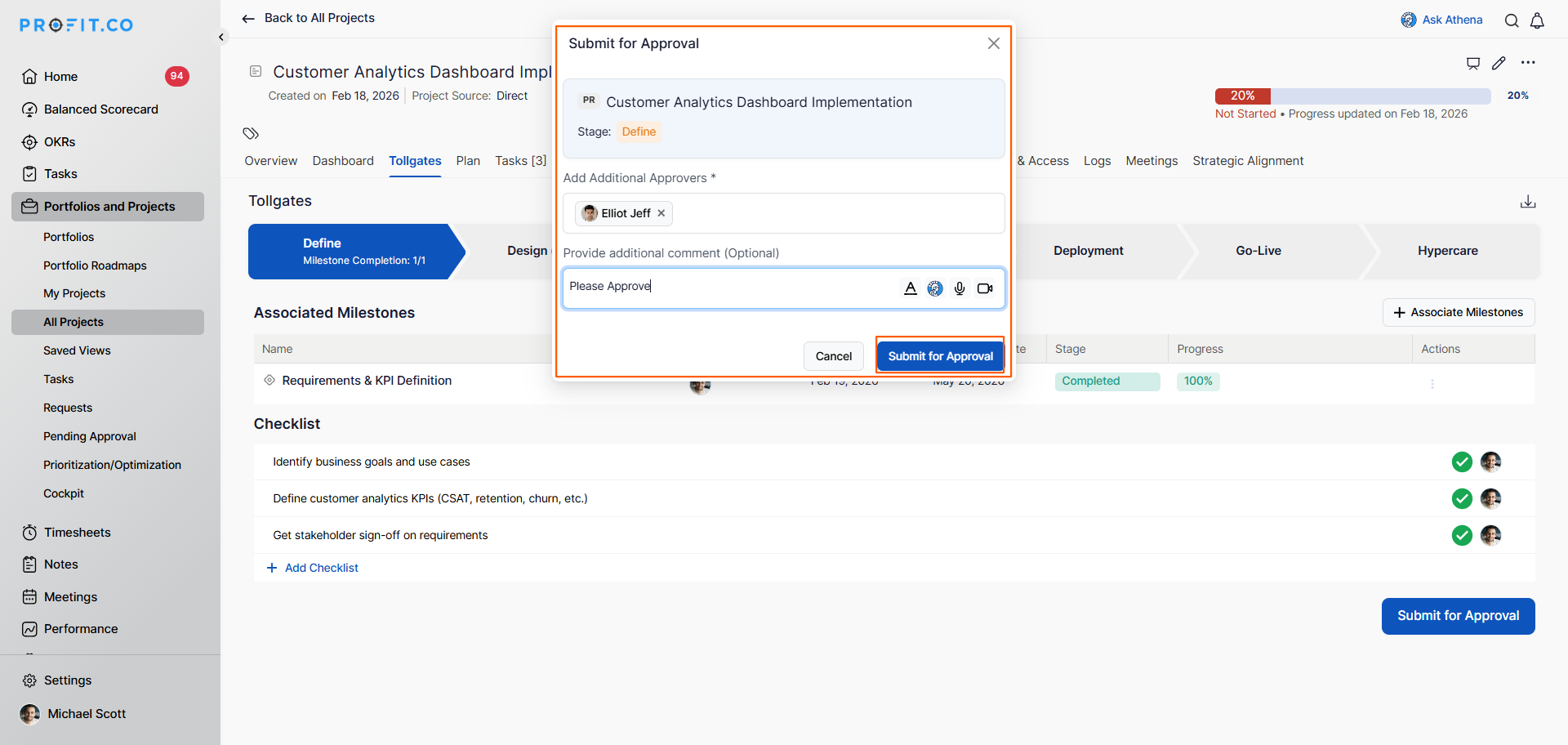
Step 2: First Approver Review
- First approver (Elliot Jeff) receives notification
- Reviews request in Pending Approvals → Tollgate → Received section
- Approver makes decision (Approve or Reject)
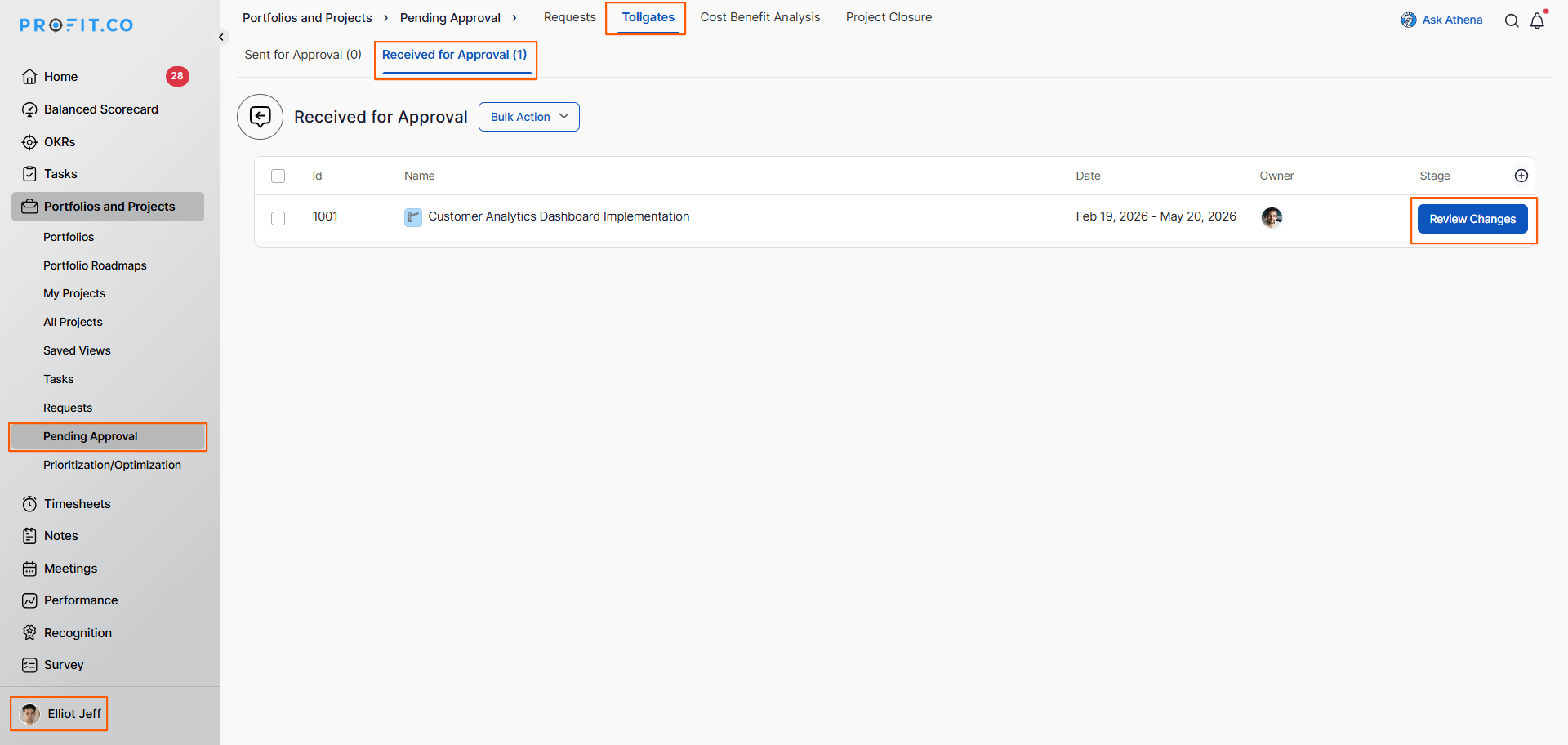
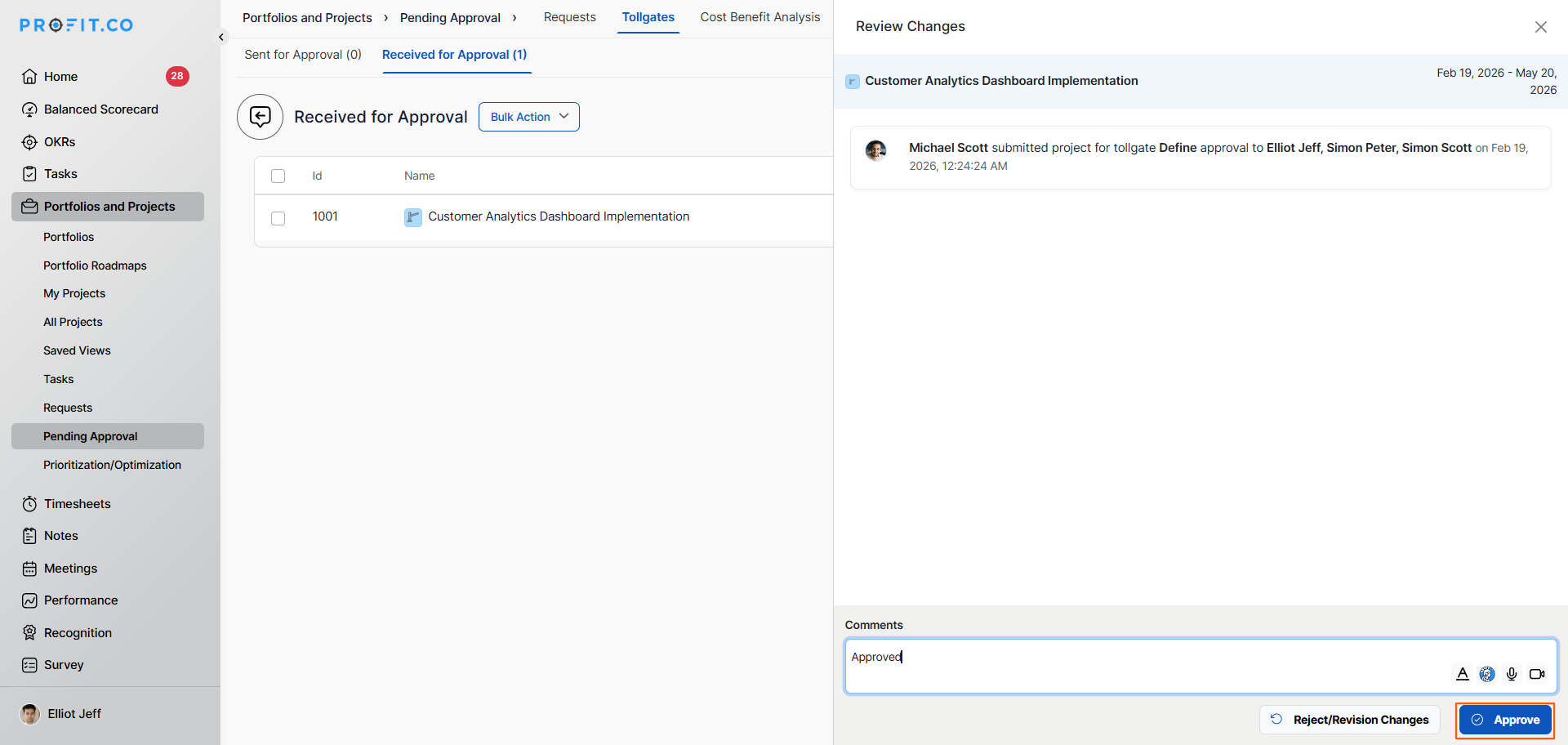
Step 3: Progression to Next Level
- Upon approval, request automatically moves to next sequence level
- Next approver receives notification
- In example: Request moves to Employee's Manager (Simon Peter)
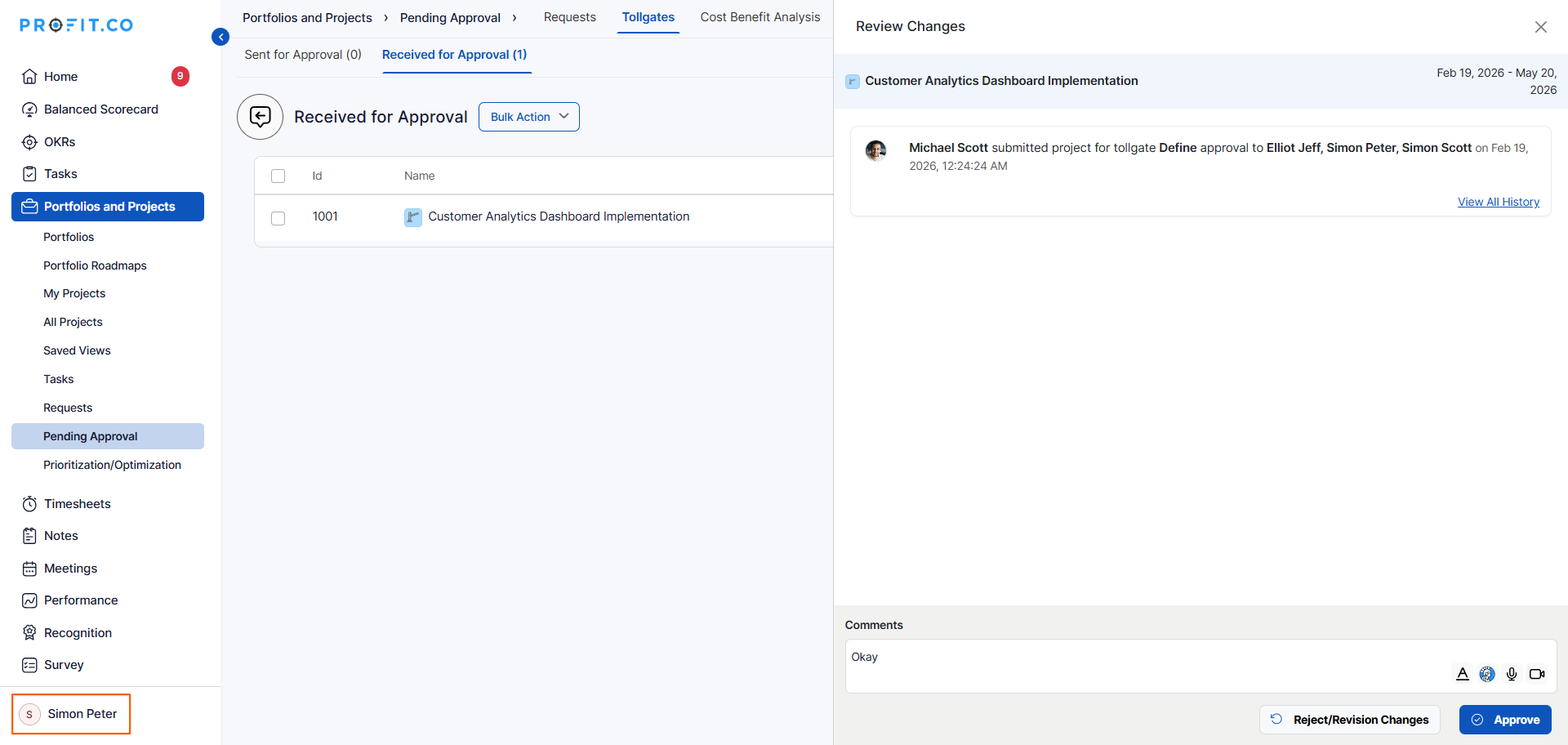
Step 4: Subsequent Approvals
- Each approver in sequence reviews and approves/rejects
- Request progresses through: Manager → Department Head (Simon Shott) → PPM Admin
- Any rejection sends the project back for revision
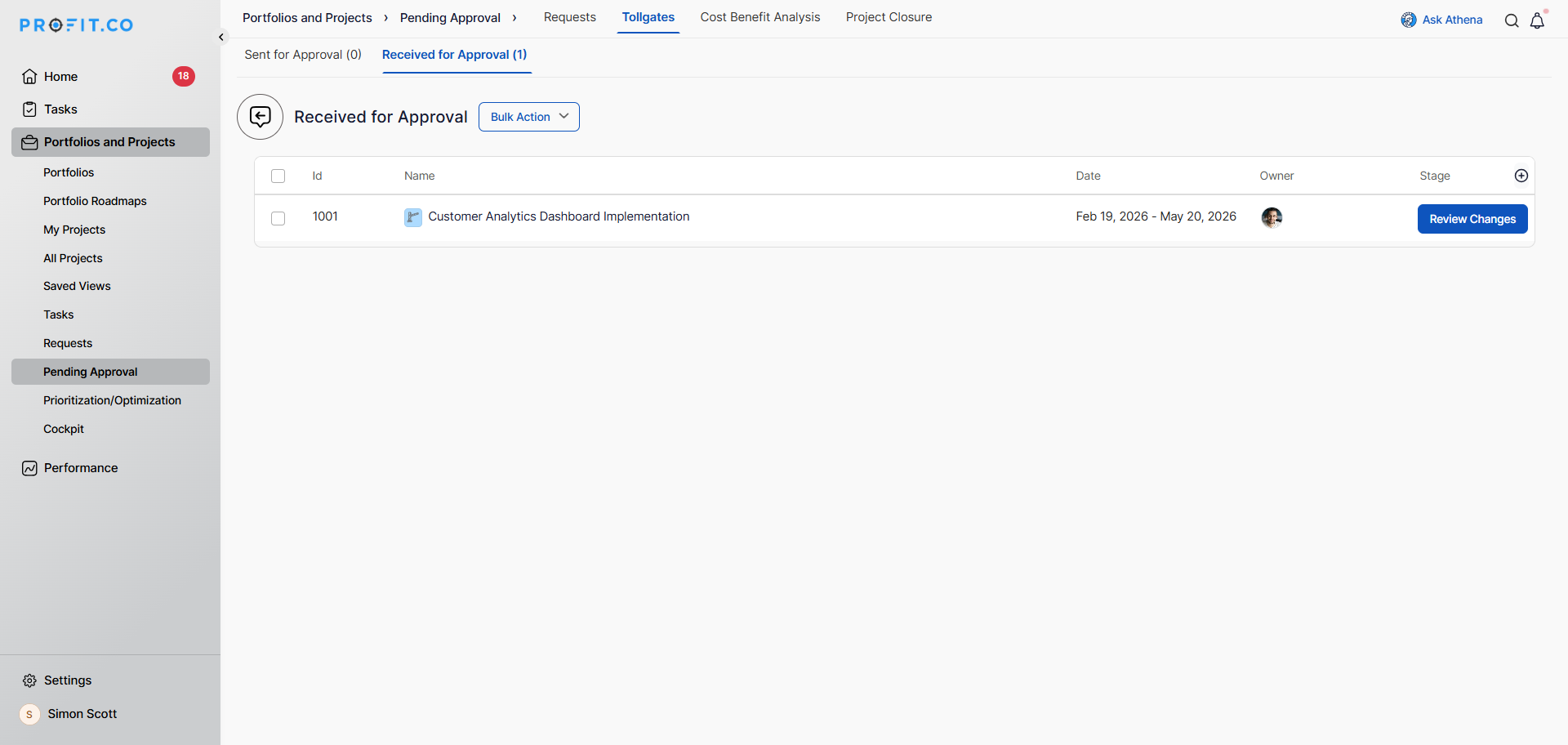
Step 5: Final Approval
- Once all approval levels are satisfied, stage is marked as approved
- Project can proceed to next tollgate stage
- Approval status updates in Tollgate page
Best practices for submitting and tracking approvals
- Conduct a pre-submission review with your team 1 week before planned submission to catch any gaps early.
- Add a brief comment when submitting explaining what was accomplished and any context approvers need.
- If an approver hasn't responded in 2-3 days, send a polite follow-up reminder to keep things moving.
- If rejected, schedule a call with the rejecting approver to fully understand concerns rather than guessing.
- Keep stakeholders informed of approval status through regular updates, especially if delays occur.
Related Questions
How do I set up phase-gate approval workflows in Profit.co?
Frequently Asked Questions
No, submissions are typically locked during the approval process. If you need to make changes, you may need to withdraw the submission, make edits, and resubmit.
Contact your PMO administrator immediately. They will be able to withdraw the submission if no approvals have been made yet.
The submission typically returns to you (the submitter) with feedback. You must address the concerns and resubmit, which usually means going through the full approval sequence again.
