

The Home page in Profit.co brings your pending actions, check-in discipline, OKR health, task load, and team Feed together in one landing view. It's built so you can see what needs attention across modules without opening each one individually.
Table of Contents
What is the Home Page?
The Home page is the default landing view in Profit.co. It aggregates status widgets from the OKR, Task, Meetings, and Employee Recognition areas into a single screen, showing counts and short lists rather than full historical records.
The page has two areas: status widgets (Actions, Check-ins, Team Check-in Discipline, OKRs Snapshot, KRs Progress, Tasks Snapshot, Meetings) and the Feed, a social space for appreciation posts and announcements. Team Check-in Discipline is scoped to managers, appearing only for users with at least one direct or indirect report. You can customize which widgets appear on your own Home page, and enforcing a widget for everyone requires additional permission.
| Widget | What It Shows |
|---|---|
| Actions | Pending (due or overdue) and Upcoming (next 7 days) action items, so you stay focused on what's critical |
| Check-ins | Individual and department counts of on-time, missed, and late check-ins |
| Team Check-in Discipline | On-time, late, missed, pending, and paused check-in counts, plus an overall discipline score, for every direct and indirect report |
| OKRs Snapshot | A high-level view of your objectives, grouped as Anomalies, Lagging, and Performing Well |
| KRs Progress | Key result completion rates, grouped as Not Started, At Risk, On Track, and Completed |
| Tasks Snapshot | Your task breakdown by project, status, and priority, including total, open, and completed counts |
| Meetings | Upcoming meetings for the day, plus past meeting history for your team |
| Feed | Appreciation posts, mentions, and announcements from the team |
Why the Home Page Matters
Before the Home page, checking overdue check-ins meant opening the OKR module, checking task load meant opening Tasks, and checking today's meetings meant opening Meetings separately. The Pending and Upcoming lists now surface all of that the moment you land on the page.
The Check-ins and OKRs Snapshot widgets add a comparison that individual modules don't: your personal numbers against your department's. Managers get that same comparison at team level, since the Team Check-in Discipline widget lists every direct and indirect report's on-time, late, missed, pending, and paused counts without opening each person's record.
How It Works
Step 1
Customize Widgets:
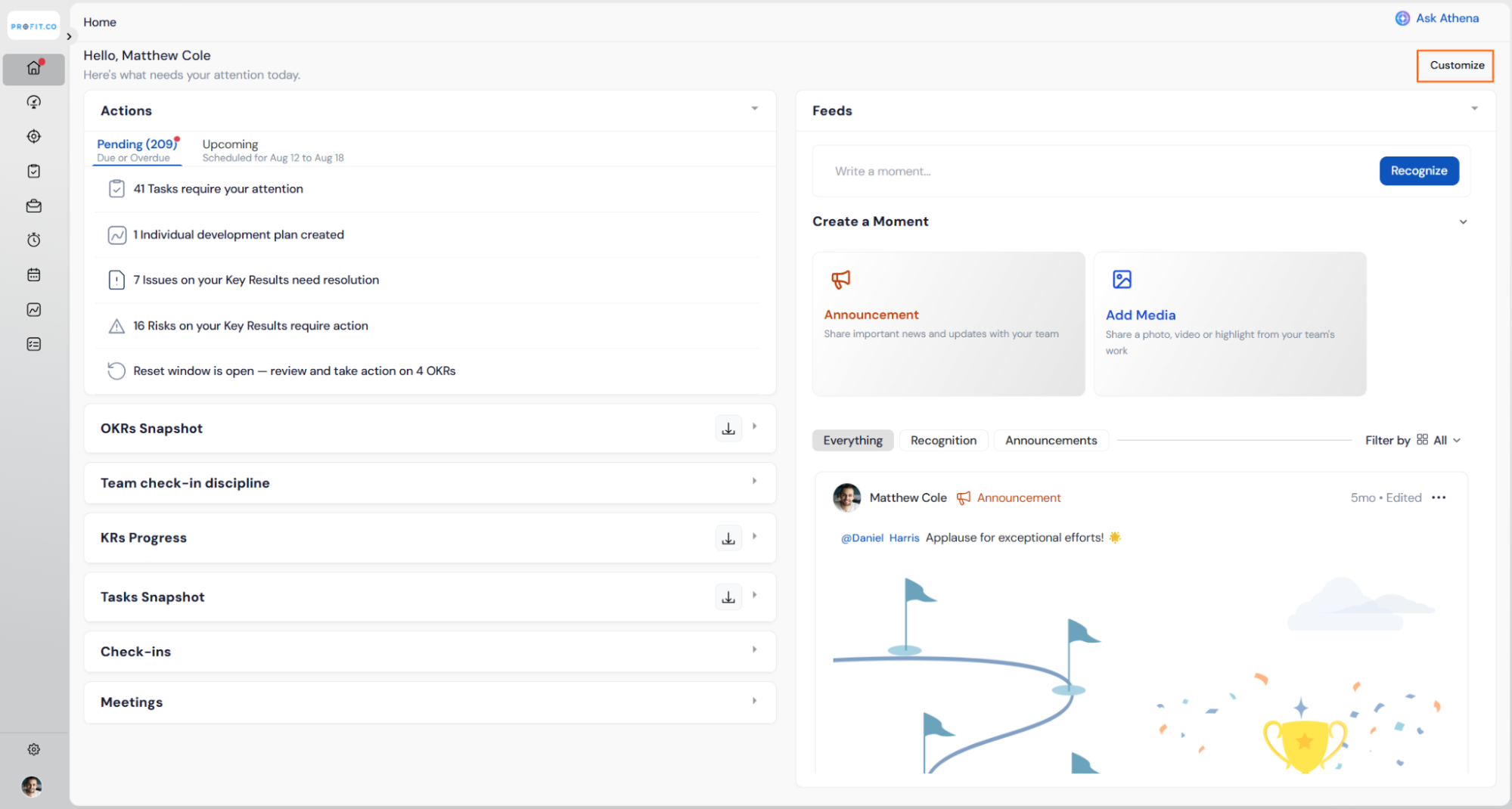
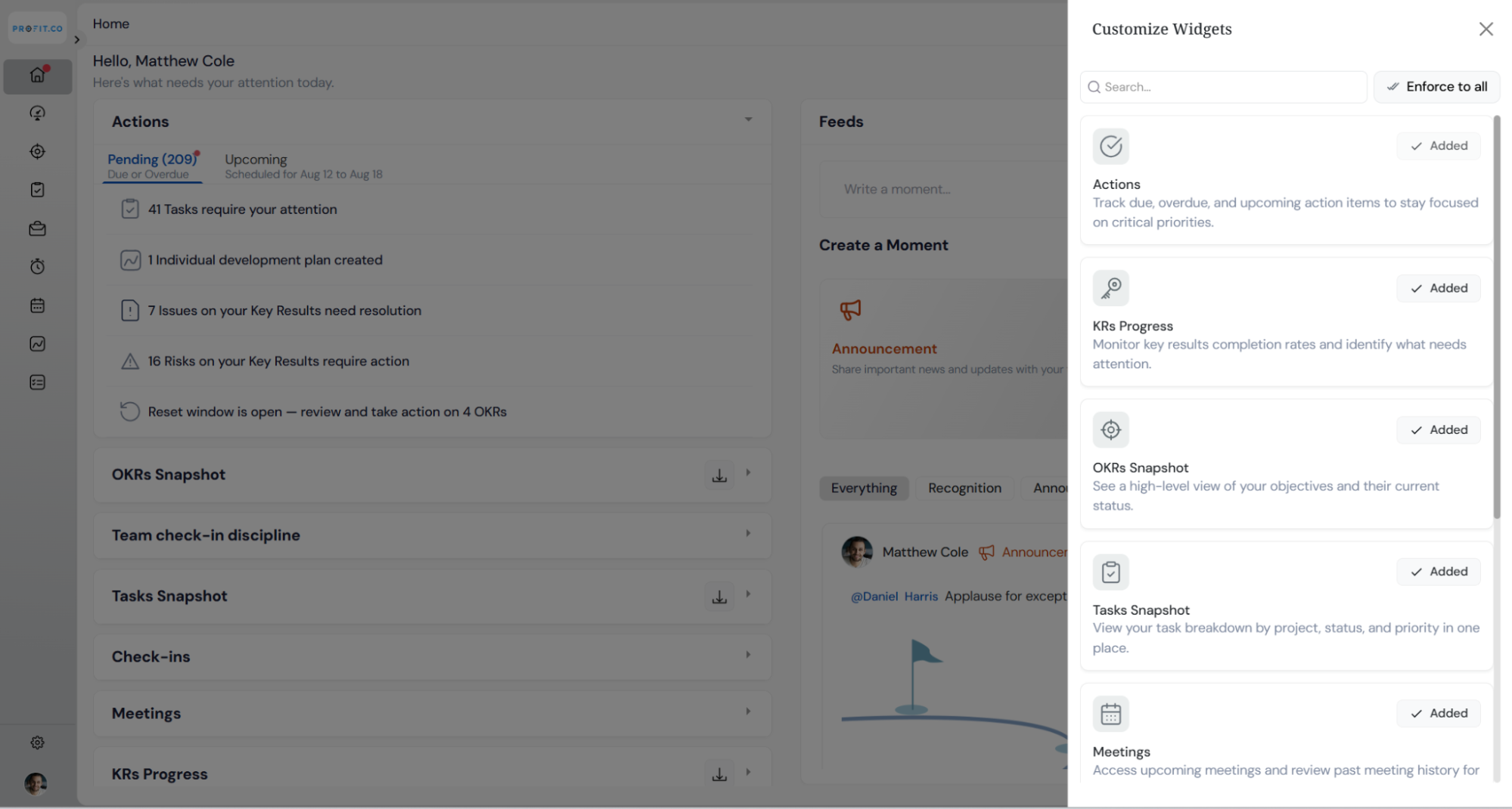
You can customize the widgets displayed on the Home page based on your preference.
To customize the widgets, click the Customize icon on the panel and select the Add option. Once added, the selected widget will be displayed on the Home page.
Actions:
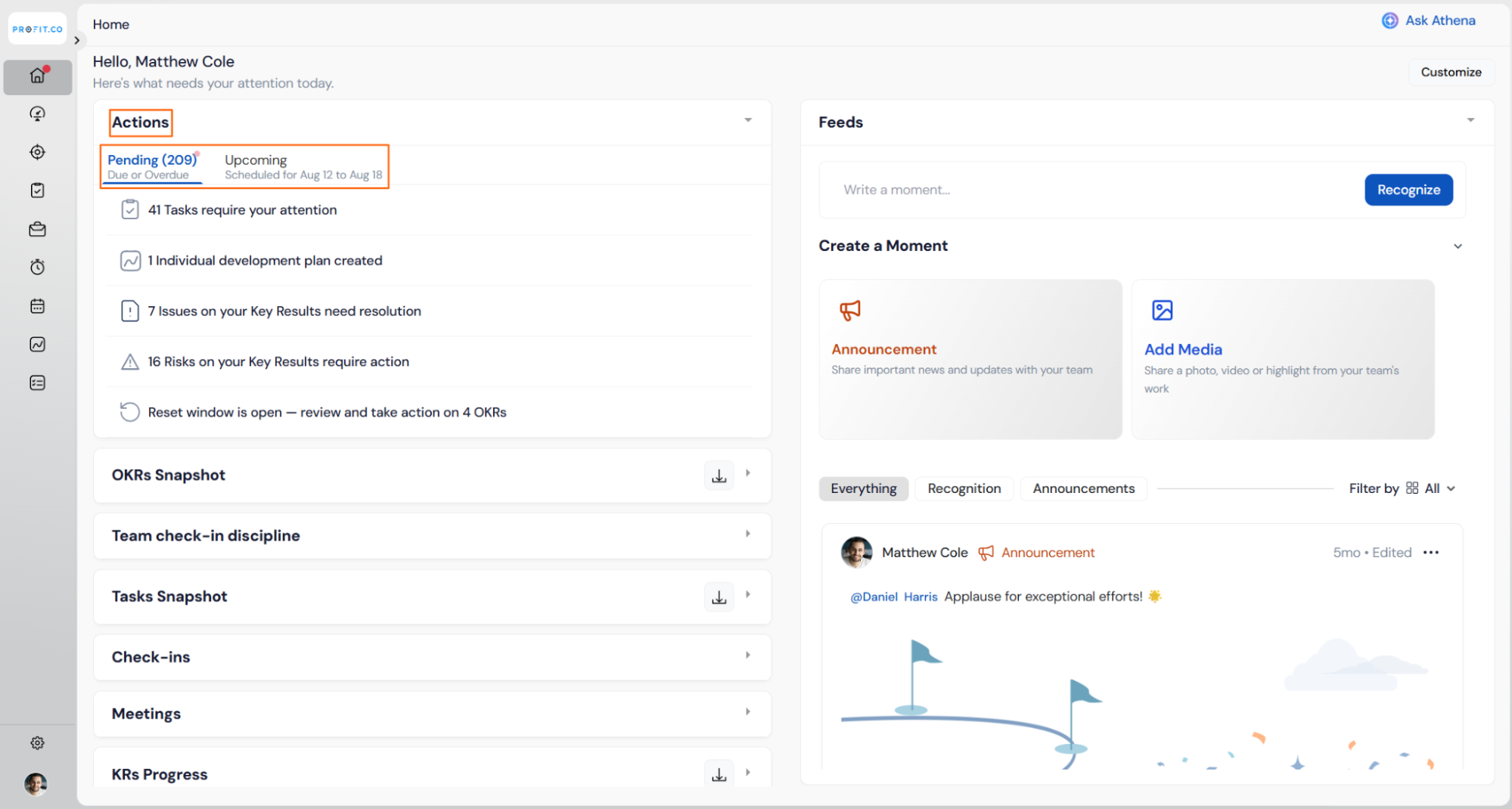
Pending: View due or overdue check-ins for Key Results, tasks, portfolios, and pending assessments.
Upcoming: Get notified about upcoming actions (scheduled within the next 7 days), ensuring you're always prepared.
Note
You can directly resolve all your actions from the homepage.
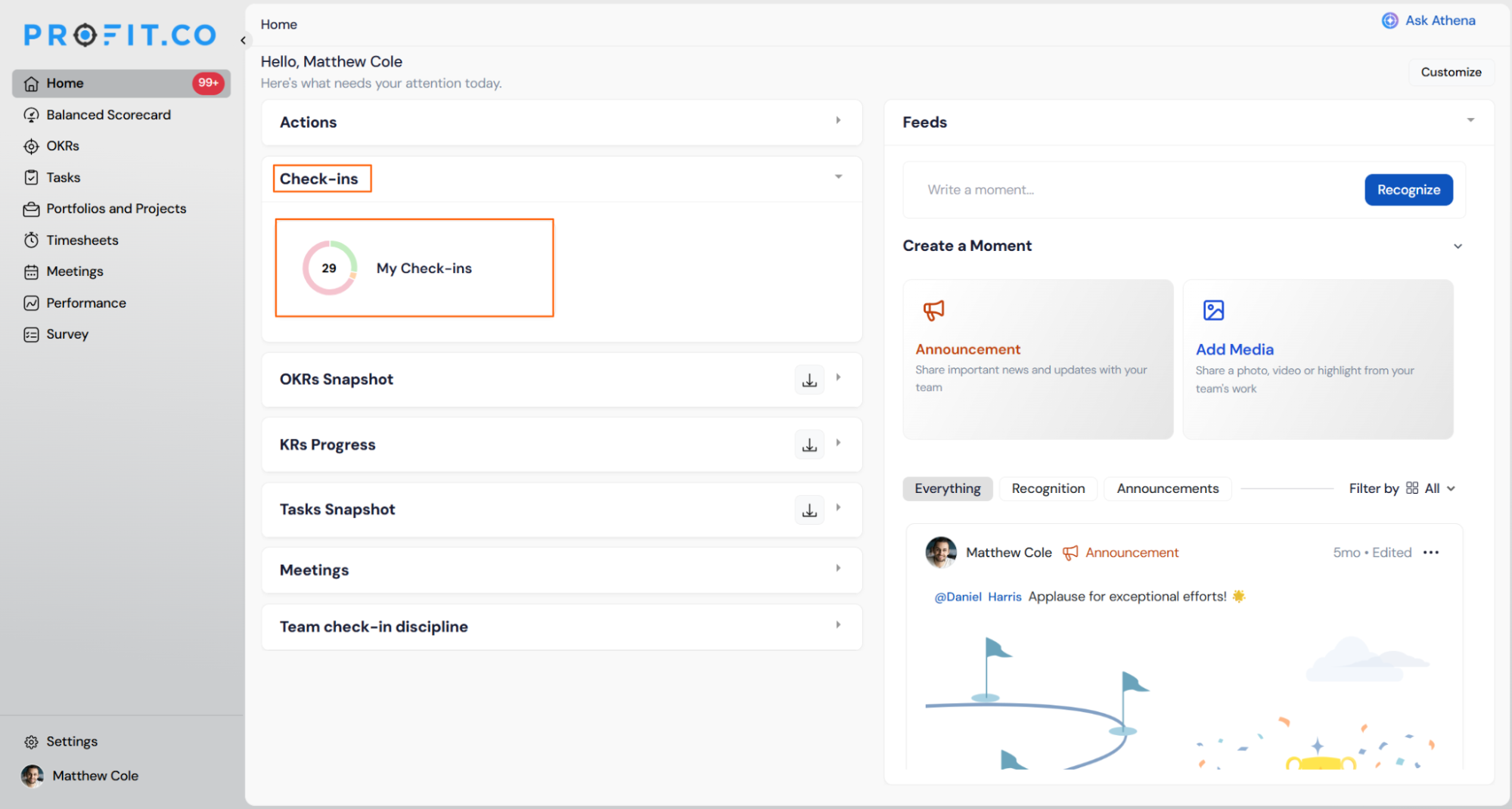
Check-in Discipline: Track your overall check-in score and your department's discipline score to enhance consistency. It displays the number of on-time, missed, and late check-ins for both individual and department levels.
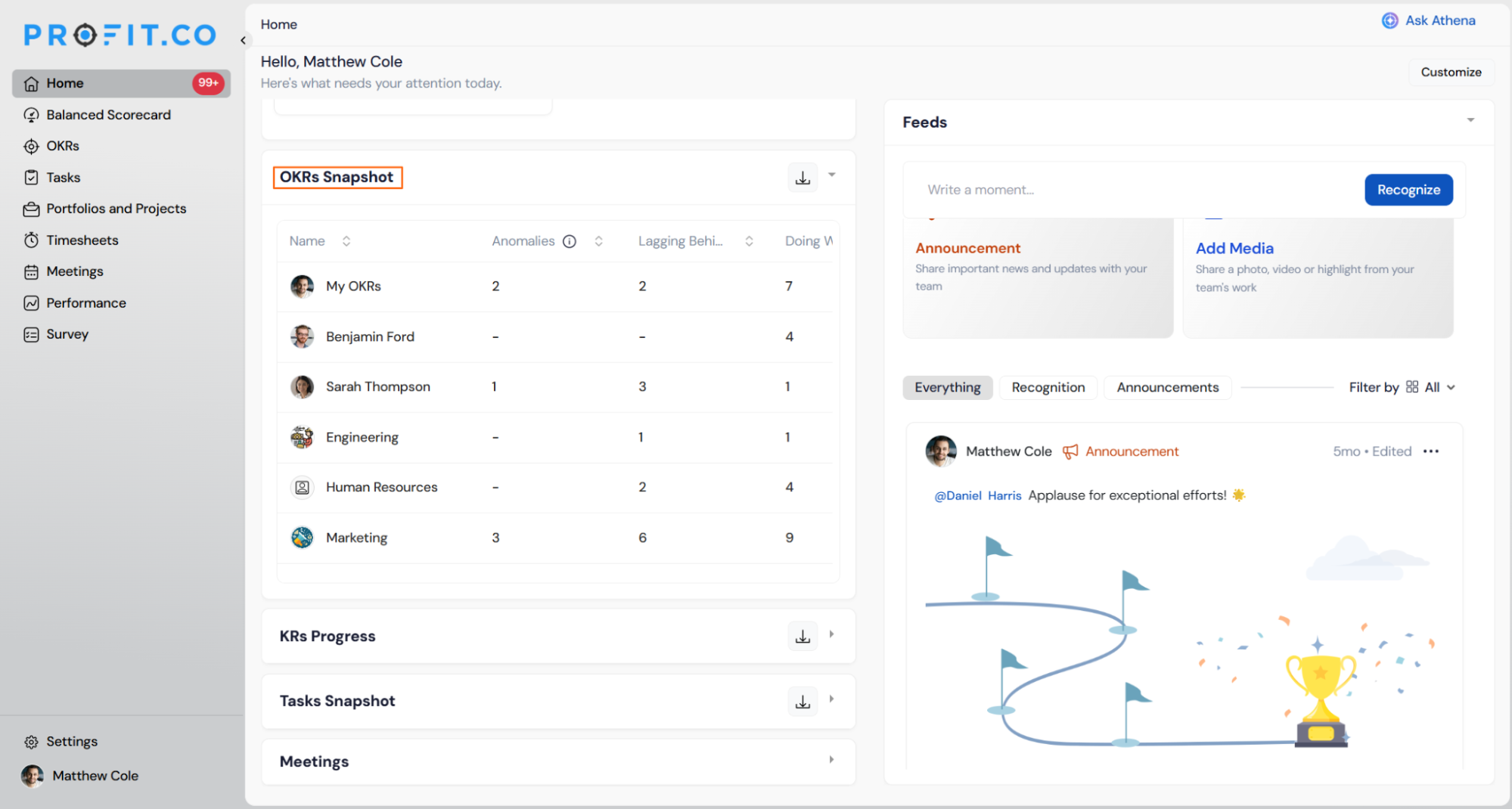
OKRs Snapshot: Gain insights into how employees and departments are progressing with their OKRs. This snapshot categorizes OKRs into Anomalies, lagging behind, and performing well, showing the exact count in each category.
Note
You can take action on the OKRs by clicking on them.
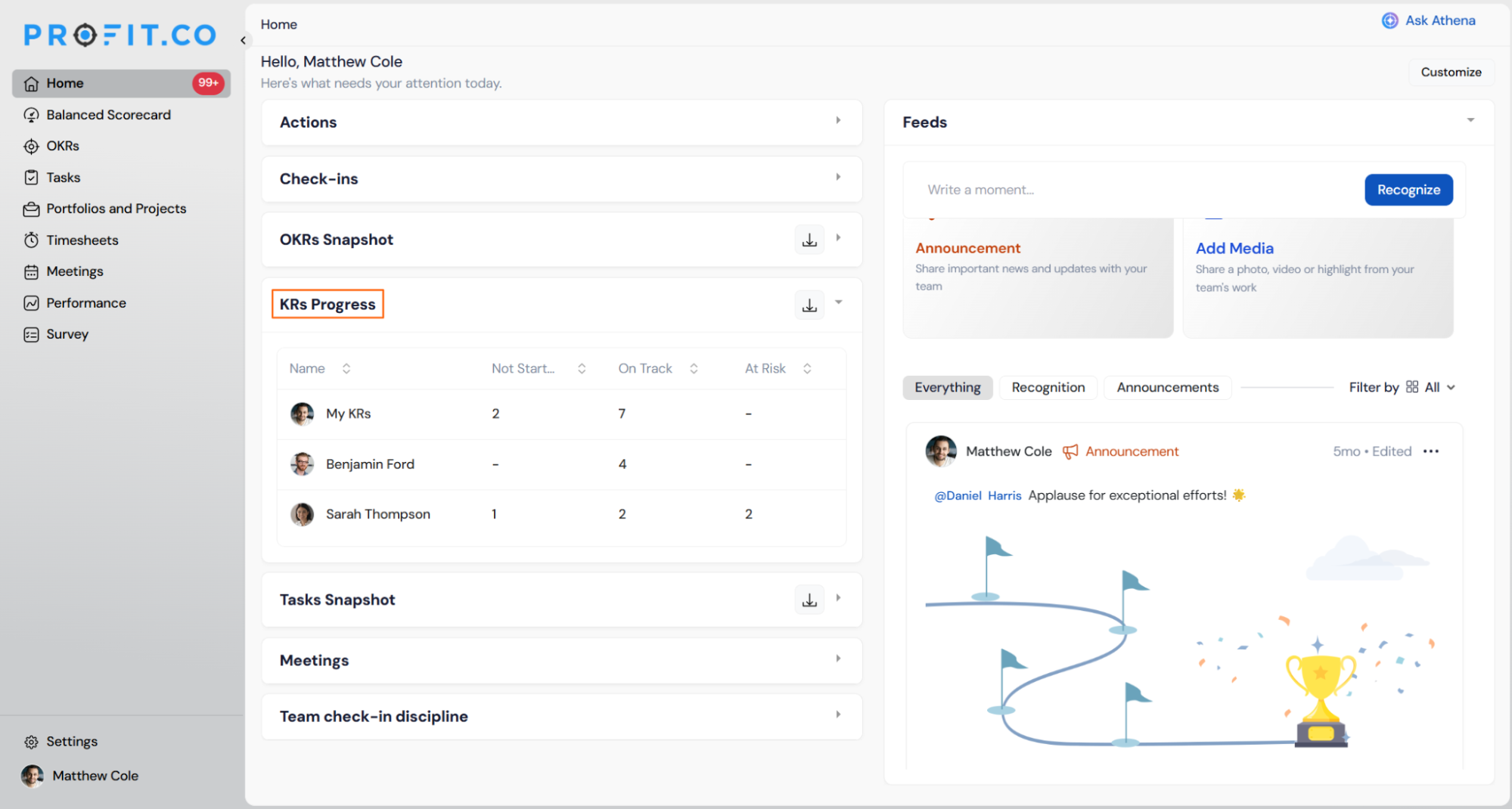
Key Result Progress: Track the progress of employees' Key Results. It displays the count of KRs that are Not Started, At Risk, On Track, and Completed, providing a clear status breakdown.
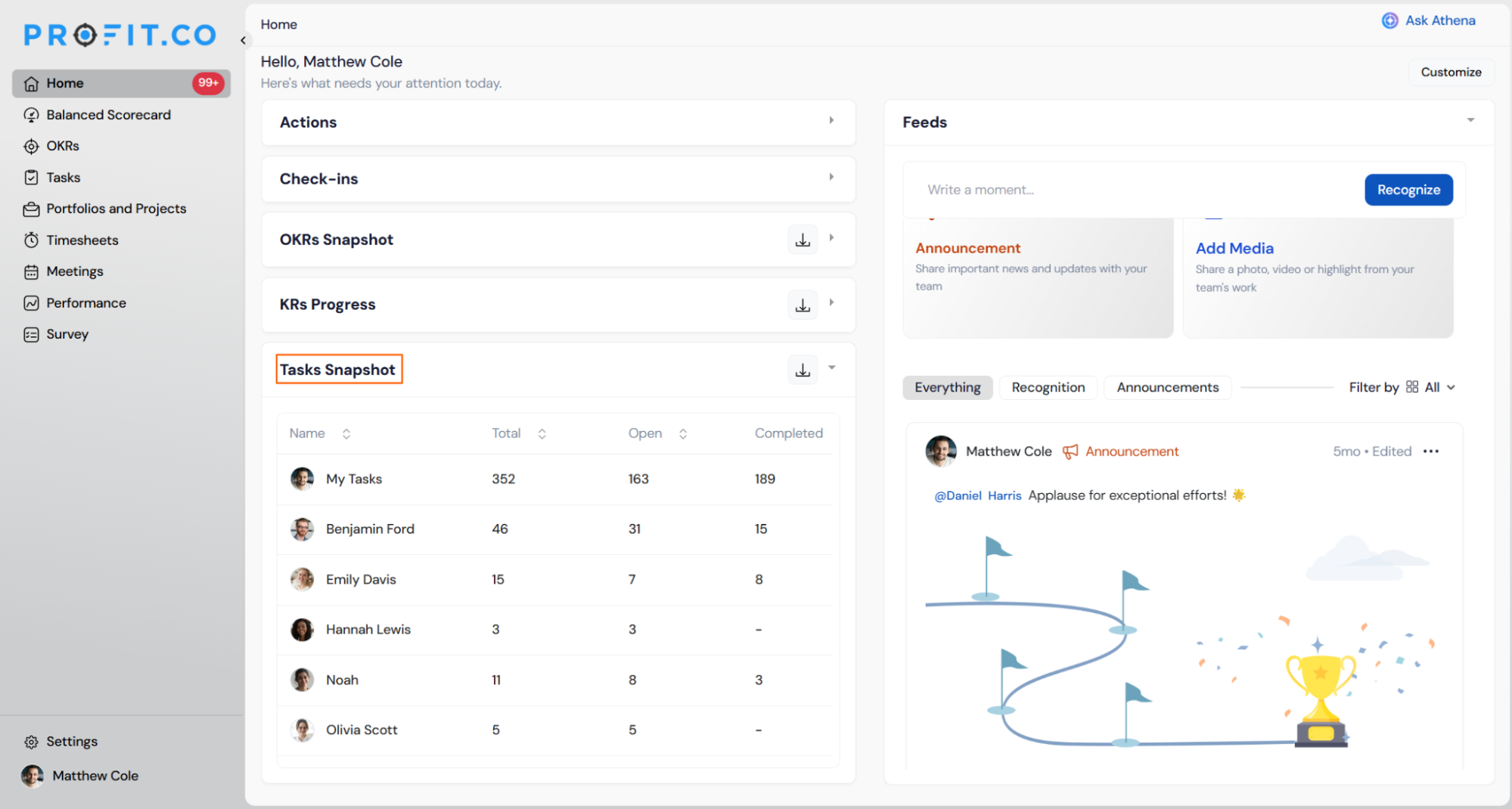
Task Snapshot: It provides an overview of employees' tasks, showing the total count, open tasks, and completed tasks. It helps track workload, identify pending tasks, and ensure timely completion.
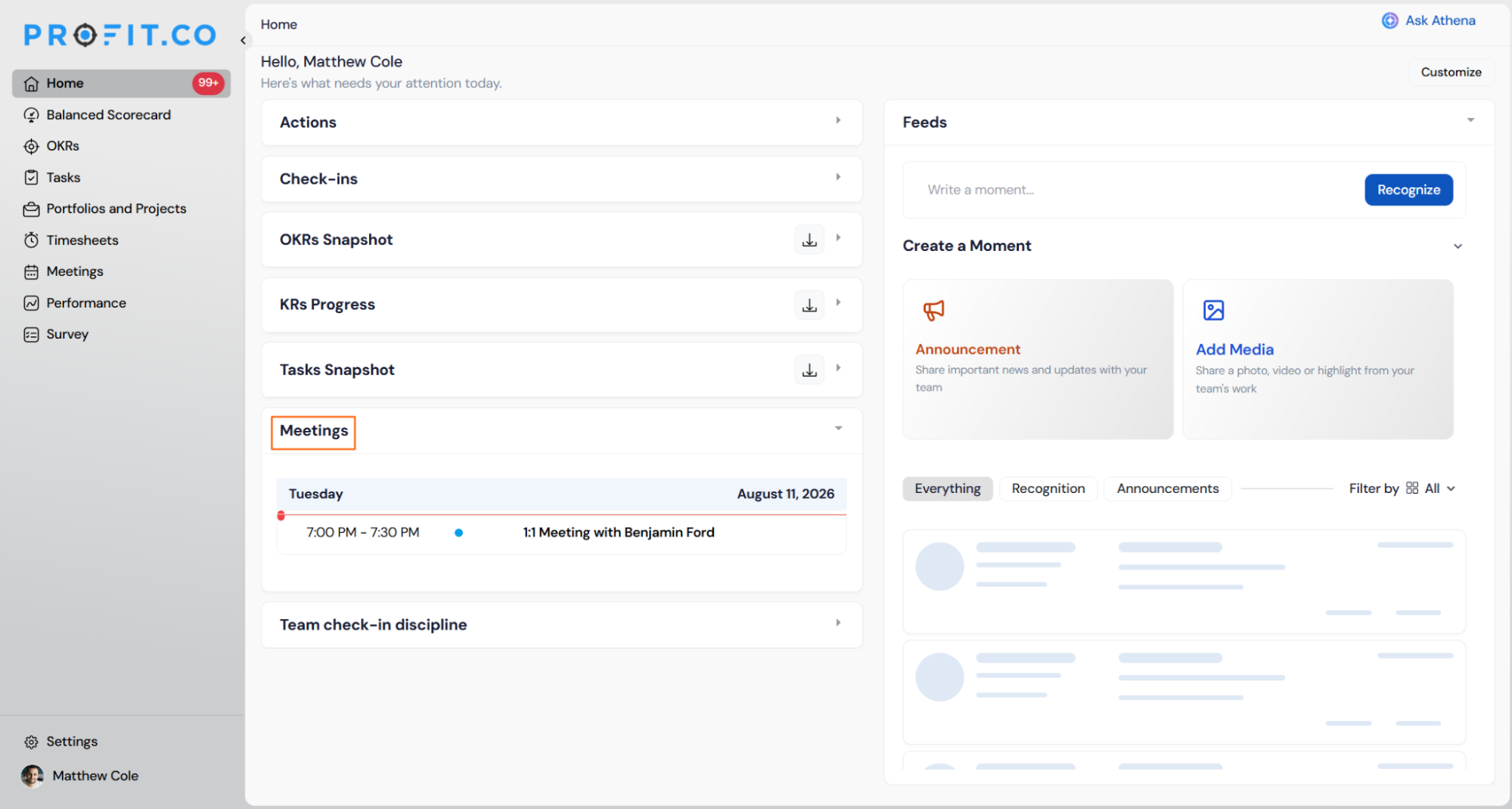
Meetings: It helps to keep you informed about all scheduled meetings for the day, ensuring you stay prepared and never miss an important discussion.
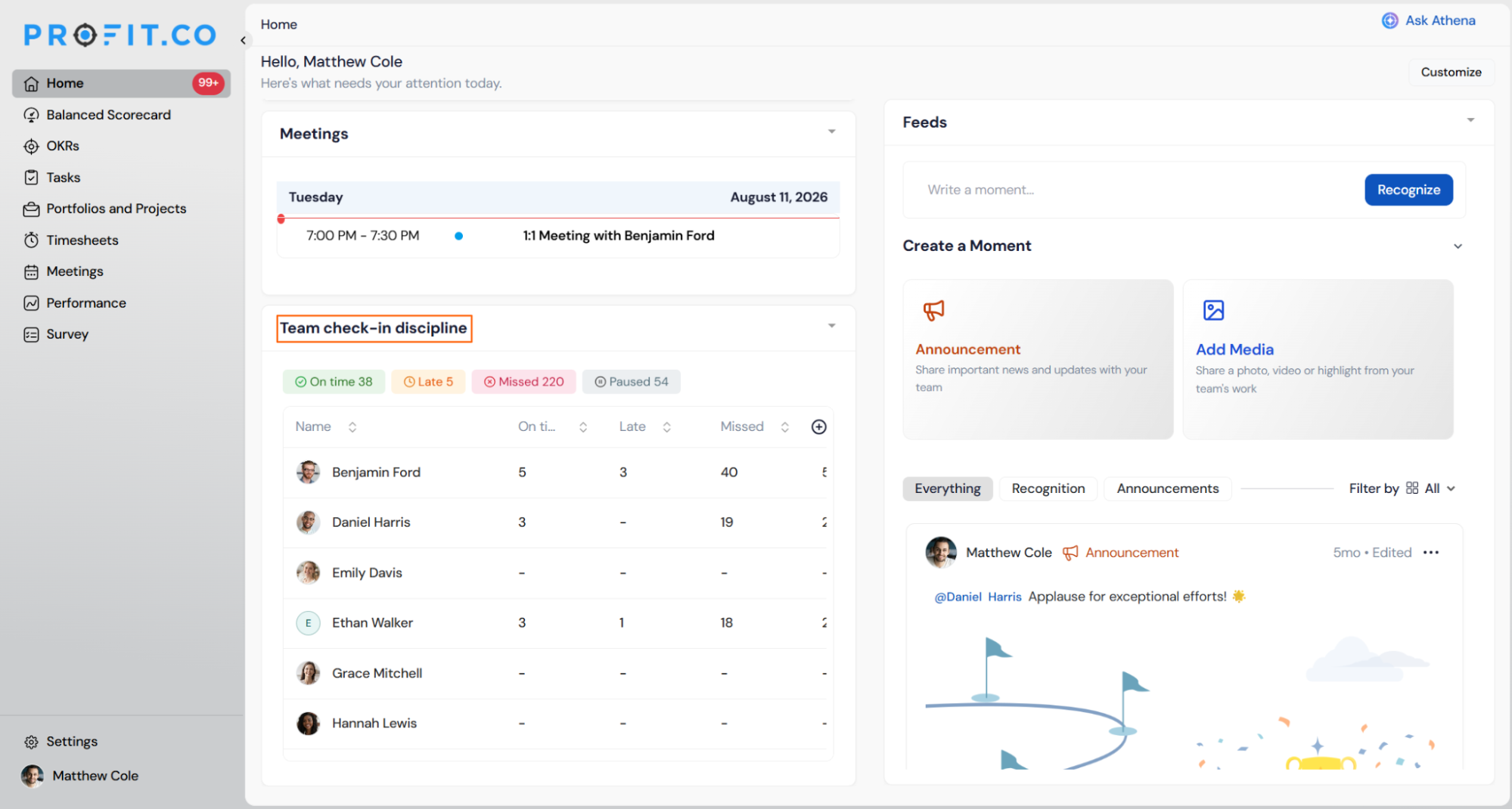
Team Check-in Discipline: Track your team's overall check-in discipline and performance. It displays the number of on-time, missed, and late check-ins, along with the overall discipline score for both direct and indirect reports. You can also use the filter option to view check-in discipline based on your preference.
Step 2: Move to the Feed Section
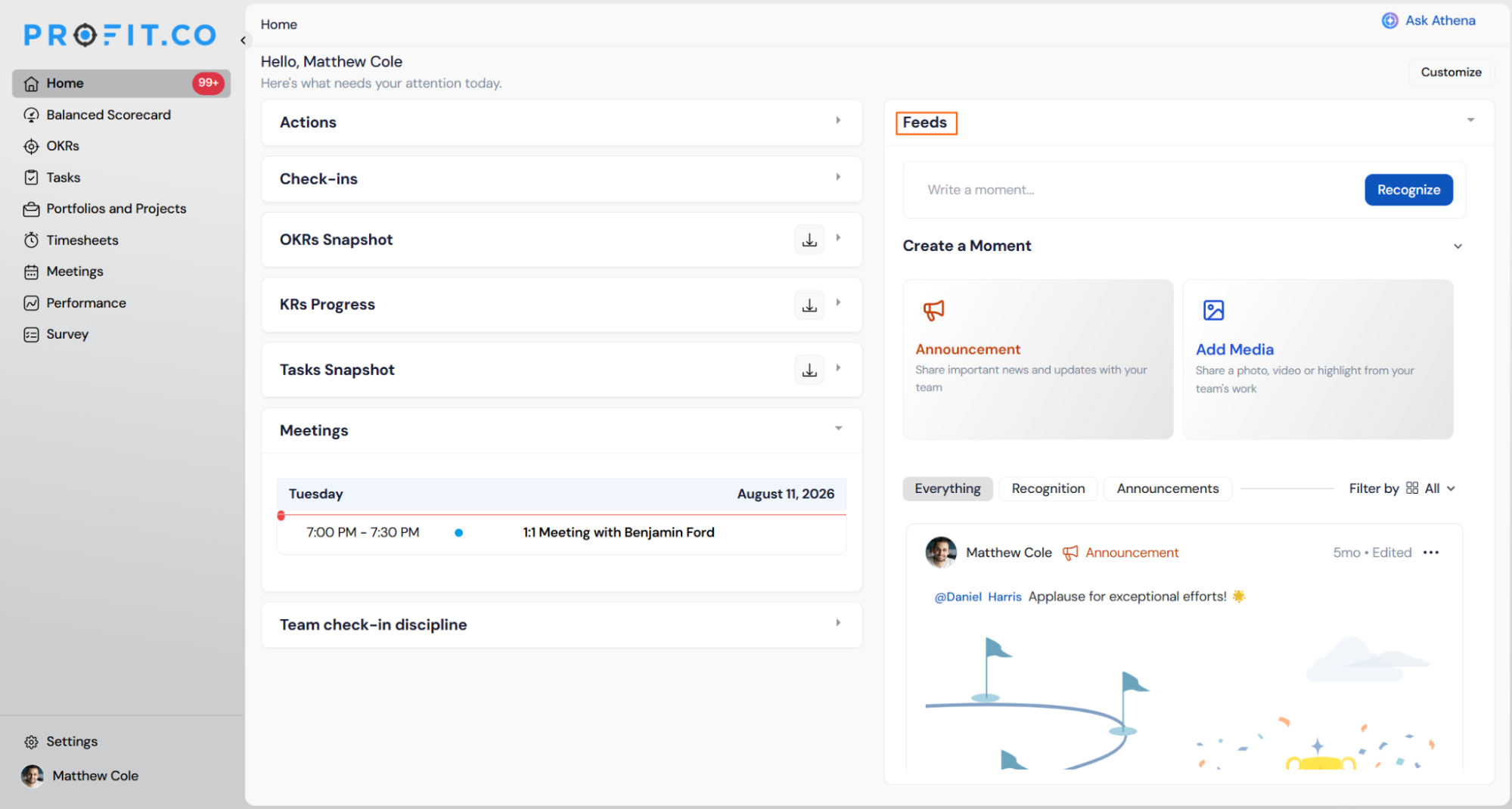
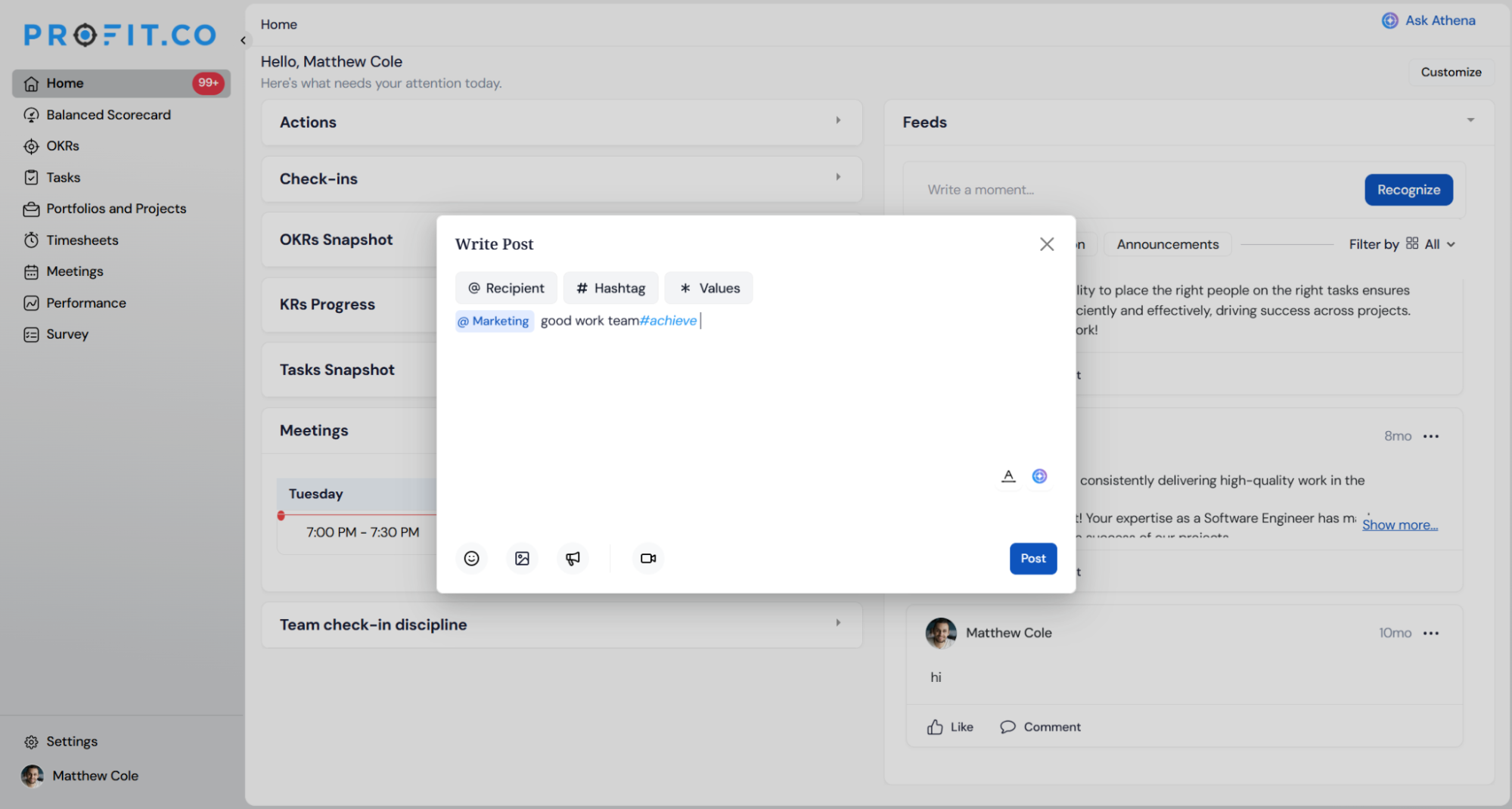
You can express appreciation and reward points by creating an appreciation post. Mention employees using "@" and grant points by using the "+" option.
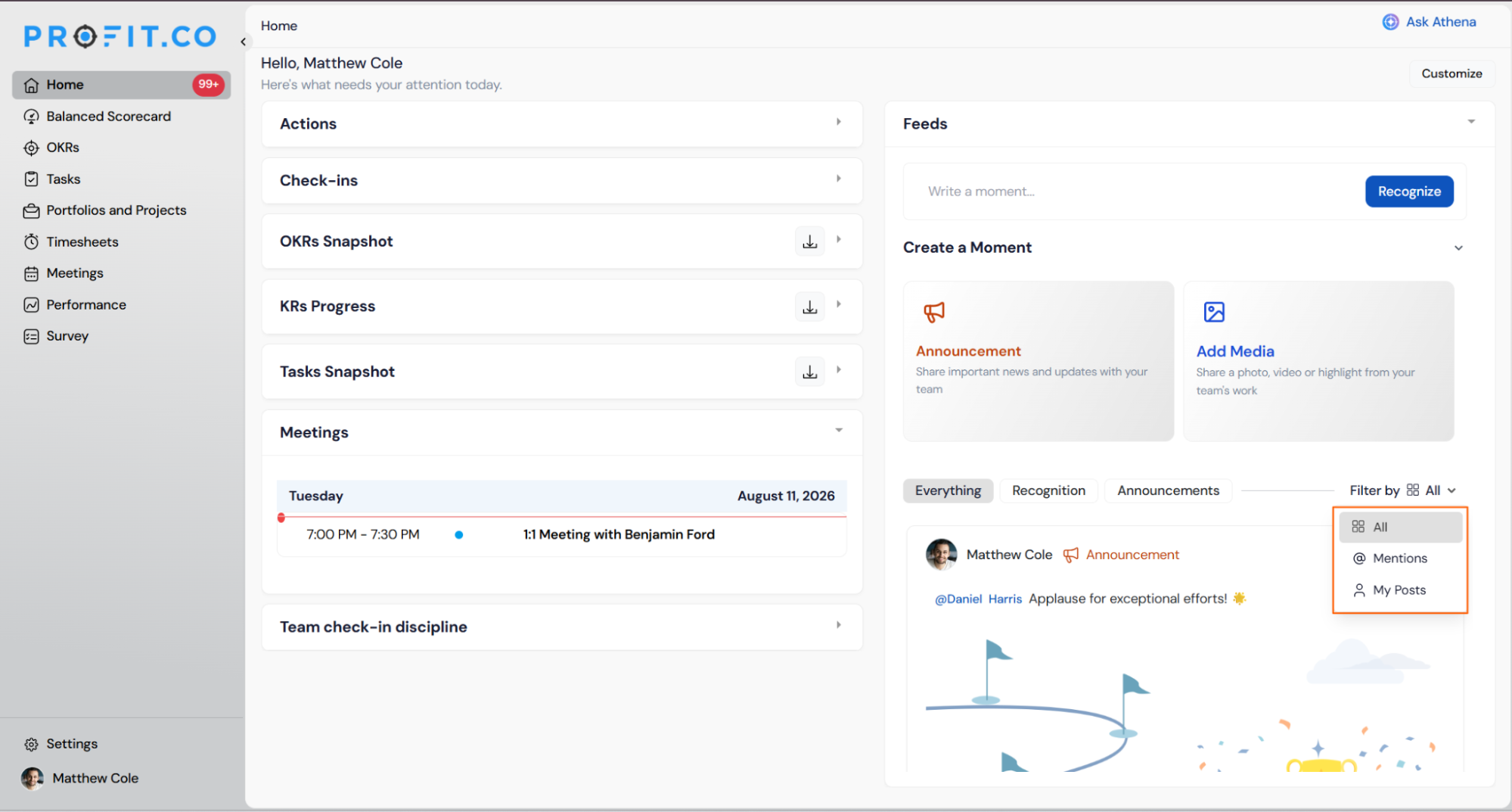
You can use the filter option based on your preference.
Home Page Scenarios and Their Outcomes
| Scenario | What Happens |
|---|---|
| You resolve a Pending action from the Home page panel. | Profit.co completes the action in place and updates the same record in its original module, and no duplicate entry is created. |
| You click an OKR listed in the OKRs Snapshot widget. | Profit.co opens that OKR's full record so you can act on it, and it's the same view you'd reach from the OKR module directly. |
| You mention a colleague using "@" in a Feed post. | Profit.co sends that colleague both an in-app and email notification, and the post stays visible to the wider Feed. |
| You apply a filter to the Feed or the Team Check-in Discipline widget. | Profit.co narrows your own view to the matching results, and it doesn't change the underlying posts or check-in records for anyone else. |
| You open the Home page as a manager with direct or indirect reports. | Profit.co displays the Team Check-in Discipline widget listing every one of your reports, and it doesn't appear for users who have no reports. |
| You see a Paused count against a report in the Team Check-in Discipline widget. | Profit.co marks that count as Paused because the report is Out of Office, and it's tracked separately from that report's Missed or Late counts. |
Best Practices for the Home Page
- Resolve pending check-ins from the panel that opens on the Home page instead of opening each Key Result separately. The update reflects in the source module immediately, so you're not verifying the same status in two places.
- Check the Upcoming tab, not just Pending, to plan check-ins before their due date. Pending only surfaces items that are already due or overdue.
- As a manager, use the Team Check-in Discipline widget instead of opening each report's individual check-in record. The on-time, late, missed, pending, and paused counts are already consolidated per report, so you only open the record when you need the underlying detail.
- Mention colleagues with "@" only when the update genuinely needs their attention, since every mention triggers an in-app and email notification to that person.
- Treat the Home page widget counts as a starting point, not the full report. For detailed check-in trends over time, use the dedicated Check-in Discipline reports the widget summarizes.
Related Articles
- How does the check-in discipline process work in Profit.co?
- What is the role of feeds in Profit.co?
- How to Report Posts from the Homepage Feed in Profit.co?
Frequently Asked Questions
The widgets, Actions, Check-ins, OKRs Snapshot, KRs Progress, and Tasks Snapshot, are scoped to your own records and your department, not the full organization. Team Check-in Discipline is scoped further, to your direct and indirect reports only.
The Home page widget shows the counts only. The cutoff rules that define on-time, late, and missed are covered in the dedicated check-in discipline article linked above.
The Feed loads as part of the same Home page. You scroll down to it below the status widgets, no separate navigation is required.
Execute your strategy with confidence
Connect OKRs, tasks, and teams in one place with Profit.co
