

Rating Source lets Super Users choose whether an employee's Self Overall Rating comes from their manual self-assessment input or is calculated automatically from their OKR progress. Once saved, the selected source is applied to that field across the review template.
Table of Contents
What is Self Overall Rating Source?
Rating Source is a setting on the Self's Overall Rating field, found on the Summary Info tab of a Review Template. It controls where that field's value comes from: the employee's own self-assessment ratings, or a calculation based on their OKR progress. Only Super Users can configure it.
The setting has two available sources, shown below. Both produce a value for the same Self's Overall Rating field, but they draw on different underlying data.
| Option | Rating Derived From |
|---|---|
| Self Assessment Rating | The employee's own inputs entered during the self-assessment phase. This is the default behavior. |
| OKR Progress Score | Calculated automatically from the employee's overall OKR progress percentage, with no manual entry required. |
Why Self Overall Rating Source Matters
Employees who already track their work through OKRs previously had to manually enter a self-rating for review purposes, an extra step that could produce a score disconnected from their actual OKR performance. With OKR Progress Score selected, the Self's Overall Rating is pulled directly from OKR completion instead.
This keeps the score in the review summary consistent with the OKR data already tracked in Profit.co, rather than relying on two separate numbers that may not agree.
How It Works
Step 1
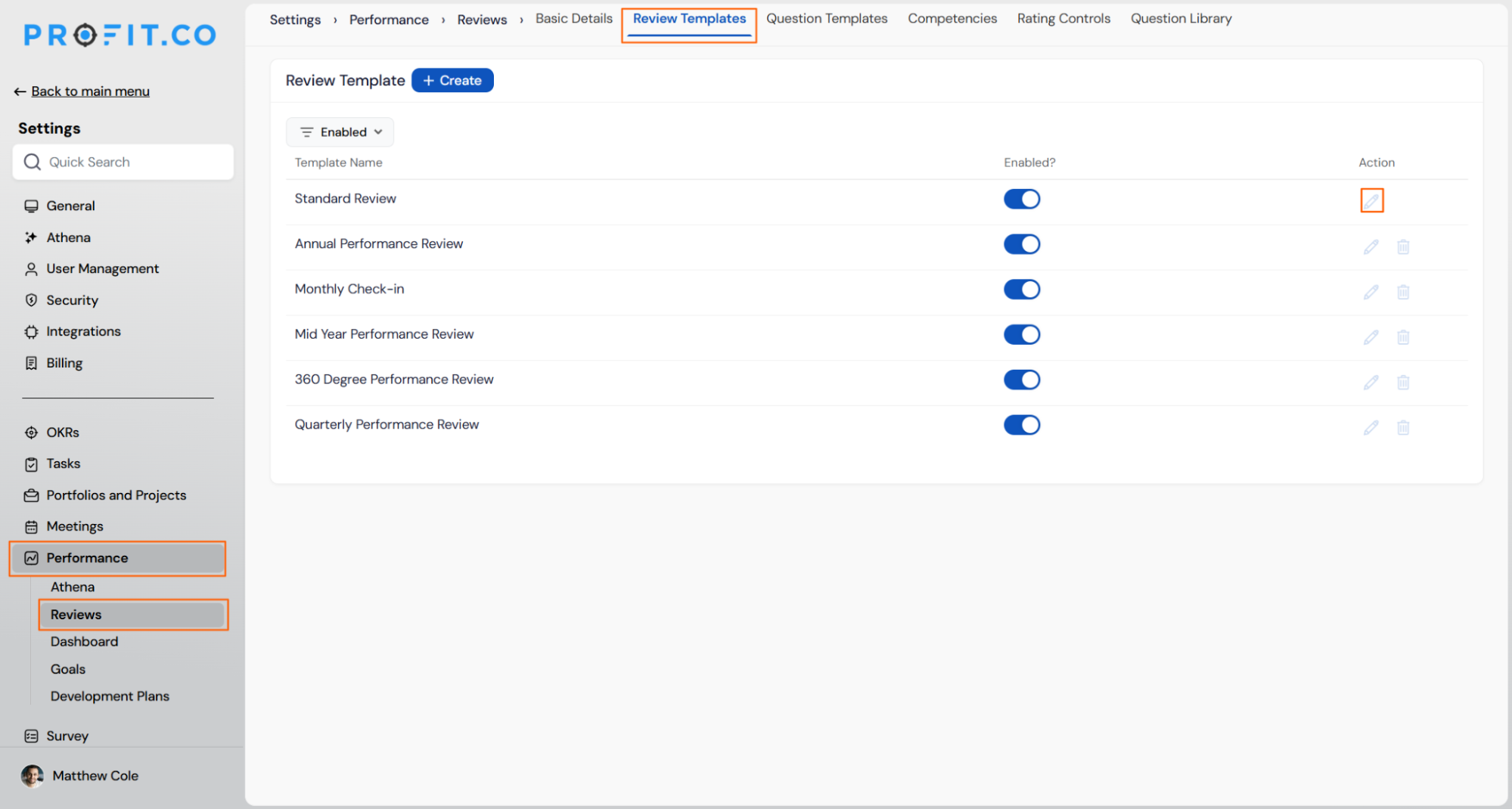
- Navigate to Settings → Performance → Reviews → Review Templates.
- Open the relevant review template.
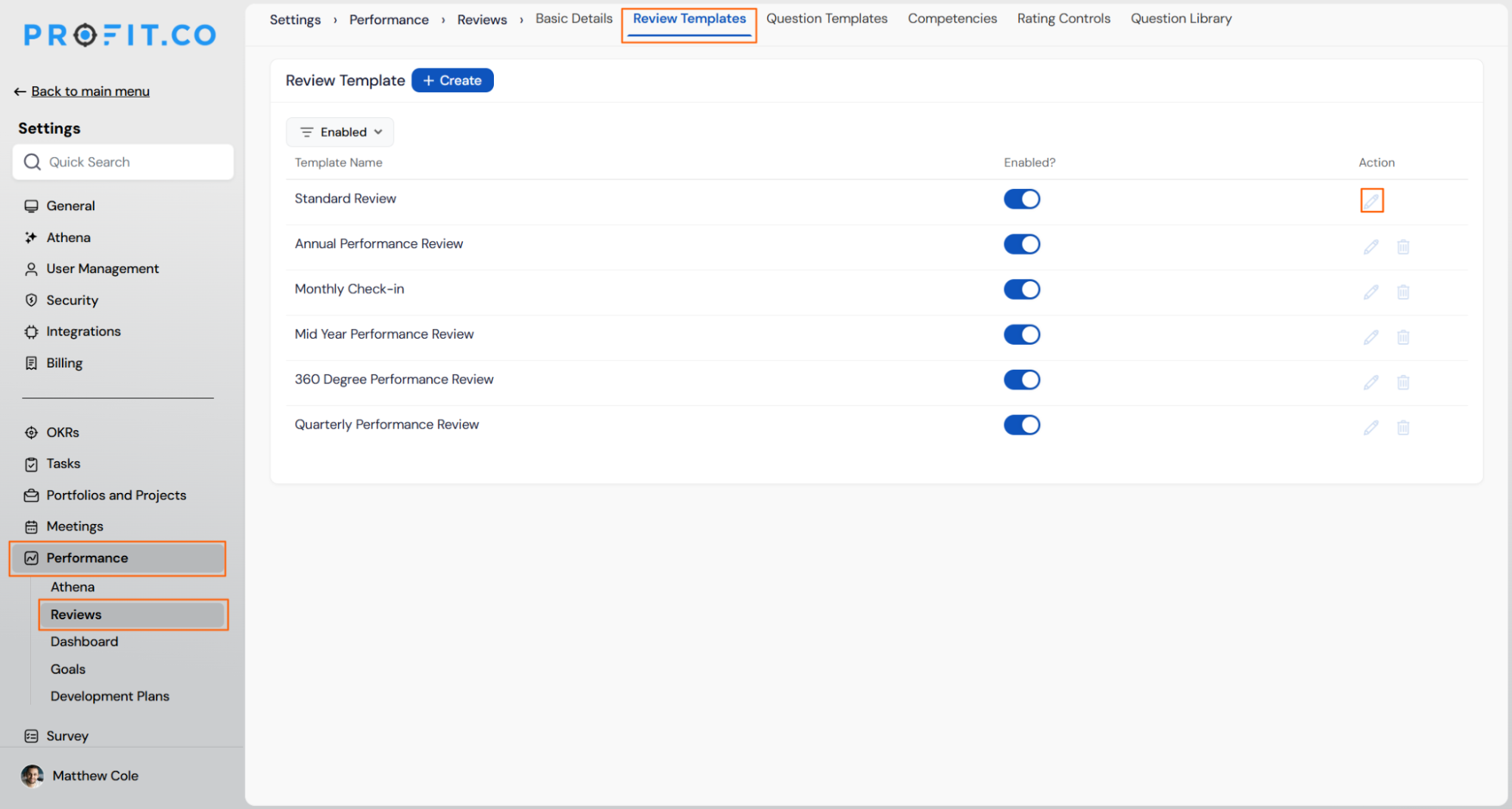
- Switch to the Summary Info tab.
- Click the edit icon on the Self's Overall Rating field.
- The View: Self's Overall Rating panel opens.
Prerequisite
Only Super Users and PM Admin can configure the Rating Source on a review template's Self's Overall Rating field.
Step 2
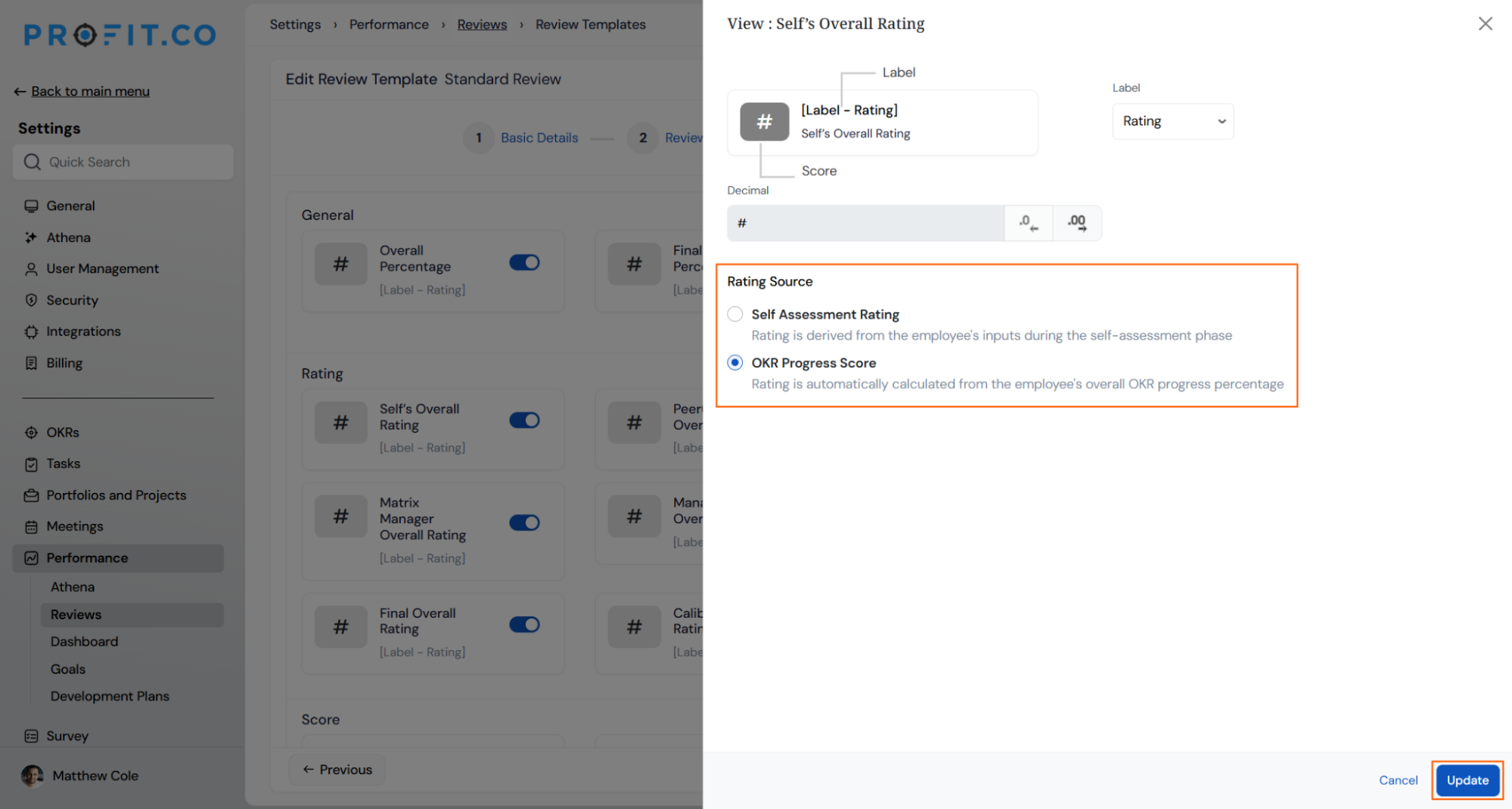
- Choose OKR Progress Score to calculate the rating from the employee's overall OKR progress percentage.
- Choose Self Assessment Rating to keep the rating derived from the employee's self-assessment inputs.
- Click Update to save the selection.
Self Overall Rating Source Scenarios and Their Outcomes
The table below covers what happens to ratings and existing reviews when you change this setting, not the mechanics of selecting an option.
| Scenario | What Happens |
|---|---|
| You select OKR Progress Score as the Rating Source. | Profit.co calculates the Self's Overall Rating from the employee's overall OKR progress percentage instead of their self-assessment input. |
| You select Self Assessment Rating as the Rating Source. | Profit.co derives the Self's Overall Rating from the ratings the employee enters during their self-assessment phase. |
| You change the Rating Source on a template with active or completed reviews. | Profit.co applies the new source only to reviews initiated after the change, and keeps existing reviews on the source that was active when they were initiated. |
| You keep OKR Progress Score selected while an employee completes their self-assessment. | Profit.co still records the employee's self-assessment inputs on individual objectives and key results, but the Self's Overall Rating field reflects the OKR progress percentage rather than those inputs. |
| You save a Rating Source change to a review template. | Profit.co applies the new source to every employee who uses that template going forward. |
Best Practices for Self Overall Rating Source
- Choose OKR Progress Score for templates where OKR performance should drive the review score directly, since this removes the manual self-rating step entirely.
- Confirm which review cycles are already active before switching the Rating Source, since the new source only applies to reviews initiated after the change.
- Keep Self Assessment Rating selected for roles where OKR data doesn't fully capture performance context, since this source still relies on the employee's own input.
- Restrict Rating Source changes to Super Users with visibility into the template's active review cycles, since the setting affects every employee using that template once saved.
- Decide on a consistent rating source strategy across the other configurable rating fields on the Summary Info tab, so the review summary reflects one coherent method rather than mixed logic.
Related Articles
- What are Ratings in the Review Summary Information?
- How can an Overall Rating be automatically updated in Performance Review?
- What is Review Summary Information and How the Scores are calculated in Performance Reviews?
Frequently Asked Questions
Yes. Rating Source is set per review template on the Self's Overall Rating field, so different templates can use different sources.
Self Assessment Rating is the default. You must explicitly select OKR Progress Score to change the calculation basis.
It is calculated from the employee's overall OKR progress percentage as tracked in their OKRs, not a separate manual entry.
Execute your strategy with confidence
Connect OKRs, tasks, and teams in one place with Profit.co
