





Profit.co provides an option to enable the Requests feature in the left navigation panel for easy access to project request management.
Table of Contents
What is the Requests feature?
The Requests feature is a project intake and approval workflow module that allows organizations to capture, evaluate, and approve project ideas before they become active projects.
Why should I enable the Requests feature?
Enabling the Requests feature provides structured project intake and governance. Here's why this feature matters:
- Controlled Project Initiation: Ensures all projects go through proper evaluation and approval before receiving resources and starting execution
- Strategic Alignment: Allows leadership to review and prioritize project ideas based on strategic fit and organizational priorities
- Complete Information: Standardized intake forms ensure all necessary details are captured before approval decisions are made
How do I enable Requests in the left panel?
Follow these steps to enable the Requests feature:
Step 1: Navigate to Apps Settings
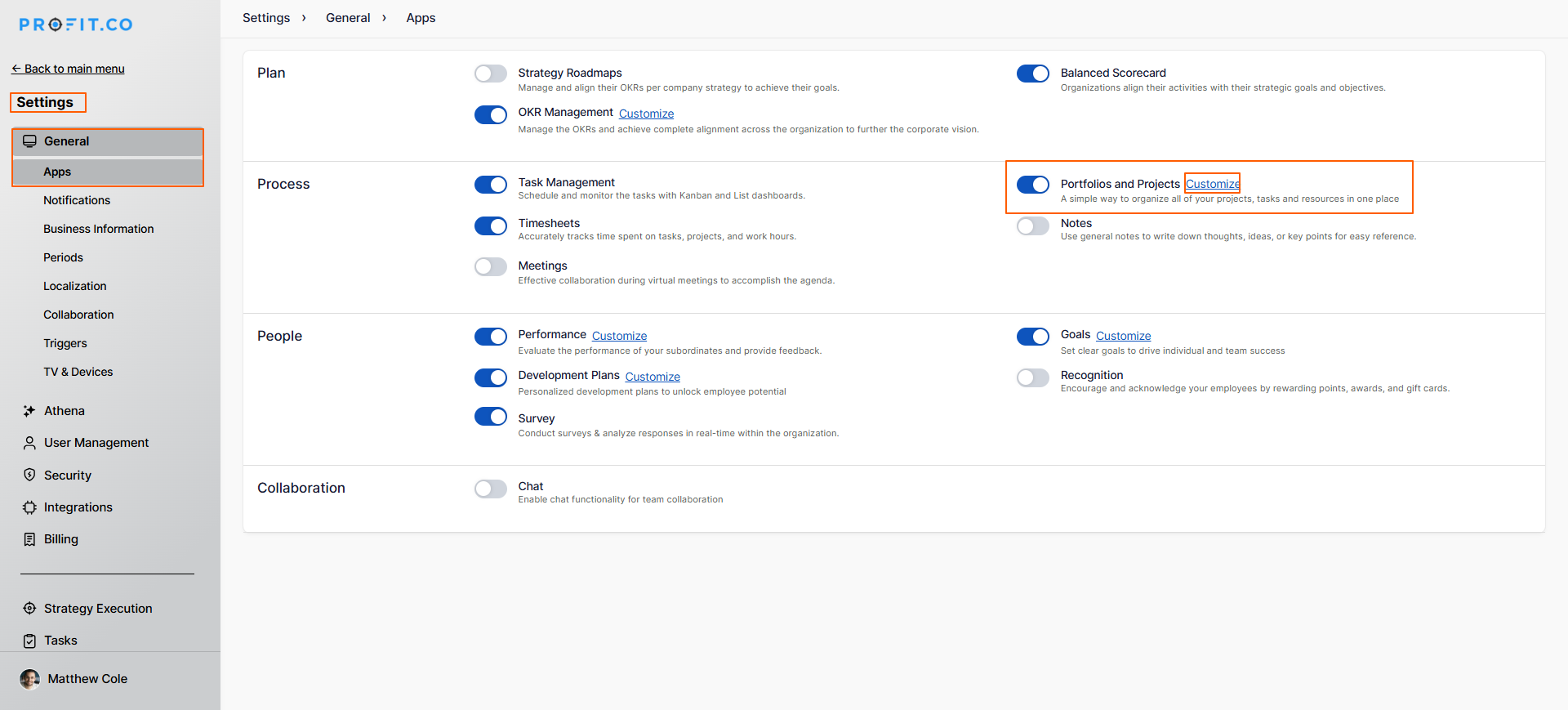
Navigate to Settings → General → Apps from the left navigation panel
The Apps page displays all available Profit.co modules
On the Apps page, locate Portfolios and Projects
Click on the Customize option for Portfolios and Projects
A customization panel will open
Step 2: Enable Requests Toggle
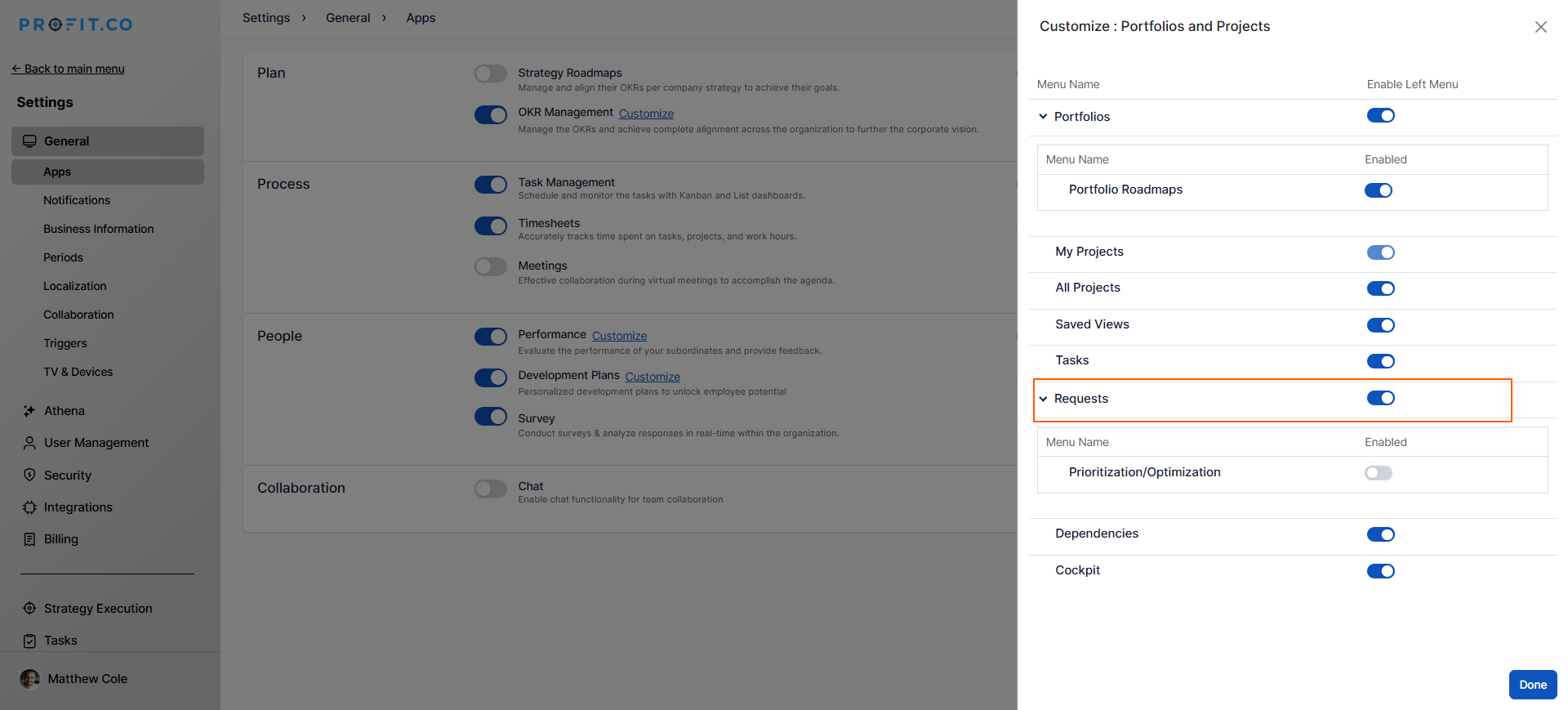
On the right panel, you'll see various feature toggles for the PPM module
Locate the toggle for Requests
Enable the toggle to activate the Requests feature
Click on Done to save the changes
Step 3: Access Requests
Once enabled:
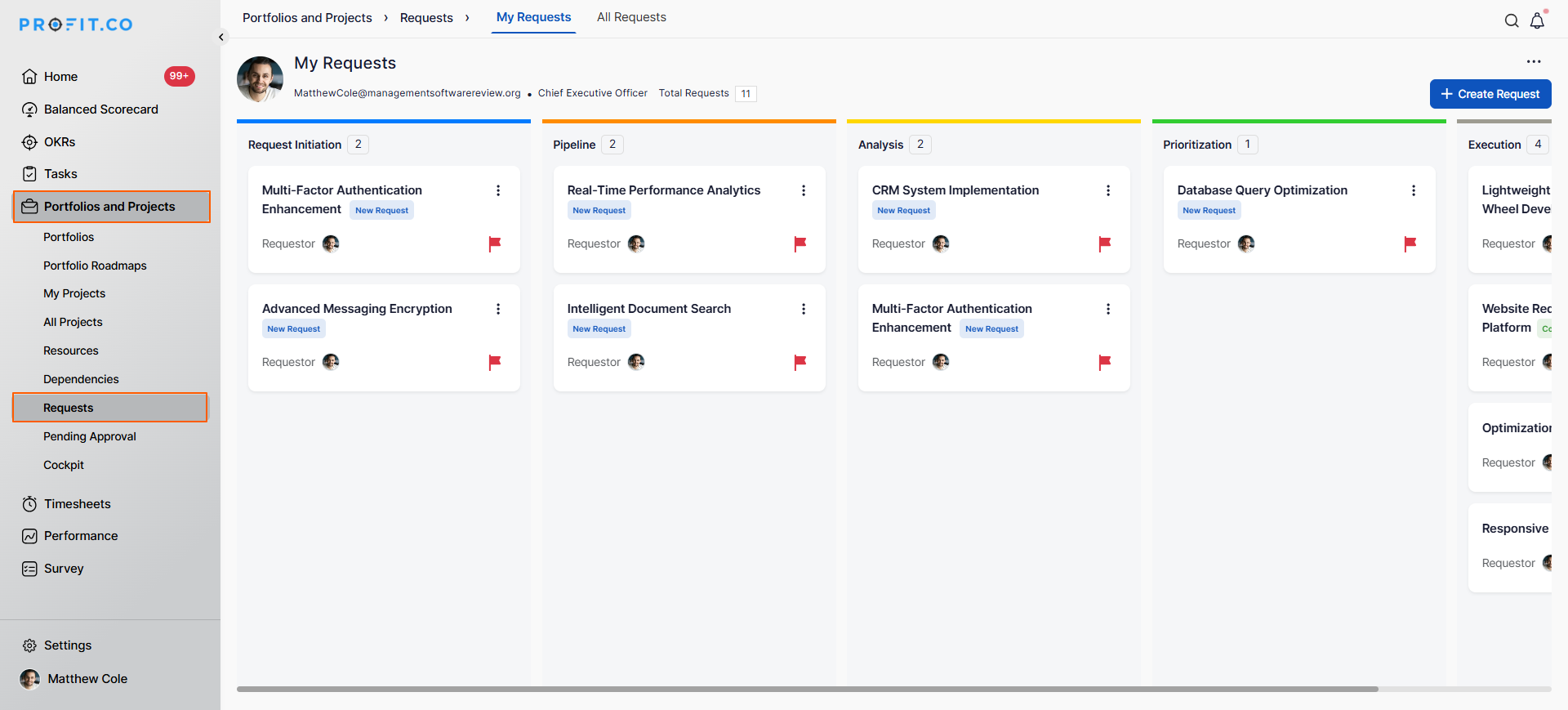
The Requests option will appear in your left navigation panel
Navigate to Portfolios and Projects → Requests
You can now create, manage, and track project requests
Best practices for uploading profile pictures in Profit.co
To maximize the effectiveness of the Requests feature:
- Plan Before Enabling: Define request stages, approval workflows, and custom fields in advance. This helps avoid reconfiguration while users are actively submitting requests and ensures a smooth rollout.
- Start with a Pilot Group: Enable the demand intake process for a small team first to validate governance workflows and refine configurations before rolling it out across the organization.
- Configure Thoroughly: Complete the setup of stages, forms, and approval flows before announcing availability.
Related Questions
How to create a Project Request in the PPM module, Click Here
How to Set Up Automated Request Routing Rules, Click Here
How to Customize Centralized Request Capture Forms, Click Here
Frequently Asked Questions
No, Requests is optional. You can enable Projects without Requests if you don't need structured intake. However, Requests provides better governance for project initiation.
No, enabling Requests doesn't impact existing projects. It only adds request intake capability for future project ideas.
Yes, even with Requests enabled, you can still create projects directly. Requests is an optional intake channel, not a mandatory gate.
