




In Profit.co, the Key Result (KR) weight roll-up approach helps calculate a parent Key Result’s progress automatically using its Sub-Key Results. When using the KPI-based roll-up, progress is derived from KPI values rather than manual aggregation, ensuring accurate and meaningful roll-ups.
Table of Contents
- What is the Key Result roll-up approach in Profit.co?
- Why use the Key Result roll-up approach?
- Roll-up calculation types available in Profit.co
- How to configure KPI-based roll-up for Key Results
- How does Say-Do Ratio roll-up work?
- Best Practices for Key Result Roll-Up Approaches
- Related Questions
- Frequently Asked Questions
What is the Key Result roll-up approach in Profit.co?
The roll-up approach defines how a parent Key Result’s progress is calculated from its Sub-Key Results. It ensures that complex goals are measured consistently, even when broken down into multiple Sub-KRs.
Why use the Key Result roll-up approach?
Using roll-ups helps teams:
- Reflect the true impact and importance of Sub-Key Results
- Reduce manual progress updates on parent Key Results
- Maintain consistent progress tracking across OKR hierarchies
- Choose calculation logic that aligns with business priorities
Roll-up calculation types available in Profit.co
When syncing progress from Sub-Key Results, you can choose one of the following roll-up approaches:
1. Equally Weighted
- All Sub-Key Results contribute equally to the parent KR
- Best suited when all Sub-KRs have the same priority
- This is the default roll-up option
2. Percentage Weighted
- Manually assign different weights to each Sub-Key Result
- Useful when certain Sub-KRs have higher impact than others
- Parent KR progress reflects the assigned weight distribution
3. KPI-Based
- Parent KR progress is calculated based on matching KPI values
- Progress rolls up only from Sub-KRs that share the same KPI type
- Ensures KPI-driven accuracy without manual adjustments
4. Say-Do Ratio
- Parent KR progress is calculated based on status
- Measures how many Sub-KRs are on track versus off track
- Available only for Percentage Tracked KPIs
How to configure KPI-based roll-up for Key Results
Step 1: Enable roll-up from Sub-Key Results
- Open the parent Key Result
- Navigate to the View Details page.
- Enable Sync from Sub-Key Results
- Select a roll-up approach
Note: Equally Weighted is selected by default
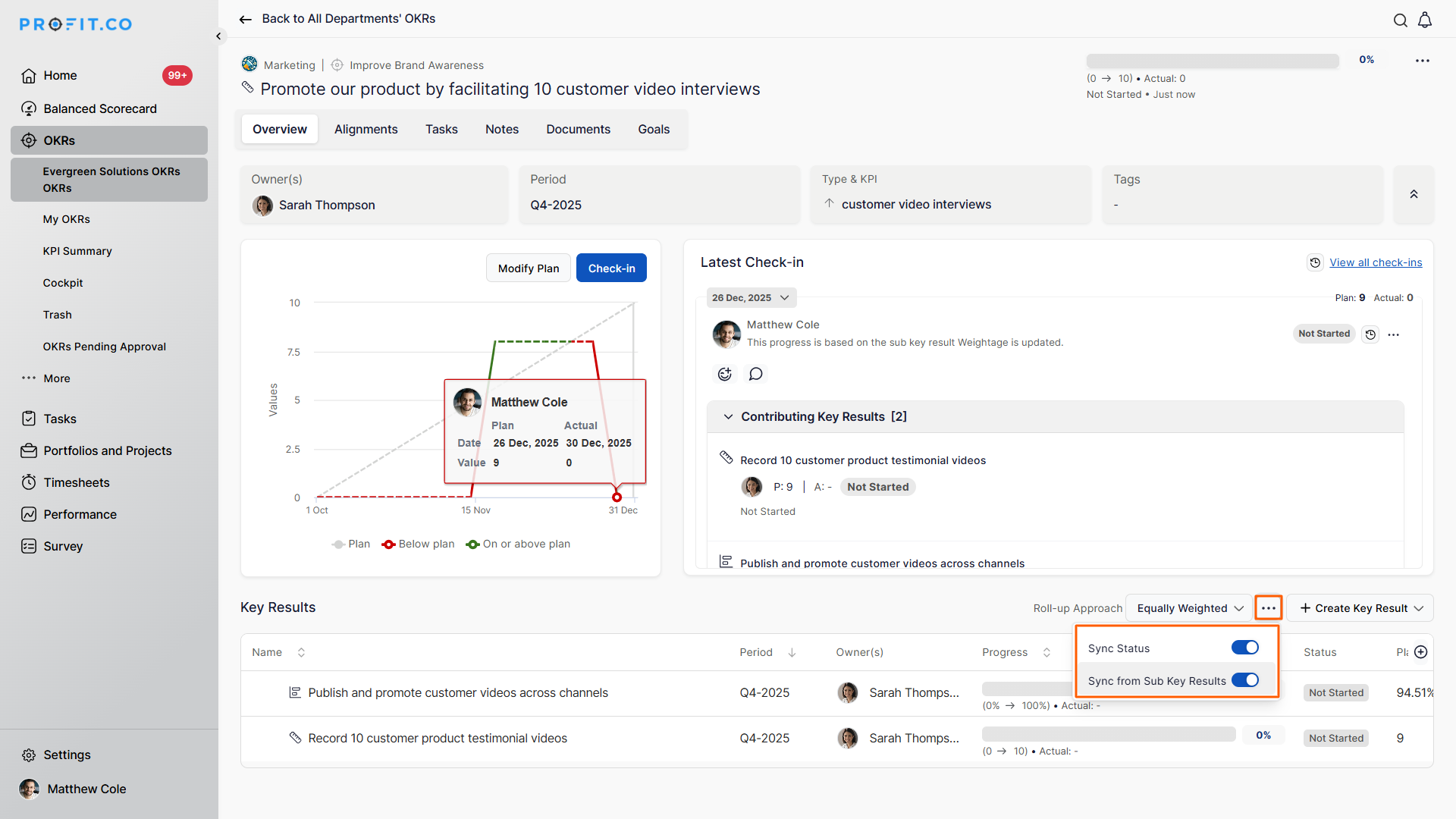
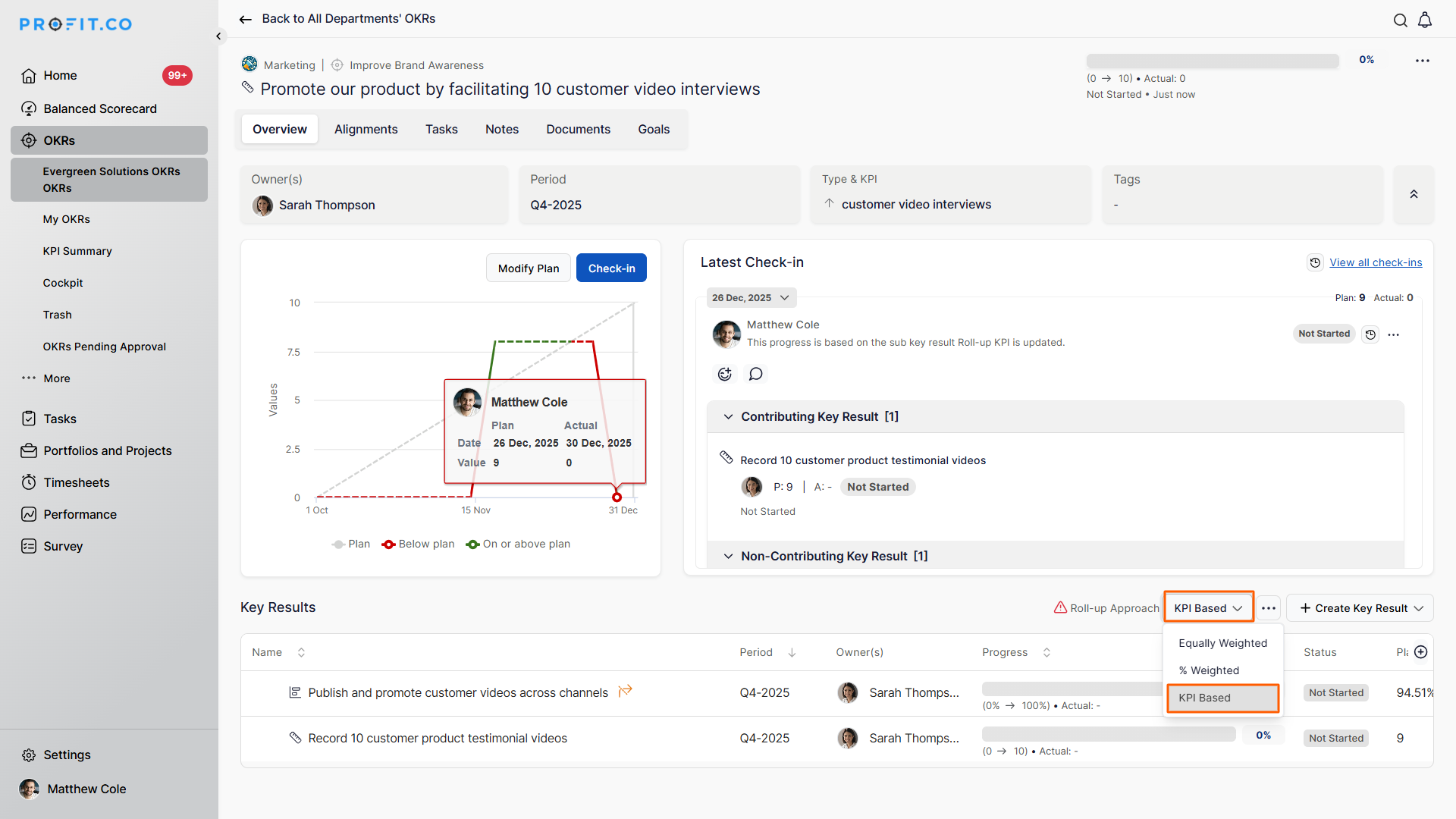
Step 2: Select KPI-Based roll-up
- Choose KPI-Based as the roll-up approach
- Parent KR progress updates automatically based on Sub-KR KPI values
Important notes:
- Sub-Key Result KPI type must match the parent KR
- Only matching KPIs contribute to the roll-up
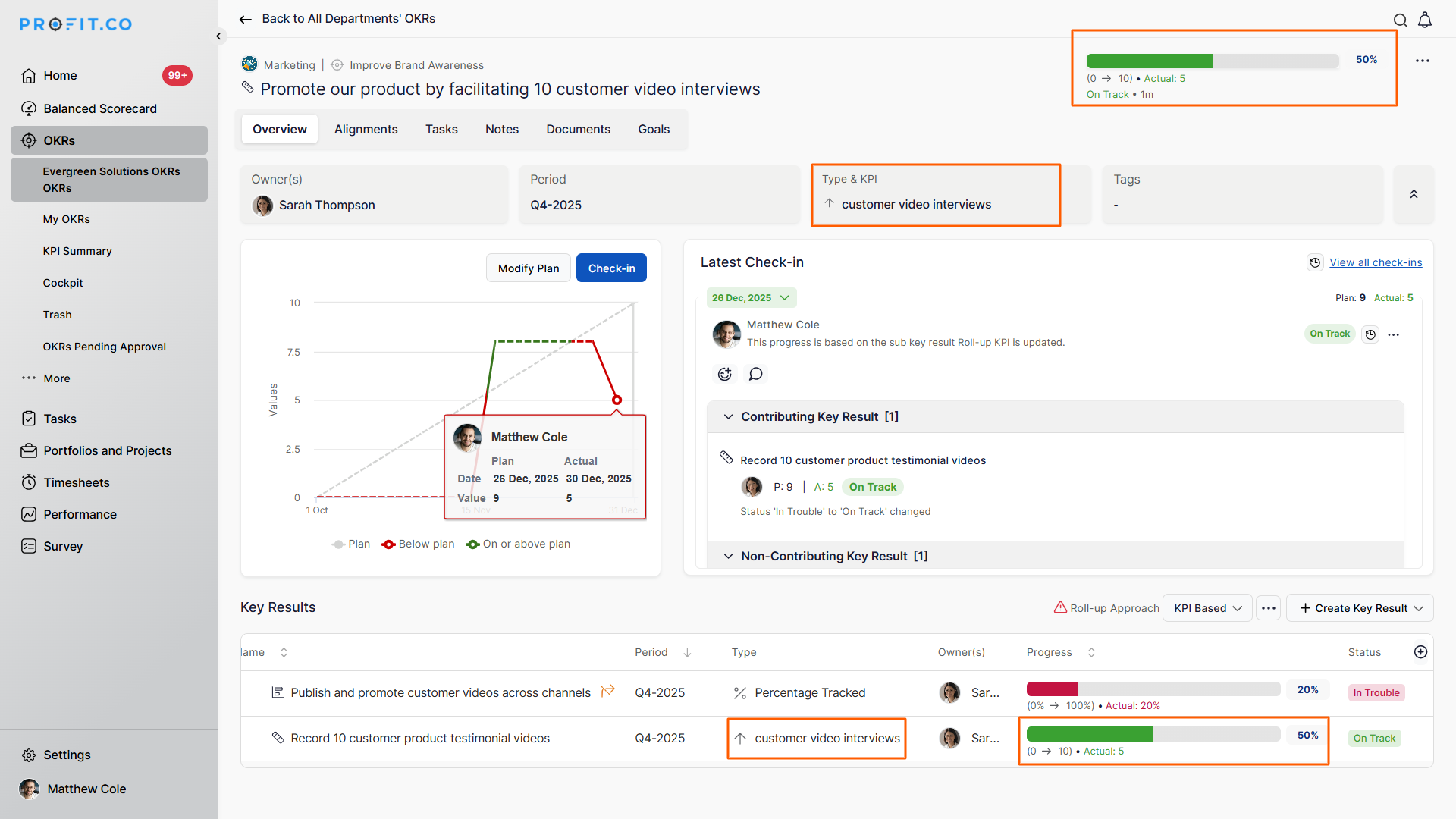
Example:
If the parent KR uses customer video interviews as its KPI:
- Sub-KRs with the same KPI will update the parent automatically
- Sub-KRs with different KPIs will not affect the parent KR’s progress
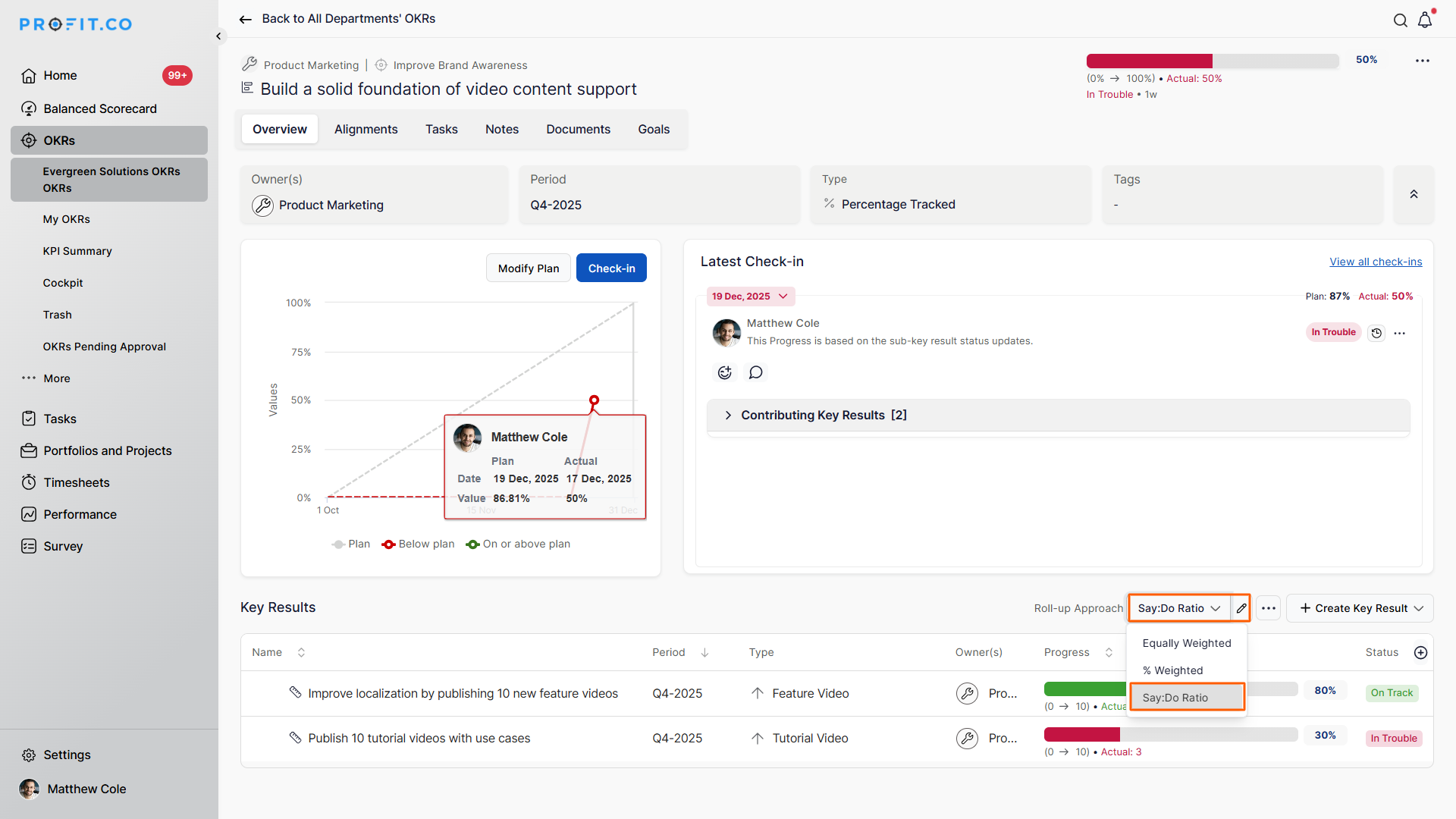
How does Say-Do Ratio roll-up work?
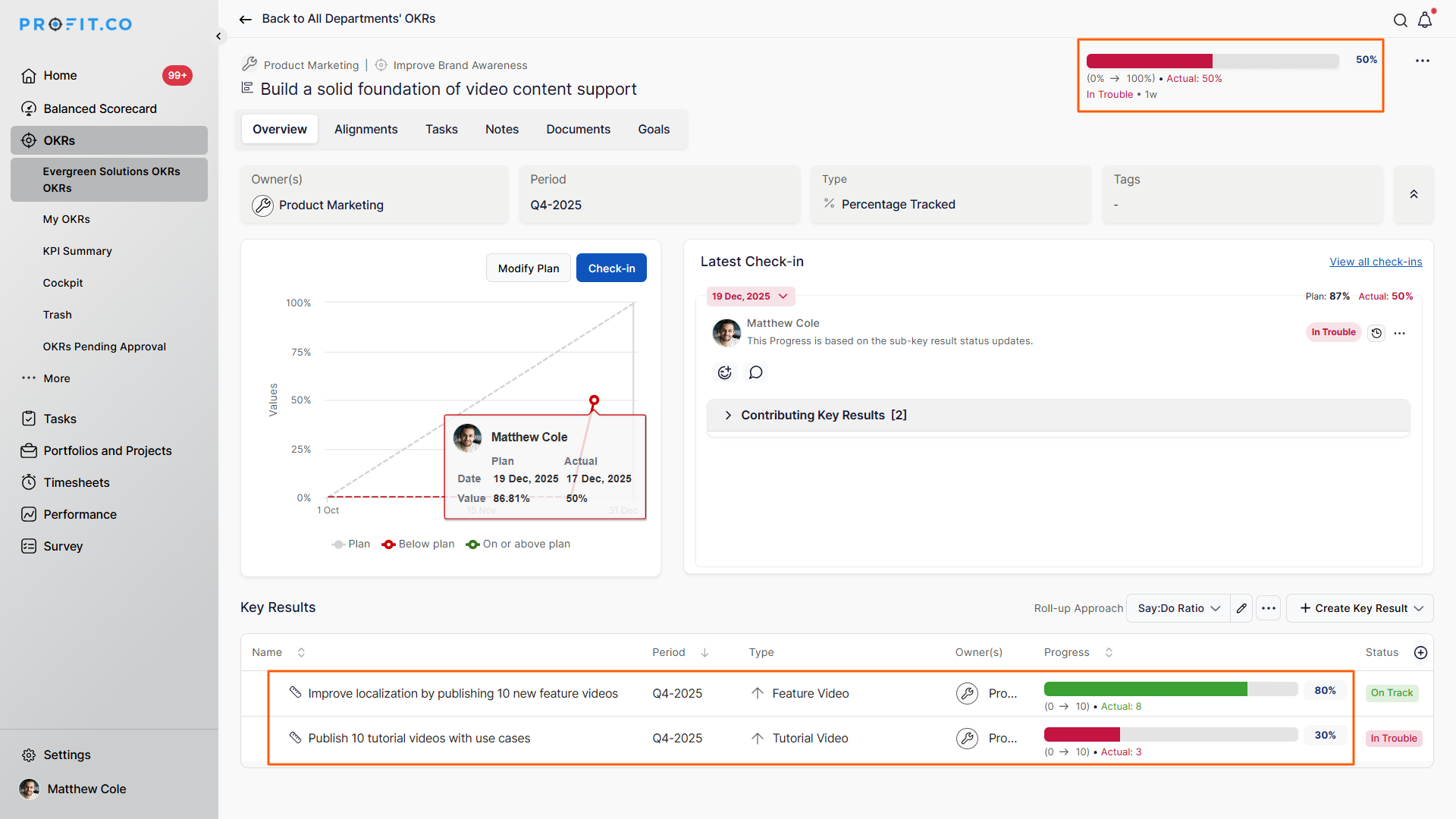
If you select Say/Do Ratio as the Roll-up Approach, the parent key result progress will be calculated based on the status of its sub-key results. The system evaluates how many sub-key results are on track versus off track and updates the parent key result accordingly.
Note:
- This roll-up option is available only when the parent key result uses the Percentage Tracked KPI type.
- You must enable the Say: Do Ratio type in settings
Calculation logic:
Say/Do Ratio = (On-Track KRs / (On-Track KRs + Off-Track KRs)) × 100
Example:
Sub-KR 1 → On track
Sub-KR 2 → Off track
Result:
1 / (1 + 1) × 100 = 50%
The parent Key Result progress updates to 50% automatically.
Selective Sub-Key Result Inclusion for Say-Do Ratio
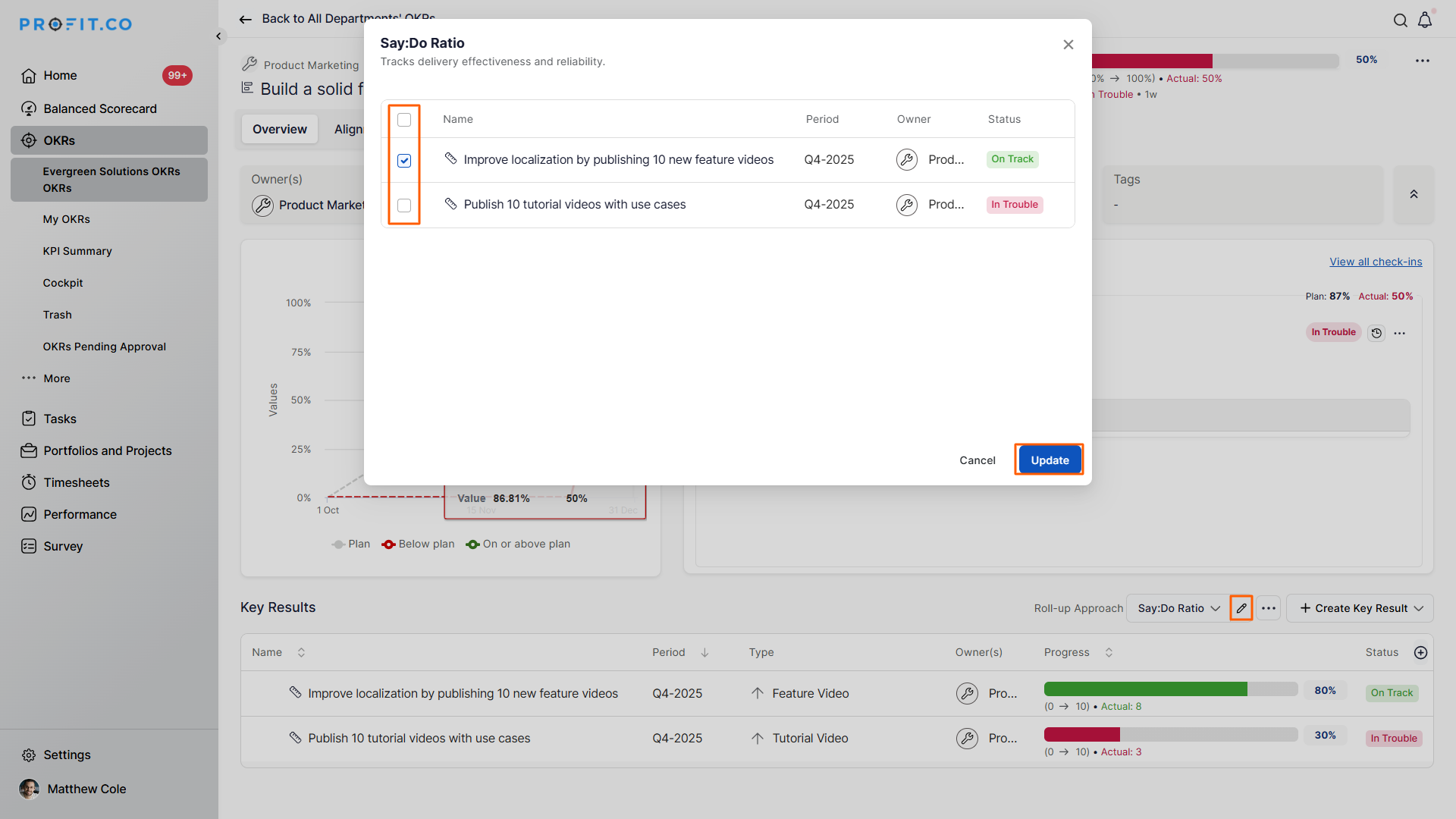
You now have full control over which Sub-Key Results contribute to the Say-Do Ratio calculation. You can selectively include only the relevant ones.
How it works:
- Open a parent Key Result using Say-Do Ratio
- Click the edit icon next to Say-Do Ratio in the roll-up dropdown
- A popup displays all Sub-Key Results
- Use checkboxes to select which Sub-KRs should contribute
- Click Update to save
Result:
Only the selected Sub-Key Results will influence the parent KR’s progress.
Best Practices for Key Result Roll-Up Approaches
- Ensure parent and Sub-Key Results align to the same outcome before enabling roll-up
- Keep Sub-Key Results comparable in scope to avoid distorted parent progress
- Review roll-up settings whenever Sub-Key Results change
- Choose the roll-up type based on how progress should be measured, not convenience
- Validate parent progress during check-ins to ensure roll-up accuracy
Related Questions
To learn more about the process of distributing weights for subkey results, click here
Frequently Asked Questions
Use it when progress must be calculated strictly using matching KPI metrics rather than averages.
No. Only Sub-KRs with the same KPI type contribute in the KPI-based roll-up.
No. Say-Do Ratio is supported only for Percentage Tracked Key Results.
