LastPass SSO is a password manager, that secures and auto-fills passwords for users. It simplifies password management, enhancing security and convenience across digital platforms and devices.
What you can do with LastPass SSO and Profit.co Integration?
- With your LastPass SSO single sign-on, you can access Profit.co OKR software.
Steps to Create LastPass SSO Application and Perform SSO:
Step 1
Create a new account in LastPass. After clicking on Admin console login in and click on Applications.
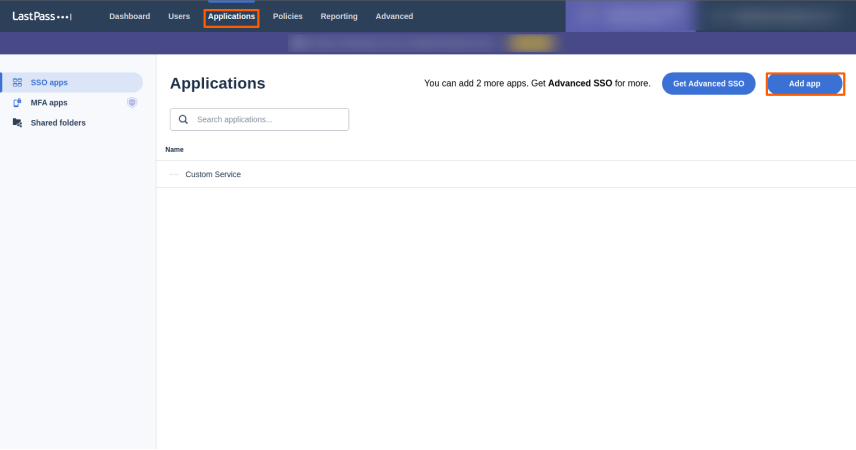
Choose the Add application option and wait 15 minutes for your SAML keys to be generated.
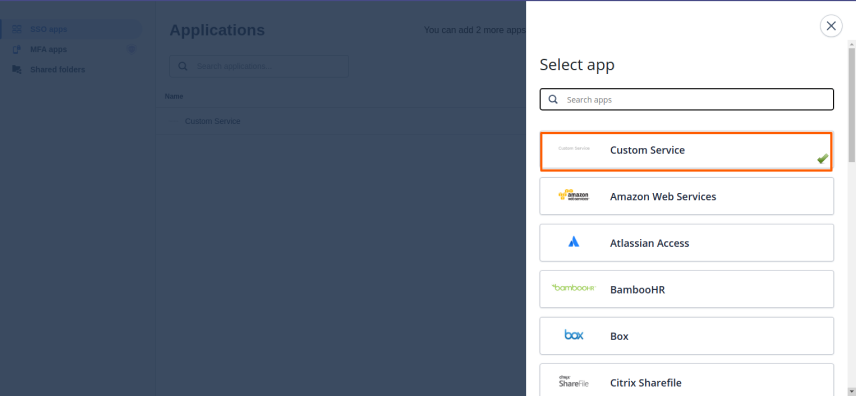
After the SAML key has been generated revisit the same page and Search for “Custom Service” on the Add Application tab.
Step 2
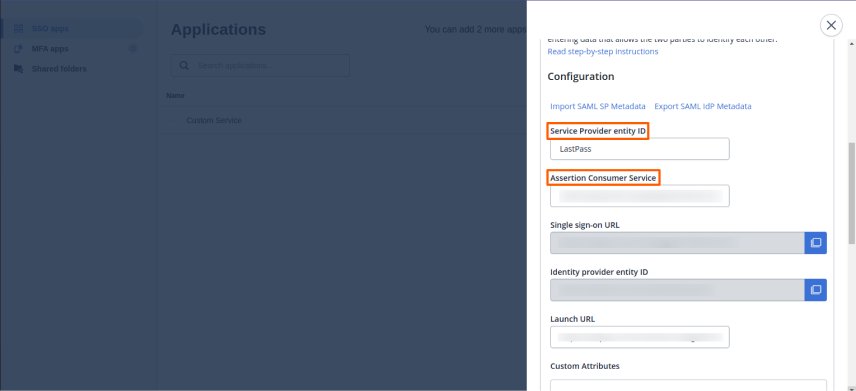
In the custom service enter the details such as the App name, ACS URL, etc.
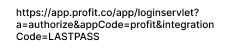
ACS URL US region

(or)
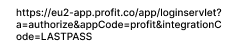
EU region

Service Provider Entity ID User’s choice
Launch URL https://lastpass.com/saml/launch/cfg/< Your Application ID>Note: Your Application ID is the 6 digit unique identifier that can be found at the end of your Identity Provider Entity ID URL.
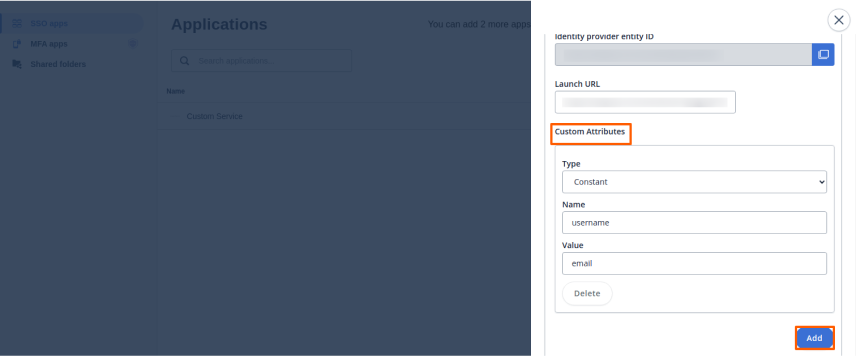
Custom Attributes field Click on Add Attributes and set Type: Constant Name: username Value: email
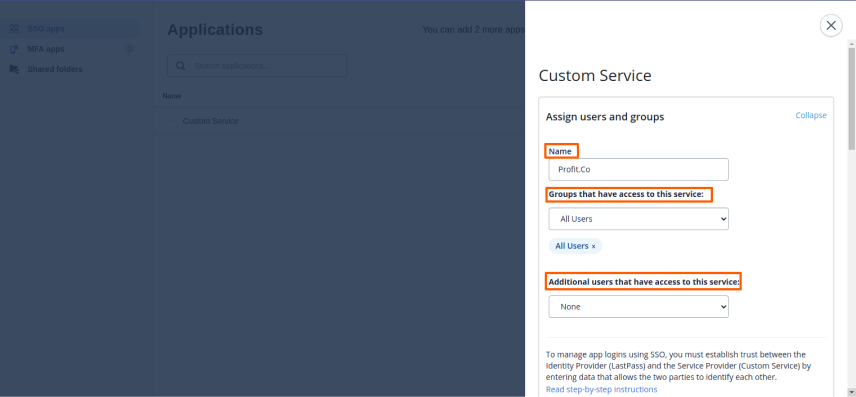
Enter the ACS URL and the Entity ID
Step 3
Get the metadata details such as issuer ID and certificate by clicking on the “Export SAML IDP Metadata
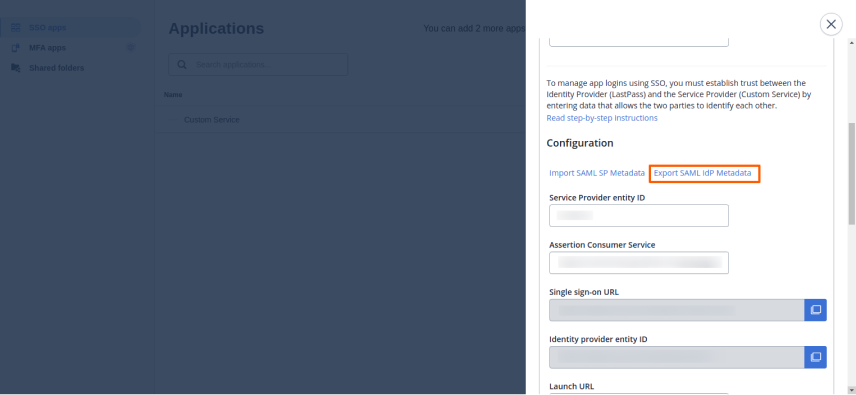
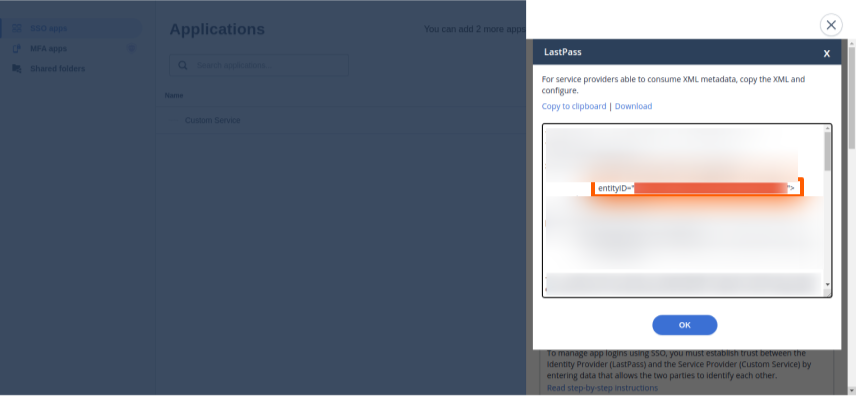
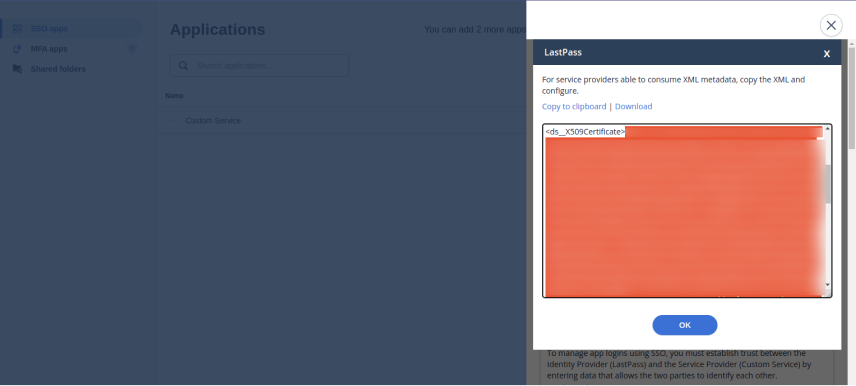
Copy the Entity ID and the X509 Certificate.
Step 4
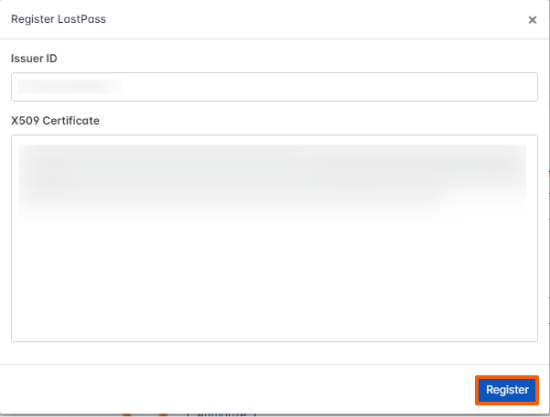
Paste the IdP Entity ID or Issuer and X509 Certificate in Setting → Integration → SAML SSO and Authorize LastPass.
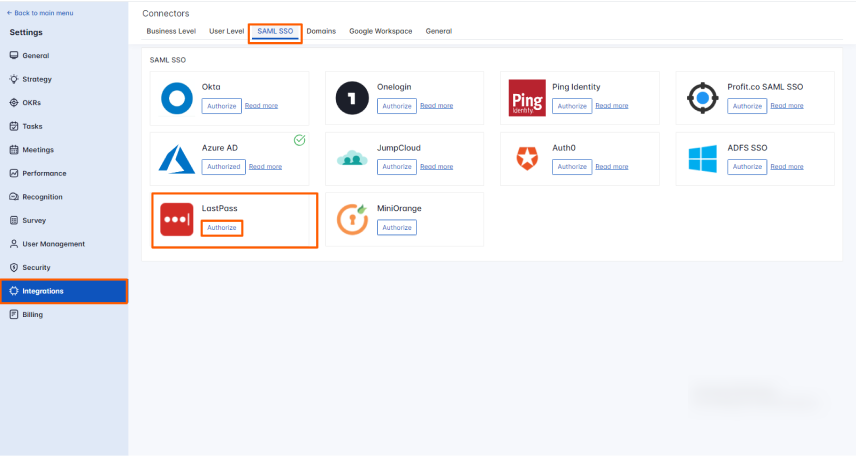
Enter the required information and click Register.
Step 5
Open a new tab and navigate to LastPass user login.
Login Link – LastPass login link
In the Applications, you’ll be able to see the Profit.co SSO application.
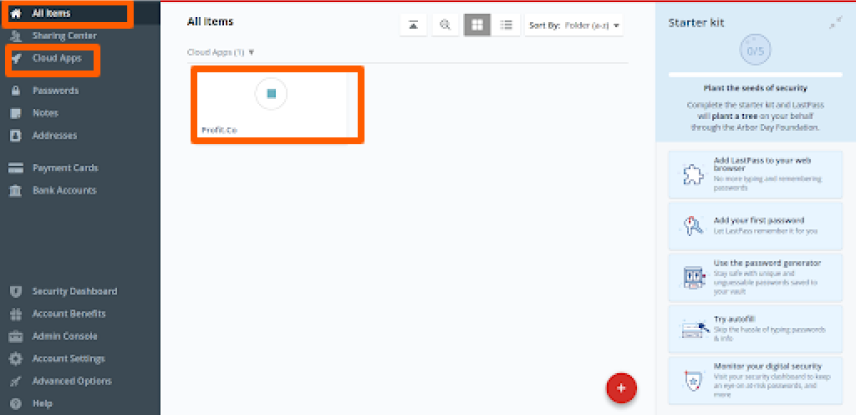
By clicking on the LastPass – Profit.co SSO App you’ll be redirected to the Profit.co application.