
Overview
Microsoft SharePoint is a cloud-based collaboration and content management platform that organizations use to store, organize, and share files, lists, and documents across teams.
The SharePoint integration with Profit.co automates two-way task synchronization between Profit.co boards and SharePoint Lists. Once a board is connected, tasks in linked SharePoint lists are synced into Profit.co. Tasks created in Profit.co are synced to SharePoint, with any later changes to the task title reflected there as well. This keeps work aligned across both platforms on a regular schedule.
What This Integration Supports
With the SharePoint integration, you can:
- Map SharePoint lists to stages on your Profit.co board
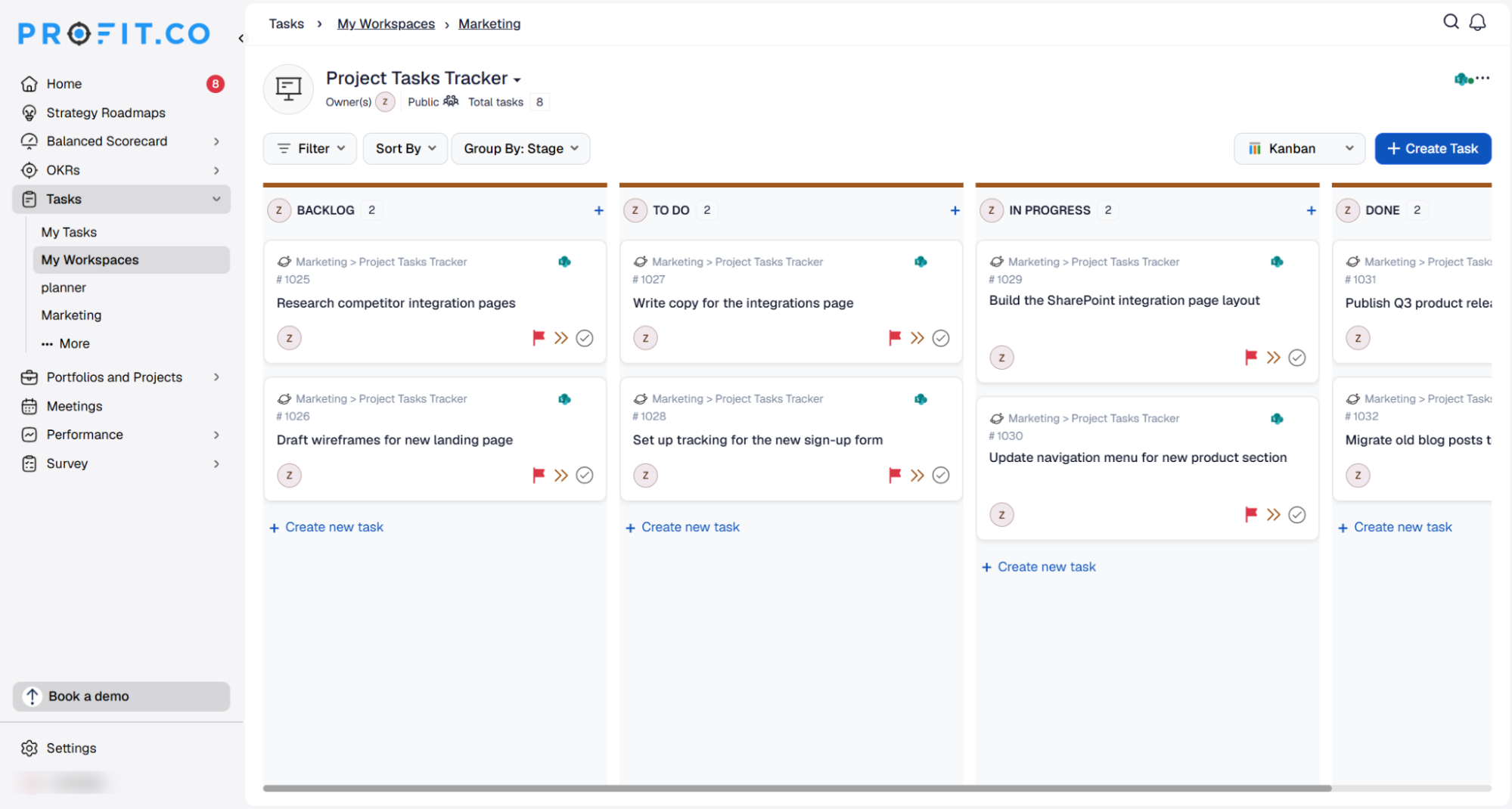
- Automatically sync SharePoint list items into Profit.co as tasks under the mapped stage
- Sync tasks from Profit.co to SharePoint by enabling the sync toggle, with only the task title kept in sync on later updates
- Run automatic daily syncs at 9 AM local time, based on your region
Prerequisites
- An active SharePoint account with access to the site you want to connect
- A SharePoint site with at least one list available to link
- Super User access in Profit.co
Note: Only Super Users can configure this integration in Profit.co.
Configure SharePoint in Profit.co
The following steps walk through connecting SharePoint to Profit.co and syncing tasks between the two platforms.
Step 1
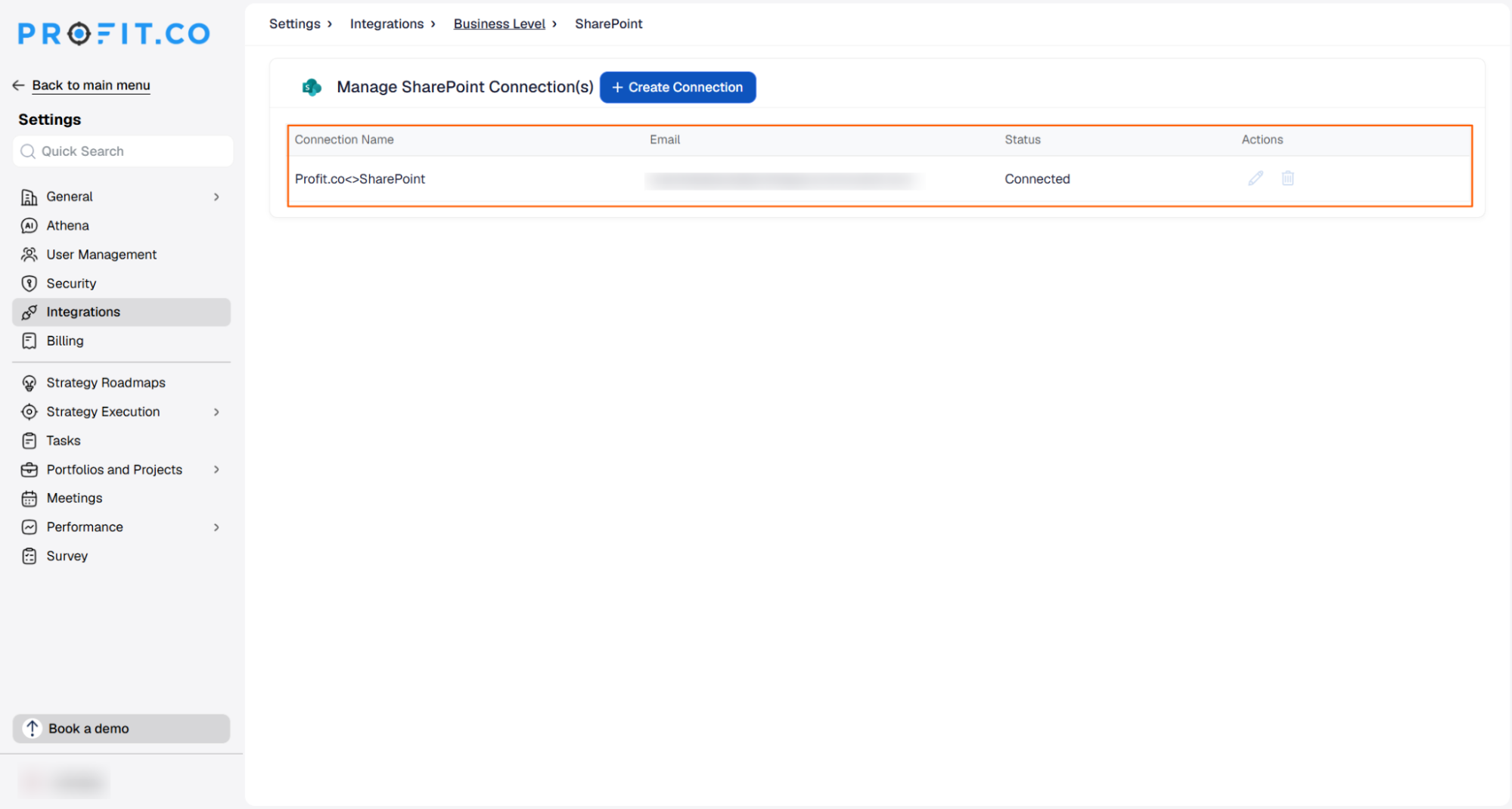
Navigate to the SharePoint connector in Profit.co to begin the setup.
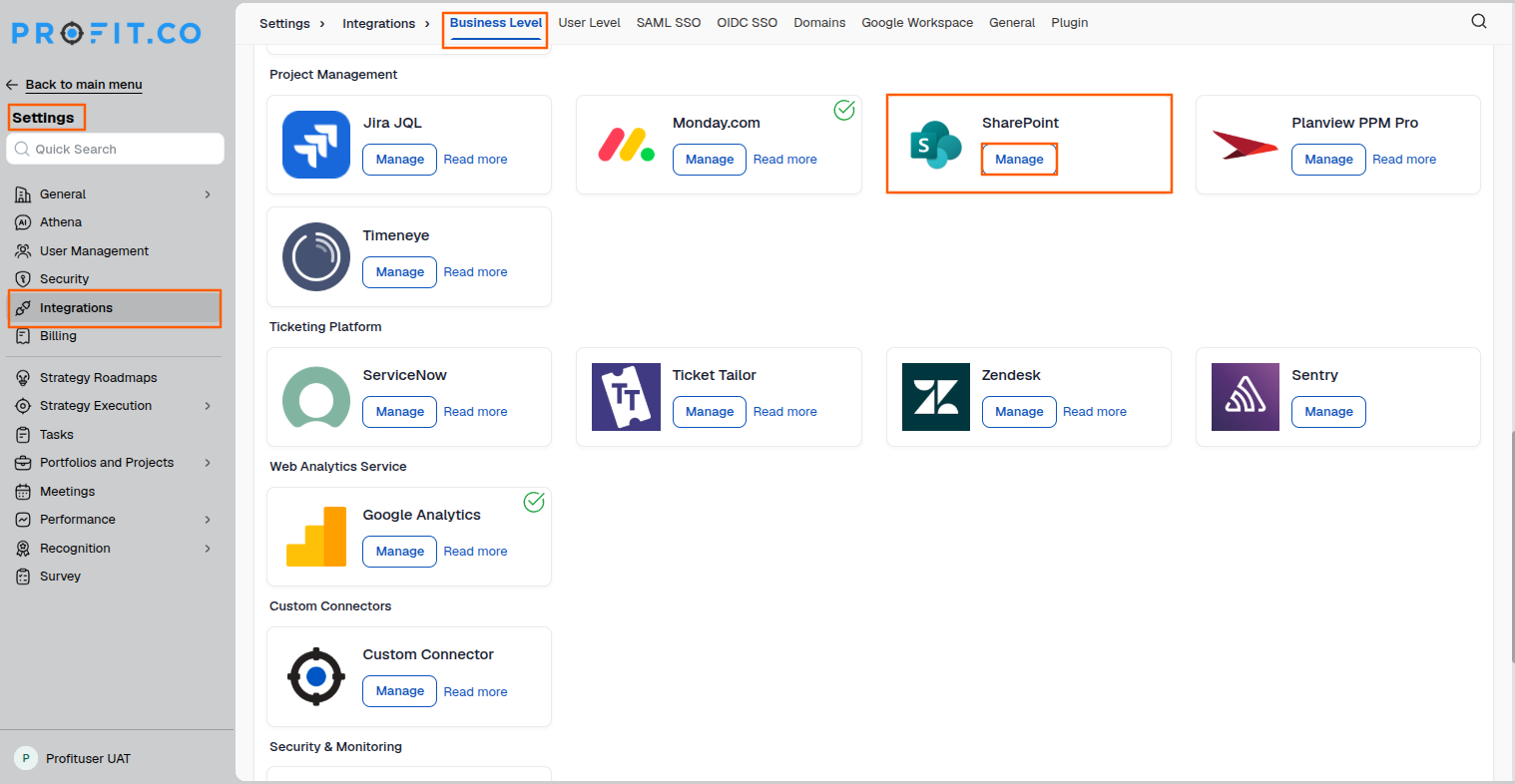
- Navigate to Settings → Integrations from the left navigation panel.
- Select the Business Level tab and click Manage next to SharePoint.
Step 2
Create a connection and sign in to your SharePoint account.
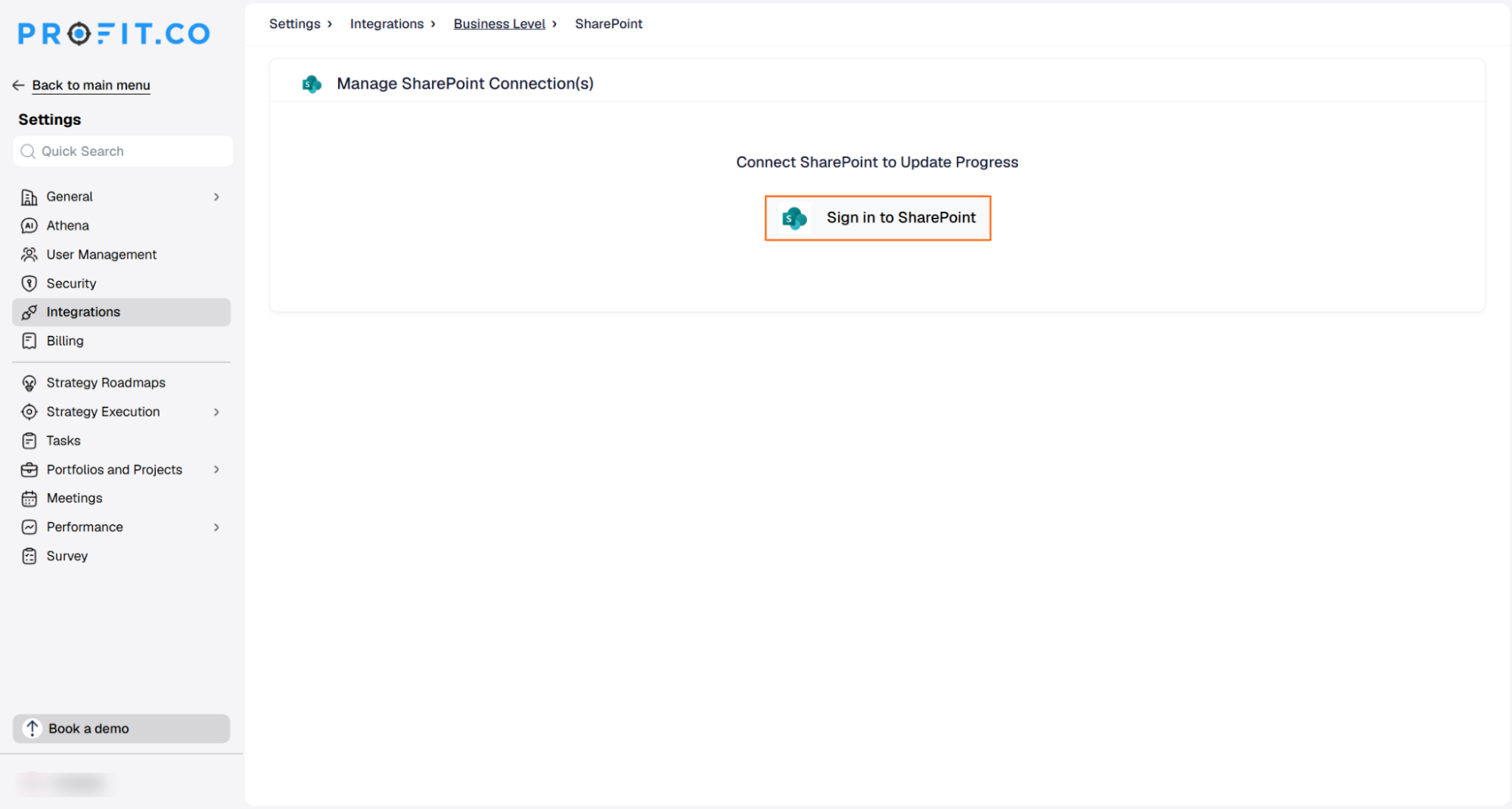
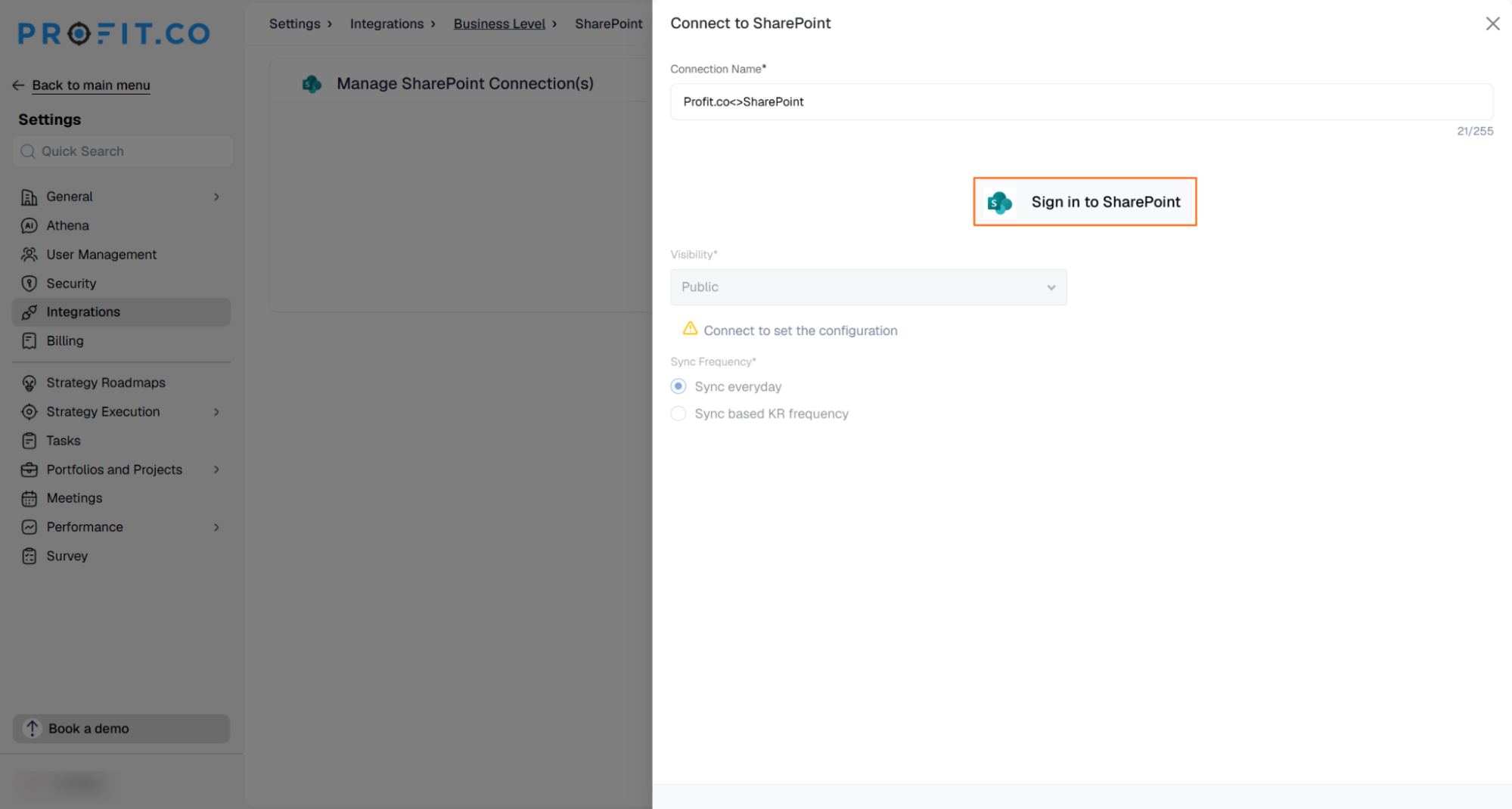
- Click Sign in to SharePoint and enter a Connection Name.
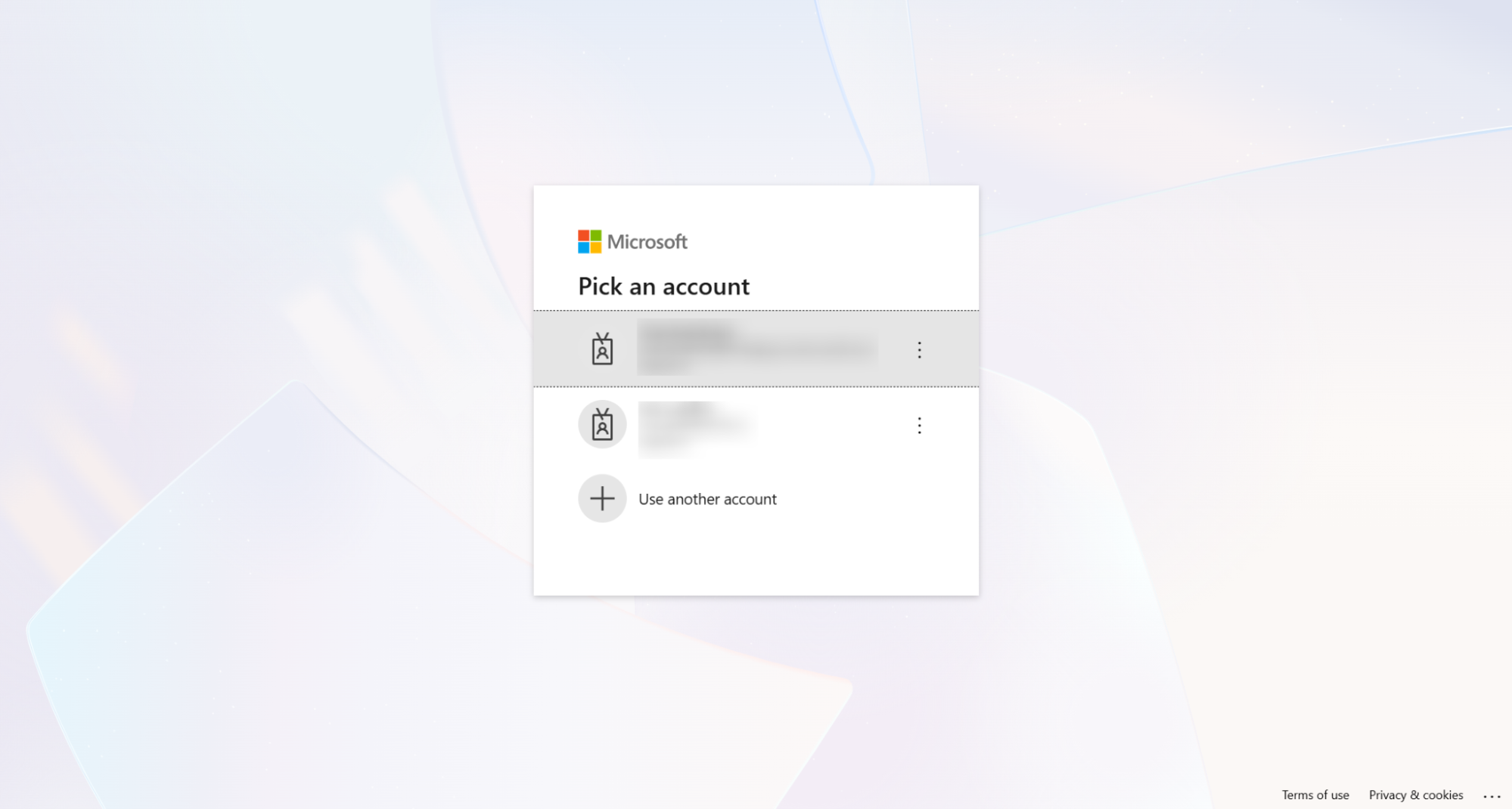
- You will be redirected to the Microsoft login page. Enter your Email and Password.
- Grant Profit.co access to your SharePoint account.
- The connection is created successfully once authentication is complete.
Step 3
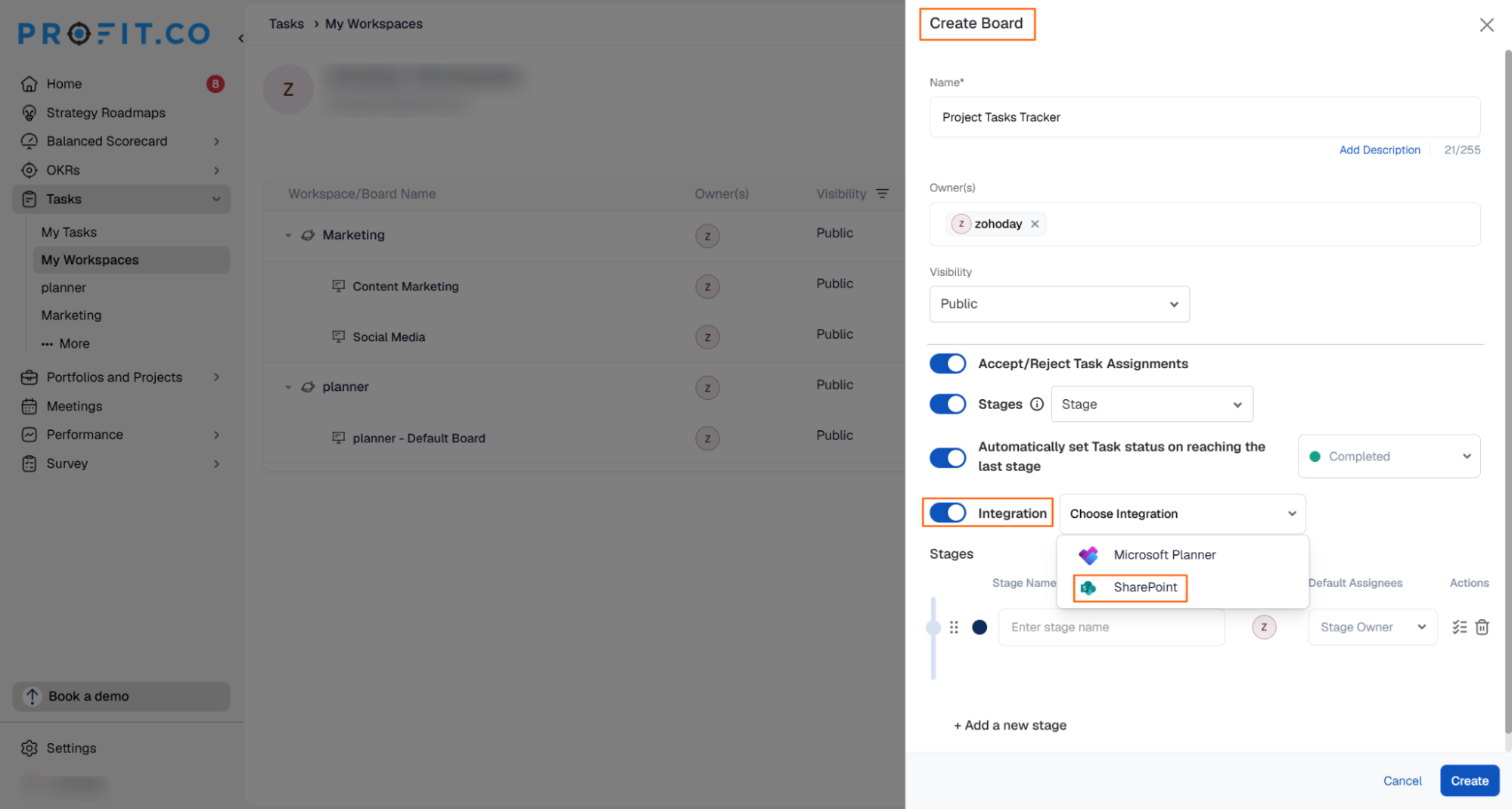
Set up a board in your workspace and connect it to SharePoint.
- Click Create Board and enter a Board Name.
- Enable Stages, then enable the Integration toggle under Stages.
- Under Choose Connection, select SharePoint.
Step 4
Choose the SharePoint site and list you want to sync with this board.
- In the Connect to SharePoint window, choose your connection, then choose the Site that contains the list you want to sync.
- If a list is available under the selected site, Profit.co displays a list-linked confirmation.
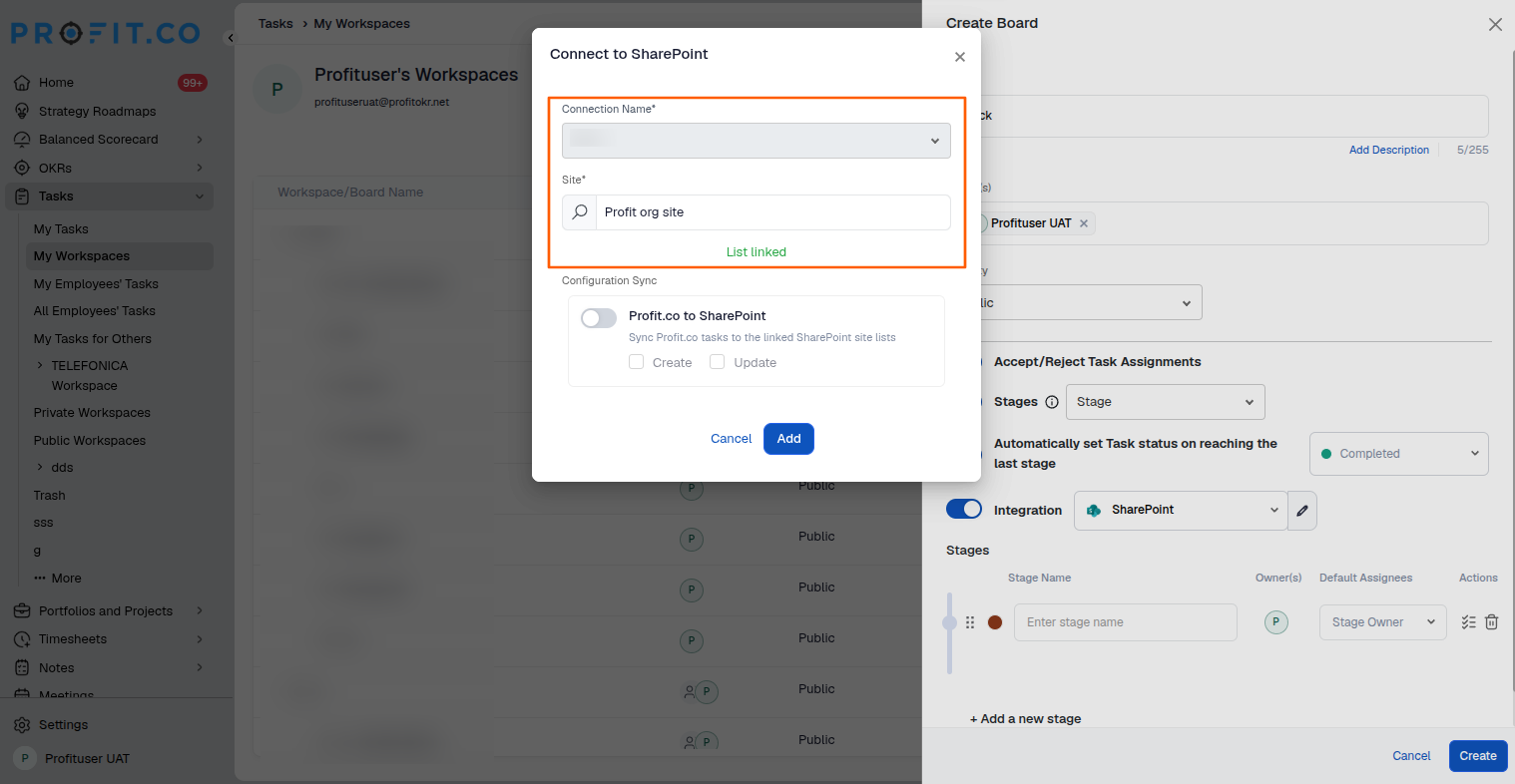
Note: A site can only be linked to one Profit.co board at a time. If the selected site is already connected to another board, a warning appears stating that the list is already connected to another board, and you will need to choose a different site.
- To sync tasks from Profit.co to SharePoint, turn on the Sync toggle, then click Add.
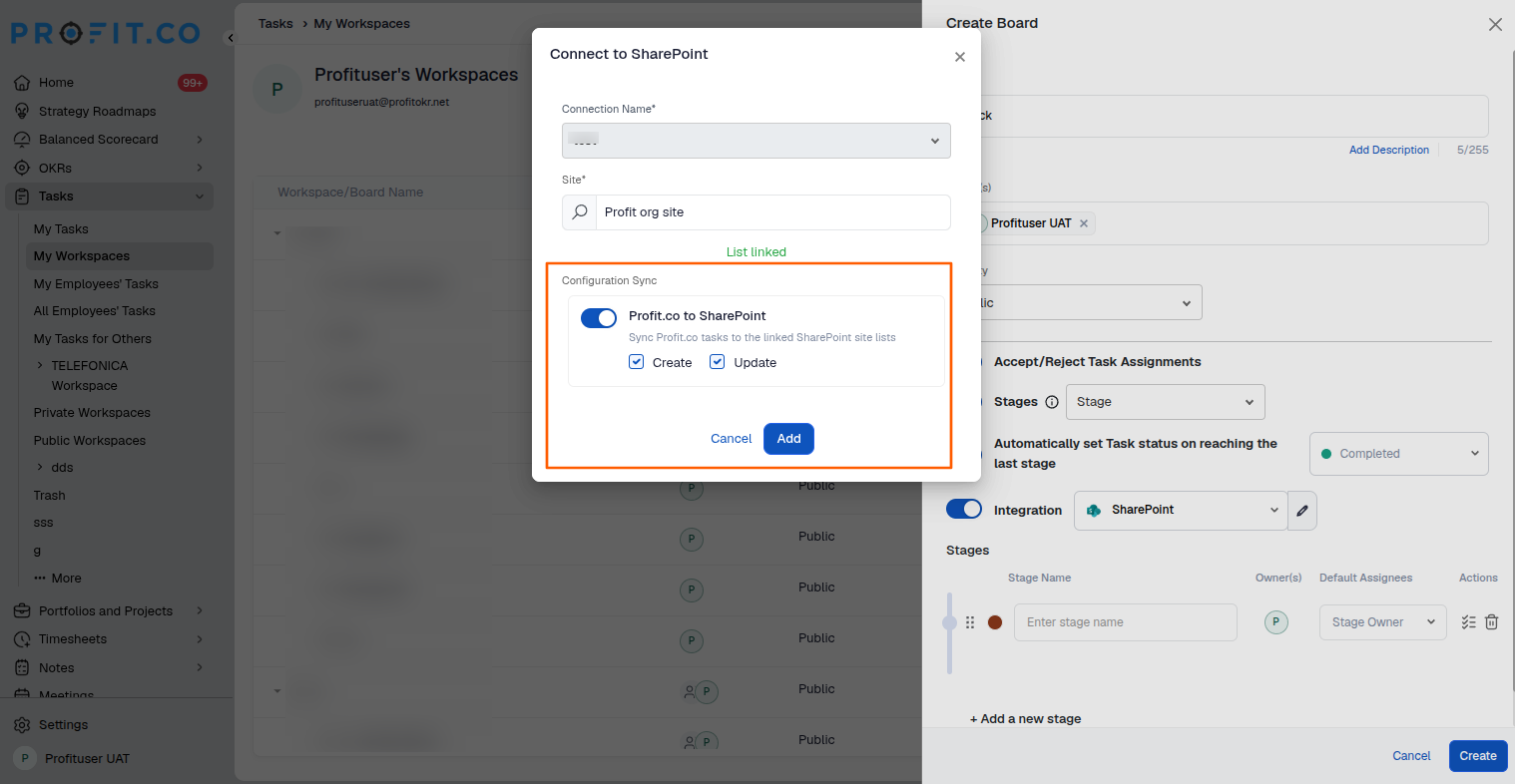
Note: Profit.co to SharePoint Tasks — when Create and Update are enabled, new tasks created in Profit.co automatically sync to SharePoint, and any changes made to the task title in Profit.co are reflected in SharePoint as well.
Step 5
Once linked, your SharePoint lists appear as stages on the board.
- The linked SharePoint lists are added as Stages on your Profit.co board.
- Click Create to finish setting up the board.
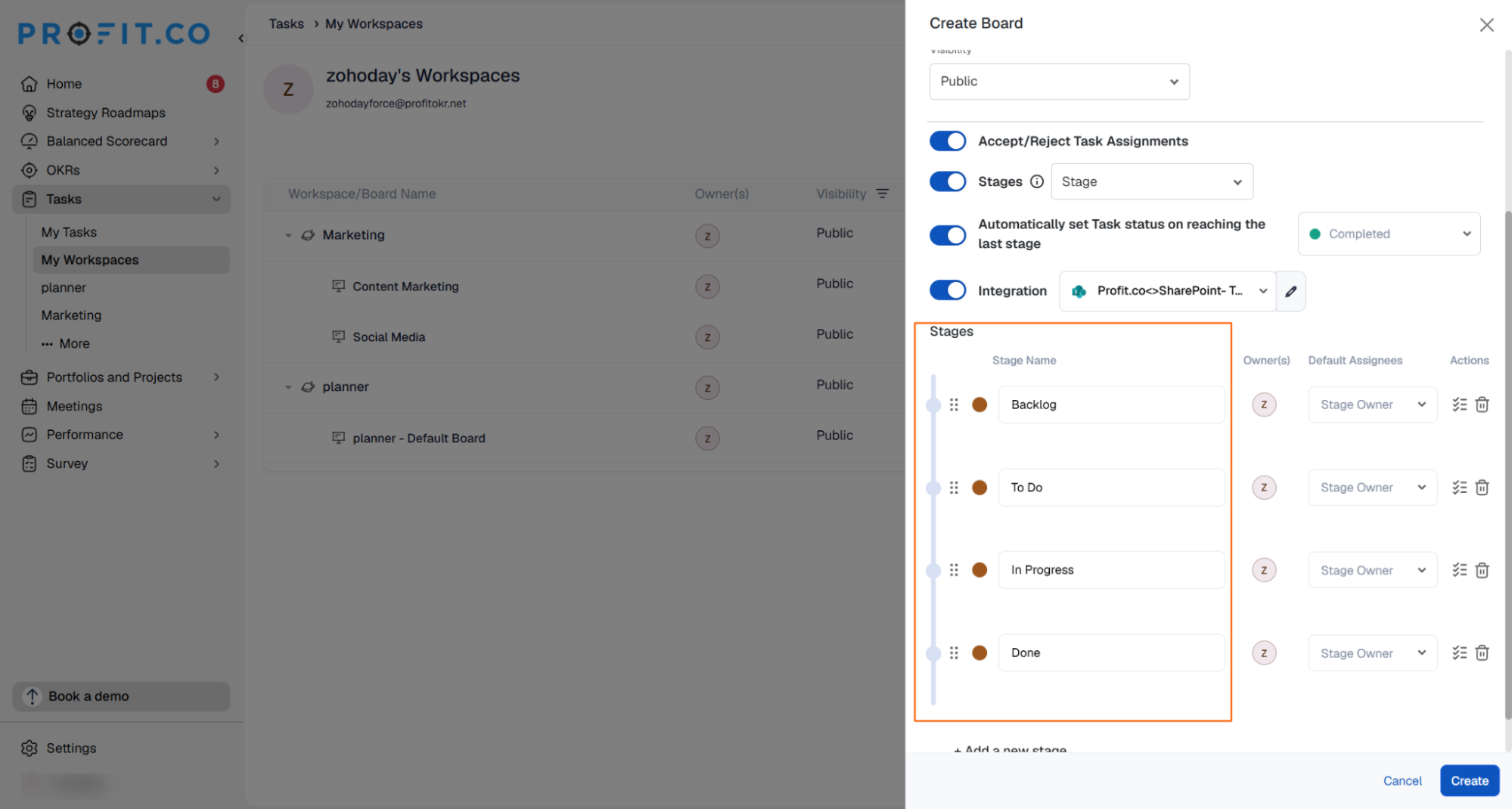
Note: The initial sync runs 30 minutes after the connection is saved. After that, task updates sync automatically every day at 9:00 AM, based on your configured region.
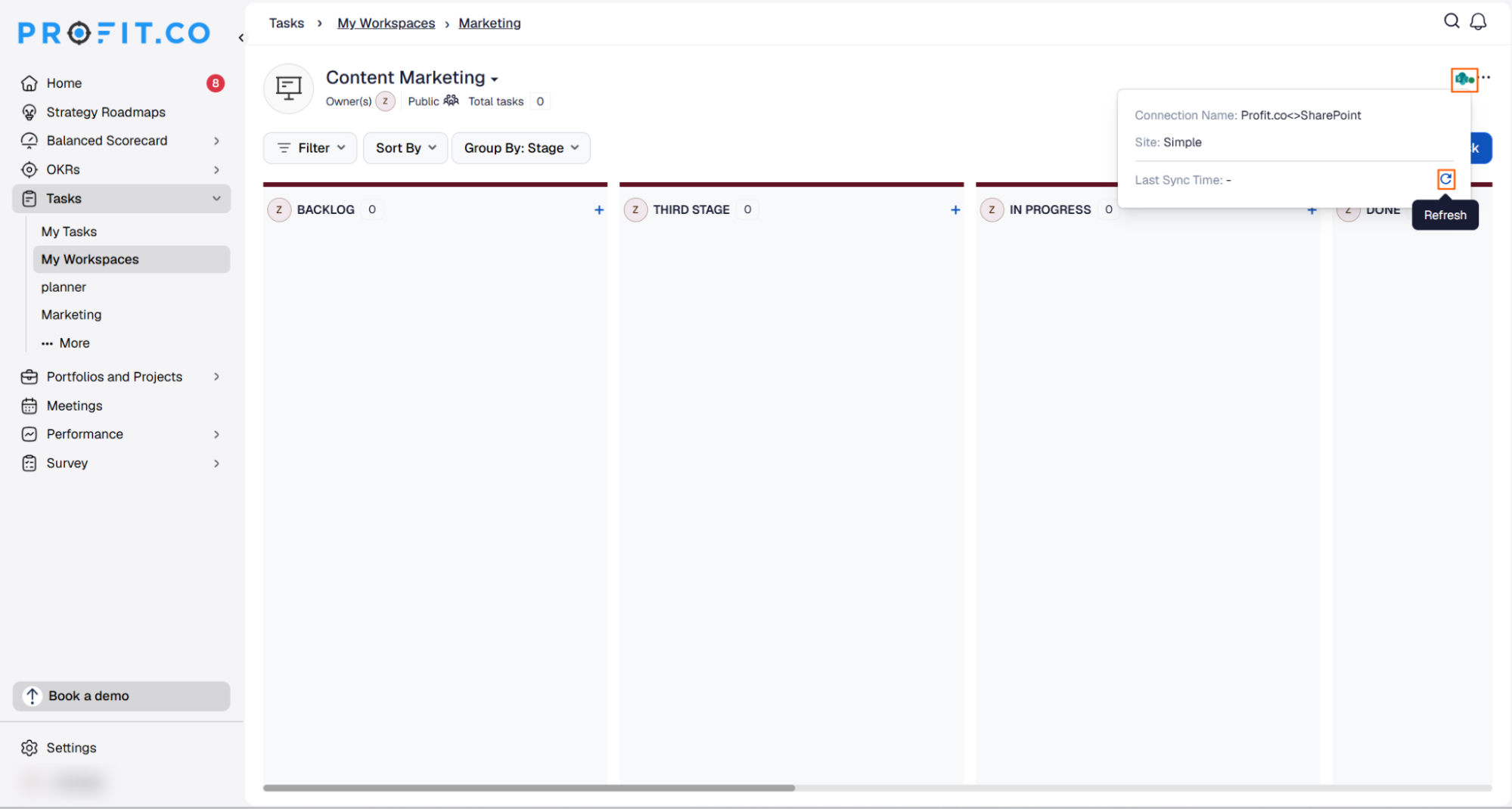
To sync immediately instead of waiting for the next scheduled sync, click the SharePoint icon at the top of the board, then click on the refresh button.
Summary
By connecting SharePoint to Profit.co, you can keep tasks aligned across both platforms without manual updates. After authenticating and linking a SharePoint site and list to a board, two-way sync keeps tasks synchronized between Profit.co and SharePoint, with the initial sync completing after 30 minutes and daily syncs running automatically. Stage mapping and sync configuration give teams full visibility into tasks as they move between SharePoint and Profit.co.