
ADFS is an identity access solution that provides client computers with seamless SSO access to protected Internet-facing applications or services, even when the user accounts and applications are located in completely different networks or organizations.
What can you do with Profit.co – ADFS Integration?
- With your ADFS single sign-on, you can access Profit.co OKR software.
To enable ADFS Single Sign-On:
Login to the ADFS SSO to create the Custom SAML SSO App.
Go to the SSO tab and enter the following information given below by Profit.co.
| IdP Entity Id | Provide your IdP Entity ID | ||||
|---|---|---|---|---|---|
| SP Entity Id (Entity Id of Profit.co) | urn:profit-prod:profit-prod-sso-auth | ||||
| ACS URL |
US region 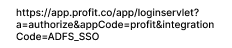
(or)EU region 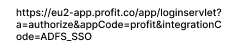
|
||||
| SP Certificate | Optional | ||||
| SAML Subject NameID | |||||
| SAML Subject NameID Format | urn:oasis:names:tc:SAML:1.1:nameid-format:emailAddress | ||||
| Signature Algorithm | RSA-SHA 256 | ||||
| Sign Assertion | Checked | ||||
| User Attributes |
|
After entering the information, assign the application to the requested users.
Then click on ADFS Export Metadata, to export the metadata from the ADFS application.
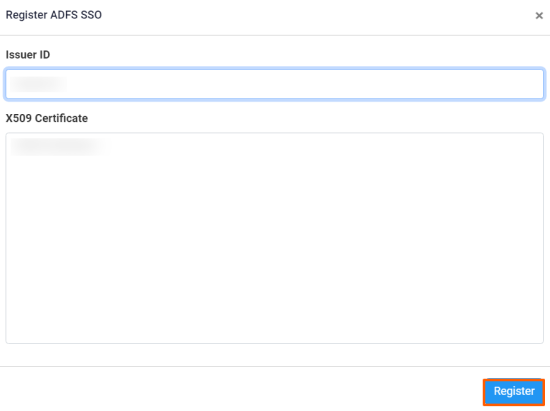
Copy the Entity Id and X509 Certificate without double quotes
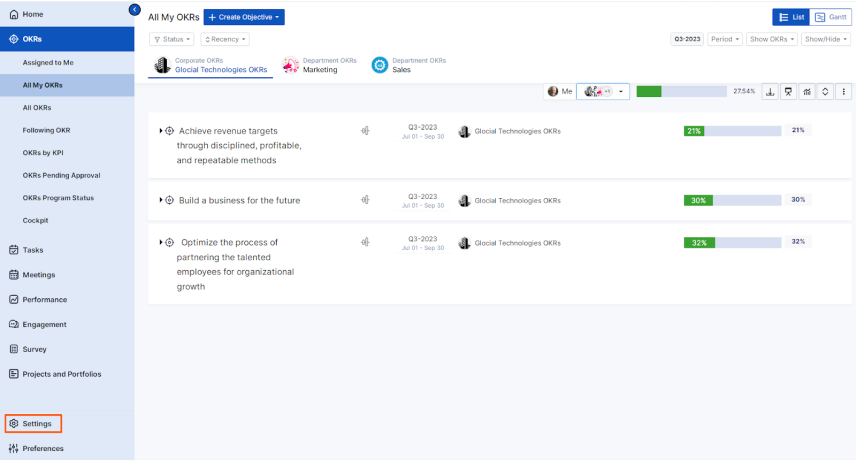
Paste the Entity ID and X509 Certificate in Settings→Integrations from the left navigation panel.
On the SAML SSO tab, Authorize the ADFS SSO
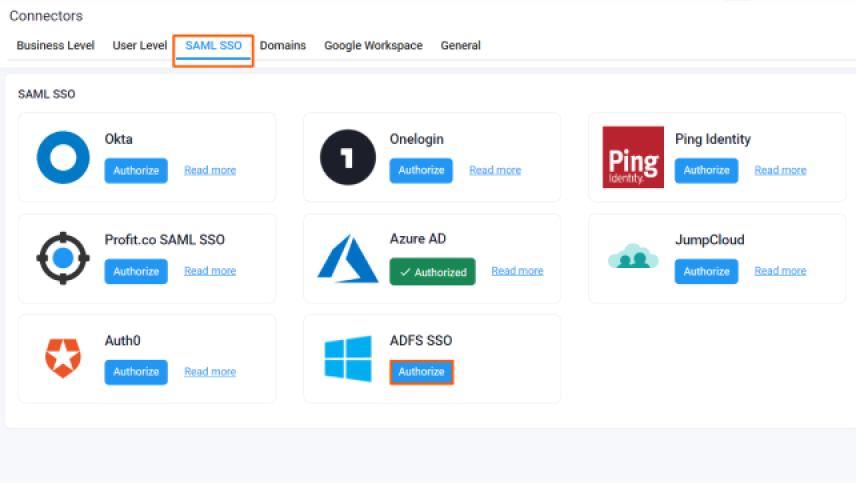
Enter the required information and click Register.
Open a new tab and navigate to ADFS user login.
In the Applications, you’ll be able to see the Profit.co SSO application.
By clicking on the ADFS – Profit.co SSO App you’ll be redirected to the Profit.co application.
