
Amazon Redshift is a cloud data warehouse that allows organizations to store, query, and analyze large volumes of structured data. With the Profit.co integration, your OKR and performance data flows directly into Redshift — making it available for reporting, analytics, and business intelligence workflows without manual exports.
What You Can Do with Amazon Redshift and Profit.co Integration
- Connect your Redshift data to Profit.co key results using a SQL query and automate check-in progress without manual updates.
- Define a query that pulls your metric — revenue, pipeline, usage, or any operational figure — and Profit.co runs it on a schedule, using the returned value to automatically update your key result progress.
Configure Amazon Redshift KPI in Profit.co
Note: Only Super Users can be able to configure the Profit.co <> Amazon Redshift Integrations.
Step 1
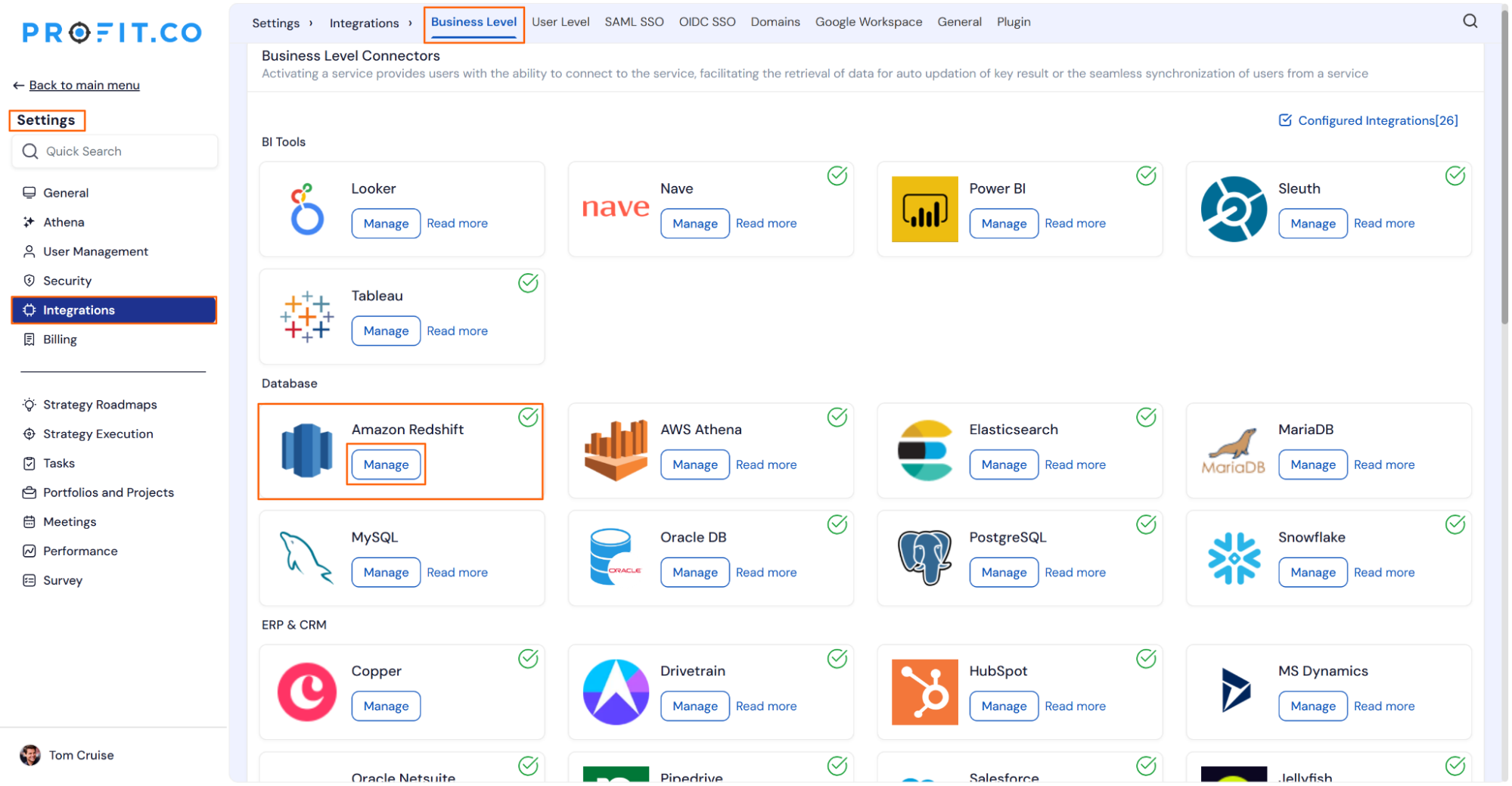
Navigate to Settings from the left navigation panel.
Click on Integrations, on the Connectors page, select the Business Level tab, and click on the Amazon Redshift Manage button.
Step 2
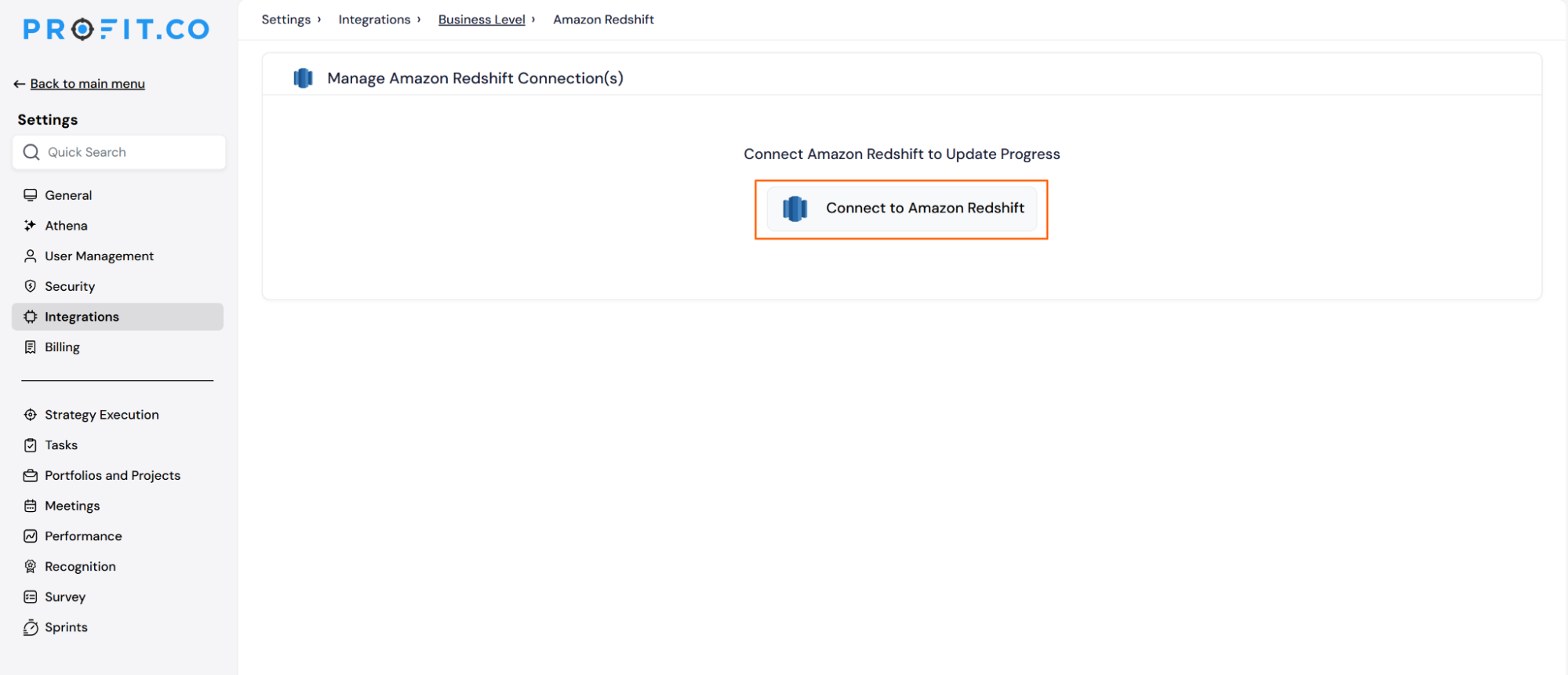
Then click the Connect to Amazon Redshift button.
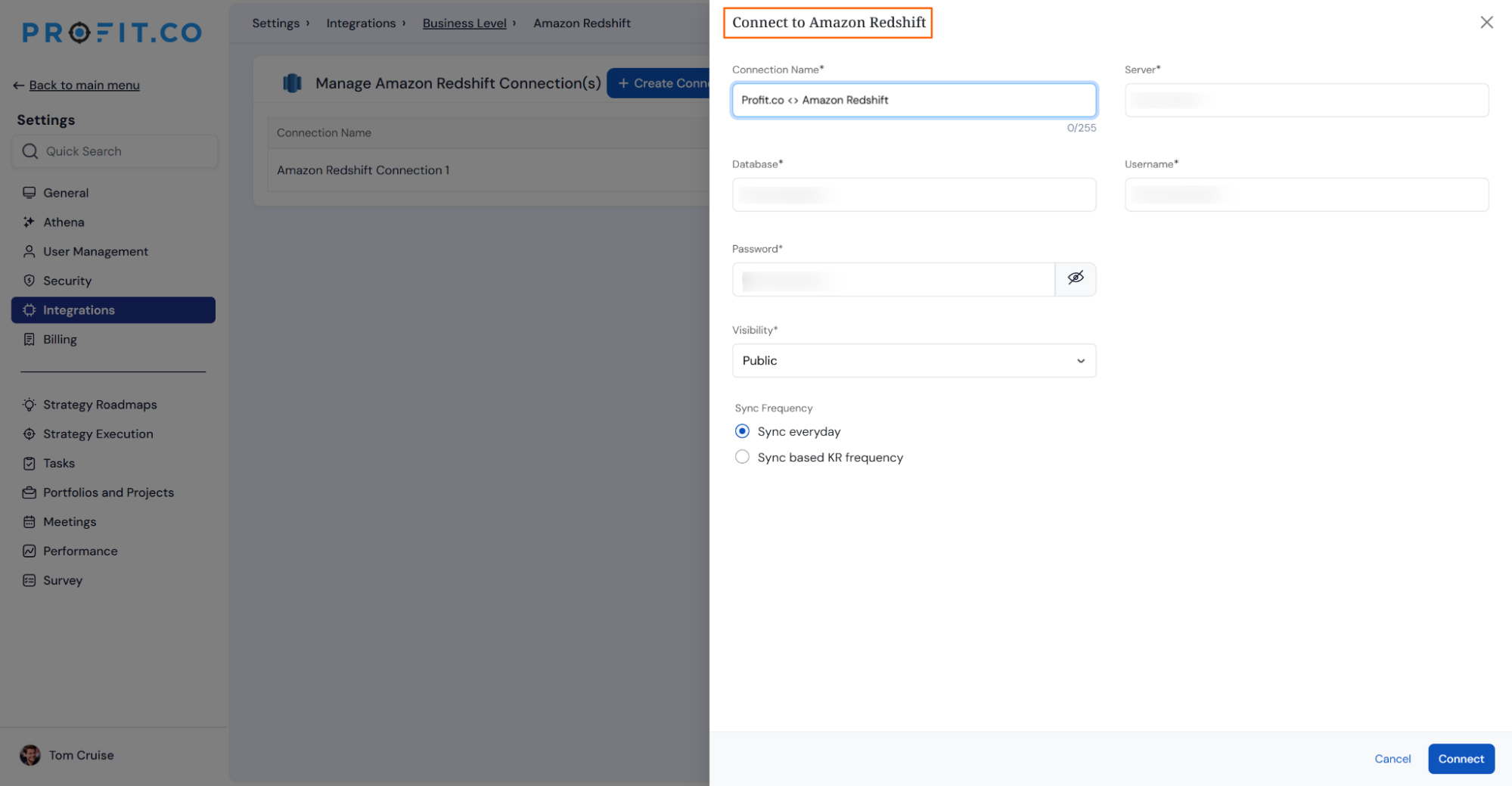
Enter the Connection Name and required details, and click on the Connect button to successfully configure the Amazon Redshift Integration connection.
Step 3
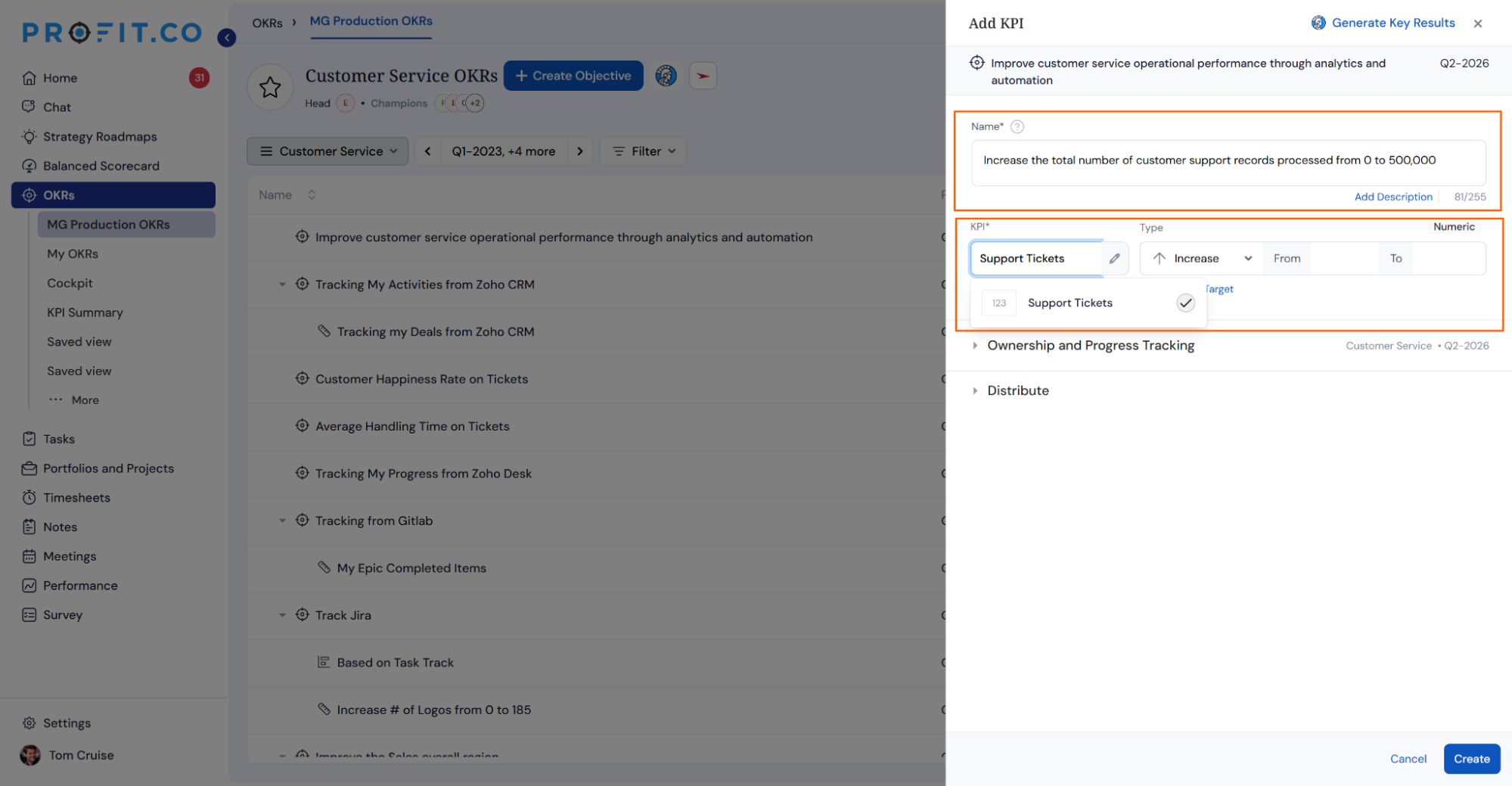
Now, create a key result in Profit.co where you want to integrate the Amazon Redshift in a key result.
Note: Amazon Redshift KPI supports Increase KPI, Decrease KPI, and Control KPI types.
Choose the required KPI.
Step 4
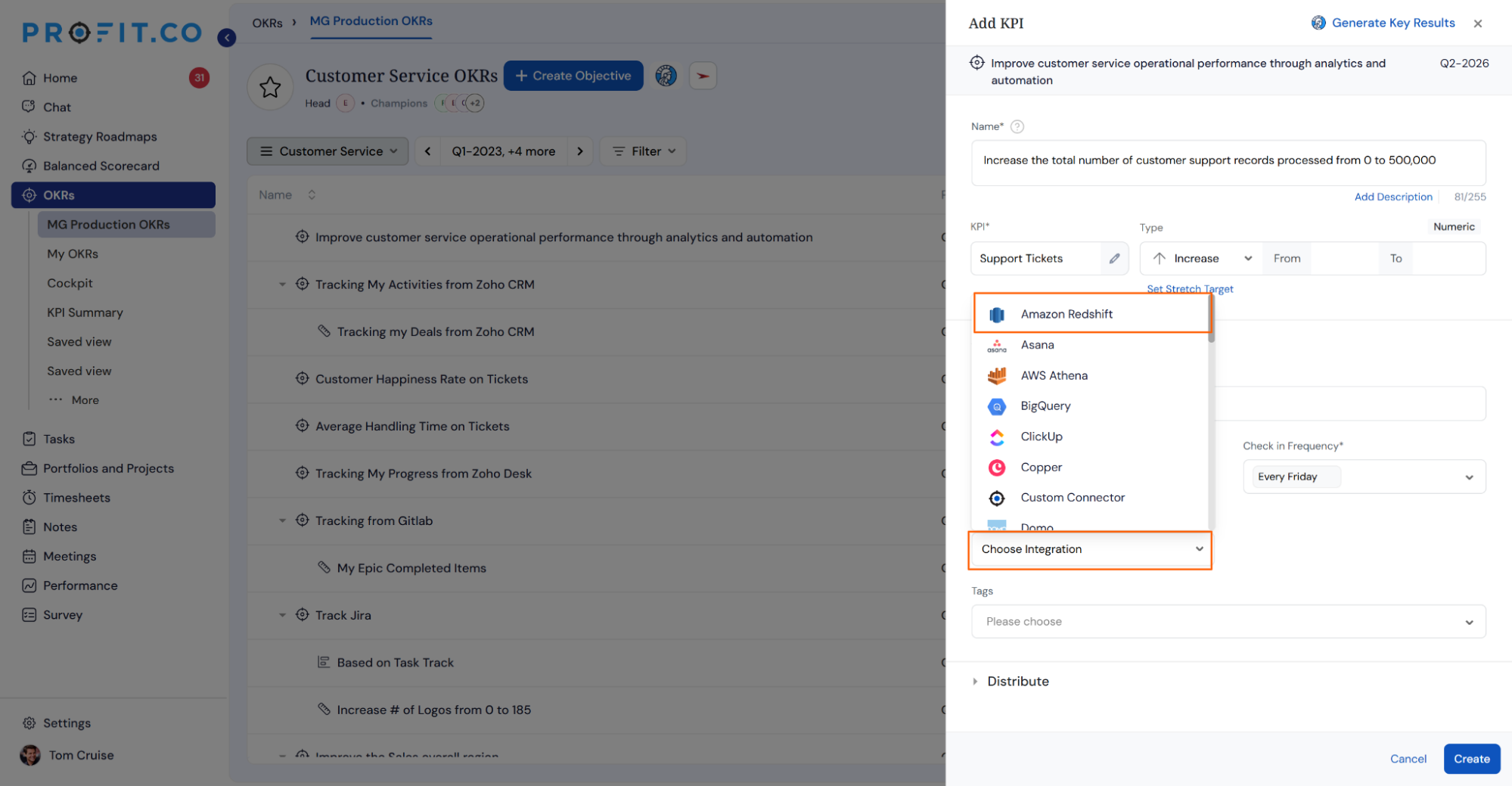
Click the Automate Check-in and choose Amazon Redshift from the Connection dropdown.
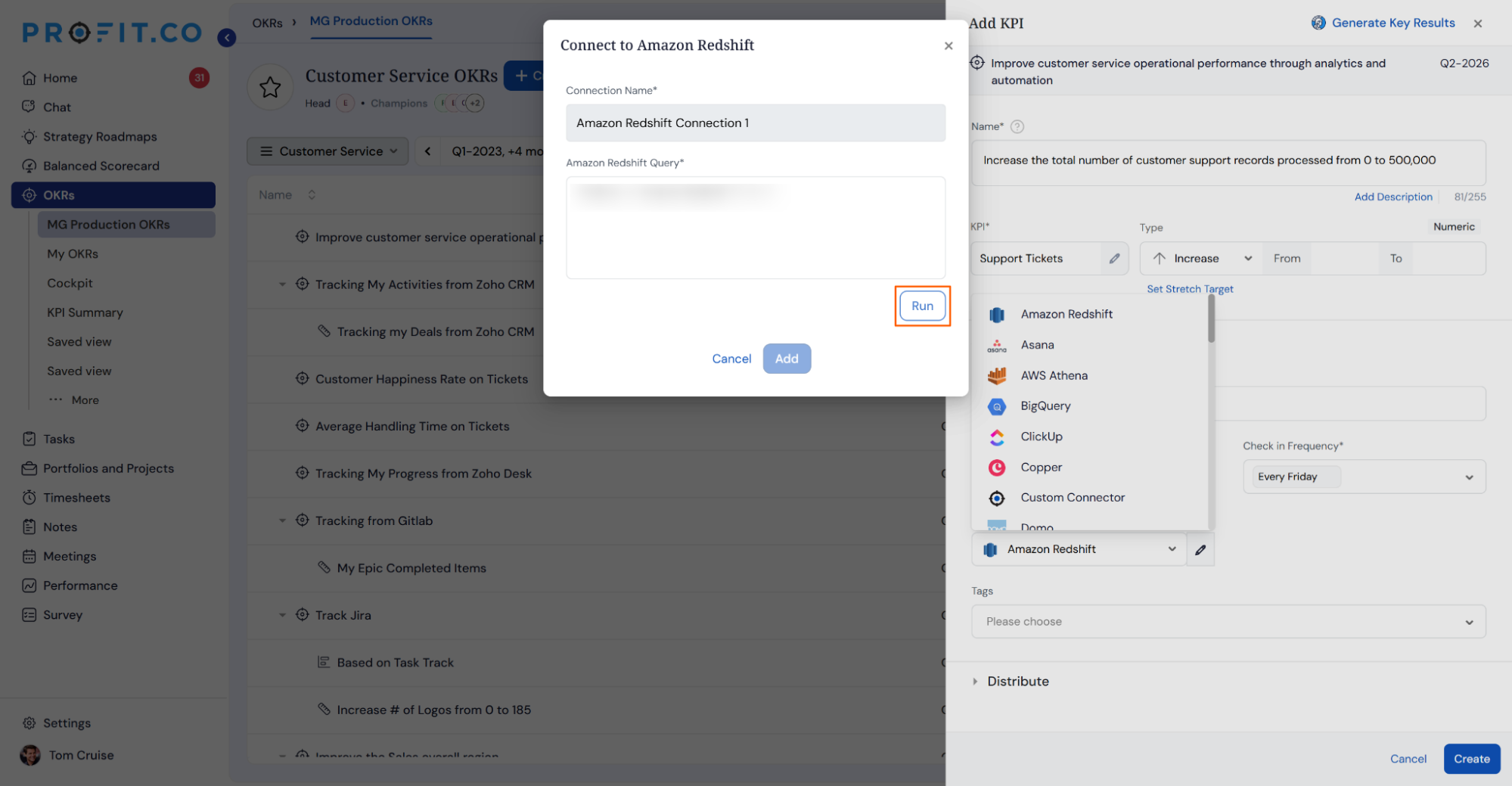
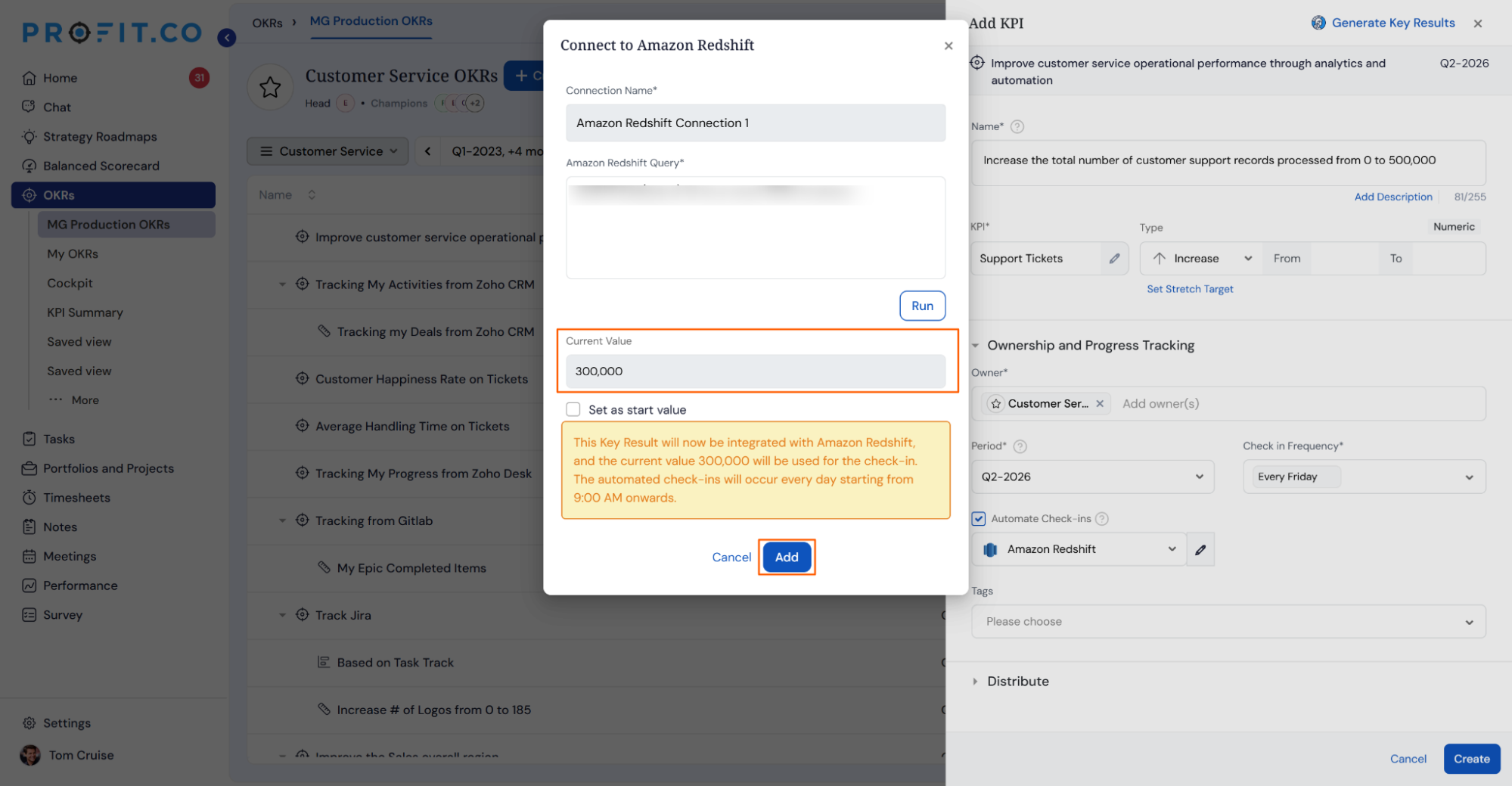
On the Connect to Amazon Redshift tab, enter the Query and Run the query, you will get the Current Value.
Then, click Add.
Step 5
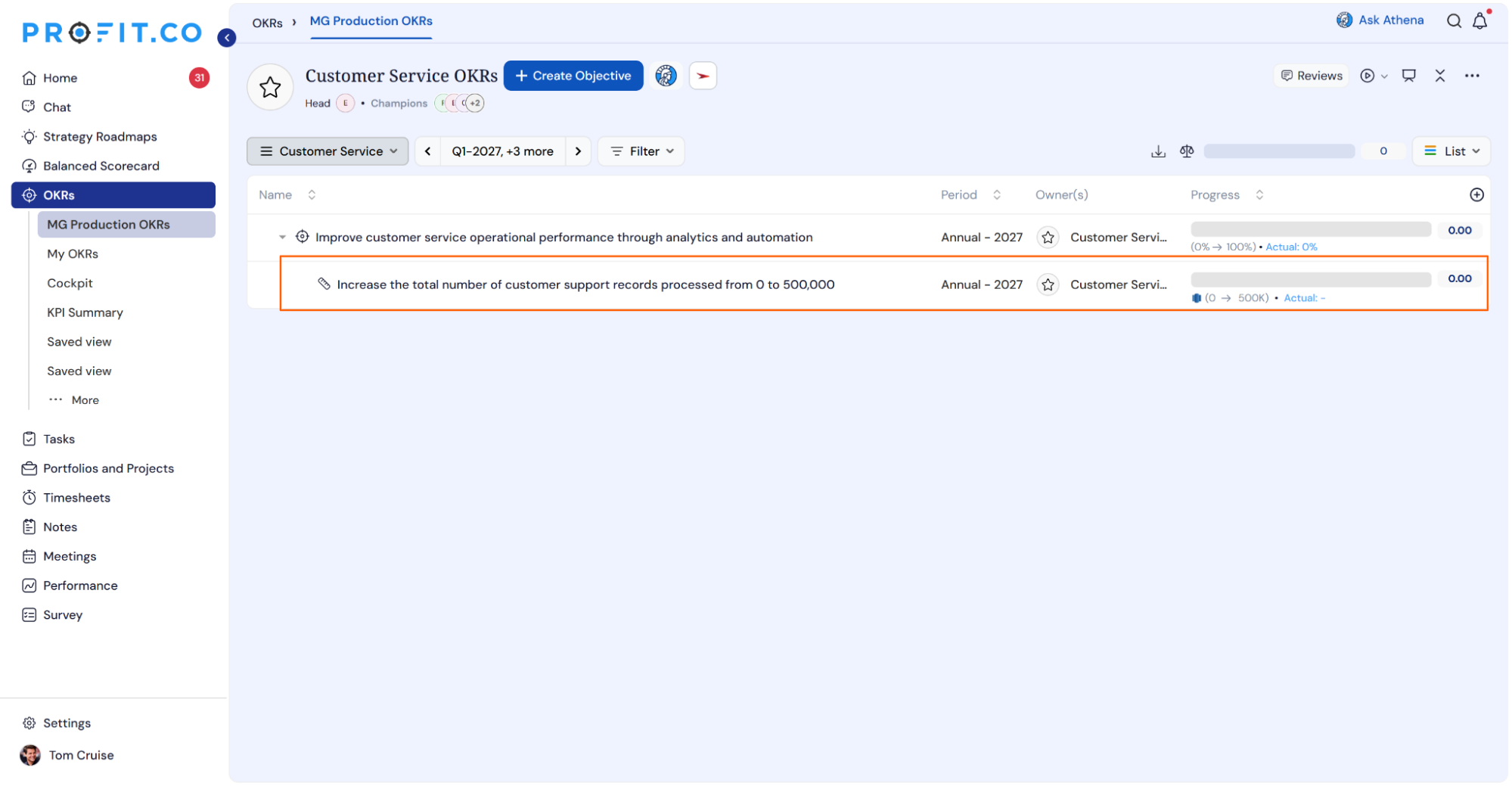
Once the Key Result is successfully created, click on the Check-in button and complete the Check-in to update the status value in the Key Result.
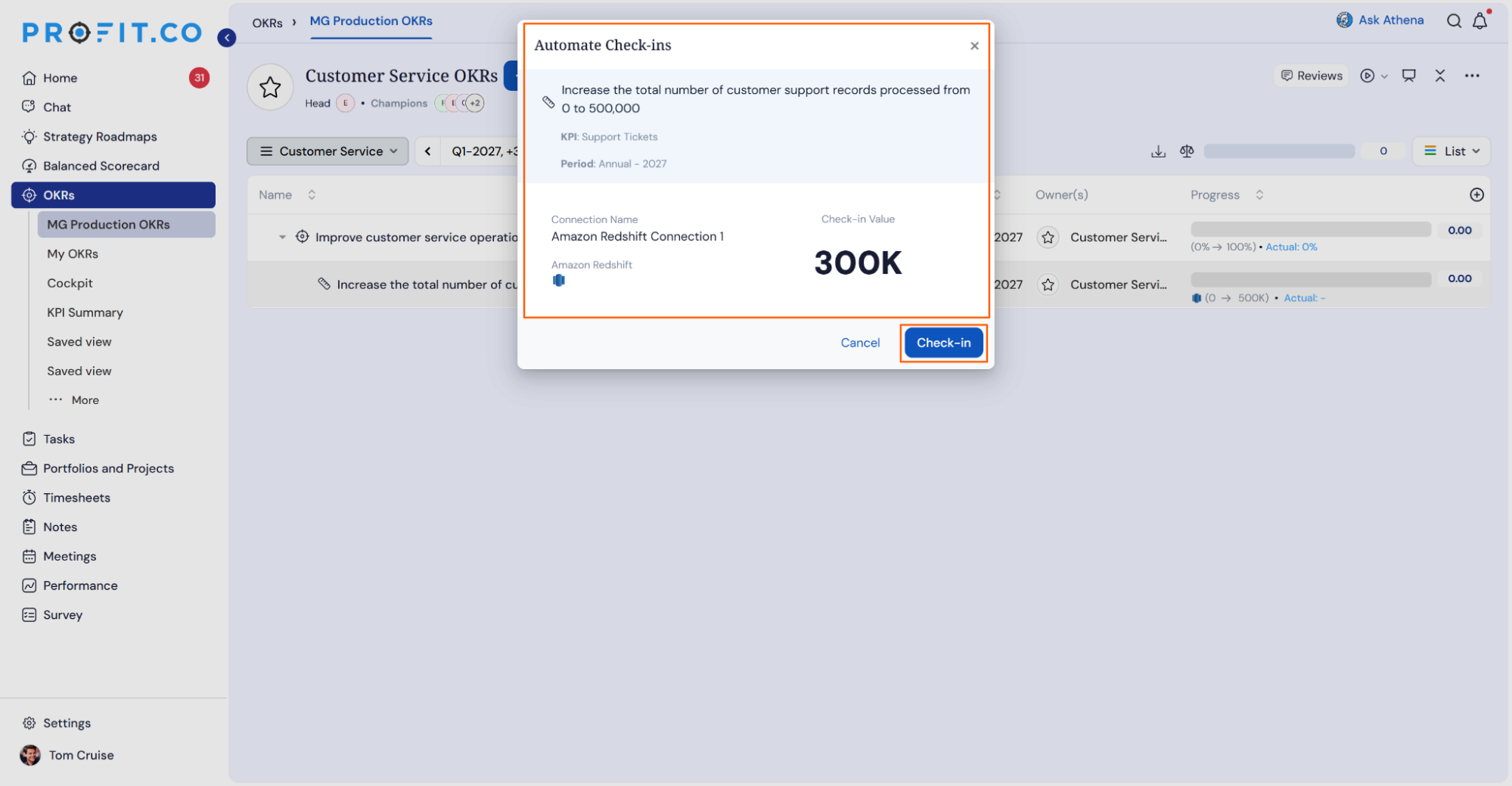
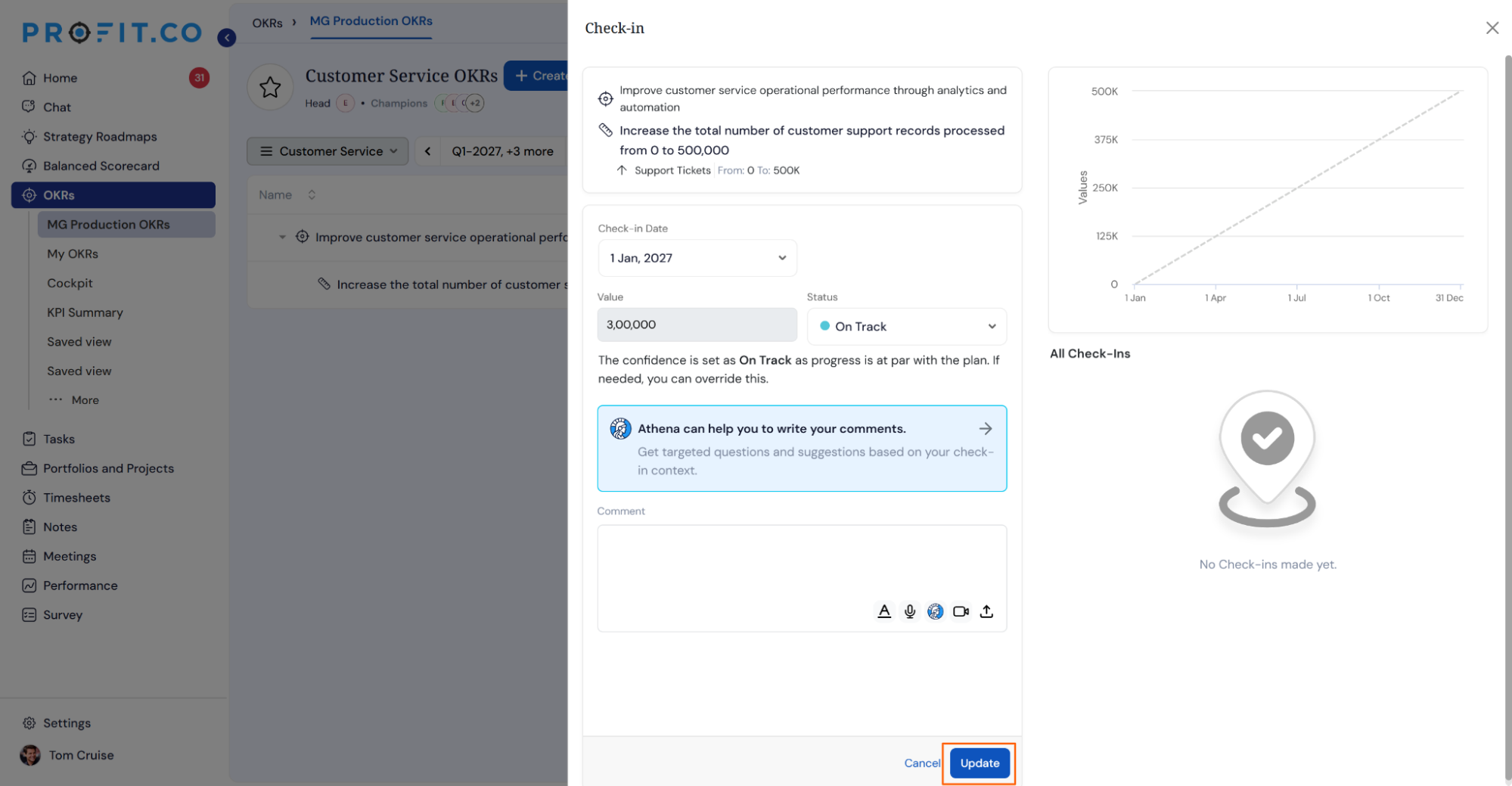
If you check in, you'll be redirected to the review page.
Finally, you can update it to make progress toward your key result.
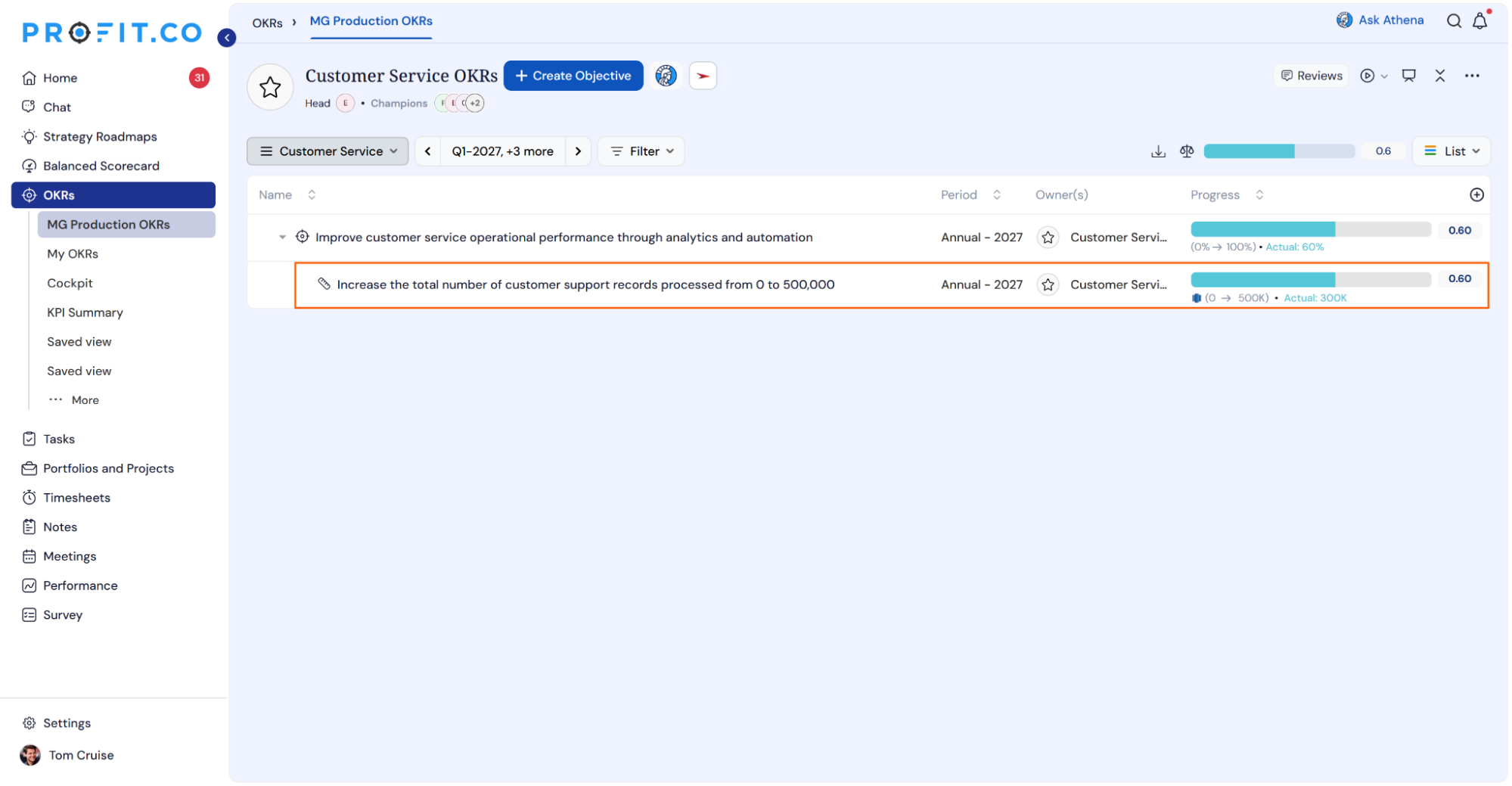
Note: The automatic check-in will happen every day at 09:00 AM based on the user's region.
Summary
With the Amazon Redshift integration, Profit.co users can connect their key results directly to Redshift data using custom SQL queries, enabling automated check-ins that keep progress updated without manual effort. By scheduling queries against operational metrics such as revenue, pipeline, or usage data, teams ensure their OKRs stay accurate and current, freeing up time to focus on strategy execution rather than manual data entry.