
Overview
SAML (Security Assertion Markup Language) is an open standard that lets an identity provider securely pass user authentication details to a connected application, enabling single sign-on across different platforms.
The Profit.co SAML SSO integration lets you connect any SAML identity provider to Profit.co using the provider's Entity ID and certificate. Use this integration when your identity provider does not have a dedicated, named integration in Profit.co.
What This Integration Supports
With the Profit.co SAML SSO integration, you can:
- Connect any SAML identity provider to Profit.co
- Authenticate Profit.co users using the Entity ID and Certificate issued by your identity provider
- Set up single sign-on for Profit.co even when no dedicated integration is listed for your identity provider
Prerequisites
- A SAML identity provider configured to issue assertions for Profit.co
- The Entity ID and Certificate (X509Certificate) values from your identity provider
- Super User access in Profit.co
Note: Only Super Users can configure this integration in Profit.co.
Configure SAML SSO in Profit.co
The following steps walk through connecting your identity provider to Profit.co using its Entity ID and Certificate.
Step 1
Enter the Profit.co service provider details in your app.
- In the ACS URL field, enter the URL provided by the Profit.co team.
- In the Entity ID field, enter the following value: urn:profit-prod:profit-prod-sso-auth
- Set Name ID to Basic Information / Primary Email.
- Set Name ID Format to ENTITY.
Field Value ACS URL US region

EU region

ME region

SA region

Step 2
Switch to Profit.co to complete the connection using the Entity ID and Certificate from your identity provider.
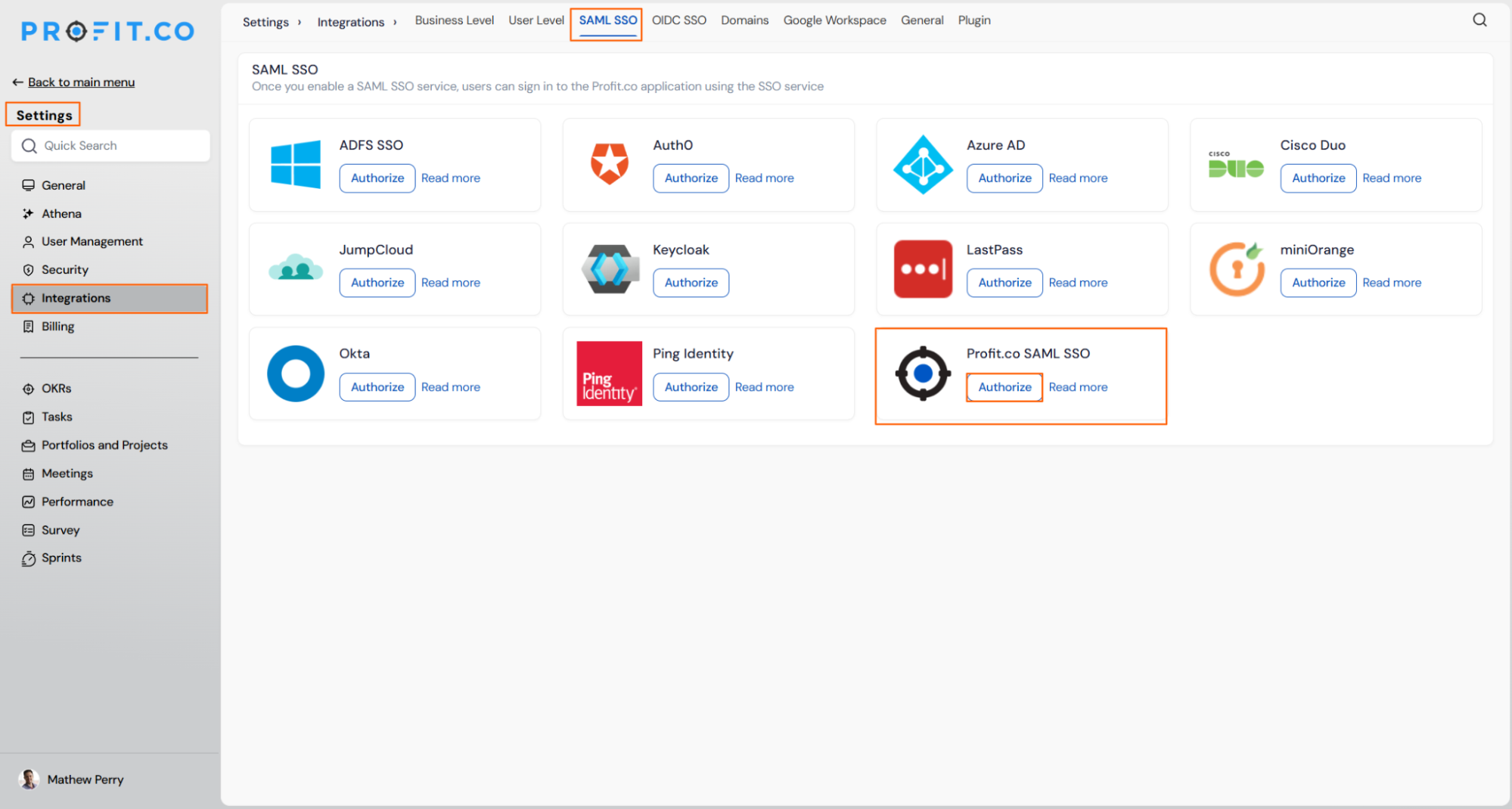
- Navigate to Settings from the left navigation panel.
- Click Integrations.
- On the Connectors page, switch to the SAML SSO tab.
- Locate Profit.co SAML SSO and click Authorize.
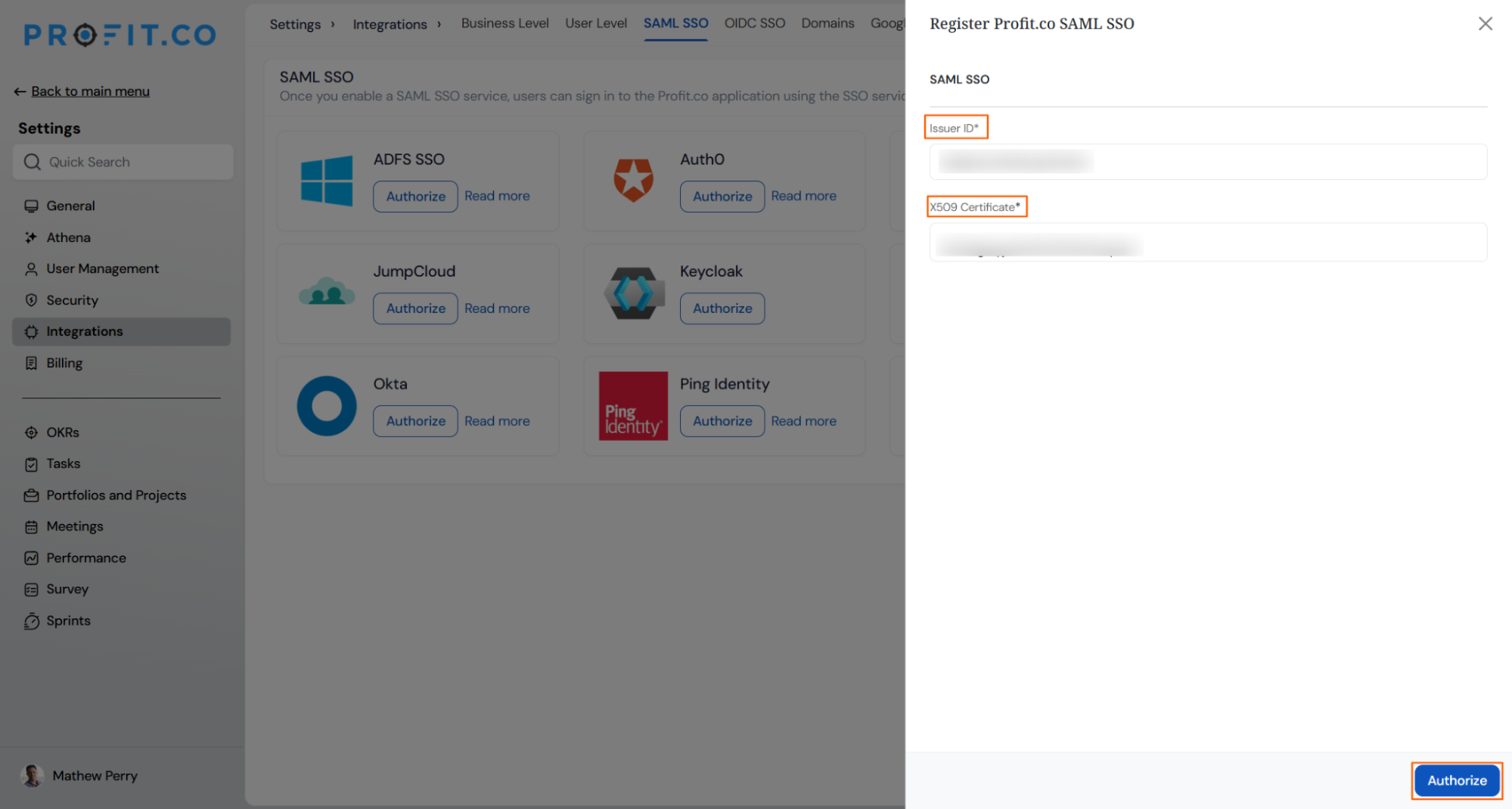
- In the Profit.co SAML SSO panel, paste the Entity ID and X509Certificate values from your identity provider.
- Click Authorize to save the configuration.
Note: If your identity provider has its own dedicated Profit.co integration, such as Google Workspace, use that integration's setup guide instead of this generic connector.




Summary
By connecting your identity provider's Entity ID and Certificate through the Profit SAML SSO connector, you can set up single sign-on for Profit.co even when a dedicated integration is not listed for your identity provider. Once the connection is authorized, users can sign in to Profit.co with their existing organizational credentials.